LiveChat vs. Salesforce Starter

Overview
ProductRatingMost Used ByProduct SummaryStarting Price
LiveChat
Score 7.0 out of 10
Mid-Size Companies (51-1,000 employees)
LiveChat serves as a customer service platform with live chat support, help desk and web analytics functionalities, with the goal of allowing users to provide 24/7 support to customers. The core feature of the software is its chat tool, where both service and sales team can answer customers' questions in real time. Online businesses can interact with customers on their website, to be more accessible. With LiveChat, users can identify people on the website and engage…
$25
per month per user
Salesforce Starter
Score 9.0 out of 10
Small Businesses (1-50 employees)
Salesforce Starter (formerly Salesforce Essentials) is a small business CRM that replaces the former SalesforceIQ product. It is priced at $35 per user, on a monthly basis, or at $25 per month for if billed annually ($300) and can be tried free for 14 days on a trial.
$35
per month per user
Pricing
LiveChatSalesforce Starter
Editions & Modules
Starter
$25
per month
Team
$59
per month per person
Business
$89
per month per person
Enterprise
Contact Sales
No answers on this topic
Offerings
Pricing Offerings
LiveChatSalesforce Starter
Free Trial
YesYes
Free/Freemium Version
NoNo
Premium Consulting/Integration Services
NoYes
Entry-level Setup FeeNo setup feeNo setup fee
Additional DetailsDiscount available for annual billing.
More Pricing Information
Community Pulse
LiveChatSalesforce Starter
Features
LiveChatSalesforce Starter
Sales Force Automation
Comparison of Sales Force Automation features of Product A and Product B
LiveChat
-
Ratings
Salesforce Starter
8.7
7 Ratings
11% above category average
Customer data management / contact management00 Ratings7.57 Ratings
Territory management00 Ratings7.67 Ratings
Opportunity management00 Ratings9.07 Ratings
Integration with email client (e.g., Outlook or Gmail)00 Ratings9.66 Ratings
Quote & order management00 Ratings9.45 Ratings
Interaction tracking00 Ratings8.46 Ratings
Channel / partner relationship management00 Ratings9.75 Ratings
Marketing Automation
Comparison of Marketing Automation features of Product A and Product B
LiveChat
-
Ratings
Salesforce Starter
7.6
6 Ratings
2% below category average
Lead management00 Ratings7.66 Ratings
CRM Project Management
Comparison of CRM Project Management features of Product A and Product B
LiveChat
-
Ratings
Salesforce Starter
8.3
5 Ratings
7% above category average
Task management00 Ratings9.55 Ratings
Billing and invoicing management00 Ratings6.75 Ratings
Reporting00 Ratings8.85 Ratings
CRM Reporting & Analytics
Comparison of CRM Reporting & Analytics features of Product A and Product B
LiveChat
-
Ratings
Salesforce Starter
9.0
5 Ratings
16% above category average
Forecasting00 Ratings9.05 Ratings
Pipeline visualization00 Ratings8.85 Ratings
Customizable reports00 Ratings9.35 Ratings
Customization
Comparison of Customization features of Product A and Product B
LiveChat
-
Ratings
Salesforce Starter
7.2
6 Ratings
6% below category average
Custom fields00 Ratings7.56 Ratings
Custom objects00 Ratings7.55 Ratings
Scripting environment00 Ratings6.25 Ratings
API for custom integration00 Ratings7.65 Ratings
Security
Comparison of Security features of Product A and Product B
LiveChat
-
Ratings
Salesforce Starter
8.8
6 Ratings
5% above category average
Single sign-on capability00 Ratings8.86 Ratings
Role-based user permissions00 Ratings8.86 Ratings
Social CRM
Comparison of Social CRM features of Product A and Product B
LiveChat
-
Ratings
Salesforce Starter
8.5
5 Ratings
13% above category average
Social engagement00 Ratings8.55 Ratings
Integrations with 3rd-party Software
Comparison of Integrations with 3rd-party Software features of Product A and Product B
LiveChat
-
Ratings
Salesforce Starter
8.1
5 Ratings
8% above category average
Marketing automation00 Ratings8.35 Ratings
Compensation management00 Ratings8.05 Ratings
Platform
Comparison of Platform features of Product A and Product B
LiveChat
-
Ratings
Salesforce Starter
8.3
6 Ratings
9% above category average
Mobile access00 Ratings8.36 Ratings
Best Alternatives
LiveChatSalesforce Starter
Small Businesses
Gist
Gist
Score 9.5 out of 10
Salesmate
Salesmate
Score 10.0 out of 10
Medium-sized Companies
Genesys DX (discontinued)
Score 10.0 out of 10
Creatio
Creatio
Score 9.0 out of 10
Enterprises
Genesys DX (discontinued)
Score 10.0 out of 10
Creatio
Creatio
Score 9.0 out of 10
All AlternativesView all alternativesView all alternatives
User Ratings
LiveChatSalesforce Starter
Likelihood to Recommend
8.0
(44 ratings)
9.0
(7 ratings)
Likelihood to Renew
10.0
(1 ratings)
4.0
(1 ratings)
Usability
-
(0 ratings)
8.6
(4 ratings)
Support Rating
7.3
(3 ratings)
-
(0 ratings)
User Testimonials
LiveChatSalesforce Starter
Likelihood to Recommend
Text
We needed a mechanism in place to make contact with visitors to our website easier. What we discovered is that it's an excellent tool for creating reports and dashboards that show how soon issues are handled. Our website can now be updated in real-time, and all of our internal teams are really excited to use this fantastic technology. I really recommend [LiveChat] to many friends and past colleagues.
Read full review
Salesforce
If you own a business that has complex selling processes or requires integrations with 3rd party tools/systems, you should look at Professional, Enterprise, or Unlimited editions. Salesforce operates very well across pretty much every industry, but not all sales, marketing, and operational processes are created equal. If your marketing process requires a long list of sendable contacts then I would recommend adding on Pardot or Hubspot. Always start small and scale up, to avoid boxing yourself in down the road.
Read full review
Pros
Text
  • The most important factor of Livechat is their own chat support, I had many requirement from the Sales Head, Support Head to implement features that I was unsure if the product could do. However, as I did the implementation one by one I constantly used the chat support which helped me step by step all the way.
  • The UX of the product is pretty simple and intuitive to use. There are quite a few features that we could easily plug and play. We tried going to the market to find a solution that could help us but they did not have as many out of the box features and simple to use
  • Their integration between LiveChat and Chatbot is pretty seamless and since both of them are from the same company, it's works pretty well.
Read full review
Salesforce
  • Tracking phone calls is extremely easy when using the app on the iphone. After a phone call is complete it prompts the user to enter in call details.
  • SalesforceIQ also automatically logs emails for us. This has saved us time from entering in information manually.
  • SalesforceIQ was easy to set up and allowed us customization for fields that were relevant to our business.
Read full review
Cons
Text
  • It has a limited amount of agents, so when you have many customer care employees during one shift it is hard to manage the quantity of active agents.
  • When system is overloaded and many customers are waiting in a queue it starts to works slowly (sometimes the program even lags) and you need to refresh the system to write a message.
  • Occasionally when you open a new tab, you might lose your current conversation.
Read full review
Salesforce
  • Table views can be sorted by column. Filters can be applied, but only to one column. Multi-column filtering like Excel allows would be extremely useful and a big improvement.
  • The ability to quick copy data in a table view would also be helpful, like (ctrl ') in excel.
Read full review
Usability
Text
No answers on this topic
Salesforce
The system is very user-friendly on a desktop but lacks mobile friendliness. The Customer relationship manager disappears after the deal is signed. We struggled to get the system in a usable format, which was not cost-effective. The CRM system on desktop was great but way more complicated than it should be.
Read full review
Support Rating
Text
The only issues I have had with LiveChat are the technical glitches within the program. These are not common as in everyday occurrences but when the glitches do happen they tend to have very negative repercussions. This is due to chats with customers being dropped, this may be an internal server issue though and may not happen for everyone.
Read full review
Salesforce
No answers on this topic
Alternatives Considered
Text
Overall very similar in design, but LiveChat had a better interface, better reporting and analytic tools, better mobile support, and just an easier overall feel. The two products are very much alike in the vast majority of ways, but I ended up preferring this product overall. Price points were similar as well, as well as the allowed number of users.
Read full review
Salesforce
more expensive but as an industry leader and go, the learning curve pays for itself in ROI in lost time in onboarding
Read full review
Return on Investment
Text
  • We have a small team so the overall impact is that it is easy for one or two employees to handle a large number of tickets without hiring more people. Plus, you can use this software remotely, save a ton on traveling to and from and office.
Read full review
Salesforce
  • It made the job more efficient for staff so they can spend time doing other tasks rather than configuring and maintaining Salesforce Starter.
Read full review
ScreenShots

LiveChat Screenshots

Screenshot of Chat Widget and Agent AppScreenshot of Customer detailsScreenshot of Traffic sectionScreenshot of ReportsScreenshot of Team managementScreenshot of Chat Widget customization

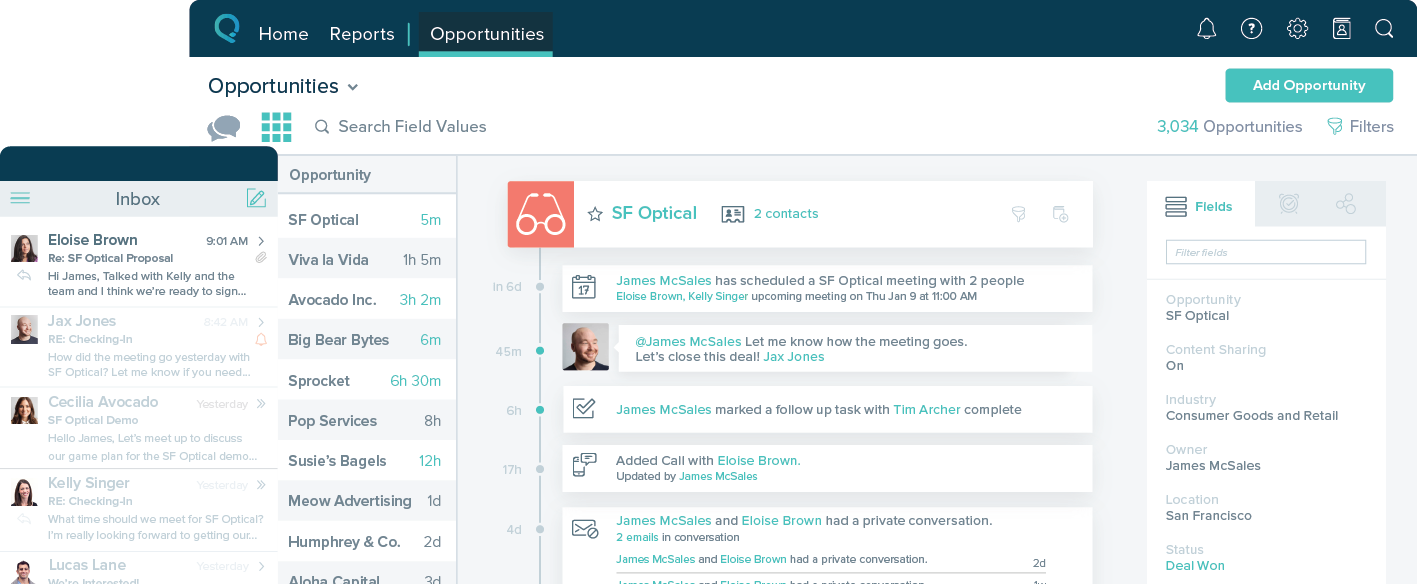
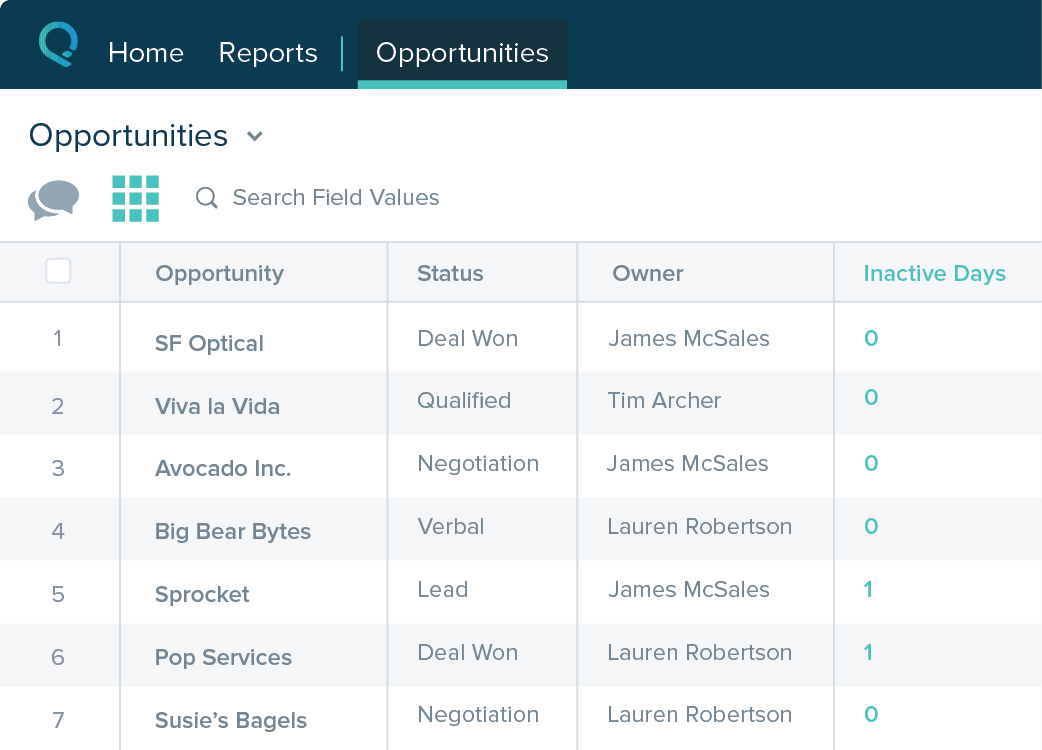
Salesforce Starter Screenshots

Screenshot of Screenshot of Screenshot of Screenshot of