Macrium Reflect is an endpoint and server backup and cloning solution from Macrium Software (aka Paramount Software UK), available in personal and professional editions.
N/A
NinjaOne
Score 9.0 out of 10
N/A
The NinjaOne Unified IT Operations Platform delivers endpoint management, autonomous patching, backup, and remote access. NinjaOne aims to give organizations' employees a great technology experience to work faster, smarter, and easier while IT teams modernize and improve efficiency.
N/A
Pricing
Macrium Reflect
NinjaOne
Editions & Modules
No answers on this topic
Offerings
Pricing Offerings
Macrium Reflect
NinjaOne
Free Trial
No
Yes
Free/Freemium Version
No
No
Premium Consulting/Integration Services
No
No
Entry-level Setup Fee
No setup fee
No setup fee
Additional Details
—
NinjaOne is a subscription typically billed annually and sold through channel partners. Monthly billing is nonstandard but billed on a case by case basis.
Previously, I used Acronis as my company purchased licensing for years. It's great, but I found Macrium Reflect more straightforward, and the free version has been perfect for personal use.
Veeam offers Veeam Agent for Microsoft Windows, a product we also install and use. It compares favorably with Macrium Reflect; however, for small firms and individual wanting an added cloud backup of their full hard drive, Macrium wins out in requiring less cloud storage space …
We used IBM and Freesync, but all other software had file differences. Architecture kind of backups take a long time for our 10tb storage. We compared times and it's x5 faster because Macrium is a block-based backup system instead of file comparison, and won't affect …
We found NinjaOne far more user friendly and less resource heavy than VSA. Our overall experience was greatly improved from VSA as we experienced many recurring issues with the agents. Additionally, NinjaOne was far more cost effective per endpoint and provided similar, or …
NinjaOne is much more modern both in it's "look and feel" but also in it's functionality. Connectwise feels dated and doesn't work as well. It feels more clunky. NinjaOne has more options, less complexity to do more powerful tasks.
NinjaOne has the most rounded set of features however I believe all of the programs have there own plus and minus points. We use a mixture of programs however NinjaOne is the most heavily used.
Both of the prior solutions we have used were incredibly slow and clunky compared to NinjaOne. The learning curve on both were also dramatically higher. Things that took us years to get working, or were not able to get working at all, took weeks/months with NinjaOne. It has …
NinjaOne has a great response time when pushing software, and provides a positive indication of it working without additional time monitoring or asking the user to verify processes. The level of system detail is a great advantage in NinjaOne when trying to narrow down hidden …
We used Auto Task and Datto. We felt that NinjaOne was a more user friendly platform. There was a large training curve for new employees to learn to use Auto Task. We have noticed a shortened training curve for NinjaOne. We really like the layout and the Ninja Academy.
NinjaOne's user friendly interface was immediately appealing to a team that that needs to be able to pickup a tool and know how to run with it at first exposure. From the moment we started using it, we would often be able to navigate the platform with a common sense approach …
Although I was not directly involved in the decision-making and vetting process, as my technical partner handled this task, I can share my perspective. During the early stages of Ninja, we recognized its potential and the seamless integration it offered for our company. This …
I honestly cannot say enough good words about this system. I would never run an IT department again without NinjaOne, supposing I had to pay for it out of my own pocket. If you are considering any RMM to run your IT operations then I can guarantee you that you will not find …
NinjaOne is competitive against these other solutions. They all have their own value propositions and we try to keep a balanced view of when and where to deploy solutions. Our clients rely on us to choose the best of breed solutions, as long as we achieve their goals in an …
One was an on-prem solution that barely worked and did have a lot of security issues before we switched to NinjaOne. Taking that into consideration, we looked towards cloud based solutions and NinjaOne popped up. Reading reviews of other administrators also helped push the team …
NinjaOne not only handles the simple things such as installing software but it also allows us the ability to monitor firmware and patch updates as well. We can provide remote support and not just remotely install software on devices. NinjaOne has made setting up new devices a …
We have used many RMM providers and the UI, cost and experience has all been better with NinjaOne.
Datto wasn’t able to improve anything in the three years that we use them, in fact they were sold to and immediately started trying to sell us the other services they had.
this integrates with Splashtop and works well. I am happy with the integration and prefer it over Teamviewer. This is included in our subscription and works with a few clicks. Users can accept / deny the request and if no one is there we can still remote in. Makes servicing …
NinjaOne is very simple to use and navigate. There are fewer layers of pages to navigate to get to what you want. This is a time saver and it makes it easier to find what you are looking for.
NinjaOne feels like a smaller company, and I mean that in a good way. Their support is quick and helpful and because of our size we are escalated directly to their level 2 support. Our account manager is eager to assist and get ideas/issues to the right people and put those …
We liked the per device pricing and the UI of the platform most when we decided to leave Datto RMM. We believe that NinjaOne's constant development to improve the product has been really helpful. The quality of the community posts with scripts we can use to automate things …
Prior to NinjaOne, our IT management was a blank slate. We knew we needed something, and we wanted to ensure we were making the best decision for our organization. We attended demos and talked with sales reps, sales engineers, etc. At the end of the day, it was the relationship …
Macrium Reflect creates synthetic full images for fast recovery in case of disaster. It also works pretty well on creating SQL server database backups. It can send a report of taken backups and failures to get users' attention if backups are being taken. It has a good management interface called Macrium Site Manager that connects to installed agents on different servers and has 1 site management configuration for all site servers.
NinjaOne is great for a comprehensive inventory management as well as a supurb RMM; it's far and away a much greater platform than ones that I"ve used in the past (I've been working for years in MSP organizations). Patch management is the second of the "one, two punch" that NinjaOne provides for our organization. It is outstanding at tracking and enforcing patch mangement, which is great for our security footprint as well as for our compliance goals.
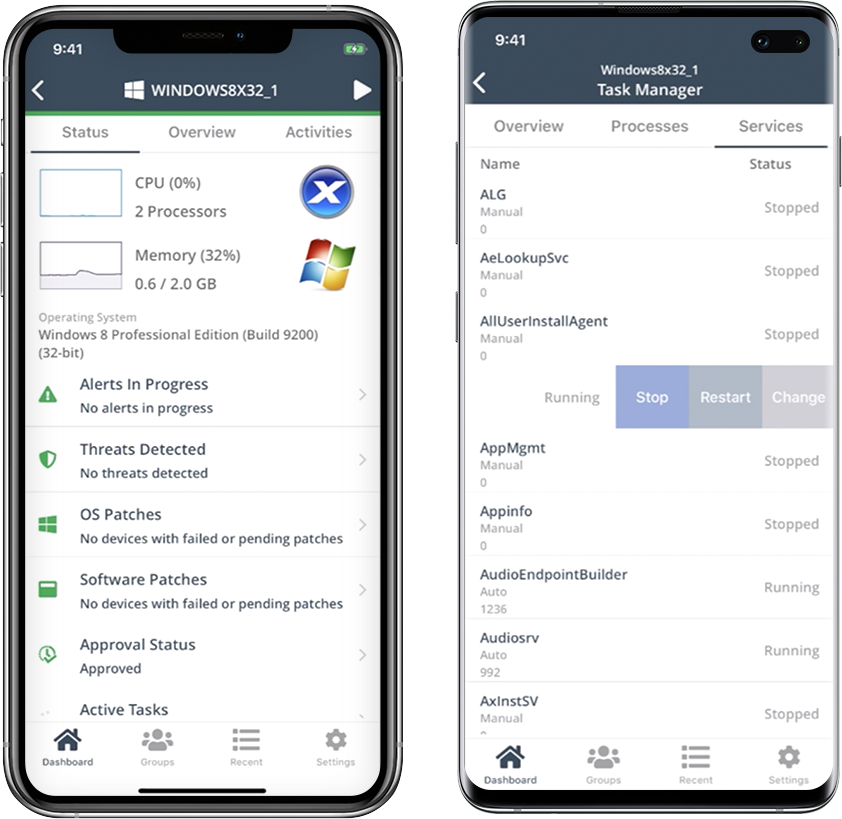
Remote connections: the NinjaRemote client is spectacular and very easy to use and navigate. It quickly connects to customer systems so my engineers are able to work. As a bonus, they also offer a really good mobile app to connect to client systems.
Antivirus: Bitdefender Endpoint Protection is built directly into the NinjaOne portal. This makes deploying and maintaining AV very easy.
OS Patching: NinjaOne makes it very easy to handle patching across multiple clients and locations. It is very easy to use and doesn't take long to set up.
Support: NinjaOne support is always very prompt and helpful.
Documentation: the NinjaOne Dojo is a one-stop shop for all of your FAQs, guides, and forum needs. You can find almost anything here to help you deploy and maintain NinjaOne.
Automation Library: NinjaOne comes preloaded with a large number of ready-to-go automations. They also provide you with a scripting module to create your own.
I have not had any real issues with NinjaOne and as long as it keeps doing what it is meant to do, I do not plan on looking elsewhere. I need software to be stable and NinjaOne is stable.
Ninja's interface is clean and simple. Overall usability from an interface perspective is good. Some items, policies and scripting for instance, are a bit cumbersome and it's really not clear how to implement with a best practice mind-site. Ninja RMM got the job done for us but as we pushed our needs more into automation and efficiency we felt it wasn't keeping up with our speed of growth. There is definitely usability in the product, and it will get the job done, but there are other RMM's out there that fit better in our business.
We have not been opening tickets for support from Macrium at the moment, only for licencing issues, but good attention and fast response by the support team. They respond pretty fast to our emails and fixed our issues giving us a good explanation of our case without any complications. Due to the good functionality of the software we have not opened a ticket for support in years.
Support has been very responsive and my account rep Brian K. has communicated with me continuously making sure we had everything we need. Not like other MDMs where they sign you up and that's the last you hear from them. NinjaOne makes sure you use the product to its best application and you are successful and continue as the product features grow.
Easy to learn and all of the functions and features were easy to learn. Once I started learning all of the features and functions, it made my everyday tasks much easier and more productive. The user interface is very easy to use. If I did have any questions, the Ninja Dojo was a big help.
It was nice and self paced learning. The sections were easy to understand and the functionality was very worthwhile. The online training was very easy to learn and intuitive. I did not feel the need to ask for any clarification or assistance with any of the sections. I am still learning a lot of the functions but fined it very easy to use.
Veeam offers Veeam Agent for Microsoft Windows, a product we also install and use. It compares favorably with Macrium Reflect; however, for small firms and individual wanting an added cloud backup of their full hard drive, Macrium wins out in requiring less cloud storage space by a significant margin. ShadowProtect is a rock solid competitor with a higher price and no free version. It is highly dependable, but more complicated to install and set up. The number of technical issues and quality of technical support have ruled out Acronis products. MSP360 Backup has impressive technology, but we encountered issues with restore times and full drive image restores.
We found NinjaOne far more user friendly and less resource heavy than VSA. Our overall experience was greatly improved from VSA as we experienced many recurring issues with the agents. Additionally, NinjaOne was far more cost effective per endpoint and provided similar, or greater features than VSA. Atera was briefly considered, but it seemed to be more of a 'jack of all trades' app that didn't suit our specific use cases.