ManageEngine Patch Manager Plus vs. McAfee Total Protection (discontinued) vs. Microsoft System Center Endpoint Protection

Overview
ProductRatingMost Used ByProduct SummaryStarting Price
ManageEngine Patch Manager Plus
Score 8.7 out of 10
N/A
Patch Manager Plus is an automated patch management software that provides enterprises with a single interface for all patch management tasks. The vendor claims it works across platforms, helping users patch Windows, Mac, Linux & 300+ third-party applications. With Automated Patch Deployments, users can automate the entire process of patch management:…
$245
50 endpoints
McAfee Total Protection (discontinued)
Score 5.1 out of 10
N/A
McAfee's Total Protection included antivirus and antimalware offerings for home and small businesses or home offices. This product line is not a focus for Trellix, the brand formed from the merger of McAfee and FireEye that offers business grade products. Trellix Endpoint Security is the company's product line for business endpoint security.
$24.99
per year (2 year subscription, 5 devices)
Microsoft System Center Endpoint Protection
Score 8.0 out of 10
N/A
Microsoft System Center Endpoint Protection is a malware, spyware, antivirus and endpoint protection application available formerly with System Center Configuration Manager (SCCM), which later became Microsoft Endpoint Manager. It is a legacy product, with older versions reaching end of support, and is not available as a standalone product.N/A
Pricing
ManageEngine Patch Manager PlusMcAfee Total Protection (discontinued)Microsoft System Center Endpoint Protection
Editions & Modules
Professional
$245.00
50 endpoints
Enterprise
$345.00
50 endpoints
Professional
$345.00
50 endpoints
Enterprise
$445.00
50 endpoints
Multi-Device
$24.99
per year (2 year subscription, 5 devices)
Individual
$29.99 ($79.99)
1st year price (subsequent years)
Family
$29.99
per year (2 year subscription, 10 devices)
No answers on this topic
Offerings
Pricing Offerings
ManageEngine Patch Manager PlusMcAfee Total Protection (discontinued)Microsoft System Center Endpoint Protection
Free Trial
YesNoNo
Free/Freemium Version
YesNoNo
Premium Consulting/Integration Services
YesNoNo
Entry-level Setup FeeOptionalNo setup feeNo setup fee
Additional Details
More Pricing Information
Community Pulse
ManageEngine Patch Manager PlusMcAfee Total Protection (discontinued)Microsoft System Center Endpoint Protection
Features
ManageEngine Patch Manager PlusMcAfee Total Protection (discontinued)Microsoft System Center Endpoint Protection
Endpoint Security
Comparison of Endpoint Security features of Product A and Product B
ManageEngine Patch Manager Plus
-
Ratings
McAfee Total Protection (discontinued)
-
Ratings
Microsoft System Center Endpoint Protection
7.7
3 Ratings
10% below category average
Anti-Exploit Technology00 Ratings00 Ratings8.03 Ratings
Endpoint Detection and Response (EDR)00 Ratings00 Ratings7.03 Ratings
Centralized Management00 Ratings00 Ratings8.02 Ratings
Hybrid Deployment Support00 Ratings00 Ratings6.02 Ratings
Infection Remediation00 Ratings00 Ratings9.03 Ratings
Vulnerability Management00 Ratings00 Ratings8.03 Ratings
Malware Detection00 Ratings00 Ratings8.03 Ratings
Best Alternatives
ManageEngine Patch Manager PlusMcAfee Total Protection (discontinued)Microsoft System Center Endpoint Protection
Small Businesses
Action1
Action1
Score 9.5 out of 10
Malwarebytes
Malwarebytes
Score 8.8 out of 10
ThreatLocker
ThreatLocker
Score 9.4 out of 10
Medium-sized Companies
Action1
Action1
Score 9.5 out of 10
BlackBerry Protect (CylancePROTECT)
Score 9.1 out of 10
BlackBerry Protect (CylancePROTECT)
Score 9.1 out of 10
Enterprises
CrowdStrike Falcon
CrowdStrike Falcon
Score 9.1 out of 10
BlackBerry Protect (CylancePROTECT)
Score 9.1 out of 10
BeyondTrust Endpoint Privilege Management
Score 10.0 out of 10
All AlternativesView all alternativesView all alternativesView all alternatives
User Ratings
ManageEngine Patch Manager PlusMcAfee Total Protection (discontinued)Microsoft System Center Endpoint Protection
Likelihood to Recommend
8.6
(15 ratings)
9.0
(3 ratings)
8.0
(3 ratings)
Likelihood to Renew
-
(0 ratings)
10.0
(1 ratings)
-
(0 ratings)
Usability
8.8
(9 ratings)
-
(0 ratings)
8.0
(1 ratings)
Support Rating
9.0
(1 ratings)
-
(0 ratings)
7.6
(2 ratings)
User Testimonials
ManageEngine Patch Manager PlusMcAfee Total Protection (discontinued)Microsoft System Center Endpoint Protection
Likelihood to Recommend
ManageEngine, A Div of Zoho Corporation Pvt Ltd
If you are managing a very large number of computers, I would say 1000+, the standard patching tools provided by Microsoft will fail to do their job properly. This is where you will benefit from ManageEngine PATCH MANAGER Plus, being agent-based it is fast, easy to manage, and reliable. If you require functionality more than just patching, like security auditing, you have to look elsewhere.
Read full review
Discontinued Products
I think McAfee is great to have whether it's for work or for personal use. While it has some drawbacks, I like the peace of mind of feeling safe when I'm browsing the web/email, especially when my computer has sensitive/confidential information, knowing that McAfee will immediately detect any threats. The UI is extremely easy to navigate, which makes it easy for users regardless of how tech-savvy they are.
Read full review
Microsoft
If an organization is all Windows-based Active Directory systems, then System Center Endpoint Protection is worth deploying and using. If it's a hybrid of operating systems, then an alternative solution is best.
Read full review
Pros
ManageEngine, A Div of Zoho Corporation Pvt Ltd
  • 3rd-party application updates: since WSUS didn't allow us to do that, Patch Manager made updating software like Adobe and Chrome so easy.
  • The ability to schedule patches after working hours is very nice.
  • The dashboards that we can easily show to top management.
Read full review
Discontinued Products
  • Excellent protection of all internet connected assets on our VPN.
  • Constant updates of needed security patches that ensure our network and systems are protected from current and emerging/potential threats.
  • Prompt and reliable customer service that provides needed answers and expertise in a crisis.
  • Strategic whitepapers on emerging cyber threats and McAfee solutions to resolve them before they become a problem for my team or our clients.
Read full review
Microsoft
  • It is easy to use and configure. This is a benefit, not just for the IT/Admin team, but also for the end-user, as they can easily set how and when to run scans.
  • It is good a identifying threats and removing these threats. When looking for a product such as this, it is important to really look at these two areas to really see how the software will work in a real-world environment. SCEP is one such product that does really well at both of these things.
Read full review
Cons
ManageEngine, A Div of Zoho Corporation Pvt Ltd
  • If this tool can fetch serial numbers of the devices on which this is deployed
  • This tool should collect all application installed at client machine which is not available as of now.
  • Intergate more application which can be patch using this tool.
Read full review
Discontinued Products
  • Price - Extremely high price tag for many of the solutions.
Read full review
Microsoft
  • Not so much a limitation on the software itself, but the fact that is primarily only "signature" based, it cannot detect threats that have mutated.
  • This software provides virtually no protection against zero-day threats.
  • The System Center Endpoint Protection does not offer protections based on behavioral analysis.
Read full review
Likelihood to Renew
ManageEngine, A Div of Zoho Corporation Pvt Ltd
No answers on this topic
Discontinued Products
McAfee has consistently delivered on its stated goals of providing comprehensive protection for our networks and systems. Due to their excellent work and follow through I have been, and will continue to be a loyal customer.
Read full review
Microsoft
No answers on this topic
Usability
ManageEngine, A Div of Zoho Corporation Pvt Ltd
The overall usability for the application is great precisely for the ease of use the application provides, if i would go in a different organisation, i would suggest implementing ManageEngine Patch Manager Plus or Endpoint Central due to its features, and productivity.
Read full review
Discontinued Products
No answers on this topic
Microsoft
It is integrated with Windows and SCCM, making it easy to use, license, manage, and update. Additionally, it is straightforward to diagnose when virus and ransomware alerts are detected on endpoints. IT Service Desk management is also easy.
Read full review
Support Rating
ManageEngine, A Div of Zoho Corporation Pvt Ltd
The support team at Patch Manager Plus has been awesome. Very responsive and knowledgeable. There are times when there is confusion between different tickets but there is still good service.
Read full review
Discontinued Products
No answers on this topic
Microsoft
Support is pretty good overall. Since it's a Microsoft product, there are a number of different options for either end-users or IT Admins to get help with this product. This includes phone support, email, web KB articles, community forums, etc. This support is also available 24/7, which can't be said the same for every AV product out there. Also, organizations can opt to buy into Enterprise support, which gives the added benefit of faster response times, training by the vendor, etc.
Read full review
Alternatives Considered
ManageEngine, A Div of Zoho Corporation Pvt Ltd
We were talking to Action1 and Adaptiva about their solutions of patch management. The main factor of choosing ManageEngine was pricing, which was considerably lower compared to these tools. Also, for Action1, it didn't featured some important features (like Linux patching), and it looked like a solution that is getting started in the market, even being more expensive than Patch Manager Plus.
Read full review
Discontinued Products
I haven't used Norton for a while, but when I did use it I felt that it slowed down my computer and had constant pop-ups, which were both equally frustrating and annoying. It was also very difficult to remove from my computer. Malwarebytes is a great, straightforward program I've used for virus scanning. It's pretty bare bones but I think if you just want something to scan for viruses it gets the job done quickly and reliably. In my opinion McAfee offers similar benefits as Norton but its more intuitive and doesn't impact system performance.
Read full review
Microsoft
Microsoft System Center Endpoint Protection was the logical choice for our organization since we were utilizing so many other Microsoft solutions. We have since realized the need for more advanced threat protections and primarily use SCEP as an additional level of protection. Our primary protection is being provided by Carbon Black because of it's advanced heuristics and behavioral analysis capabilities
Read full review
Return on Investment
ManageEngine, A Div of Zoho Corporation Pvt Ltd
  • ManageEngine Patch Manager Plus provides an excellent return on investment. We were able to get our systems fully patched, which we'd never been able to complete before. This provided excellent security to our organization.
  • ManageEngine Patch Manager Plus saved us a lot of time as most of our patching was fully automated.
  • ManageEngine took any issues we found and looked for solutions to further improve their product.
Read full review
Discontinued Products
  • Blocks unsafe websites
  • Virus detection and removal
  • Protects sensitive data
Read full review
Microsoft
  • The Windows 11 version of SCEP is significantly better than the Windows 10 and older iterations, and it has saved us from virus issues in the past.
  • This is faster and less work to deploy to a pc when we build and deploy them.
  • No extra admin and costs for AV licensing in our case, which makes renewal times easier on IT Management.
Read full review
ScreenShots

ManageEngine Patch Manager Plus Screenshots
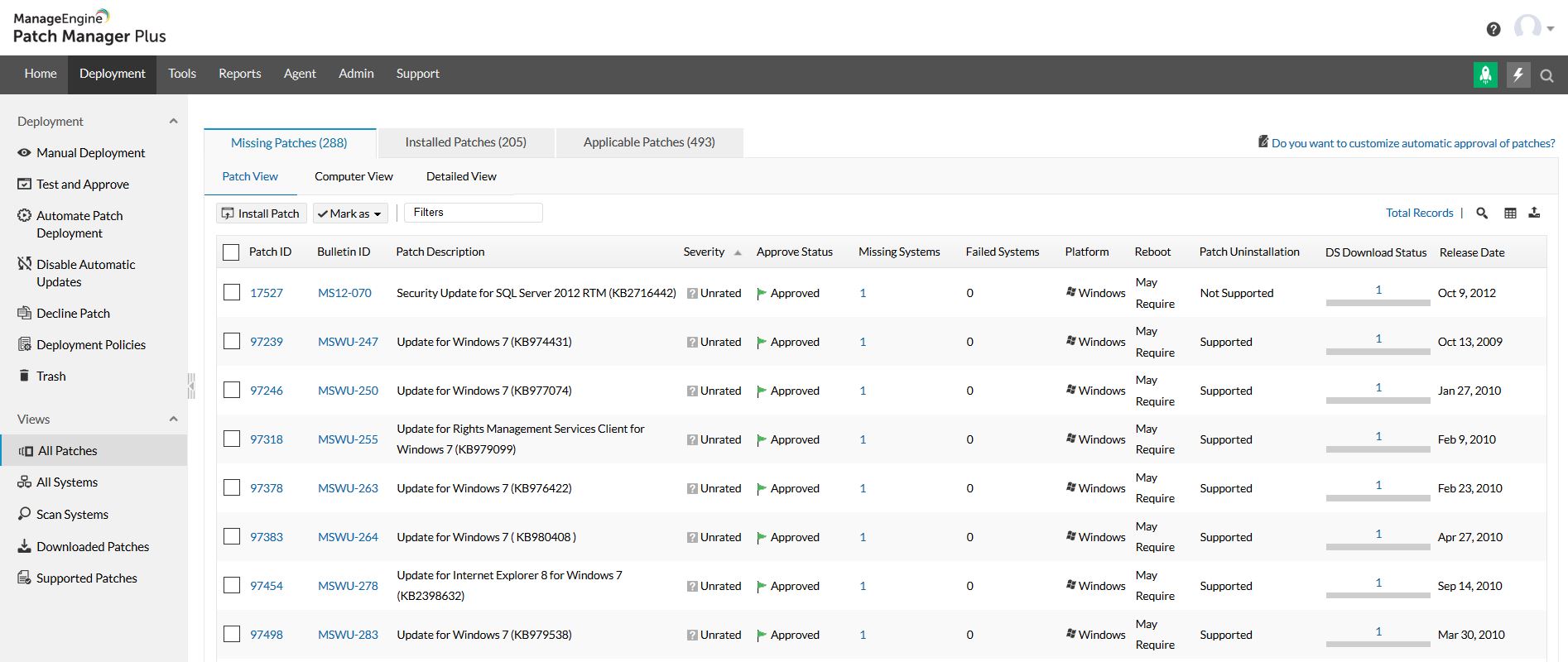
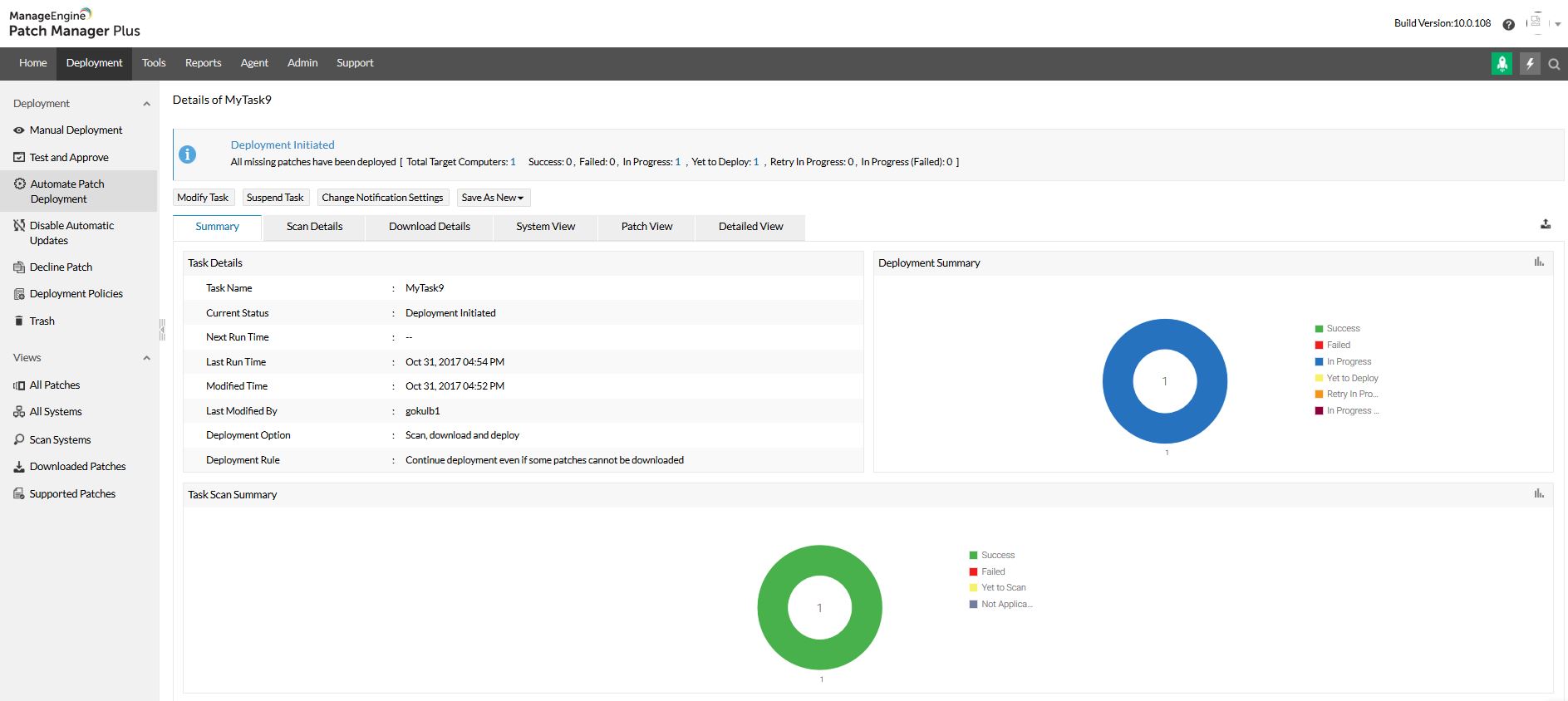
Screenshot of Home view and security news feedScreenshot of All patches viewScreenshot of All systems viewScreenshot of Automated patch deploymentScreenshot of Scope of managementScreenshot of Configurations