Overview
ProductRatingMost Used ByProduct SummaryStarting Price
Miro
Score 9.1 out of 10
N/A
Miro is a web-based Collaborative Whiteboard platform that provides teams with an infinite digital canvas for visual planning, diagramming, and workflow mapping. The platform integrates a spatial user interface with automated drawing tools and natural-language processing (NLP) to structure freeform ideas into defined project workflows and database schemas.
$0
Zimbra
Score 6.8 out of 10
N/A
Zimbra is an email and collaboration platform and productivity suite that includes contacts, calendar, tasks, chat and file sharing, plus videoconferencing, document editing, and file storage.N/A
Trello
Score 8.4 out of 10
N/A
Trello from Atlassian is a project management tool based on a Kanban framework. Trello is ideal for task-management in a to-do list format. It supports sharing boards and cards across users or teams. The product offers a free version, and paid versions add greater automation, collaboration, and administrative control.
$6
per month per user
Pricing
MiroZimbra by SynacorTrello
Editions & Modules
1. Free - To discover what Miro can do. Always free
$0
2. Starter - Unlimited and private boards with essential features
$8
per month (billed annually) per user
3. Business - Scales collaboration with advanced features and security
$16
per month (billed annually) per user
4. Enterprise - For work across the entire organization, with support, security and control, to scale
contact sales
annual billing per user
No answers on this topic
Standard
$6
per month per user
Premium
$12.50
per month per user
Enterprise
$17.50
per month per user
Free
Forever Free
Offerings
Pricing Offerings
MiroZimbraTrello
Free Trial
YesYesNo
Free/Freemium Version
YesNoYes
Premium Consulting/Integration Services
NoNoNo
Entry-level Setup FeeOptionalNo setup feeNo setup fee
Additional DetailsMonthly billing also available at $10 per month for the Starter plan, or $20 for the Business plan.A discount is offered for annual billing and for larger numbers of users.
More Pricing Information
Community Pulse
MiroZimbra by SynacorTrello
Considered Multiple Products
Miro
Chose Miro
More friendly to use, neat, more modern, more comprehensive, more easy and accessible, better interface, more templates etc
Chose Miro
not many to be honest, Miro is definitely leading its category
Chose Miro
Miro allows for more freedom when facilitating remote lessons and workshops that require lots of participant interaction and drawing diagrams. Other diagramming tools require learning how to use it. Same with design prototyping tools.
Chose Miro
Microsoft Powerpoint and Microsoft Excel
Chose Miro
We evaluated so many tools before jumping to Miro. Those tools would be Mural, Google Jamboard and Notions. Google Jamboard was easy to use but it was more suitable for basic brainstorming. Notion is excellent for documentation and knowledge management. Mural was a good choice …
Chose Miro
Miro is faster to enter as a free tier and good enough for freelancers or very small teams. Also, FigJam does not include a UI library like Miro. Whimsical is the closest competitor.
Chose Miro
There are many reasons and its different for each. FigJam provides excellent experience for design focused collaboration and it works particularly well since we are pretty invested in the Figma ecosystem.
Jira and Jira product discovery are valuable for tracking execution and …
Chose Miro
we had tried draw.io, figjam google whiteboard earlier as well so they work well for basic, but Miro is the easier and more functionality than these apps. in the Miro have the more feature like real time editing and team collaboration and remote team, so Miro is better …
Chose Miro
For me, it’s my go-to tool, and aside from the few use cases mentioned earlier I’ve been using nothing but Miro for a long time.

Pour moi c'est ma référence et hormis les quelques cas d'usage mentionnés précédemment, je n'utilise que Miro et depuis longtemps.
Chose Miro
Miro is well-suited to our organization, offering many features not available in the above-mentioned software. The above-mentioned software is not up to the mark compared to Miro, and Miro is better than Draw.io. So, we stopped using Draw.io and shifted to Miro.
Chose Miro
that was long time ago. Lots of game developers are familiar with Miro
Chose Miro
I have used Figma and an Excel sheet to brainstorm and create diagrams. Both are useful, but I found Miro to be more flexible when working with large groups and other types of projects. What I like most about Miro is that it brings all our tasks into a single workspace, like …
Chose Miro
Miro is far superior to Mural (and I used to be a heavy Mural user a few years ago). The rate of innovation at Miro has helped the product blow Mural out of the water.
Chose Miro
Miro stacks below Figma for me. I only selected Miro because that is what my company uses. However, I think they chose Miro over Figma because they are more interested in collaborative features than in the prototyping that Figma prioritizes. They also probably chose Miro …
Chose Miro
I selected Miro because it combines all work and user friendly with powerfull functionality and features. It helps to create the perfect planning, meeting with clinet or other teams, creating new disigns and diagrams.
Chose Miro
I have not used any other products like Miro.
Chose Miro
Miro is a more flexible product than the others I've used. I find it's interference to be more flexible and feature rich while simultaneously being easier to use.
Chose Miro
I already mentioned this, but Miro is good for non-designers to get onboard easier for team building and collaboration. Designers tend to use tools we are comfortable with and can easily switch tabs in one software
Chose Miro
While the Microsoft products are useful, Miro has been easier to collaborate on larger whiteboards. Both MS and Miro are available to me and we don't have a "standard" to use Miro, but in my case for my part of the project, a team member chose Miro and I was happy with the …
Chose Miro
We also tried Figma, MS Whiteboard, Google Forms, and Notion. Compared to these platforms, Miro felt more flexible for our team collaboration. We liked how simple it was to organize our ideas, create workflows, and collaborate with our team members. We selected Miro because it …
Chose Miro
Microsoft Teams, Google Workspace and Trello
Chose Miro
I think Miro is more comprehensive but has a slightly steeper learning curve. But since it is meant for complex scenarios, the learning curve is worth it. Maybe a simple mode might help new users.
Zimbra
Chose Zimbra
We used Zimbra Email & Collaboration in two scenarios: first, on-premise with the open-source version to save costs, especially since solutions like Office 365 or Google Workspace were not as mature or widespread at the time. Later, we benefited from cost advantages with Zimbra …
Chose Zimbra
There are a lot of features that Zimbra Email & Collaboration has that gmail and m365 have. You can chat within your team members with Zimbra Email & Collaboration. The issue that we have not been able to figure out though is mobility of Zimbra Email & Collaboration. You can …
Chose Zimbra
We chose Zimbra because Zoho Mail is too pricey with less-functionality than Zimbra. Zoho's UI is better, but we need more than just UI, we need many features that Zimbra has. G Suite is the best for team collaboration of course, but because of the price and our needs we …
Chose Zimbra
Zimbra is undeniably a complete package and offers many practical tools, in addition to the knowledge that the company has. It is a great acquisition for a company that will soon see a significant change in terms of organization, deadlines, efficiency, and more. It has an …
Chose Zimbra
Zimbra is a more specialized software designed for our company and its needs. The software was customized to represent our colors and project our brand, what other companies do not have. With Zimbra, we have a private network of only employees which allows us to confidentiality …
Chose Zimbra
Zimbra is a significantly cheaper option than one of the Microsoft solutions, such as Exchange. It is able to run in a free environment, as it is in the case of Linux. It offers the advantages of a powerful mail manager, such as indexed searches and the integration of contacts …
Chose Zimbra
We selected Zimbra because it has a lower cost in the market, offers more development features for its open source, has a very easy to use interface and adjusts to the needs of the company.
Chose Zimbra
Zimbra provides a robust and reliable software that delivers what is promised. We have tested Zimbra in a pilot project before deploying it in production. Incidents and crashes are rare and you have tools to recover it if necessary. Initially we had a contract with support to …
Chose Zimbra
  • We were originally a Groupwise shop before changing to Zimbra in 2008. Zimbra, from an end-user standpoint, pricing, system administration, and management is a far better system.
  • We use Google Apps for our students. We did not find it to be suitable for faculty and staff due to …
Trello
Chose Trello
I've tried using an agenda, making tasks in the Google Calendar, copy the Trello organization in Notion. But I can say confidently, that nothing beats how nicely and attractive Trello looks. It's not only visually appealing, but it's super easy to use and great to have a follow …
Chose Trello
Our business ended up using Monday due to the holistic nature of the tool. It allows us to collaborate amongst teams and see the project as a whole easier. Trello is for personal usage and task management. I use Monday to organize my overarching needs, and then put specific …
Chose Trello
I don't feel that Trello stacks up to these other tools as well. I used to use Trello much more in the past and, over the last 5 years, have consistently used it less and less because it is easier to stay within the workflow of the tools I listed above.
Chose Trello
Okay, I have to say that at the organization where I work, we completely switched from Trello to Monday.com, and it wasn't an easy decision. As I've mentioned throughout this review, I think Trello works perfectly for small and medium-sized businesses and/or entrepreneurs …
Chose Trello
We actually use both in our company. I personally prefer Slack just because I feel like it gives me more avenues of communication with my peers and coworkers then Trello does.
However, Slack would fail to meet our business requirements for what we need to succeed with new …
Chose Trello
Ease of adaption for small startups.
Chose Trello
Trello is more visual than Todoist and MS To Do. For me, the major advantage of Trello is its functionality around creating Kanban Boards—there is not the same flexibility or options in either of the other two products. I was also able to seek advice from colleagues who were …
Chose Trello
Asana is awesome but it comes with a price. For a startup pricing hurts. ClickUp is so vast and has a lot of areas to get lost in, if you don't set some standards there are many ways to do it wrong. Slack is just a communication platform, you can collaborate and stuff but not …
Chose Trello
Trello is more simple and not as "robust" as the other tools, but it's easier to use and manage and understand and ACTUALLY get stuff done with. It's simplicity is part of the beauty of using it. You don't need a million options that nobody uses, you just need to get stuff done.
Chose Trello
We found that those software, while they included Kanban boards, offered a lot more features. Our tickets tended to get lost and it was harder to navigate through. Our Product team didn't particularly like how they functioned as much.
Chose Trello
Trello won becuase of the easy drag and drop feature that makes it simple for team members to jump on and use from day one. That said, Asans has way more features and for a tech-savvy person it would be the choice; it is still user-friendly. While it has a steeper learning …
Chose Trello
Trello provides precise goal setting, targets, and activity tracking with minimal human intervention, while Trello provides tags and tasks to add users and communicate visual task organization. Trello also offers real-time updates, team collaboration, and project progress …
Chose Trello
Easier to use and easier to integrate with 3rd party software. Better design and we don't need to build everything from scratch.
Chose Trello
For our purposes and my role in the business, Trello is simpler and easier to use. I found Jira very hard to navigate to individual projects, and the process of creating a card was very time-consuming. That said, I think Jira performs a number of roles that Trello doesn't, and …
Chose Trello
Trello offers wide range of features even for free users which other vendors rarely offers.
Chose Trello
I have been able to use the free version of Trello for many years and for the free version, this platform offers incredible value. I have not yet found such value in other free versions of similar platforms. This platform is also very easy to use as a first time user.
Chose Trello
Trello is more in-depth and task-driven, whereas 15Five is more accountable and has personal weekly goals and accomplishments. Trello can be divided up to allow others to do the listed task, and all employees work together to accomplish and complete each required ticket/card …
Chose Trello
We are still transitioning into using Trello but used ActiveCollab in the past for our website management and projects. I do like the layout of Trello better and feel that the notifications work well.
Chose Trello
I also use Whatsapp chat as a task management tool. Whatsapp group chat is very convenient for assigning tasks and making follow-ups. Trello currently lacks here. Whatsapp chat is also way more handy and user-friendly than Trello, because of its better interface and engagement. …
Chose Trello
Atlassian Jira Align (formerly AgileCraft)
Chose Trello
Trello offers more functionality and features for use before forcing you to purchase.
Chose Trello
Trello is convenient for tasks management of the team, there are columns, additional tools, and integrations. Regular to-do lists are better to add routine tasks that you need to do daily. In Trello, It is convenient to add small projects or add smaller tasks for a big project …
Chose Trello
Trello is better than Gitlab CI and other tools because it provides a very simple way of managing project with just lists and draggable components. Also, thanks to Mobile version, it is really easy for a team lead to manage his projects at anytime of a day. So I widely …
Chose Trello
Trello has a better and easy UI, very quick learning curve. Flexibility to add plugins.
Features
MiroZimbra by SynacorTrello
Project Management
Comparison of Project Management features of Product A and Product B
Miro
-
Ratings
Zimbra by Synacor
9.0
Ratings
15% above category average
Trello
8.5
Ratings
10% above category average
Task Management00 Ratings9.80 Ratings9.50 Ratings
Gantt Charts00 Ratings8.10 Ratings7.30 Ratings
Scheduling00 Ratings9.80 Ratings8.90 Ratings
Workflow Automation00 Ratings7.20 Ratings8.10 Ratings
Mobile Access00 Ratings9.70 Ratings9.20 Ratings
Search00 Ratings9.80 Ratings00 Ratings
Visual planning tools00 Ratings8.50 Ratings00 Ratings
Resource Management00 Ratings00 Ratings9.20 Ratings
Team Collaboration00 Ratings00 Ratings8.90 Ratings
Support for Agile Methodology00 Ratings00 Ratings8.90 Ratings
Support for Waterfall Methodology00 Ratings00 Ratings7.70 Ratings
Document Management00 Ratings00 Ratings8.20 Ratings
Email integration00 Ratings00 Ratings7.50 Ratings
Timesheet Tracking00 Ratings00 Ratings9.00 Ratings
Change request and Case Management00 Ratings00 Ratings8.60 Ratings
Budget and Expense Management00 Ratings00 Ratings7.40 Ratings
Communication
Comparison of Communication features of Product A and Product B
Miro
-
Ratings
Zimbra by Synacor
6.6
Ratings
19% below category average
Trello
-
Ratings
Chat00 Ratings7.00 Ratings00 Ratings
Notifications00 Ratings5.20 Ratings00 Ratings
Discussions00 Ratings2.00 Ratings00 Ratings
Surveys00 Ratings7.70 Ratings00 Ratings
Internal knowledgebase00 Ratings7.70 Ratings00 Ratings
Integrates with GoToMeeting00 Ratings7.60 Ratings00 Ratings
Integrates with Gmail and Google Hangouts00 Ratings8.00 Ratings00 Ratings
Integrates with Outlook00 Ratings7.50 Ratings00 Ratings
File Sharing & Management
Comparison of File Sharing & Management features of Product A and Product B
Miro
-
Ratings
Zimbra by Synacor
5.6
Ratings
36% below category average
Trello
-
Ratings
Versioning00 Ratings5.10 Ratings00 Ratings
Video files00 Ratings1.30 Ratings00 Ratings
Audio files00 Ratings1.30 Ratings00 Ratings
Document collaboration00 Ratings5.10 Ratings00 Ratings
Access control00 Ratings8.70 Ratings00 Ratings
Advanced security features00 Ratings9.70 Ratings00 Ratings
Integrates with Google Drive00 Ratings6.60 Ratings00 Ratings
Device sync00 Ratings6.60 Ratings00 Ratings
Professional Services Automation
Comparison of Professional Services Automation features of Product A and Product B
Miro
-
Ratings
Zimbra by Synacor
-
Ratings
Trello
6.5
Ratings
17% below category average
Quotes/estimates00 Ratings00 Ratings7.00 Ratings
Invoicing00 Ratings00 Ratings6.30 Ratings
Project & financial reporting00 Ratings00 Ratings6.80 Ratings
Integration with accounting software00 Ratings00 Ratings5.80 Ratings
Best Alternatives
MiroZimbra by SynacorTrello
Small Businesses
Lucid Visual Collaboration Suite
Score 9.0 out of 10
Stackby
Stackby
Score 8.9 out of 10
Stackby
Stackby
Score 8.9 out of 10
Medium-sized Companies
Lucid Visual Collaboration Suite
Score 9.0 out of 10
Troop Messenger
Troop Messenger
Score 9.8 out of 10
InEight
InEight
Score 8.2 out of 10
Enterprises
Lucid Visual Collaboration Suite
Score 9.0 out of 10
HCL Connections
HCL Connections
Score 9.0 out of 10
InEight
InEight
Score 8.2 out of 10
All AlternativesView all alternativesView all alternativesView all alternatives
User Ratings
MiroZimbra by SynacorTrello
Likelihood to Recommend
9.0
(0 ratings)
7.9
(0 ratings)
9.3
(0 ratings)
Likelihood to Renew
9.3
(0 ratings)
-
(0 ratings)
10.0
(0 ratings)
Usability
8.5
(0 ratings)
7.0
(0 ratings)
9.3
(0 ratings)
Availability
8.9
(0 ratings)
-
(0 ratings)
10.0
(0 ratings)
Performance
8.8
(0 ratings)
-
(0 ratings)
10.0
(0 ratings)
Support Rating
7.1
(0 ratings)
-
(0 ratings)
9.9
(0 ratings)
In-Person Training
3.3
(0 ratings)
-
(0 ratings)
10.0
(0 ratings)
Online Training
8.6
(0 ratings)
-
(0 ratings)
-
(0 ratings)
Implementation Rating
9.0
(0 ratings)
8.0
(0 ratings)
8.0
(0 ratings)
Configurability
8.5
(0 ratings)
-
(0 ratings)
5.0
(0 ratings)
Ease of integration
8.0
(0 ratings)
-
(0 ratings)
-
(0 ratings)
Product Scalability
8.6
(0 ratings)
-
(0 ratings)
10.0
(0 ratings)
Vendor post-sale
6.4
(0 ratings)
-
(0 ratings)
10.0
(0 ratings)
Vendor pre-sale
6.5
(0 ratings)
-
(0 ratings)
-
(0 ratings)
User Testimonials
MiroZimbra by SynacorTrello
Likelihood to Recommend
Miro is extremely user-friendly. I don't have to teach my students how to use it. Availability of an interactive whiteboard that enables the sharing of notes and ideas. The software supports both on-site and remote collaboration. The only challenge with the software is the lack of offline use.
Read full review
I consider Zimbra Email & Collaboration a viable alternative to the major American cloud email platforms. In a scenario where data protection and privacy are critical, especially in an on-premise environment, Zimbra is a very suitable solution. It is also capable of offering a comprehensive set of tools and additional features (tasks, calendars, contacts, briefcase) in an integrated manner.
Read full review
Trello is great for cross-team communication and intra-team organization. It's simple to get setup, with flexible tools that give businesses control over how to make Trello work the best for them. It is an amazing platform for operations tracking, project management, and even organizing customer service requests for a smaller business.
Read full review
Pros
  • Makes internal coordination between admin team and tutors extremely painless. It's like a single place where everyone can drop ideas, get updates and notes without loss of context which usually happens in long email threads.
  • Versioning and board history are handled very well, which drastically reduces the workload. They help me track how a policy or math guideline has evolved, and also make it easy to revert changes if something doesn't work.
  • Comments stick exactly where they are meant to, making internal reviews much clearer. Admins don't have to guess which note refers to which rule or section.
  • Exports are clean, so even non-Miro teammates get it instantly.
Read full review
  • The management of incremental mail backup. It is very simple, and the administrators of my company recover information quickly.
  • The management of the distribution lists is structured. This allows easy distribution of mass information.
  • The web application is very complete and intuitive.
Read full review
  • Helps track employees "to do before hire", "to do after hired," and "to do when employee leaves"
  • Provides important information on each employee like personal information along with data collected during the time of hire and during employment time
  • Allows more than one person to be assigned to a task per employee and will remain open until everyone involved has completed their task
Read full review
Cons
  • It looks somewhat hokey at times and can come off as a little cartoony.
  • Its singular focus can often be its drawback, given that it has multiple use cases, but those are often not explored with its core features.
  • It could be a bit more complex, which somewhat ties into my above point.
Read full review
  • User web interface could be more friendly, but it is enough for daily use. It could be renewed and has to consider some usability concerns. Improving usability would significantly improve users' satisfaction.
  • Message backup recovery is not a simple activity.
  • As an administrator, some of the features work better using the command-line interface.
  • The webclient uses ajax requests in almost every event. Because of that you may need a fast internet connection to have a good experience. You can switch to HTML version but it will limit what you can do.
Read full review
  • I use colour coding a lot so I would like a wider range of colour options.
  • Also as a visual thinker I would like to be able to easily add images to cards.
  • I would like to be able to attach a wider range of file formats to cards.
Read full review
Likelihood to Renew
Miro saves my day. I would spend at least 4x more time on documenting my projects and work without this tool. It support my day to day role and helps me be successful while saving my capacity. It is not only very easy to start working on it without additional training required, but also adapts to any use case that I might need to implement
Read full review
No answers on this topic
I am very likely to renew Trello, because it doesn't cost anything to do so. I am also very likely to use Trello's upgraded features in the future because a lot of my team's data is stored on there and they have already gotten used to the platform. Trello is very easy for new team members to pick up, making the onboarding and usability very streamlined.
Read full review
Usability
What elevates usability for me is how easily the software keeps everyone on the same page during the live session. When a team member is explaining a complex diagram, I can simply click on their avatar to instantly track their cursor and see the exact same perspective they are looking at, which is awesome.
Read full review
The web usability of the solution is adequate, with all functions integrated into a single interface. However, it is important to note that in the desktop environment, it lacks its own application and relies on ActiveSync synchronization with reference solutions like Outlook or Thunderbird. Some features, such as the briefcase, will be excluded. The same happens on smartphones.It is also common for competing solutions to include integrated chat or video call tools, which Zimbra lacks. These shortcomings are among the most frequently requested by users.
Read full review
I am technology illiterate, it's my Achilles heel and this program is so easy to use. I have been utilizing it for a decade now. It makes organizing and prioritizing my life, my work, my business, my kids life, etc so much more manageable and without having to hold on to a bunch of into in my head. I can find it and locate it quickly and easily in Trello.
Read full review
Reliability and Availability
I have not encountered events where Miro is not available. It is quite nice and reliable to be fair, even on my freemium version (startup) I don't have reliability issues. It does have sometimes where the screen refresh or "freezes" or "consumes a lot of data" and we have to rewind windows and the likes, this instances are very less
Read full review
No answers on this topic
yes always support available when I need it!
Read full review
Performance
I took the loading quickly to be related to availability which I commented on before, so ditto with those comment on load time here. Although to reemphasize, Miro doesn't crash or just refuse to load like some other programs. The weak point of Miro for me is integration of files like Word, Excel, or PowerPoint (especially the later two). When you embed these, it gets slow, and complicated to bring them up while you're in the application.
Read full review
No answers on this topic
Never experienced issues with the above!
Read full review
Support Rating
We have never reached out to or contacted support because Miro's platform has been incredibly intuitive and user-friendly. The comprehensive resources available, such as tutorials, documentation, and community forums, have provided all the guidance we needed. The seamless integration with our existing tools and the reliability of the platform have ensured that we rarely encounter issues that require external assistance. This self-sufficiency has allowed us to focus more on our projects and collaboration without interruptions. Overall, our experience with Miro has been smooth and efficient, eliminating the need for additional support
Read full review
No answers on this topic
I haven't had much need to contact their support because the product is easy to use and pretty bug-free. I did reach out to them about swimlanes and I was able to find the information I needed very quickly and it was thorough and accurate information about current functionality. I love that they use their own product. That's always a good sign.
Read full review
In-Person Training
No answers on this topic
It was helpful and informative! It was back before the pandemic in 2019 so I'm not sure if they still do it but I really enjoyed the experience
Read full review
Online Training
There was a series of webinars which Miro hosted with our organization that went over the basics, then progressively became more advanced with additional sections. The instructors were knowledgeable, and provided examples throughout the sessions, as well as answered peoples' questions. There was ample time and experience on the calls to cover a range of topics. The instructors were also very friendly and sociable, as well as honest. Of course Miro isn't a "God-tool" that does absolutely everything, but the instructors were aware and emphasized the strengths where Miro had them and sincerely accepted feedback.
Read full review
No answers on this topic
Implementation Rating
Easy to learn, Miro has a series of videos on YouTube that effectively taught this program to my team members and me. The program is drag-and-drop and works excellently. People pick up on how to use it efficiently, and it's great for organizing ideas more freely. This product is more challenging for some older audiences who are not accustomed to using a touchpad, but for most, it was very easy to use.
Read full review
Overall, we were satisfied with the implementation. We perhaps should have spent more time consulting with Zimbra or others regarding best practices but as we got to know the system better we were able to make changes relatively easily after the fact.
Read full review
For our small business, getting a few of us started well on Trello was the key, I think. As long as a couple of us were really comfortable with the interface, we could lead others and help them with any questions. From now on, anyone who works with us just naturally uses Trello for information sharing - it's just part of what we do.
Read full review
Alternatives Considered
We looked at other tools for the freeform communication and collaboration, as well as for tracking timelines and roadmaps, and Miro was just the best overall tool because we can keep everything in one spot and our team only has to learn and one use tool, as opposed to having to log into multiple spots.
Read full review
  • We were originally a Groupwise shop before changing to Zimbra in 2008. Zimbra, from an end-user standpoint, pricing, system administration, and management is a far better system.
  • We use Google Apps for our students. We did not find it to be suitable for faculty and staff due to its lack of shared accounts.
  • We are moving from Zimbra to Office 365. Office 365 offers just about all that Zimbra had, though its web interface is inferior to that of Zimbra. It does offer us greatly reduced costs though, and high availability. If Zimbra were to have a fully HA environment, we may have stayed with them.
Read full review
Our business ended up using Monday due to the holistic nature of the tool. It allows us to collaborate amongst teams and see the project as a whole easier. Trello is for personal usage and task management. I use Monday to organize my overarching needs, and then put specific tasks into Trello to stay organized.
Read full review
Scalability
Miro is great for scaling. In every department and subdivision across my entire organization, there is someone using it. From Sales to marketing, to manufacturing and operations; and even in legal and finance, there isn't a process or a department that is not using Miro, and if they aren't, they're missing out! Even at the highest to the lowest levels of the organization, it is essential for virtual collaboration.
Read full review
No answers on this topic
Feels like anyone across the org (no matter their location) can use the tool easily!
Read full review
Return on Investment
  • Miro has helped increase productivity within teams because all the brainstorming, planning, and collaborative tasks can now be done within one tool.
  • Conversations about projects and decision-making processes are now quicker, allowing teams to plan and document their work much faster.
  • Working remotely has become much better because everyone can collaborate through Miro, eliminating communication gaps.
  • It has become easier to create documentation and follow up on meetings, saving time during the process.
Read full review
  • Improved internal communication and dissemination and distribution of messages and corporate objectives.
  • The creation of an internal network of employees is something that gives us security and confidence.
  • Having a private and exclusive messaging system differentiates us from the competition and from other companies.
Read full review
  • It's been an essential tool for our onboarding team. We wouldn't be able to operate without it.
  • It's been a very affordable investment for our team as well since we still use the free version.
  • We have had a negative return in the fact that there aren't any reporting tools within the app. We have to spend time tracking certain elements manually.
Read full review
ScreenShots

Miro Screenshots

Screenshot of Miro's design sprint templates, used to solve big challenges, create new products or improve existing ones.Screenshot of the Sprint Planning features in Miro, that assists Development Teams in creating a transparent understanding of what can be built and how. Users can run sprints and turn a team into creative and active participants. Today, many organizations use Agile tools to manage software development and other non-IT projects.Screenshot of the PI Planning Template that brings teams toward one vision of what stories to develop. Used to manage a backlog, increase productivity, and build the foundation for a successful PI Planning event. Miro’s PI Planning Template helps to get an overview of any PI Planning event, with step-by-step frames to guide the process.Screenshot of diagrams, concept maps, and system mapping templates used to communicate complex flows and create a shared understanding. Users can check off all the essential steps of the diagramming process and gain a complete overview of operations with Miro's diagramming templates collection.

Zimbra Screenshots

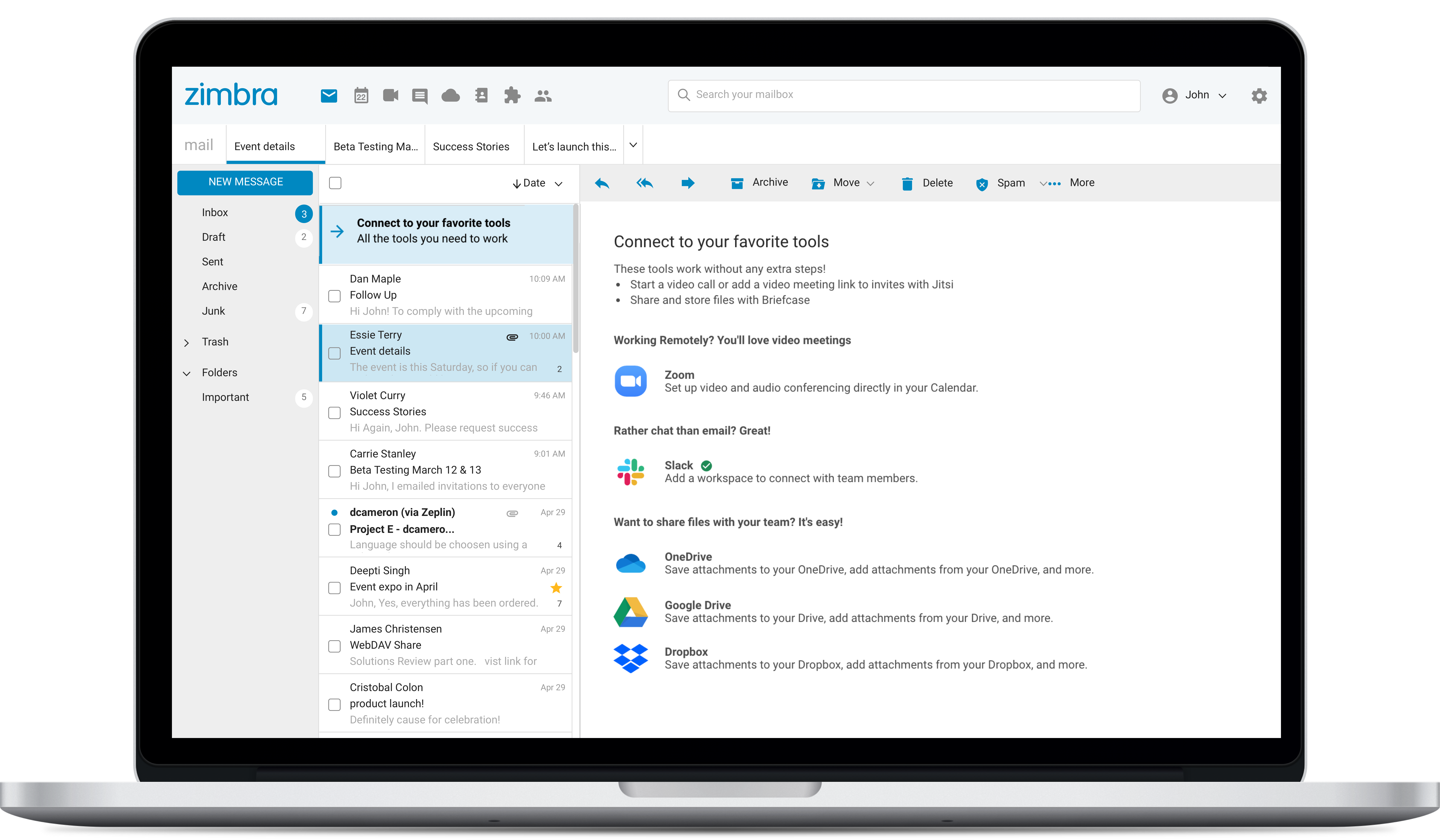
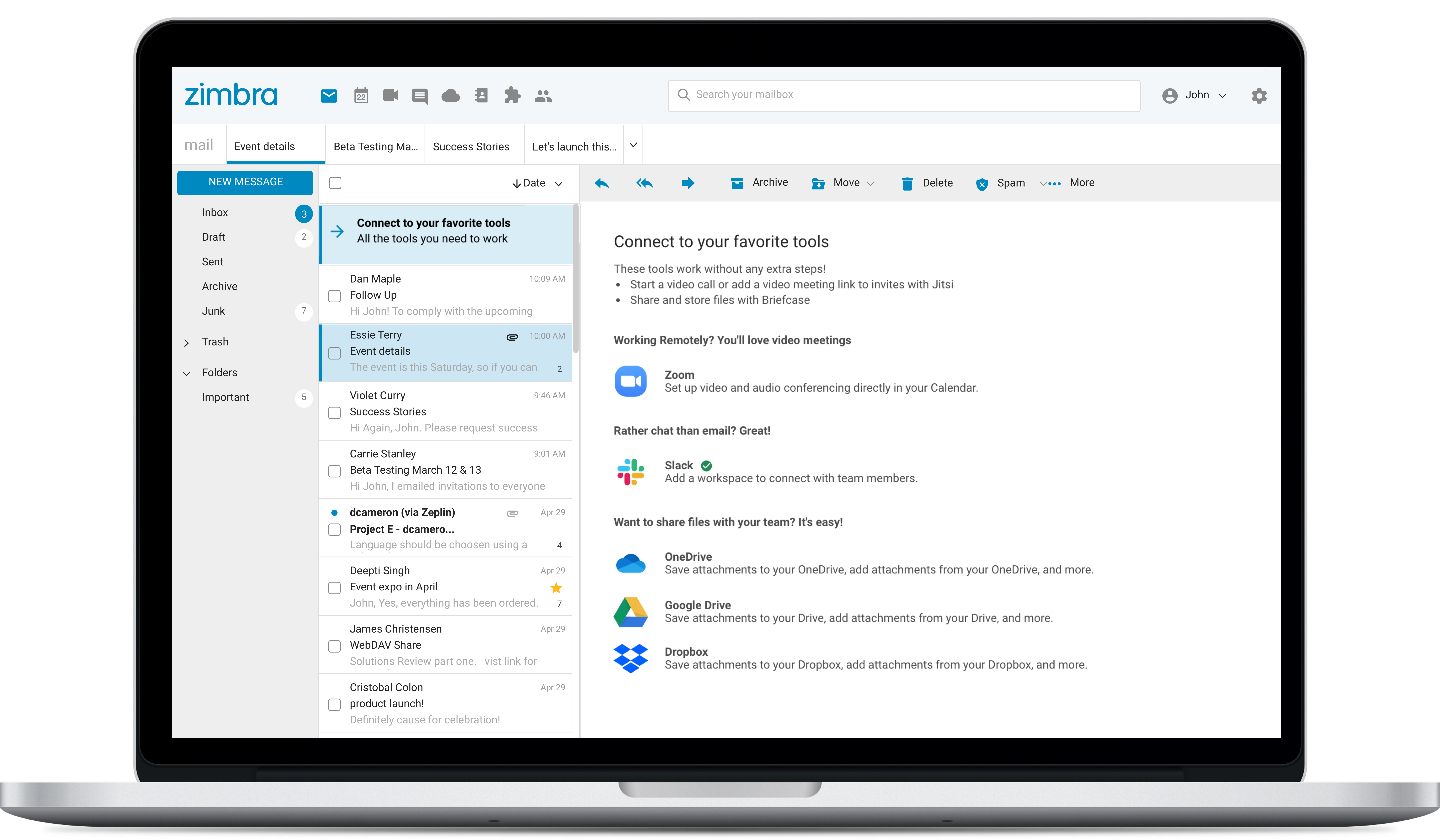
Screenshot of Screenshot of Screenshot of