Microsoft's SharePoint is an Intranet solution that enables users to share and manage content, knowledge, and applications to empower teamwork, quickly find information, and collaborate across the organization.
$5
Per User Per Month
OpenText Magellan
Score 9.0 out of 10
N/A
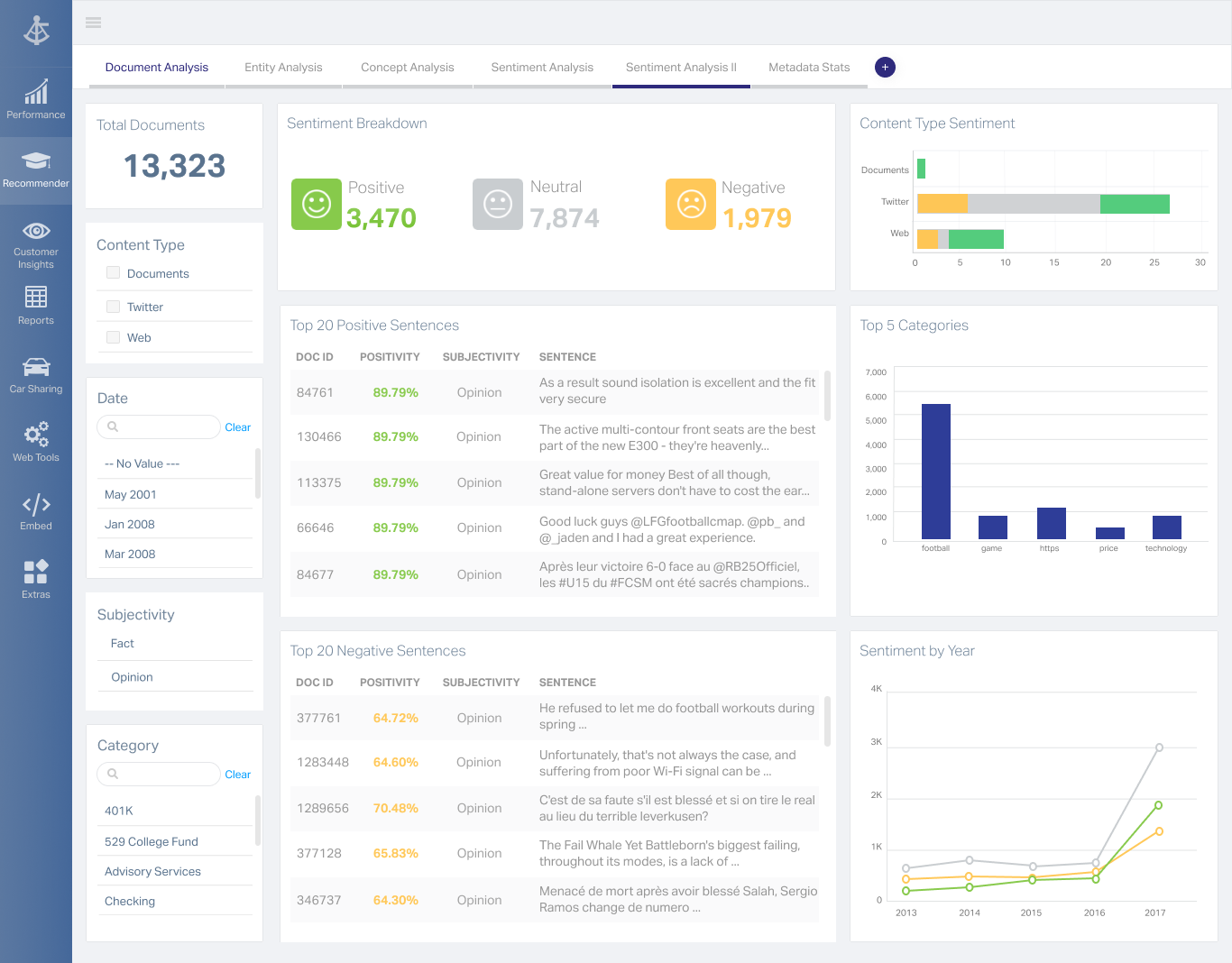
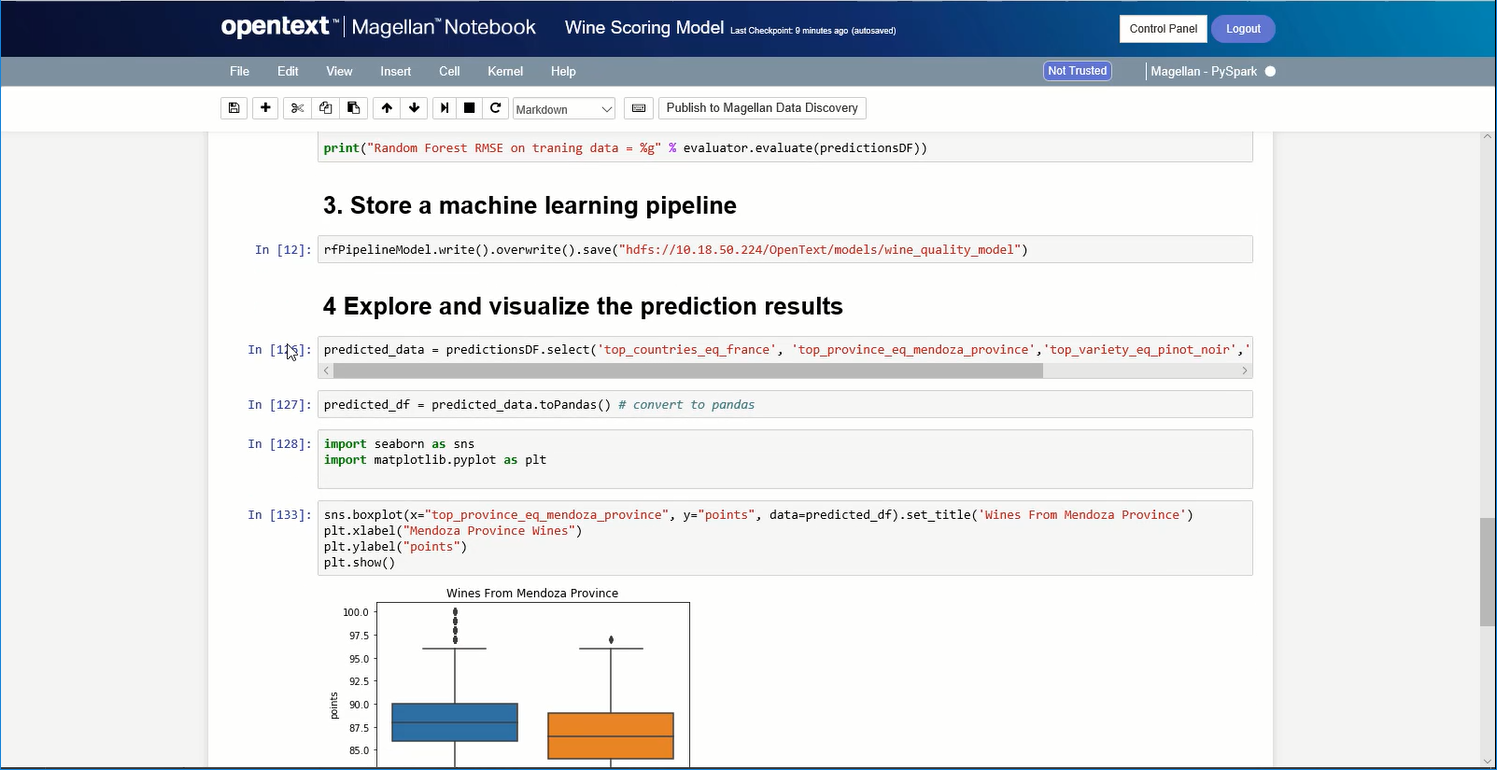
OpenText Magellan Analytics Suite leverages a comprehensive set of data analytics software to identify patterns, relationships and trends through data visualizations and interactive dashboards.
N/A
TimeXtender
Score 9.0 out of 10
N/A
TimeXtender was designed to be a holistic solution for data integration that empowers organizations to build data solutions 10x faster using metadata and low-code automation.
$1,600
per month
Pricing
Microsoft SharePoint
OpenText Magellan
TimeXtender
Editions & Modules
Plan 1
$5.00
Per User Per Month
Plan 2
$10.00
Per User Per Month
Office 365 E3
$20.00
Per User Per Month
No answers on this topic
No answers on this topic
Offerings
Pricing Offerings
SharePoint
OpenText Magellan
TimeXtender
Free Trial
Yes
No
No
Free/Freemium Version
No
No
Yes
Premium Consulting/Integration Services
No
No
No
Entry-level Setup Fee
No setup fee
No setup fee
Optional
Additional Details
—
—
On-Demand pricing is pay as you go, month-to-month, with no commitment, at the "on-demand" price of $3.33/credit.
More Pricing Information
Community Pulse
Microsoft SharePoint
OpenText Magellan
TimeXtender
Features
Microsoft SharePoint
OpenText Magellan
TimeXtender
BI Standard Reporting
Comparison of BI Standard Reporting features of Product A and Product B
Microsoft SharePoint
-
Ratings
OpenText Magellan
7.0
2 Ratings
16% below category average
TimeXtender
-
Ratings
Customizable dashboards
00 Ratings
7.02 Ratings
00 Ratings
Report Formatting Templates
00 Ratings
7.01 Ratings
00 Ratings
Ad-hoc Reporting
Comparison of Ad-hoc Reporting features of Product A and Product B
Microsoft SharePoint
-
Ratings
OpenText Magellan
8.3
3 Ratings
3% above category average
TimeXtender
-
Ratings
Drill-down analysis
00 Ratings
8.03 Ratings
00 Ratings
Formatting capabilities
00 Ratings
8.03 Ratings
00 Ratings
Integration with R or other statistical packages
00 Ratings
9.01 Ratings
00 Ratings
Report sharing and collaboration
00 Ratings
8.02 Ratings
00 Ratings
Report Output and Scheduling
Comparison of Report Output and Scheduling features of Product A and Product B
Microsoft SharePoint
-
Ratings
OpenText Magellan
8.3
2 Ratings
1% above category average
TimeXtender
-
Ratings
Publish to Web
00 Ratings
8.02 Ratings
00 Ratings
Publish to PDF
00 Ratings
8.02 Ratings
00 Ratings
Report Versioning
00 Ratings
9.02 Ratings
00 Ratings
Report Delivery Scheduling
00 Ratings
8.02 Ratings
00 Ratings
Data Discovery and Visualization
Comparison of Data Discovery and Visualization features of Product A and Product B
SharePoint Document Management excels as a central repository for storing, organising, and retrieving documents. It supports version control, metadata tagging, secure access, and integration with tools like Power Automate. At our organisation, it's used for managing contracts, policies, and supplier documents. SharePoint Workflow Automation integrates with Power Automate to streamline approvals, gather feedback, and automate recurring tasks. This reduces reliance on email chains and manual trackers.
If you do not have a large budget and are a large organization, I would steer clear of Actuate. If you are looking to do very complex washboarding, I would not use them. Your developers have to be very skilled to work with this. Plan to bring in consultants if necessary to help your process. Adhoc reporting is weak. If your pricing is user based and you expand, this could be very expensive.
TimeXtender has worked really well with our customers who have different data sources using complex data types in large quantities requiring a DW-like solution that can consolidate all data sources at one-HUB. TimeXtender does this well, and provides automation capabilities, the ability to easily handle slowly changing dimensions, handing data lineage and data security very well. TimeXtender has the ability to be very customizable, allowing the HUB to grow as your business does. TimeXtender's customer support team is super helpful and will work with you throughout your implementation to make sure you reach success with the product. The ROI for timeXtender versus competing products (there aren't many that do what timeXtender does) shows the investment to be worthwhile for the majority of organizations in today's data-rich corporate world.
Windows Explorer users have some difficulty having to constantly UPLOAD / DOWNLOAD files. Specifically on the DOWNLOAD when they are used to Drag & Drop in & out of LOCAL folders via Window's explorer.
Microsoft SharePoint supports multiple "library" types. When implementing our "image" library the search function is done via "tags" and boolean logic. This is challenging to most end users. I'd like our users to be able to search our Microsoft SharePoint image library without having to enter KEYWORD or other BOOLEAN logic.
Microsoft SharePoint can also be an internal website for each department or company wide communication tool but I believe these features are geared for much larger organizations. Since we are a SMB we really aren't using these features. So maybe something more useful to SMBs would be nice.
Product Marketing: As implementers and resellers of this technology, we loved it. But, convincing clients who had not previously heard of TX/Discovery Hub was more difficult than it could have been if the company had a larger marketing force behind it.
Relatively New to Market: it creates a learning curve for early implementers.
More information should be published on timeXtender's website about product lines, including testimonials.
It's integral to our business. It's already included with most of the Office 365 licensing we buy, so the cost is effectively zero. It stores our files, it is the foundation for custom applications, and Microsoft only continues to enhance its functionality and its connections to other Microsoft tools. SharePoint just keeps getting better and better.
I am no longer working for the company that was using Actuate but I believe they would continue to use it because the stitching costs would be to high. It would require a complete rewrite of the reports and the never version of Actuate (BIRT) even required an almost complete report rewrite
No usability issues reported. Individual teams also have allocated areas which replace legacy shared drives on local LANs. Access to Sharepoint resources is fully integrated with corporate Active Directory with additional two-factor authentication required for administrative users. Users have access to Microsoft Services Hub which allows you to create, manage, and track support requests while staying current on Microsoft technologies with access to select self-paced learning paths
It is quite intuitive to use. It is fit specifically for doing sentiment, emotion, and intention analysis as well as text classification and text summarization. I would have given 10 if it is fit for the purpose of doing image processing and analysis as well. There is a huge market to analyze video and image data.
The face to face training I received was on SharePoint Administration. It was rushed as there was a lot of information to cover and the application of the labs weren't that great either. I like to be able to relate what I am learning to what I am currently doing.
I like to learn at my own pace and online training allows for that. Additionally, you can skip through pieces of content that you already know or are already comfortable with. Microsoft actually offers great videos on their website for basic fundamental SharePoint Training. I have used these training videos in some of my own training sessions with end users.
The reasons for selecting MS SharePoint are: SharePoint provides ease of use and web design assistance and support SharePoint helps you schedule your content for publishing. enables users to share documents with external parties and offers a better internal structure of the content and better indexing and searching capabilities.
It is vastly superior to these in many ways, for complex reporting it is a much more sophisticated solution. Visualizations are very good. Javascript extensibility is very powerful, others don't support this or as well. Pentaho and MS are both OLAP oriented. Pentaho is moving more toward big data, which was not our primary focus. Others are stuck in the Crystal Reports Band metaphor.
For our clients, timeXtender was a much better solution. It offered a more cost-effective solution, easier integration, and better customer support for our complex client needs. The timeXtender team worked with us throughout the process to make sure we could create a success story that was repeatable for our clients, and they proved great partners.
Actuate can handle 50 to 60 sub reports inside a report very well.
Dynamically creating the datasource, chart, graph, reports are the main advantages. We can do any level of drilling, and can create a performance matrix dashboard efficiently.