Asana vs. Nuclino

Overview
ProductRatingMost Used ByProduct SummaryStarting Price
Asana
Score 8.5 out of 10
N/A
Asana is a web and mobile project management app. With tasks, projects, conversations, and dashboards, Asana lets an entire team know who's doing what by when, enabling workload balancing. Users can also add integrations for GANTT charts, time tracking and more.
$13.49
per month per user
Nuclino
Score 7.1 out of 10
N/A
Nuclino is a unified workspace where teams can organize knowledge, manage projects, and share ideas. Progress can be tracked in a Kanban board, work structured in a hierarchical list, or data organized in a visual graph — Nuclino adapts to a team's workflow. Presented as simple and lightweight by design, Nuclino focuses on the essentials, doing away with clunky menus and rarely-used settings, to minimize the learning curve for new users. Teams from across the globe can use Nuclino…
$0
per month per user
Pricing
AsanaNuclino
Editions & Modules
Starter
$13.49
per month per user
Advanced
$30.49
per month per user
Enterprise
Contact Sales
Personal
Free
Free
$0
per month per user
Starter
$8
per month per user
Business
$12
per month per user
Offerings
Pricing Offerings
AsanaNuclino
Free Trial
YesYes
Free/Freemium Version
YesYes
Premium Consulting/Integration Services
NoNo
Entry-level Setup FeeOptionalNo setup fee
Additional DetailsA discount is offered for annual billing.Nuclino offers a free plan for up to 50 items and 2GB total storage. Commercial plans support unlimited items, advanced features, and 10GB storage per user. 25% discount for annual pricing.
More Pricing Information
Community Pulse
AsanaNuclino
Considered Both Products
Asana
Chose Asana
Asana is a highly effective instrument for managing teams and projects. The paid edition provides a multitude of features that can be tailored and used in accordance with the organisation's specific requirements.
Email integration facilitates notifications that remind team …
Chose Asana
Microsoft Excel, Microsoft Project, Smartsheet and Quip
Chose Asana
Asana is more robust than the others and stronger at group collaboration and project management.
Chose Asana
Asana is much better than both of these other options. Timelines and status updates are very integrated into the software and are easy to use.
Chose Asana
Asana is better for the teams who seeks strealined, easy to use user interfaces with less complexity .

Which makes Asana a go to PMS to get things done rather then spending whole time on understanding about how feature works.
Chose Asana
For us, ClickUp was only implemented by department whereas Asana was implemented organization wide.
Chose Asana
Overall for the money Asana brings a lot of value for organizations who want to do more with less and need a task and project management solution as a small company is growing and scaling to get to the next level. In the space when we evaluated didn't find a lot of other …
Chose Asana
Look and feel of monday.com is better, but Asana has more features and capabilities making it the better option.
Chose Asana
Against Jira it offers a more modern experience with less complex user interfaces. The admin and setup experience is also way faster with less (or no) legacy complexity.

Against other modern players like Linear and Basecamp it offers way more integrations so we can pull in data …
Chose Asana
The pricing point my understanding is better, we do have the enterprise level
Chose Asana
Asana is a top-tier project management software that helps us organize and track projects from start to finish. It allows us to apply tasks/to-dos to multiple projects without duplication, divide complex projects into smaller tasks, and track project progress. It also helps us …
Chose Asana
Asana provides a mix of features between notion and Jira. Unlike Notion, it helps ease up the collaboration on vast projects and between multiple teams. Jira proved to be a little expensive with similar set of features if not more and which is why we thought of going with Asana.
Chose Asana
I believe that Asana is more professional than Trello. I used Trello a long time ago, but it looked more suitable for a student project rather than for a professional team or business environment. I believe it has great features to help companies in different stages and of …
Chose Asana
Since I have tried the two applications and saw their advantages and disadvantages, I see that Asana is much better in terms of dealing with files, ease of use, and the many features and characteristics that it has. Also, I noticed that it does not consume much space on my …
Chose Asana
Some features are better; some are too much. Not huge differences.
Chose Asana
Side by side with the other two Asana by far beats Monday.com and is comparable and slightly better than ClickUp. Monday is completely browser-based and is hard to navigate and figure out how to set up. Asana and ClickUp are the exact opposite. Both are easy to set up and …
Chose Asana
I like how extensive the capabilities are for Asana. With other softwares it seems there are many things lacking. I feel like Asana is also a very user friendly platform and aesthetically pleasing which is important in a modern office. We have many young people entering our …
Chose Asana
Asana compared to Jira is certainly better in terms of user experience, since most of the people can start using it basically without having any kind of training or previous explanation, which makes it really useful not only for people already used to project management but …
Chose Asana
Asana is amazing for a remote team, that we are currently as its accessible seamlessly to all our team member no matter where they are in the world. Its very easy to onboard new members to this platform as its very intuitive and easy for new people to get a hang of it. It has …
Chose Asana
Basecamp was a great tool, but it was paid and things like recurring tasks and opening new projects was a pain. Asana, as a free tool, has been better for our organization as it serves the basic functions very well and is not complicated otherwise. I really like the …
Chose Asana
I still can't figure out how Trello works. Asana is very intuitive.
Nuclino
Chose Nuclino
Well Nuclino really for me is a middle ground, between notion and trello, and unlike the rest, its not complex and too customizable to the point of productivity paralysys that sometimes opponent of actual time-saving and real productivity. This make it more suitable for us busy …
Chose Nuclino
Nuclino has both advantages and disadvantages compared to other products. Its main strength is ease of use and speed. It works very well for teams that prioritize efficiency and progress. We have found that it's important to use the right tools in the right parts of the …
Chose Nuclino
Quite well.

Notion has more features, but in this case Nuclino comes over with two things.
Chose Nuclino
It's faster and lighter weight than Notion and requires less clicking. Canvasses integrated into notes let us keep our documentation in one spot rather than spreading it between tools
Chose Nuclino
Nuclino is a great software. We have not really used anything like it so there is nothing to compare it to, but it has been awesome.
Chose Nuclino
I like Nuclino because the user experience has been the best by far. It's extremely user friendly and laid out simply and elegantly. I've really enjoyed using it and implementing it for my team. It's been useful getting all of our tribal knowledge in one database that we can …
Chose Nuclino
Nuclino is the clear winner when it comes to ease of use for both the administrator and user. Less setup time and less "training" time. The streamlined interface is quick and intuitive to learn and is not cluttered as compared to Confluence. Every tool you need to use to create …
Features
AsanaNuclino
Project Management
Comparison of Project Management features of Product A and Product B
Asana
8.4
Ratings
9% above category average
Nuclino
8.3
Ratings
7% above category average
Task Management9.20 Ratings7.60 Ratings
Resource Management8.00 Ratings00 Ratings
Gantt Charts9.10 Ratings8.00 Ratings
Scheduling8.40 Ratings9.00 Ratings
Workflow Automation9.10 Ratings10.00 Ratings
Team Collaboration9.40 Ratings00 Ratings
Support for Agile Methodology8.50 Ratings00 Ratings
Support for Waterfall Methodology8.50 Ratings00 Ratings
Document Management8.40 Ratings00 Ratings
Email integration8.50 Ratings00 Ratings
Mobile Access8.80 Ratings8.00 Ratings
Timesheet Tracking6.10 Ratings00 Ratings
Change request and Case Management8.40 Ratings00 Ratings
Budget and Expense Management7.00 Ratings00 Ratings
Search00 Ratings8.00 Ratings
Visual planning tools00 Ratings7.50 Ratings
Professional Services Automation
Comparison of Professional Services Automation features of Product A and Product B
Asana
6.6
Ratings
16% below category average
Nuclino
-
Ratings
Project & financial reporting5.50 Ratings00 Ratings
Integration with accounting software7.70 Ratings00 Ratings
Communication
Comparison of Communication features of Product A and Product B
Asana
-
Ratings
Nuclino
8.4
Ratings
5% above category average
Chat00 Ratings8.00 Ratings
Notifications00 Ratings7.50 Ratings
Discussions00 Ratings7.90 Ratings
Surveys00 Ratings9.00 Ratings
Internal knowledgebase00 Ratings8.50 Ratings
Integrates with GoToMeeting00 Ratings9.00 Ratings
Integrates with Gmail and Google Hangouts00 Ratings9.00 Ratings
Integrates with Outlook00 Ratings8.00 Ratings
File Sharing & Management
Comparison of File Sharing & Management features of Product A and Product B
Asana
-
Ratings
Nuclino
7.3
Ratings
10% below category average
Versioning00 Ratings7.00 Ratings
Video files00 Ratings7.20 Ratings
Audio files00 Ratings7.40 Ratings
Document collaboration00 Ratings10.00 Ratings
Access control00 Ratings2.20 Ratings
Advanced security features00 Ratings8.00 Ratings
Integrates with Google Drive00 Ratings8.20 Ratings
Device sync00 Ratings8.10 Ratings
Best Alternatives
AsanaNuclino
Small Businesses
Stackby
Stackby
Score 8.9 out of 10
Stackby
Stackby
Score 8.9 out of 10
Medium-sized Companies
InEight
InEight
Score 8.2 out of 10
Troop Messenger
Troop Messenger
Score 9.8 out of 10
Enterprises
InEight
InEight
Score 8.2 out of 10
HCL Connections
HCL Connections
Score 9.0 out of 10
All AlternativesView all alternativesView all alternatives
User Ratings
AsanaNuclino
Likelihood to Recommend
9.0
(0 ratings)
7.1
(0 ratings)
Likelihood to Renew
9.6
(0 ratings)
-
(0 ratings)
Usability
8.6
(0 ratings)
8.1
(0 ratings)
Availability
8.4
(0 ratings)
-
(0 ratings)
Support Rating
5.0
(0 ratings)
10.0
(0 ratings)
Product Scalability
8.2
(0 ratings)
-
(0 ratings)
User Testimonials
AsanaNuclino
Likelihood to Recommend
The usability of Asana is broad since it's available in a variety of platforms that are widely used nowadays. I think that it would be great for people who are constantly on the move and switching devices, since it has allowed me to work from my phone, too. I also think that Asana has proven itself to handle a large quantity of work
Read full review
For game design - Perfect for personal notes, recipes, snippets - Perfect for storing some organized data (for example, links to resources) - Perfect for a content playground powered by AI - Very good for diagrams - Very good. Don't know any bad examples. Tool really great. Rich functionality. Especially love different views (table, graph).
Read full review
Pros
  • Easy to use by any user (good UX and no installation needed)
  • Easy to create a simple project, add tasks and sub tasks.
  • Different display options, according to the project/tasks type
  • Works great using a web browser, you don't have to install the application
Read full review
  • Nuclino is very easy to write and edit on - the text editor functions are simple yet effective
  • Nuclino is very simple to understand - there aren't pages and pages of menus and endless functions. It cuts down a knowledge base to what is required
  • Nuclino is reasonably priced
  • The graph view is a great piece of design
Read full review
Cons
  • Some users might find the user interface a bit dull and un inspired
  • We found the way to use multiple workspaces a bit confusing
  • It takes quite a bit of planning to build a well organized workspace in order not to have way too many projects and tasks all over the place
Read full review
  • switching overe workspaces is bit tedious at the moment
  • more granular control over what users can edit inside workspace -> specific items or any item under a specific collection
  • currently its not clear who edited an item last -> footer that updates each time item has been edited and by whom
  • support for smartsheets. only because we use them ;)
  • on prem version? (easier to sell this to my boss)
Read full review
Likelihood to Renew
I just can't see us getting it off of Asana any time soon, despite the many headaches it has caused us. We have too much data in there, too much time & training invested into it, too much at stake to move. If we were just starting out today, fresh, I don't know for certain that I would absolutely go the same direction, but I *think* I still would. I just haven't seen anything better yet. Maybe if Podio's support staff hadn't treated me like a worthless nuisance to them, I might feel differently, but the fact is that their task management is simply inferior to Asana's. That can't be denied, and in fact Podio said it themselves: "Tasks are a simple function. They cannot be customized. Tasks in Podio can be used for quick to-do's for you and your team members." In our operation, however, prompt task completion is a big deal; one task can't be completed until another one is done first, and closing the gaps between those tasks is critical in meeting deadlines and servicing our customers. Asana gets us there, the others don't.
Read full review
No answers on this topic
Usability
It is very user-friendly. Takes a new employee an hour to start figuring out how the system works. That's an important factor. You don't want to encounter the issue where employees need a week to understand how the system works. For example, JIRA, I tried using it for a week and I still don't understand the complicated layout. Asana has a simple interface. Once you see it, you get it type of program.
Read full review
i honestly think Nuclino is a great product, and has a chance to dominate the market very soon , everyone i have recommended Nucliono to has positive things to say, i started using it first, now i have onboarded all my team mates
Read full review
Reliability and Availability
Working with Asana on a daily basis
Read full review
No answers on this topic
Support Rating
I haven't had to use their support so I can't rate it. The fact that I haven't needed them reflects the ease of use of the product. I would recommend that any new users schedule a complete demo of the product to ensure that they are using it to it's fullest (there's a lot of useful features).
Read full review
My team has an individual dedicated to content management and Nuclino is one of her job descriptions. It's nice knowing she is able to handle any issues that arise before we even realize they exist. We haven't had any technical issues since implementation so that's been a very pleasant experience.
Read full review
Alternatives Considered
Asana is a top-tier project management software that helps us organize and track projects from start to finish. It allows us to apply tasks/to-dos to multiple projects without duplication, divide complex projects into smaller tasks, and track project progress. It also helps us organize work on Kanban boards or linear lists. It stands out from the crowd in a big way compared to the competition.
Read full review
Nuclino has both advantages and disadvantages compared to other products. Its main strength is ease of use and speed. It works very well for teams that prioritize efficiency and progress. We have found that it's important to use the right tools in the right parts of the organization. Nuclino works well for some teams, but not for large-scale initiatives or parts of the organization that require very robust and more feature-rich solutions. It’s not for everyone, and for large or complex organizations, it’s not a one-size-fits-all solution. Use it where it fits best, and it certainly stacks up well with clear strengths.
Read full review
Scalability
I used this tool on a daily basis at work and it runs as a solid rock
Read full review
No answers on this topic
Return on Investment
  • Difficulty adding large projects with multiple and complex levels of tasks.
  • The number of users is limited in the free version. The service cannot be used for groups of less than 5 people.
  • The search filter is not a powerful feature, it needs some development and strength because it contains some bugs sometimes.
Read full review
  • Because of it, time is saved, thus giving us chance to focus on business and profitable ideas
  • It reduced our information overload or fragmentation, thus giving us more chance to look at the more priority projects that earns well
  • Fewer mistakes because less lost documents
Read full review
ScreenShots

Asana Screenshots

Screenshot of Product HomepageScreenshot of Team ConversationsScreenshot of Project CalendarsScreenshot of InboxScreenshot of List ProjectScreenshot of Portfolios

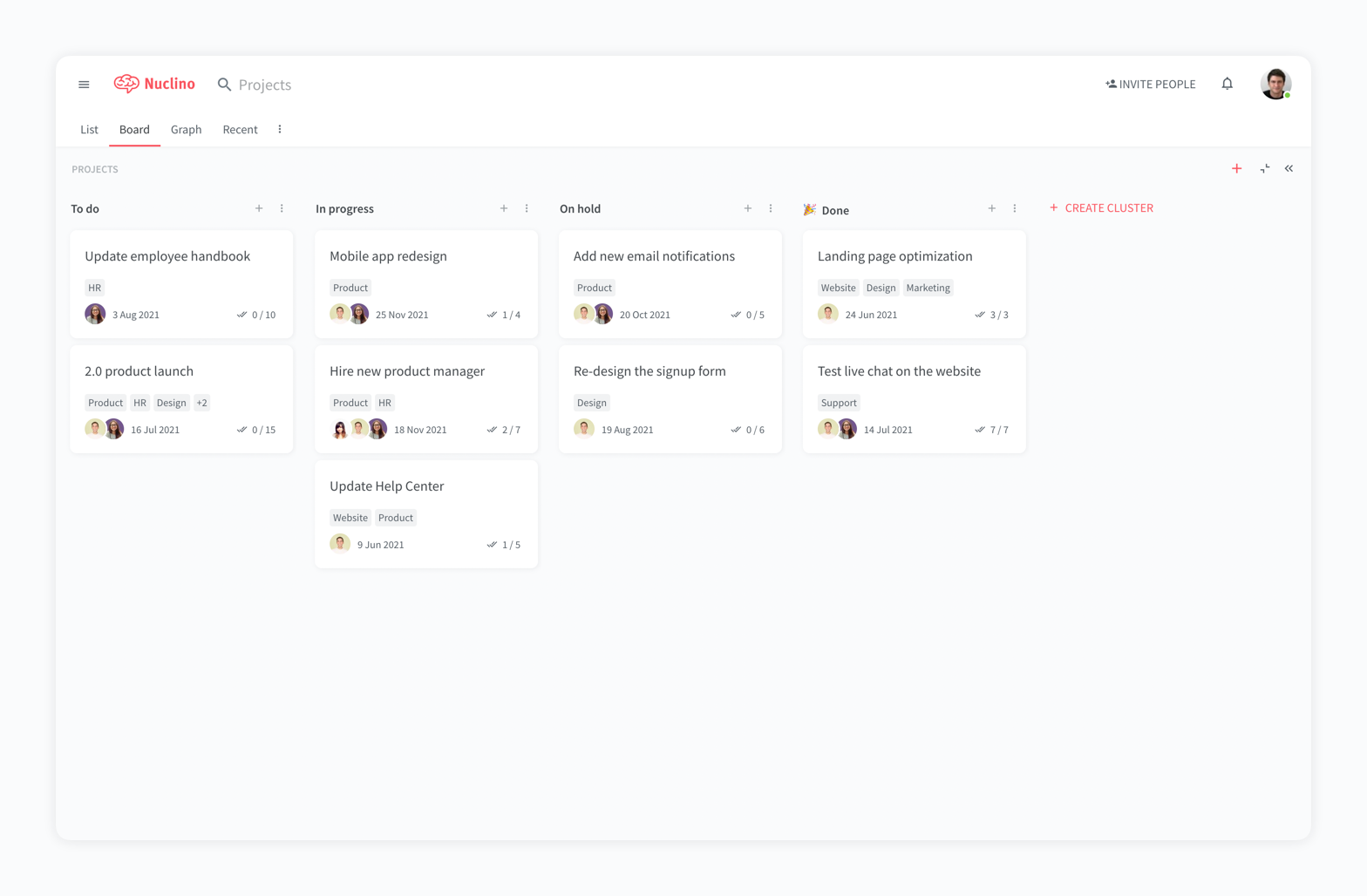
Nuclino Screenshots

Screenshot of a company wiki created in NuclinoScreenshot of the interface to manage projects and plan sprintsScreenshot of a knowledge graph