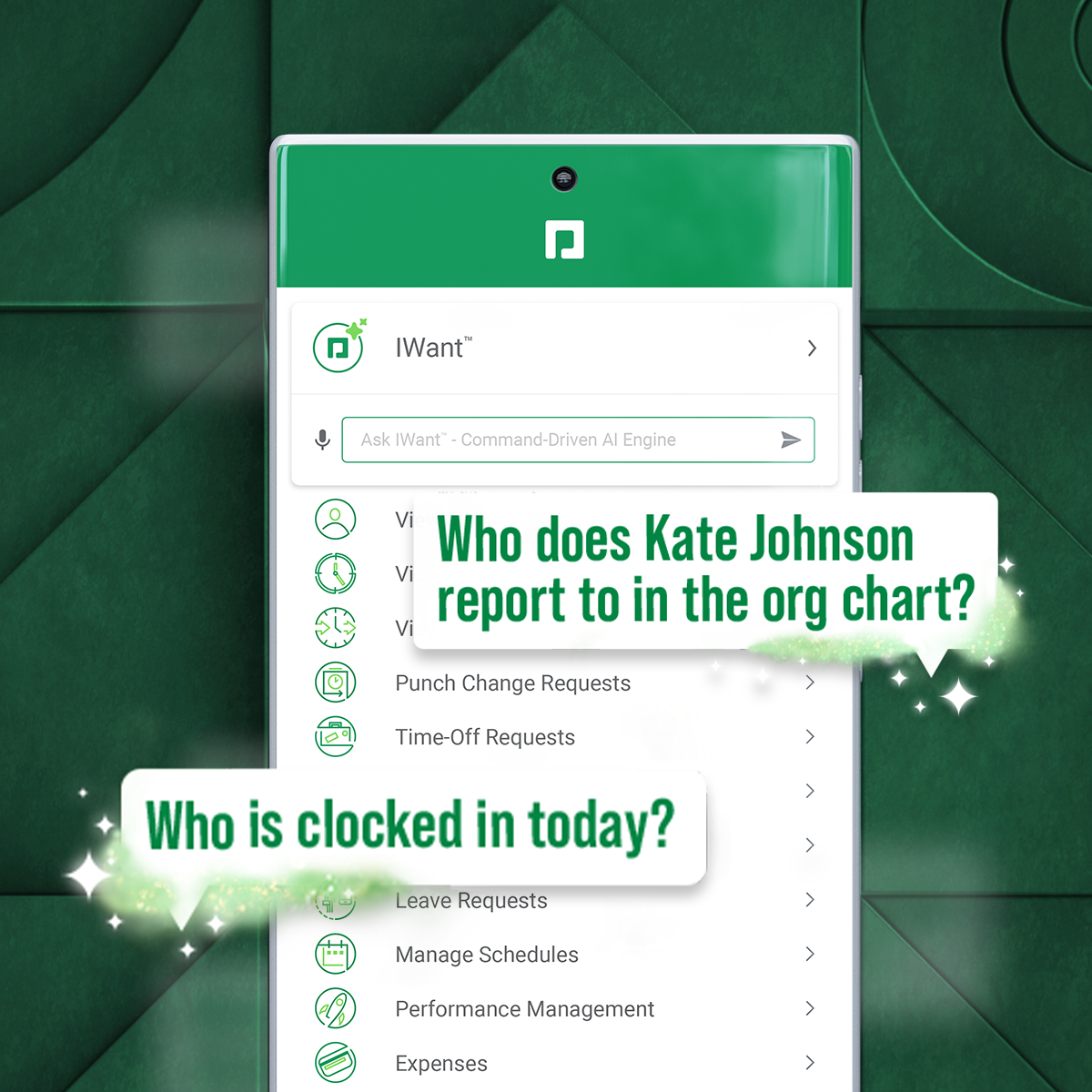
Paycom is an automated HCM platform, built on a single database that eliminates redundant data entry through automation. A payroll and HR software solution, Paycom is used by organizations of all sizes to access employee data without navigating multiple systems.
N/A
Sage Accounting
Score 7.7 out of 10
N/A
Sage Accounting is online accounting software made to simplify life for small business owners, entrepreneurs, and freelancers by providing the functions needed to take care of daily business to-dos.
Users can create and send professional quotes and invoices, track income and expenses and know where the business' financials stand. Every Sage Business Cloud Accounting subscription includes unlimited access to support as well as automatic backups and product updates.
$19
per month
Pricing
Paycom
Sage Accounting
Editions & Modules
No answers on this topic
No answers on this topic
Offerings
Pricing Offerings
Paycom
Sage Accounting
Free Trial
No
Yes
Free/Freemium Version
No
No
Premium Consulting/Integration Services
No
No
Entry-level Setup Fee
No setup fee
No setup fee
Additional Details
—
Versions and pricing listed are for CA products. Versions available and pricing may vary by country.
* 2 months free to start, or free for 1 month to try, then $19/$43/$62 +tax/mo (tier depending). Offer valid for new customers only on monthly subscriptions of Sage Business Cloud Accounting. After the promotional period, the monthly subscription rate will renew at the then current rate. May not be combined with any other offers or discounts. To ensure continuous service the subscription plan is an automatically renewing plan. Subsequent months will automatically be billed to the same credit card each month on the anniversary date of purchase. Plans can be terminated at any time prior to the renewal data and not charged for renewal.
As I mentioned, the onboarding process is incredibly easy. We have around 300 employees and are constantly hiring, so Paycom has been a huge help. In fact, the ATS functionality was a major factor in our decision to switch to Paycom.
Because I do books for multiple organizations, it's great because one subscription will do multiple companies. I appreciate that it's cloud-based. Being able to save frequently used transactions makes it easy, and consistent, when making entries. When recording a payment or receipt, it shows all the open transactions with the vendor or customer so I can see what is outstanding. Also, you can open the outstanding items from the payment/receipts Journal for easy access if there are any adjustments or discounts applied to a bill/receipt.
I like the employee self-service feature. It's very straightforward and easy to use. I also like my representative, Mikey. He's been very helpful—every time I call him, I get the assistance I need. I also appreciate how quickly I can get someone on the phone and get help when needed.
I am not a fan of the most recent update. I wasn't prepared for the change especially given it came right before payroll was processed. I'm told given time, I will get used to it and I'm always open to change for the better.
IWant™ feature isn't what I hoped it would be. I haven't used it much given the information I need in Paycom I can find quickly on my own. I have heard however that several employees utilize and appreciate the IWant™ feature.
Sorting reports - I want to sort my projects by what has and has not been paid, and this is unavailable.
Print preview.
FONT SIZE: This should be an option directly available to increase screen font sizes. Also, report font adjustments are incredibly difficult.
Understanding all options and the performance the program can do, I would much prefer an in-person session or scheduled webinar because it is far too overwhelming to search forums/help centers. Just a useless vortex to get sucked into.
Updates are easier than they used to be, but there’s still a big communication barrier. E.g., I install updates and restart programs, and then the next day or two it tells me to restart again because there have been updates. I know, I installed them already! It’s frustrating.
Removing inactive vendors or clients - why is this so difficult? Can I not just delete and move to the next one? Every time I try it, it just defaults back to the top of the report… It’s fine for the first couple of letters in the alphabet, but that’s about all. Multi-select would be nice!
we are having no problems with how the system works and our support system at paycom is the best - we are learning more and using the system in more ways all the time the only thing that could be better is pricing on some things
Because we don't have time to migrate to a new system. So, we are kind of stuck with this system until our company grows or we are in a better financial position to afford the larger expense of moving to a new platform and doing what it should be doing in the first place.
I'm probably going to have to go seven and three-quarter to eight, and that may be user error to me because I know Paycom has got it figured out, but there's times I just can't figure it out, even with some of the tutorials, the university, the show-mes, and calling Alex, our representative. He can hold my hand and walk me through that process, and it just may be I didn't get it, but that's why I gave that score. I'd give it a solid nine.
I find Sage's usability very intuitive. Everything from data entry to high level reporting it easy to navigate. Some of the other accounting software programs I have used have not had adequate forms or menus to help navigate the program. Sage does a good job of balancing providing the proper forms without being overly difficult to understand or use
Sage has been always available when I want it. If there is any maintenance work to be done by the Sage team, you are told well in advance. Maintenance is generally carried out late at night or before the day begins for most of us. It continues to be the most reliable software I use.
The day-to-day performance is very good. Items such as transactions or reports load and process quickly. You never feel like you're waiting in Sage. I have never seen Sage Accounting affect the speed or performance of any integrated system. However, I do think when you are bringing very old files up to date the updates are slow but that'll be a rare occurrence and not reflective of the day-to-day usage.
In 6 years, we've never had a bad experience with client support. We implemented during COVID, and I was the only person in HR at the time. I was also having to homeschool our children, which meant bizarre work hours and limited time to focus on platform build at times. There were nights that I was literally on calls at 11 pm and the implementation team was unbelievably supportive. Recently, a Position Seat specialist came on site to help us set up for our 5 client codes - the experience was transformative for how we use the platform and an absolute game changer. I trust Paycom because I trust our representatives. They truly are strategic partners for us, and work to ensure we're maximizing the platform and that our needs are being met
Sage Accounting are easy to contact and have knowledgeable and helpful staff. Whenever I've encountered a problem I've always been able to get assistance and guidance and it feels like the person at the end of the phone/screen knows the product well.
Tadd and Ellie have been great! They have show us many aspects that implementation did not. They are very personable and action oriented as well. Anytime we need them they offer to swing in.
Staff are always friendly, and patient, always work at a speed that suits you. You are never rushed, and In only a short time they seem to be able to help you make great strides. It has been a pleasure not a chore, learning how SAGE Accounting works and benefits me and the company.
It was good, but hard to know what questions you need to ask until you actually get in there and start working with a live product. But Paycom is also very helpful every time I call and can't figure something out. Nathan has been very friendly and helpful no matter what I call him about. He is always eager to help out.
I find the online training was very informative and they answered all my questions. I am also certified in Sage One and provided online training in the program which I have set up several people on and they love how it keeps them organized.
Not at all satisfied it was a nightmare we spent over 8 months with the implementation team having issues after issues all related to the Puerto Rico regulations (half my employees are in Puerto Rico) and at the end we were moved over from the implementation team to the production team without all the issues being resolved
This was generally a very straightforward process. I have previously implemented other software which required considerable external support. I implemented Sage Accounting with only a minimal amount of reference to the Sage support desk. I was extremely pleased with the implementation process.
I have not currently used any other products. I'm still kind of new to the HR industry. The only other thing that I really have to compare it to is Vonmar's system, which they created themselves, and it was not user-friendly.
I also like Quickbooks Desktop, however, they are forcing customers to switch to Quickbooks Online. I will be moving forward with SAGE in this case, unless there is a valid reason the client would like to use QBO instead. I have not used the version of SAGE where the client doesn't need to purchase the full version, themselves, in order to access their file so this is something that I may consider looking into, in the near future, for this reason.
The pricing structure is fair and offers good value for money. The billing is done through their online system and you can access your bills at any time. Most contacts only require 30 days' notice, so no need to feel tied in, although I can't imagine why you would want to leave Sage.
You can use Sage in your company for various aspects/positions such as bookkeepers, invoicing clerks, accountant, purchasing etc. Everyone can have their own user login and permissions can be set that specific people can do specific jobs without being able to access other peoples progress or accounts of the company.
It's helped us save time. We've been able to automate a number of payroll and accounting functions. It's also enabled our employees to use the ask gear feature. So it's really saved time, and also we've not gotten hacked, which is always a plus.
Sage has allowed us to be self-supporting and to perform full-cycle accounting up to the point of handing off to the accountant at year-end.
We are self-sustaining and do not need outside accounting assistance, such as an independent bookkeeper.
Sage has allowed us to save money at year's end, as we can do all the prep internally up until the handoff to the accountant, minimizing the hours he has to spend on our file.