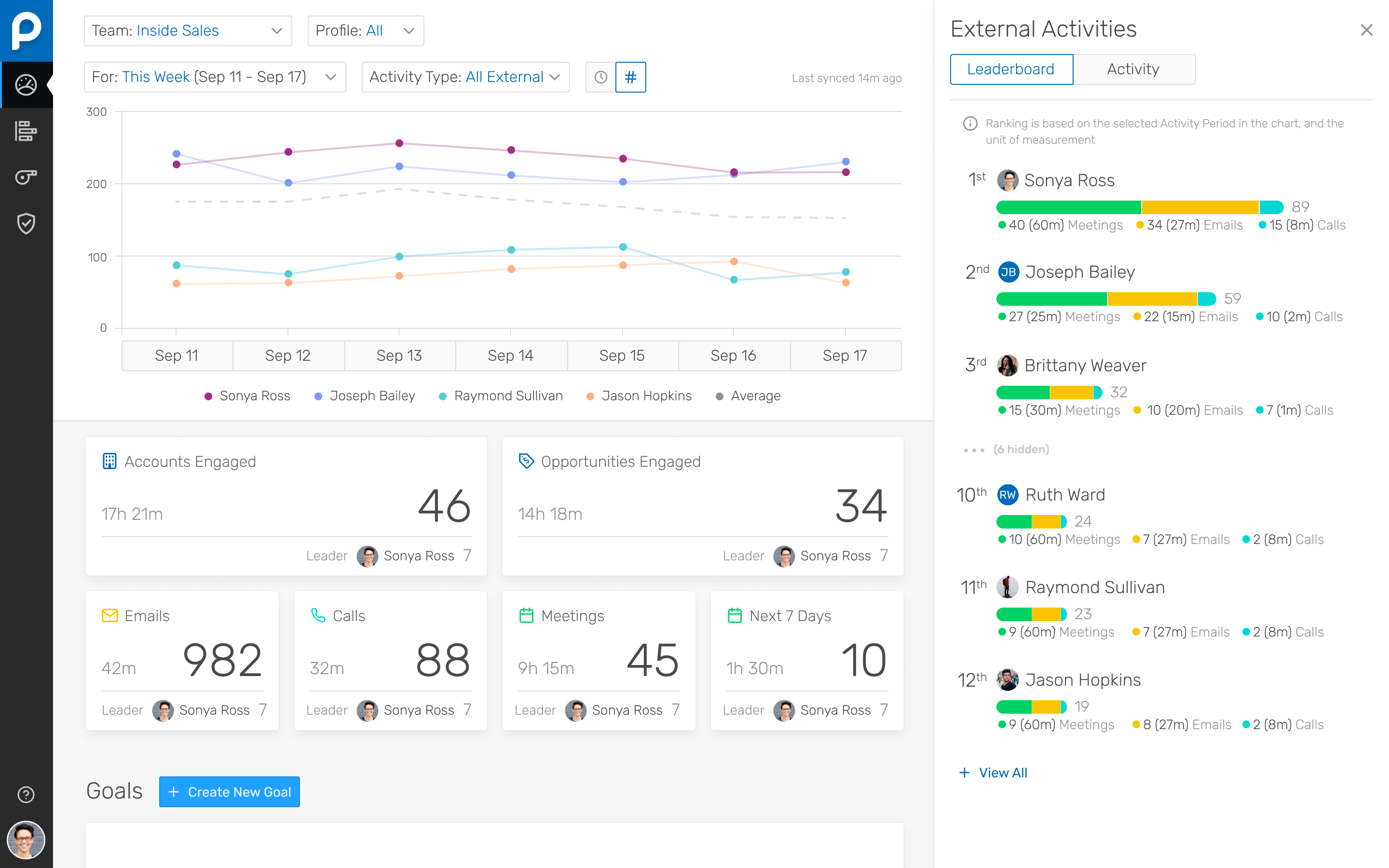
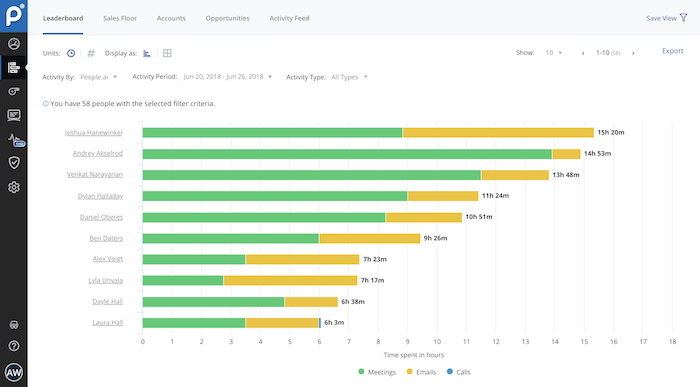
People.ai is a revenue intelligence platform for go-to-market teams. The platform promises to help sales, marketing and customer success teams uncover every revenue opportunity from every customer. Customers include: Lyft, Gainsight, Tanium and Palo Alto Networks. People.ai helps them capture contacts, activity and engagement and drive actionable insights across all their revenue generation. Founded in 2016, People.ai is based in San Francisco and is backed by Y Combinator and…
N/A
Zight
Score 8.7 out of 10
Small Businesses (1-50 employees)
Zight (formerly CloudApp) is a solution with a community of over 4M users, offering visual asynchronous communication, eliminating the need to use different applications for screenshots, GIFs, screen recordings, and web recordings.
I've been using People.ai for a bit now, and I've been consistently impressed. I use it to track how my team is doing, how my clients are doing, and how I'm doing. I can create custom dashboards with any metric I want to see. I can set goals, and they'll track my progress towards those goals. I can set up competitions between my team, and they'll tell me who's winning and who's losing. You can share these dashboards with your team, which means that everyone can see how everyone else is doing.
When it comes to client-facing roles, this functionality is key. Before, I had to use an internal clipping or snipping tool and then download the content then share it as an attachment. With Zight, I simply capture what I want, then easily share a link that can be accessed within minutes by the ones I am engaging with. It is very easy to collaborate and clearly communicate. I would not recommend using it for internal documentation. Having too many screenshots might be hard to manage.
Their Deal Room presents times when you are multi-threaded, engaged with executives, and have an upcoming meeting scheduled rather than stalking your reps calendar and salesforce activities.
They allow you to create areas performance dashboard with custom KPIs you want to measure
People.ai has a robust platform, however, this requires sales reps to log into one more platform and the People.ai platform is not customizable for selecting what can be viewed by users. If People.ai were to make the features in their platform available in Salesforce it would be a huge win for leveraging the data they aggregate. Hoping an API will soon be on the Roadmap
Time Spent. People.ai uses some logic to attribute values on the "time spent" on the activities being captured. They did improve their meeting aggregations so that they were not "double counting" time when multiple meetings were booked in the same time slot for a rep. Email time spent still seems to have some errors as the time spent on emails can show in excess of the weekly working hours of the reps.
In all honesty I don't even have time to look for an alternative to CloudApp at this point in our business. CloudApp works for what we had planned to use it for and unless a competing service that offers the same quality and ease-of-use along with video screen capture comes out I will renew indefinitely.
If someone is used to using internal screen capture software Zight may have a small learning curve. Luckily, once you get the hang of your new capture method, it is a quick process. Updates can be tedious. Although I am glad the team is working on the application and consistently improving it.
I would give cloud app a 9/10 score on overall support mostly because I have had very little need of any support at all being that the tool was designed almost to use itself. In my opinion this level of forethought is equal to customer support. As of yet I've only had one real problem with cloud app which was the loss of a 20 minute video screen capture. Unfortunately I have not had the time to contact support about this loss. The only other minor issues that I confronted was within the initial set up which I was able to resolve via their website's support pages.
I was extremely satisfied with how quick and easy the implementation of Cloudapp was on my MacIntosh using MacOS Sierra was, along with how amazingly fast I was able to be up and going with the tool. most often with sass tools we are lucky if we can use 50% of the features without having to have consultations and a ton of back-and-forth email on how to use other features of the product. Cloud app has made it extremely user-friendly with almost no need for customer support. To My business, that equals time savings which as most business owners know, can be far more valuable than a few dollars saved.
The easiest comparison would be to email automation vendors like a SalesLoft, Outreach, or Groove. But People.ai doesn't have a template email send like a sequence or cadence feature you would find with them. It is more of a compliment to the email automation vendors than a competitor in my opinion. We want our SDRs to have the ability run sizable outbound campaigns so they still use Outreach. However, we deactivated the Outreach activity sync and run activity syncing through People.ai. If someone gets added into the email CC, People.ai will grab that person and create them as a contact against the matching Salesforce account. For our Sales reps, we want them to have the ability to track opens, link clicks, and send templated emails so we have them use Groove. Again, we deactivated the Salesforce sync and use People.ai syncing. This is a great way to automate the pain away from creating Opportunity Contact Roles and create all relevant contacts in Salesforce from CC's on emails to people added last minute on a calendar invite. My favorite part is how it ingests data directly from Google and doesn't allow a Sales Rep to not to sync an activity to Salesforce, it happens automagically
The tools I have used in the past weren't available in the tool selector! Basically, I've mostly used Jing which I found to be quite clunky. The user interface is unnecessarily complicated and sharing files is more difficult. Trying CloudApp once was enough to see how much more superior it was to Jing! Honestly, if you need a tool that will help you take screenshots to help you communicate better with your team, give it a try!
The amount that I paid for it, I feel that it's paid for itself over and over and over multiple times, if for one reason, and that's time saved. If I have one app that does it all, quickly, and efficiently, that's my positive ROI.