Power BI for Office 365 allowed users to model and analyze data, and query large datasets with complex natural language queries. It has been discontinued in favor of other editions of Power BI going forward.
N/A
Yesware
Score8.3 out of 10
N/A
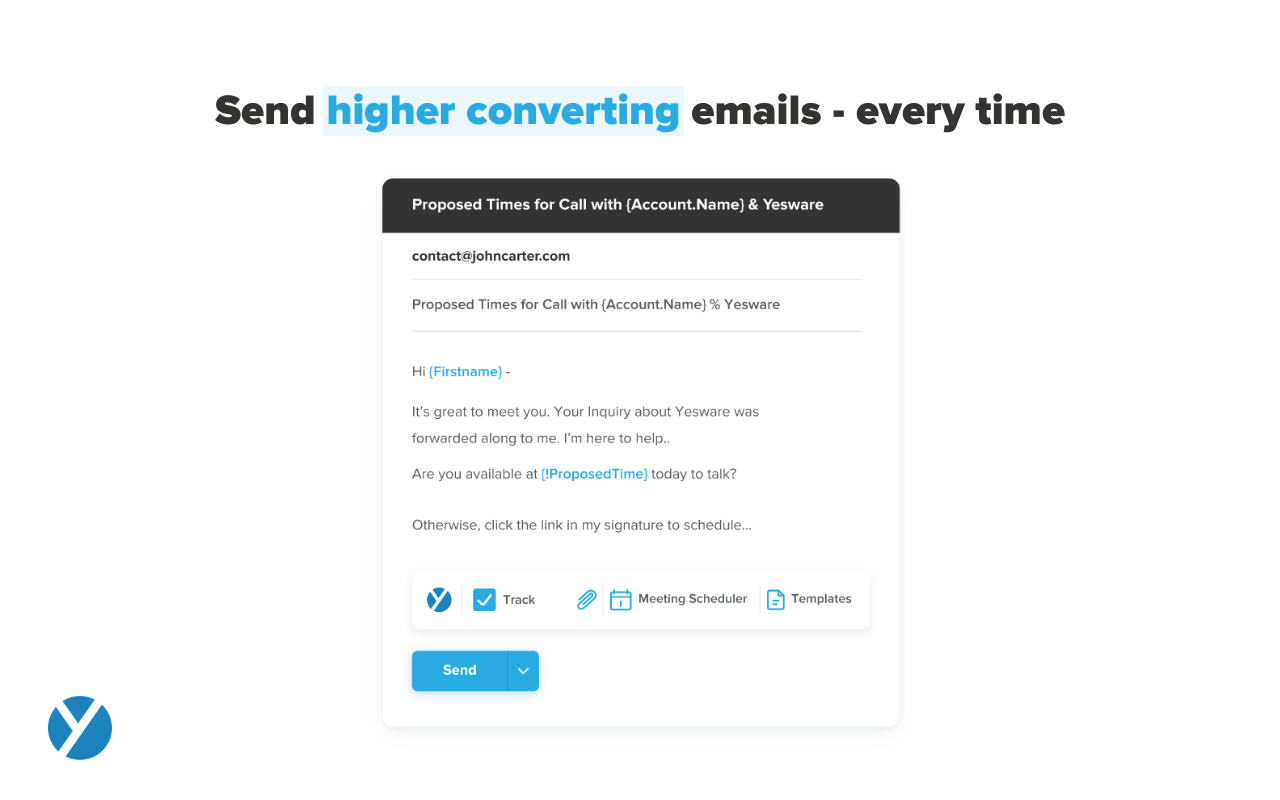
Yesware, from Vendasta since the October 2022 acquisition, is a service for salespeople that helps them close deals faster. An email service tracks email, templates responses and syncs to CRM.
If you're already using Office 365, Power BI for O365 is an easy choice. Start playing around with the free version and then easily add individual Pro licenses with little risk. However, if you anticipate using this with many users, it can get expensive quickly.
A de minimis incentive was given to thank the reviewer for their time. The incentive was not used to bias or drive a particular response, nor was the incentive contingent on a positive endorsement. More Info
It works for my company and my problems. If you need a Sales CRM you can go for higher-end products that will give you what Yesware gives along with other stuff. Wherein we had specific problems we wanted to solve. -We needed a solution for a smaller team within our bigger sales team. -We needed a solution to be easy to use point and click and did not require any setup. -We needed to have a better solution to YAMM.
A de minimis incentive was given to thank the reviewer for their time. The incentive was not used to bias or drive a particular response, nor was the incentive contingent on a positive endorsement. More Info
Easy to make visual dashboards from SQL queries. Previously we had to use a third party application that had to run on a web server that was so complex to setup and run. PowerBI removes all that.
Ability to control who/which group has access to each dashboard or report. Ties in well with the rest of the Office 365 ecosystem.
Has many connectors to allow pulling data from various systems, both onsite (via gateway) or external (via APIs), and join the data to create a report/dashboard.
Ability to show data but also export the data, if permitted.
Easy to show PowerBI dashboards on SharePoint or on other websites via embedded code.
A de minimis incentive was given to thank the reviewer for their time. The incentive was not used to bias or drive a particular response, nor was the incentive contingent on a positive endorsement. More Info
Tracking open rates, link click rates, and reply rates. This allows us to compare different templates in order to see which allows for the most interactions and meetings set directly from email engagement.
Seeing exactly when someone opens an email and whether it is in their normal location. Also if they are opening on a mobile device versus a computer to be able to organize the set up of the email in a more beneficial way.
Being able to save Templates for Mail Merges to avoid the duplication of effort that other mass email systems utilize.
A de minimis incentive was given to thank the reviewer for their time. The incentive was not used to bias or drive a particular response, nor was the incentive contingent on a positive endorsement. More Info
Licensing: Currently, Microsoft has a fixed pricing model for Office 365 users, regardless of role/function of the user. Most organizations have a small number of "power users" that create usable content and many more "consumers" that simply view/run reports created by power users. Microsoft does not differentiate between these users, and thus the pricing limits organizations from large deployments of the software.
Version incompatibility: Excel 2010 and 2013 workbooks are compatible with each other. However, workbooks created in 2010 that include PowerPivot databases must be upgraded to 2013 format to run in 2013. Subsequently, you cannot open these upgraded PowerPivot workbooks in 2010. This requires ALL users to be on the same version.
Visualization: Excel charting with PowerPivot workbooks is adequate for many users. Power View also contains a number of GREAT visualizations, including animated bubble charts and a very flexible dashboard/report design canvas. However, compared to some of the other self-service BI solutions, it is still limited in its visualization capabilities.
The ability to unwrap iframe embeds on email (e.g. if I send a Vimeo link over email, have that video thumbnail show and link out to a video)
Removing recipients from a campaign. If my ruleset is to remove a contact from a sequence after he/she replies, sometimes a person will reply from another email and Yesware doesn't recognize it. (e.g. if I add jeff@amazon.com to my campaign and jeff.bezos@amazon.com replies to my thread, Yesware will still send an email to jeff@amazon.com unless he is manually removed)
A de minimis incentive was given to thank the reviewer for their time. The incentive was not used to bias or drive a particular response, nor was the incentive contingent on a positive endorsement. More Info
I will continue to recommend this suite to folks looking for a reporting and analytics solution, as I find in MOST cases, it's great at meeting almost every requirement I've been given by a multitude of clients across a range of industries. I've built Capacity Planning solutions that allowed end user input which was then submitted to SharePoint, Executive Dashboards, custom applications, simple analytical tools for teams to easily slice and dice data, and super simple reports as well as some very complicated ones. If you haven't seen the demos online, do a search, and see for yourself - this is a great BI suite! (I do not work for Microsoft, although I do consult out there from time to time. I do occasionally make a recommendation for a different BI reporting tool, but in general, find Excel can accomplish quite a bit for less money and in less time.)
I like the product, but due to the limitations I don't love it. I'm curious to revisit other options, particularly in lieu of Yesware's recent price increases (although I'm on a legacy plan). Some of my challenges to be browser related (I'm on an older computer) -- I'll have to see how things go when I receive my new computer. If the glitches (especially with regard to tracking accuracy and send later feature) go away, I'd be much more inclined to renew
We are satisfied with the functionality and capabilities of Power BI. Product is cost effective and full-fill the reporting requirements of the organization. You can perform most of the report level complex analysis with the help of DAX which makes Power BI very powerful analytic tool. Power BI for Office 365 has gone away and Power BI is the next evolution of it. Power BI comes with your Office 365 E5 subscription or you can purchase licensing for it separately.
A de minimis incentive was given to thank the reviewer for their time. The incentive was not used to bias or drive a particular response, nor was the incentive contingent on a positive endorsement. More Info
Yesware is easy to setup and get connected in existing systems. We were able to get started sending the day we puchased our subscription because of the addon for Gmail and easy connection to our CRM. It's also very easy to use in the day to day, kicking off campaigns and seeing their status to as about as easy as it gets. I have not concerns about usability
A de minimis incentive was given to thank the reviewer for their time. The incentive was not used to bias or drive a particular response, nor was the incentive contingent on a positive endorsement. More Info
as of now there is strong community for Power BI, you can get solution for most of your problems from there. Also you can send your error to Microsoft as well. After every 15 days they release updates to overcome all the issues of defects.
A de minimis incentive was given to thank the reviewer for their time. The incentive was not used to bias or drive a particular response, nor was the incentive contingent on a positive endorsement. More Info
Because it deserves this rating. The features and functionality provided are great. Our Sales team is very satisfied with this software as it integrates very well with our other software like Outlook, Salesforce, etc. Yesware provides great follow up with customers, which is essential for sales. Meeting scheduling is also flawless.
A de minimis incentive was given to thank the reviewer for their time. The incentive was not used to bias or drive a particular response, nor was the incentive contingent on a positive endorsement. More Info
Oracle was nice, super expensive to implement if it's not in use already. JobDiva is choppy and heavy on the system while does not give great reports. Salesforce is good; remote access is good however their support is terrible
A de minimis incentive was given to thank the reviewer for their time. The incentive was not used to bias or drive a particular response, nor was the incentive contingent on a positive endorsement. More Info
All of these tools do what Yesware does, and more; but Yesware does the follow-up email portion best, in my experience. It is reasonably priced and is regularly adding new functionality to make it a sticky license for us to have. Yesware does not have predictive analytics or a particularly strong dialer solution, but it does provide team-wide and template efficacy tracking, and a basic dialer.
A de minimis incentive was given to thank the reviewer for their time. The incentive was not used to bias or drive a particular response, nor was the incentive contingent on a positive endorsement. More Info
As a Microsoft Partner implementing Business Intelligence solutions, Power BI has removed the barrier for our clients to begin the "BI journey". So often, projects get hung up in that early phase of procuring and installing/configuring expensive hardware and software. Just simply getting started and designing a beginning solution has allowed our clients to see results in 1-2 weeks using their data that might have taken months to achieve otherwise.
One significant ROI example is process improvement. In many cases, individuals or teams are spending days each month gathering data from multiple sources for reporting to their constituents. We are reducing these times to minutes by automating many of the data collection and integration processes that were previously manual.
I think net positive ROI from generating meetings that lead to closed deals. Ultimately very difficult to quantify the ROI since it is essentially automating a lot of the manual prospecting done by BDRs/AEs - so ROI is likely higher than just that quantifiable number around deals closed.
A de minimis incentive was given to thank the reviewer for their time. The incentive was not used to bias or drive a particular response, nor was the incentive contingent on a positive endorsement. More Info