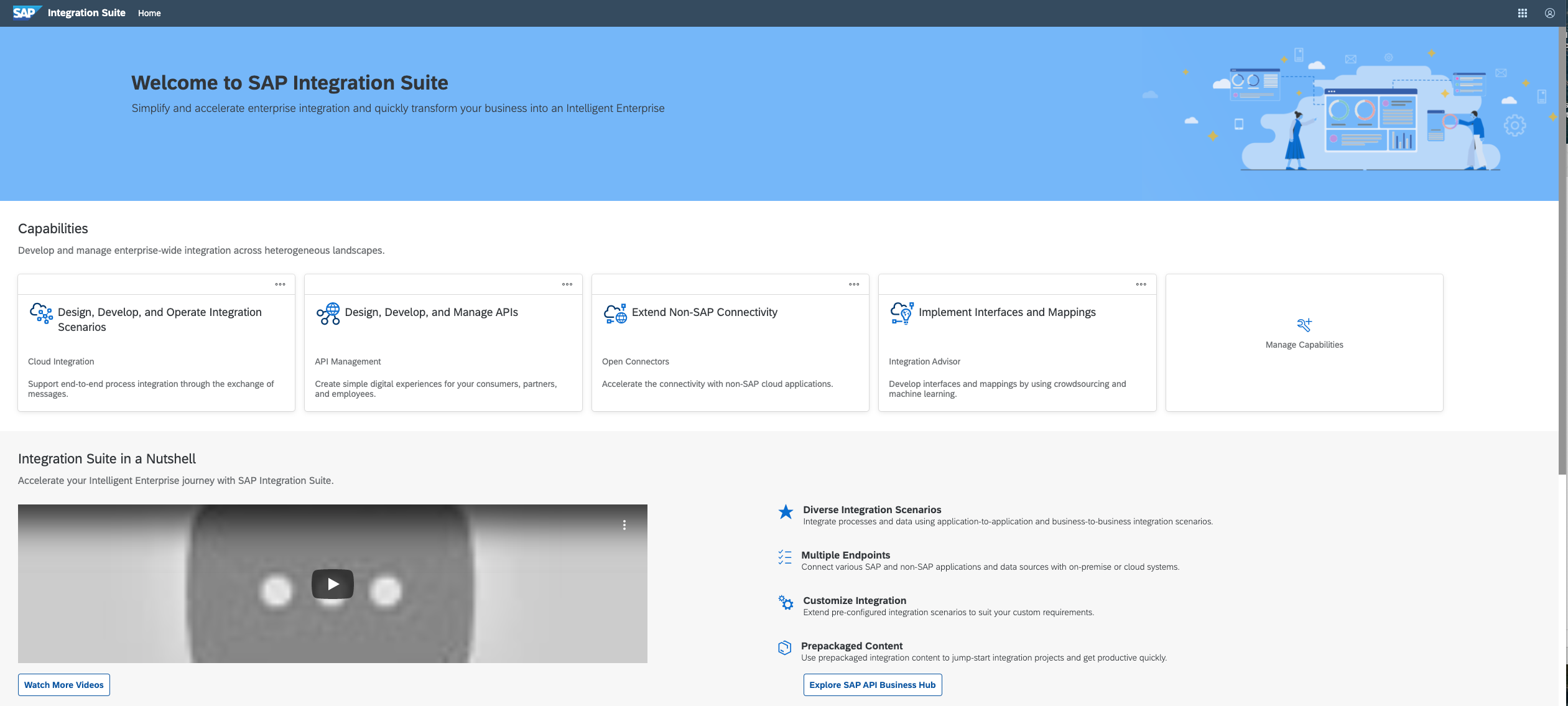
SAP Integration Suite is an integration platform-as-a-service (iPaaS) that helps quickly integrate on-premises and cloud-based processes, services, applications, events, and data. It is used to accelerate innovation, automate more processes, and realize a faster time to value.
$11,199
per year
Trello
Score 8.4 out of 10
N/A
Trello from Atlassian is a project management tool based on a Kanban framework. Trello is ideal for task-management in a to-do list format. It supports sharing boards and cards across users or teams. The product offers a free version, and paid versions add greater automation, collaboration, and administrative control.
$6
per month per user
Pricing
SAP Integration Suite
Trello
Editions & Modules
No answers on this topic
Standard
$6
per month per user
Premium
$12.50
per month per user
Enterprise
$17.50
per month per user
Free
Forever Free
Offerings
Pricing Offerings
SAP Integration Suite
Trello
Free Trial
Yes
No
Free/Freemium Version
No
Yes
Premium Consulting/Integration Services
No
No
Entry-level Setup Fee
No setup fee
No setup fee
Additional Details
Access to free tier services does not expire while there is an active Pay-As-You-Go or CPEA account with SAP. Once a free tier service limit has been reached users have the option to update from a free to a paid service plan in the same account.
A discount is offered for annual billing and for larger numbers of users.
In our case to have a such a poweful middleware in the cloud, give us a lot of benefits such as maintenance and support. In the integration part to be able to connect SAP and Non SAP applications makes SAP Integration Suite a good investment when our master data in this case is in S4HANA. Less appropriate is that sometimes the updates in production tenant failed and they have to downgrade or repair the issues. Affecting the usage of the tool. I guess SAP team have to be more aware of performing the changes and tested well on development environments and then when they know for sure that is the correct way to go with the update put it in production.
For teams or individuals with lots of individual tasks/details to track, Trello is perfect! It basically removes the need for a paper checklist. For those that need an overall project management tool that requires less tasks and more overarching goals, collaboration amongst various teams, and gantt charts I would suggest monday.com
Provide more pre-built integrations to use within SuccessFactors or other modules instead of everything having to be custom built
Support is unable to provide advice on custom builds so you often have to engage a 3rd party partner
Works best when you have the functional and technical teams working together. Otherwise, the system is too technical for a functional user to create integration and a technical user not always understand the functional perspective
It is in place, our system integrators are familiar with it, and it fits into the ecosystem. A better user interface, flow build and debugging experience would see it grow, many technical staff do not enjoy using it for this reason, however it is quite capable and powerful behind this one shortcoming.
I am very likely to renew Trello, because it doesn't cost anything to do so. I am also very likely to use Trello's upgraded features in the future because a lot of my team's data is stored on there and they have already gotten used to the platform. Trello is very easy for new team members to pick up, making the onboarding and usability very streamlined.
The user interface is messy and not intuitive. It has a steep learning curve, and flows developed around are easy to make a mess with layout and can be difficult to follow. The debugging is also quite difficult, it takes some time to figure out how to follow the flow and examine data. Error handling is also difficult and not intuitive, it is better to let some errors leak and monitor through ALM.
Trello is incredibly intuitive, both on desktop and mobile right away. It is also full of helpful features that make it even easier to use, and is flexible enough to suit almost any organizational need. Onboarding for the software is thorough, but concise, and the service is frequently updated with even more QOL improvements.
The support for SAP Integration Suite is satisfactory. We leverage SAP support through our manage services partner. So far, we have not had many major issues. One concern, to make our rating a ten, would be turnaround time on high priority incidents. SAP Integration Suite drives our key business functions forward. Without a reasonable service level agreement on turnaround, we sometimes find us running into issues running pay, etc.
I haven't reached out to their support very often and their support is very limited anyway for the free users. They do have tons of great articles and videos in their Help Center and constantly send emails with updates and add-ons to the product. The fact that I've barely ever had to contact their support team means that they've developed a great product.
For our small business, getting a few of us started well on Trello was the key, I think. As long as a couple of us were really comfortable with the interface, we could lead others and help them with any questions. From now on, anyone who works with us just naturally uses Trello for information sharing - it's just part of what we do.
SAP Integration Suite was already part of our SAP stack, part of Business Technology Platform, with out-of-the-box integration with S/4 HANA transactional and ERP system that we are using as our main back-end. Thus, we are achieving significant Total Cost Optimization benefits or running both solutions on the same platform, hosted on Azure cloud.
Trello is more simple and not as "robust" as the other tools, but it's easier to use and manage and understand and ACTUALLY get stuff done with. It's simplicity is part of the beauty of using it. You don't need a million options that nobody uses, you just need to get stuff done.
Trello keeps me organized, focused, and on track. I could filter the Trello board to only see my issues and understand what I needed to work on and when.
Trello helped our team implement an agile structure. It's a very simple kanban method of viewing all of your team's tasks and statuses. You can completely customize the columns to your team's specific workflow and create tags relevant to your work.
Trello helps reduce unnecessary communications between teams. When I want to request translations, I simply create a card on the localization Trello board -- no need to directly message anyone on the team, and I can watch the status of the card change from "in progress" to "in review" to "translated," all without having to directly ask for updates.