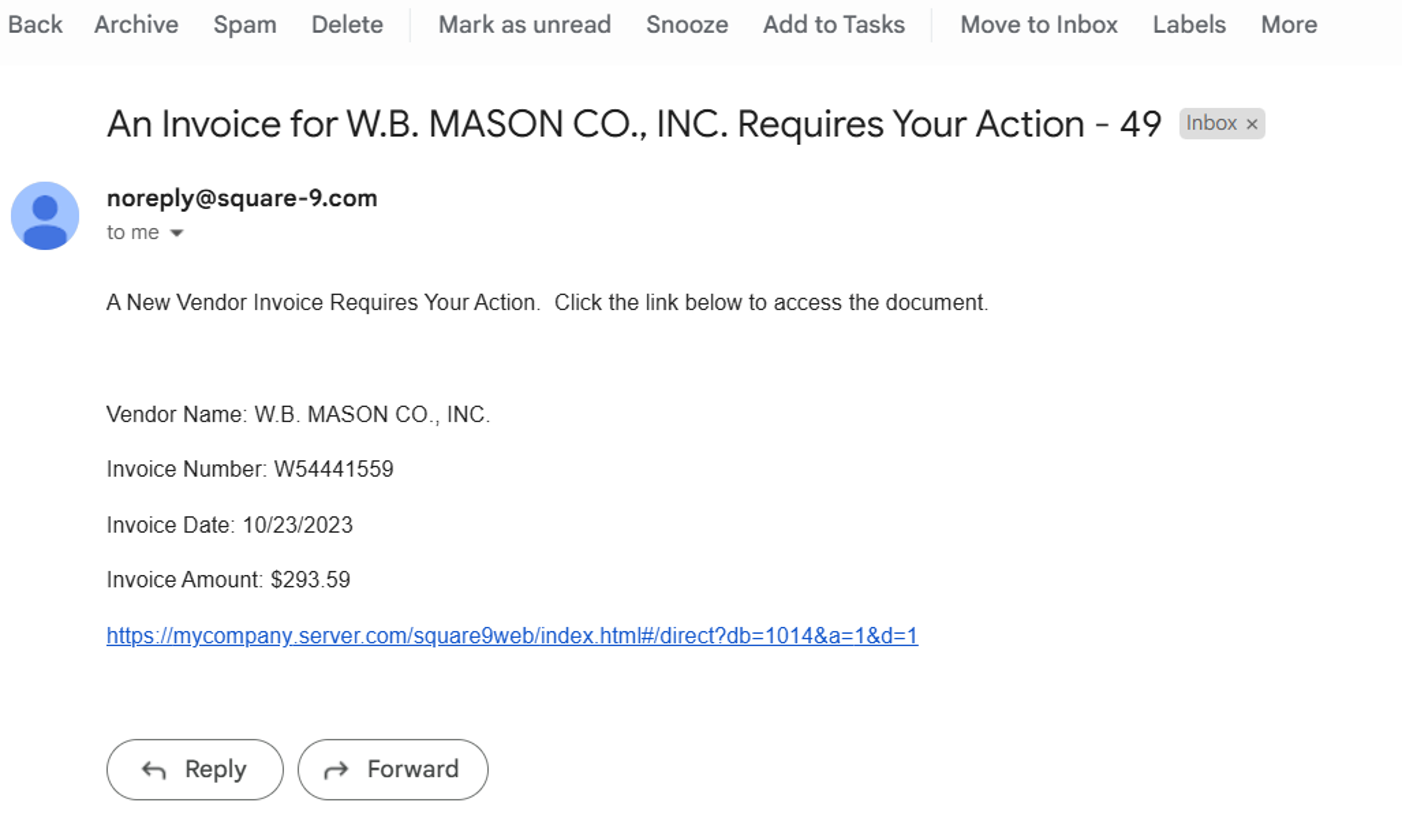
For document-intensive companies looking to improve business efficiency, Square 9 Softworks develops solutions for process automation that aim to drive increased productivity across all business applications.
$250
per month 5 users
zeroheight
Score 8.0 out of 10
N/A
zeroheight helps teams create, manage and maintain their design systems. Using zeroheight, designers, engineers, and product teams can collaborate and build design systems that can be easily shared across teams.
$49
month
Pricing
Square 9 Softworks
zeroheight
Editions & Modules
Square 9 Process Automation Essentials
$50
per month per user (5 User Minimum)
Square 9 Digital Transformation Essentials
$68
per month per user (5 User Minimum)
Square 9 Enterprise Essentials
$75
per month per user (10 User Minimum)
Starter
$49
month
Enterprise
Custom Pricing
Offerings
Pricing Offerings
Square 9 Softworks
zeroheight
Free Trial
No
No
Free/Freemium Version
No
Yes
Premium Consulting/Integration Services
Yes
No
Entry-level Setup Fee
Optional
Optional
Additional Details
Offered via a three-tier pricing model that allows customers to scale their solution up or down based on the changing needs of their organization.
Pricing excludes professional services and implementation fees
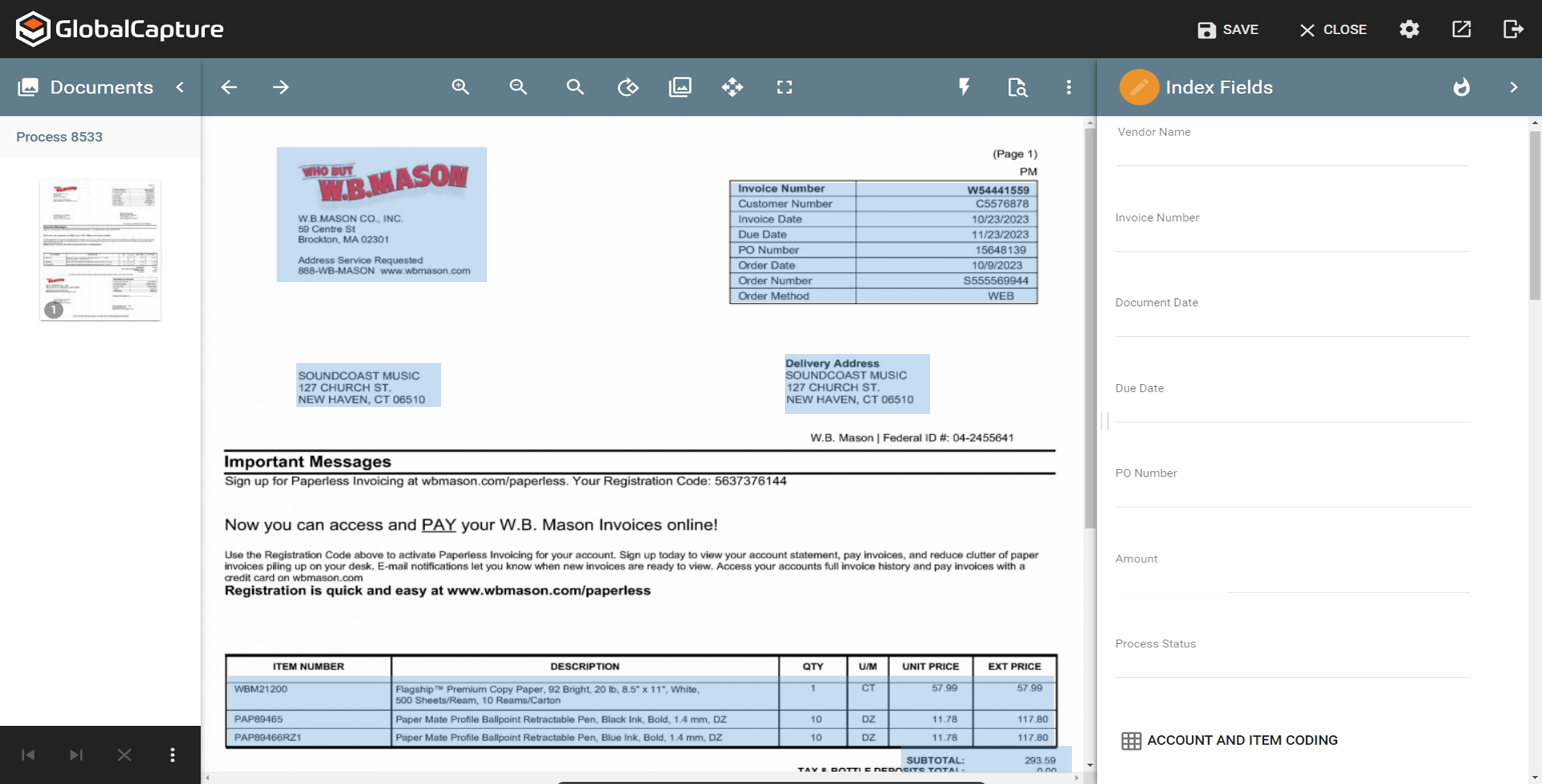
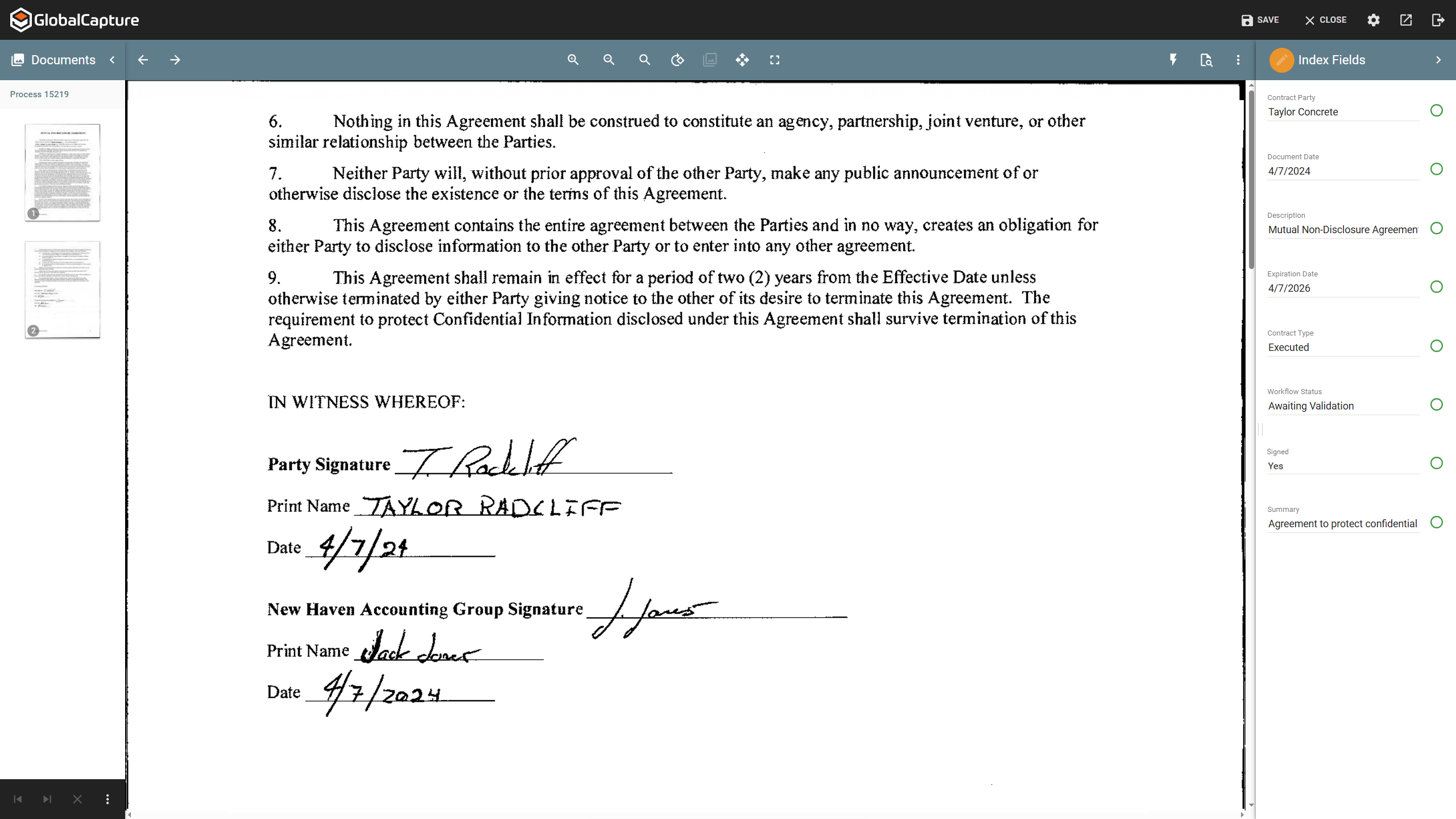
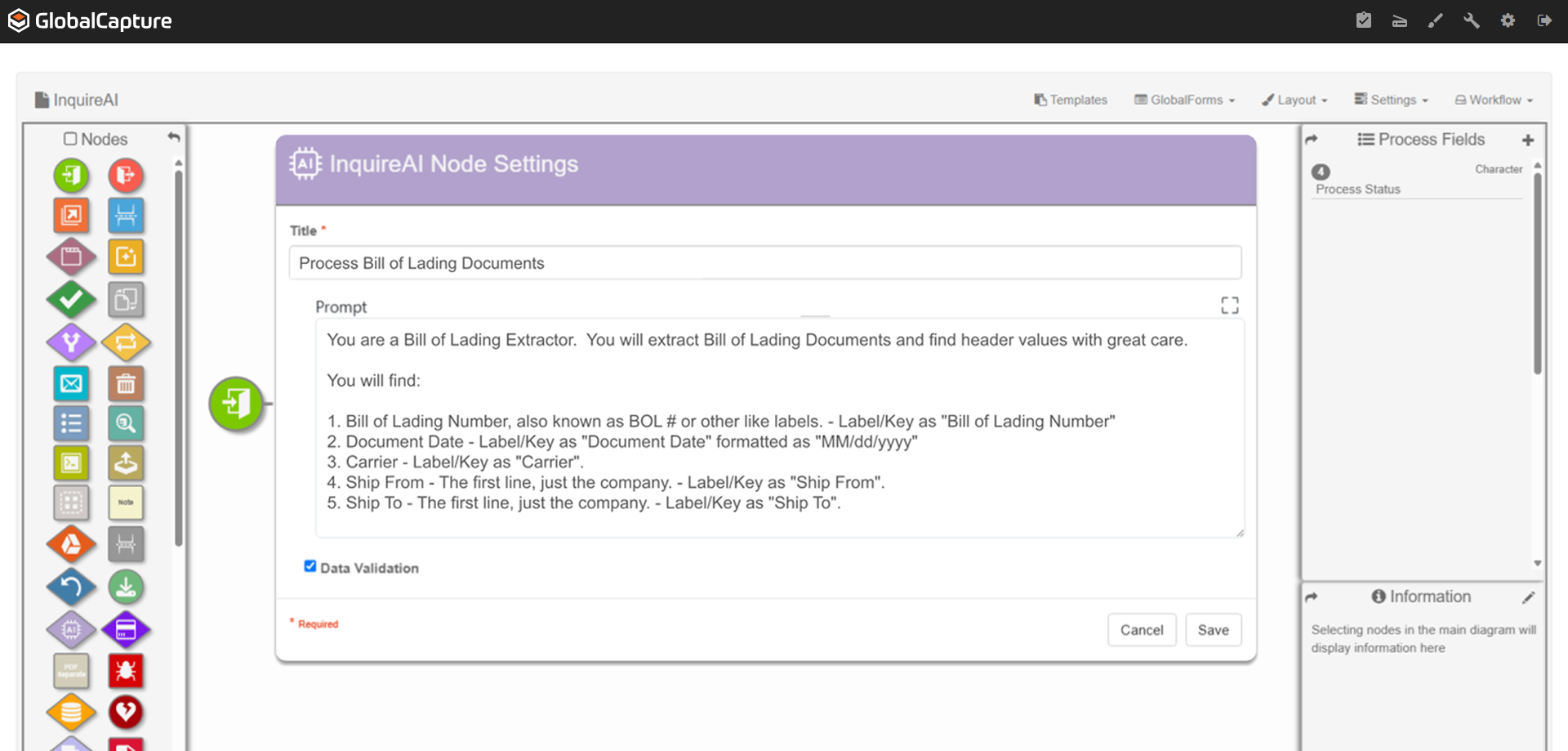
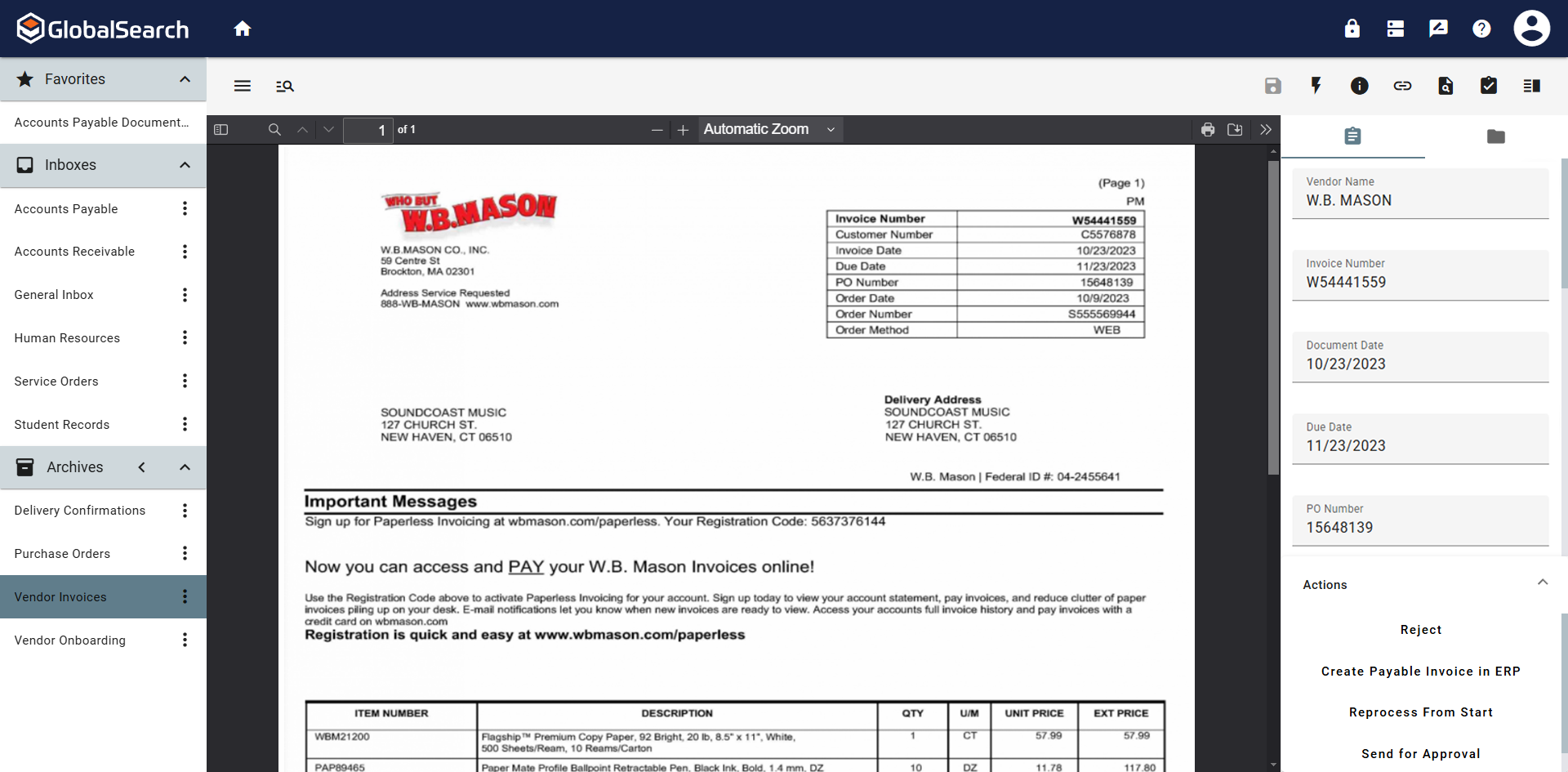
Great for automating invoice processing where you want to set it and forget it. Also works well for document storage where you need things organized and easy to find. If you have complex requirements and need flexibility, this platform can handle it. Not ideal if you expect a lot of exceptions or manual intervention since troubleshooting misrouted documents can be tricky. Also not the best fit if you want something that works out of the box with zero setup. You get the most out of it when you invest time upfront to build workflows.
For creating and maintaining a component library, it is a fantastic tool that creates an interface between Developers, UX Engineers and Designers. It is easy to get both general information about a component, but also incredibly detailed information when looking at the component on a pixel-level, where information on paddings, margins, colors, fonts etc. can be easily accessed.
The software is very flexible, and the technicians were great at implementing our customizations for the PO project.
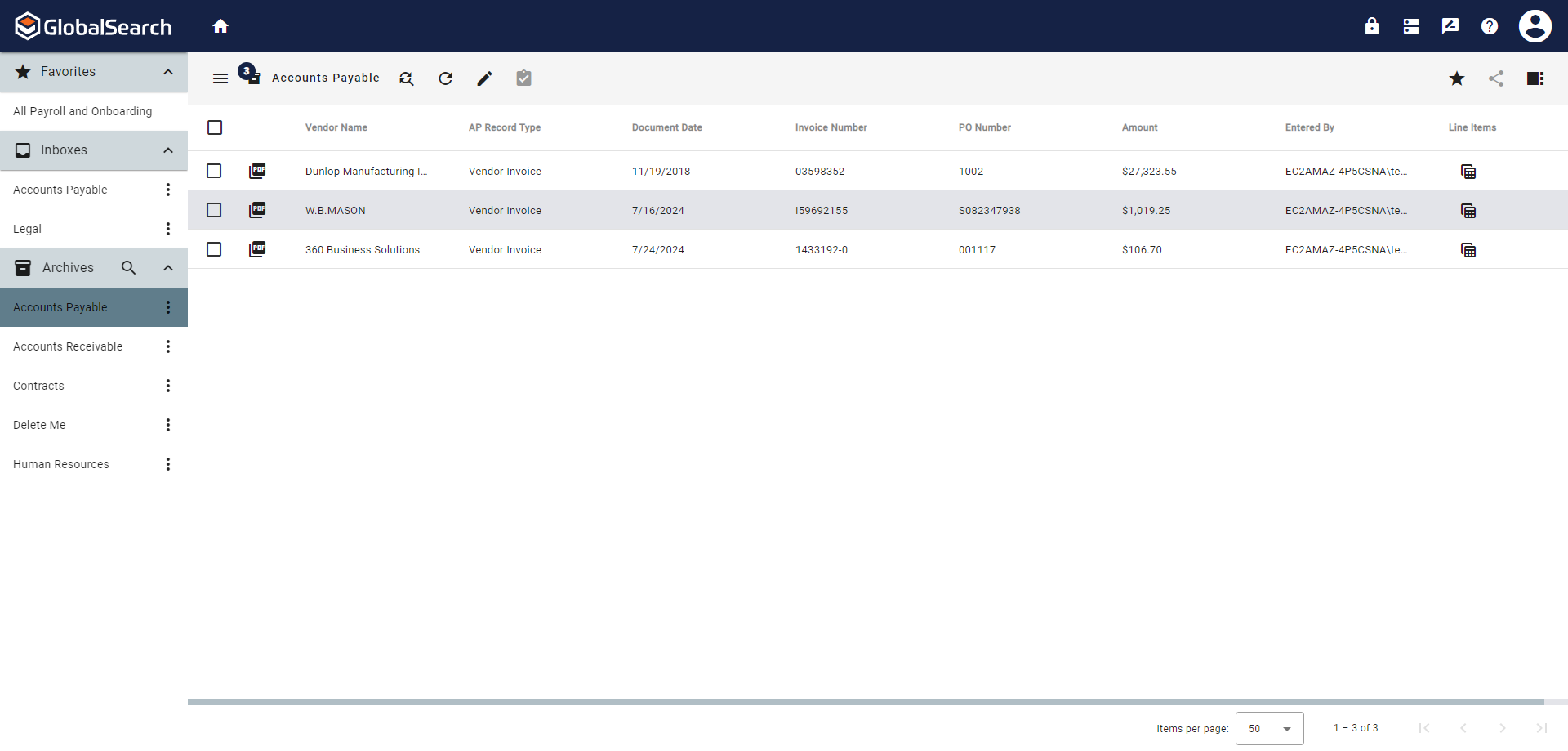
While indexing fields in Global Search, the Key Free tool works great.
Global Search is well-organized. It's easy to navigate and find your documents.
The process for completing your project was well done. Communicating with individuals at Square 9 who were responsible for different aspects of the project was easy.
GlobalSearch could use some enhancements in layout - THIS IS FIXED WITH THE NEWEST VERSION OF GLOBALSEARCH 6.3 and their Sleek GUI GlobalSearch GO! - WELL DONE!
GlobalSearch could use external sharing of documents THIS IS FIXED WITH THE NEWEST VERSION OF GLOBALSEARCH 6.3 and their Sleek GUI GlobalSearch GO! - WELL DONE!
GlobalForms could have better formatting tools to enhance the fields and text formatting
when opening a component image (which opens a new page where the detailed information like paddings and colors are shown), the zoom can only be done by buttons, I'd prefer to be able to use my mouse scroll and for vertical / horizontal scrolling to do ctrl+scroll or ctrl+shift+scroll or something like that
We absolutely can't imagine not continuing software maintenance as there are always new additions that improve the system not to mention the excellent tech support when issues are encountered. Response times for troubleshooting are very quick and usually, my issue is resolved in less than an hour after connecting with support.
The items I am searching for are easily found. They are found in at least 95% of the searches. The failure rate generally is related to another employees user error or a template error set up by our Square 9 team in house.
With the PDF projected viewer, the document retrieval-to-display can drag for a second more than some systems, and the capture workflow if you overload a server array can also drag, but those are the only two issues we've ever seen with this product, and they are not serious issues at all.
We had one "production down" incident that took about a day to get help on. I think that's a bit too long. The support people seem confident but not that friendly. I feel like I'm bothering them when I get help, but they get the job done.
It would have been higher, but the training is a bit muted for the lesser qualified office equipment vendors who signed up as partners to sell and support it. The more experienced ECM vendors and customer end-users will find the training very good, but a bit slow.
I think the implementation could have gone a little smoother than it did. Now that I know how to use the software, I could do it myself. I feel that as an organization, we could have been a little better prepared. If the consultant was more aware of what we were looking for, they could have assisted in setting up some workflows for us as per the contract. But because we were not prepared, the initial implementation process was a little painful. That said, adding a document management system to ANY business kinda means everyone has to re-think the way they do their work which can be difficult for some staff.
Laserfiche could not even complete their installation. Square 9 Softworks was able to come in and rescue the failed project. We have hardly scratched the surface of what we believe we can do in terms of more implementations of the Square 9 Softworks program in other business processes in our company. Square 9 Softworks was demonstrated to our procurement management team while they were struggling with the Laserfiche implementation, and they were ready to abandon Laserfiche immediately upon seeing the Square 9 Softworks program demonstrated. We abandoned Laserfiche even though we had financial investments with them already. This is testimony to how clearly Square 9 Softworks is a better solution than Laserfiche.
I have used and still use Sketch and Zeplin too, but they serve other purposes for us. Sketch is used to design the components themselves and they are then exported to Zeroheight where they are showcased and enriched with textual information. Zeplin is used to design application pages, and again the components are exported to Zeplin from Sketch. But Zeroheight is mainly used for the development of the components themselves as well as a documentation for our design guideline in general. It is also used by us for design tokens and patterns, as well as other information on the design guideline, so if someone wants to understand the "why" of a design decision, the explanation can be usually found in Zeroheight too.
The scale-ability is quite good actually, but you need competent sales/support folks providing it to you, so the scale is set right for the demands of your system use. Some resellers are not good at doing this, some are fantastic. If you are scaled correctly at first implementation, you'll be very happy with this system.
increased quality, as less misunderstandings or communication problems occur
increased speed of development, as it is a single source of truth for us. The developer can rely on the information in Zeroheight being correct so that he doesn't have to iterate his code again and again.