TrustRadius: an HG Insights company

KDAN PDF

Score8 out of 10

6 Reviews and Ratings

What is KDAN PDF?

KDAN PDF (formerly PDF Reader) is a PDF document service that leverages AI-driven technology to enhance user efficiency in creating, managing, and sharing documents, streamlines business workflows, and transforms documents into valuable digital assets through information exchange.


Accessible on both mobile devices and desktops, KDAN PDF is used by educational institutions, government organizations, and businesses. KDAN PDF provides flexible licensing options through its Licensing Service Center, complemented by customer support.


Key Features:

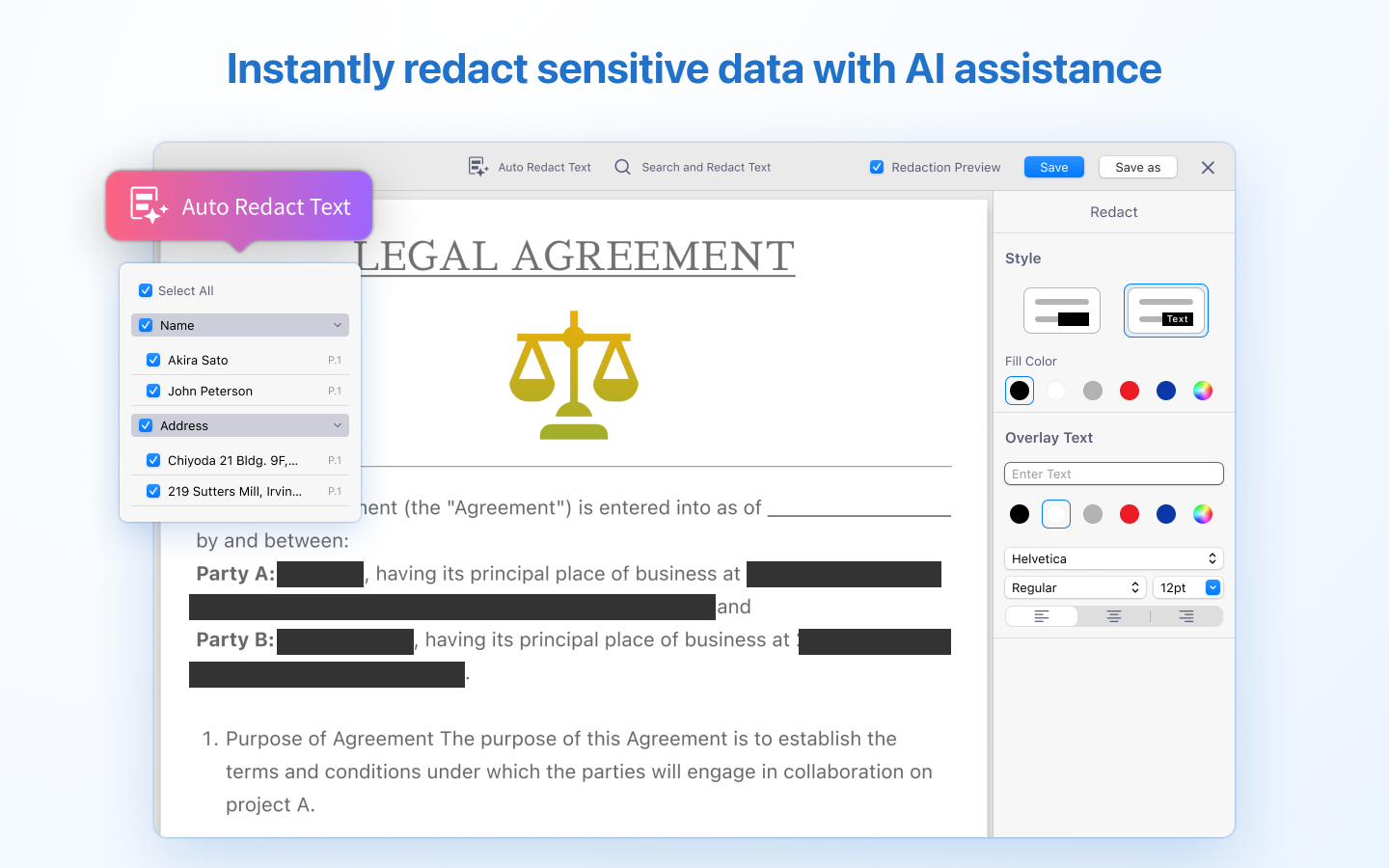
  • AI capabilities: Translation, automatic detection and redaction of sensitive data, AI analyst Chatbot, table extraction, and document comparison.

  • Text editing in PDFs.

  • Secures documents with watermarks or PDF encryption.

  • OCR Convert PDF scans or images into searchable PDF files

  • PDF management options include splitting, merging, and compression.

  • PDF conversion capabilities.

Categories & Use Cases

Media

a KDAN PDF Reader overview
the interface to edit texts, images, and links on PDFs
KDAN AI, which can summarize, analyze, and extract information.
the tool used to convert PDFs to different formats, online or offline
where to add, delete, or rearrange PDF pages
how to transform scans into editable, searchable PDFs with OCR
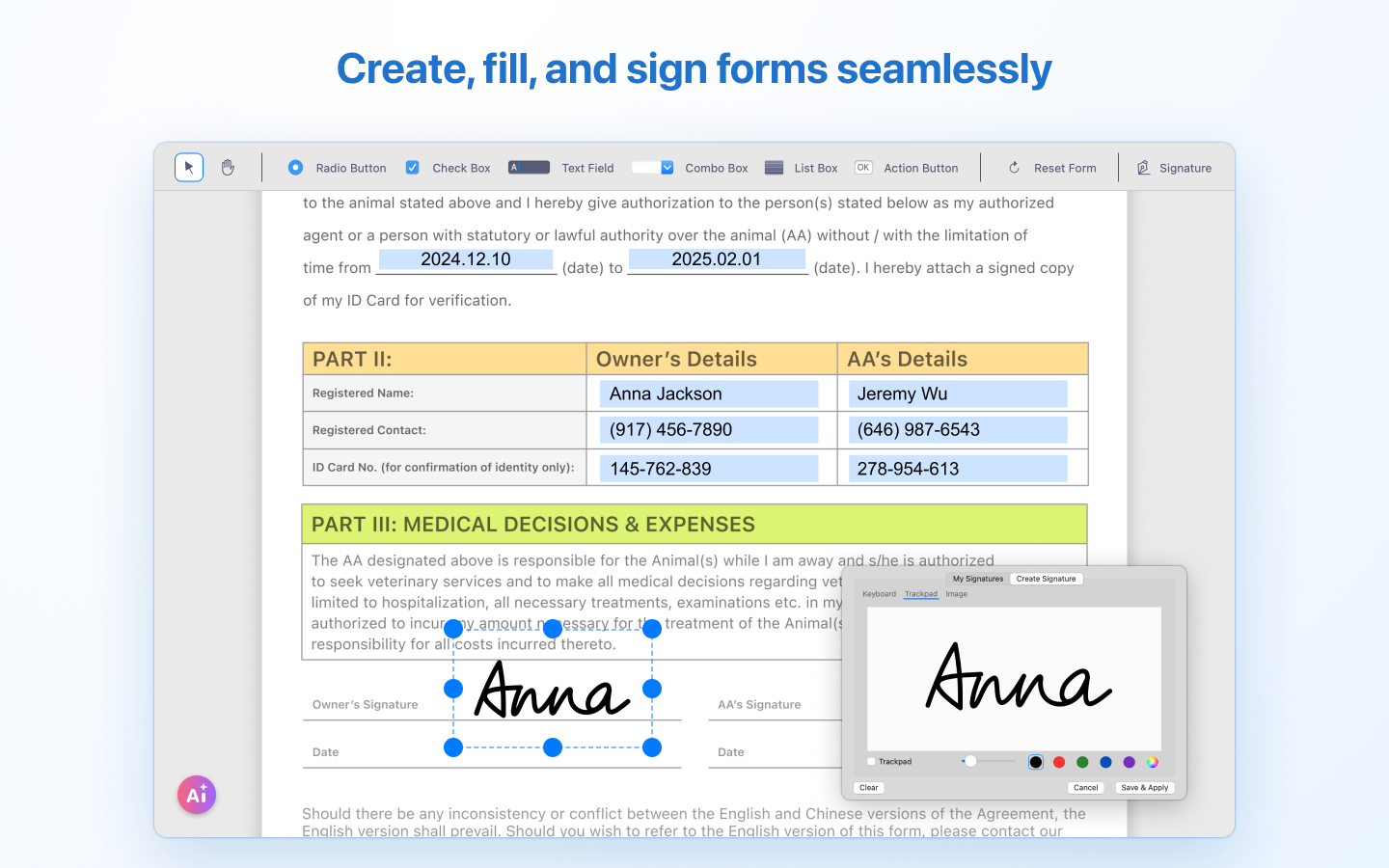
how KDAN lets users create, fill, and sign forms
where to annotate PDFs with notes and highlights
how KDAN protects files with passwords and watermarks
a redaction of sensitive data with AI assistance

1 / 10

Edit PDFs with ease on your phone or any other device.

Pros

  • First of all, I really like how the synchronization feature works - it's very convenient to switch between devices (one more advantage of the app - it has a nice mobile version) and still have all the documents right there in the, synced and ready to go.
  • Besides, the software provides users not only with annotating features that allow you to highlight and add information, but also allows you to sign documents on the go, without having a necessity to print them, so you don't actually even need an e-signature app.
  • Another thing I like is how easy it is to use right away, at least the majority of the tools, anyway.

Cons

  • In my opinion, the tools/features work well, but the interface should be updated in terms of being simpler and more intuitive. All the features are useful, but it isn't always easy to understand how they work - most are easy to figure out, but a few take time.
  • Moreover, I'd like to see some kind of uniformity of the features in different versions of the software. The apps vary depending on what OS the app version is designed for, which isn't always convenient. Personally, I use windows at home and Mac at the office, but I work from home too and don't like that I have to keep in mind what features are accessible and which aren't - can be quite confusing.

Return on Investment

  • Overall, I think this app has been quite useful in many ways - working with PDFs is much easier now, our employees are on the same page in regards to the editing workflow, so things run more smoothly in general.
  • Using the e-signature tool is another great way we're saving time - there are no unnecessary trips to get documents signed and so on.
  • The app also combines several tools in one - so there's no need to use two three apps to get one thing accomplished.

Alternatives Considered

Adlib Enterprise (Adlib PDF)

Other Software Used

Basecamp, Trello

PDF Reader - editing in different ways.

Pros

  • The ability to fax documents without having to use a fax machine or a scanner is great - saves time and other resources (paper, man hours etc.).
  • It's also nice having the feature to convert files right away in the app - and the number of various formats you're able to convert to PDF is quite high.
  • The overall multifunctionality of this app is also something worth mentioning since it has features for highlighting text, editing PDFs, creating and filling out forms and much more.

Cons

  • Well, there are a few downsides, I guess, but not very significant ones. Firstly, because of the large amount of features the interface doesn't look as simple as I wish it did - it's a bit overcrowded.
  • Secondly, because of the first issue that I've mentioned, adjusting to the software takes longer than it could if the interface was simpler. For me personally, it wasn't a big issue, but for those who don't get accustomed to unfamiliar tools easily it could be a problem.
  • Finally, there is one more problem that is actually not significant at all, but when you want to load a document from the Cloud or open the task manager, the app will open a new window for those tools every time - it can be a bit confusing because of so many windows being opened at once.

Return on Investment

  • It's been great so far, having all our employees use the PDF Reader when dealing with PDFs - since it's easy to use and is quite multifunctional, we're able to accomplish quite a bit with a single app installed on all of our devices.
  • It's great for saving time and adding e-signatures, so we aren't actually using any other e-signature apps.
  • It's so easy to use that everyone is on board and using the app for all kinds of PDF tasks daily.

Alternatives Considered

FoxitPhantom PDF

Other Software Used

Canva, Basecamp, Slack

PDF Reader lets you take care of all your PDFs and more

Pros

  • The app is great for signing documents after they are edited - it works well on all devices and e-signatures can be added without any additional tools and you're not attached to a particular device either.
  • Editing PDFs is also incredibly easy - there are plenty of tools for that, as well as being able to view all kinds of other documents formats, not just PDFs.
  • Sharing documents is also something that is quite easy with PDF Reader - sending out signed contracts and agreements, collaborating on document editing and so on. This tool is quite versatile, in general.

Cons

  • The laptop version needs to be upgraded - its functionality isn't as high as the app. There are less tools and it's a bit slow at times.
  • Also, the tools/features vary quite a bit across different platforms, so iOS and Android have a different set which isn't great in terms of UX.
  • Also, the phone app UI could be improved - it's a bit piled on at the moment.

Return on Investment

  • I like it for making it easy to deal with PDFs - To do all kinds of editing, signing, and sharing, all on my phone/tablet. It definitely has made some part of my work easier, even if I do occasionally have to switch to a different software when working on my PC.
  • So, the app is easy to use on the go, it simplifies several processes at once - editing, signing, sharing, and in most cases, it works great.

Other Software Used

Kdan Mobile DottedSign, draw.io, ClickFunnels

PDF Reader is a must-have tool in my workplace.

Pros

  • OCR to convert scanned PDFs to editable PDFs.
  • Split large PDF documents into separate, smaller files.
  • Switch to dark mode.

Cons

  • Sometimes the text box isn't in the right position you have placed after flattening a copy.

Return on Investment

  • Speed up our team communication on PDF files.
  • Build a paperless workplace.

Alternatives Considered

Adobe Acrobat DC

Other Software Used

Kdan Mobile DottedSign, Pipedrive, AWS Backup