
TrustRadius: an HG Insights company

StreamWork

Score8.6 out of 10

7 Reviews and Ratings

What is StreamWork?

StreamWork is a review and approval platform used by marketing and creative teams to centralize feedback, streamline online proofing, and automate creative approval workflows. By consolidating version control, task management, and stakeholder input, it aims to eliminate bottlenecks and reduces rework. Teams can markup nearly any file type (videos, images, CAD files, documents, slides, etc), route assets through multi-stage approvals with smart deadlines, and share review links without requiring sign-ins.

Key Features:

  • Online Proofing & Markup: Annotate nearly any file type, leave contextual feedback directly on creative assets, turn comments into actionable tasks, and @mention teammates for seamless collaboration.

  • Approval Workflow Automation: Automate multi-stage approvals with customizable templates, reviewer permissions, conditional approvals, and smart deadlines—set it up once and StreamWork will manage the process.

  • File Sharing: Share review links with clients and stakeholders in seconds; they can review multiple assets at once on desktop or mobile without needing an account or login.

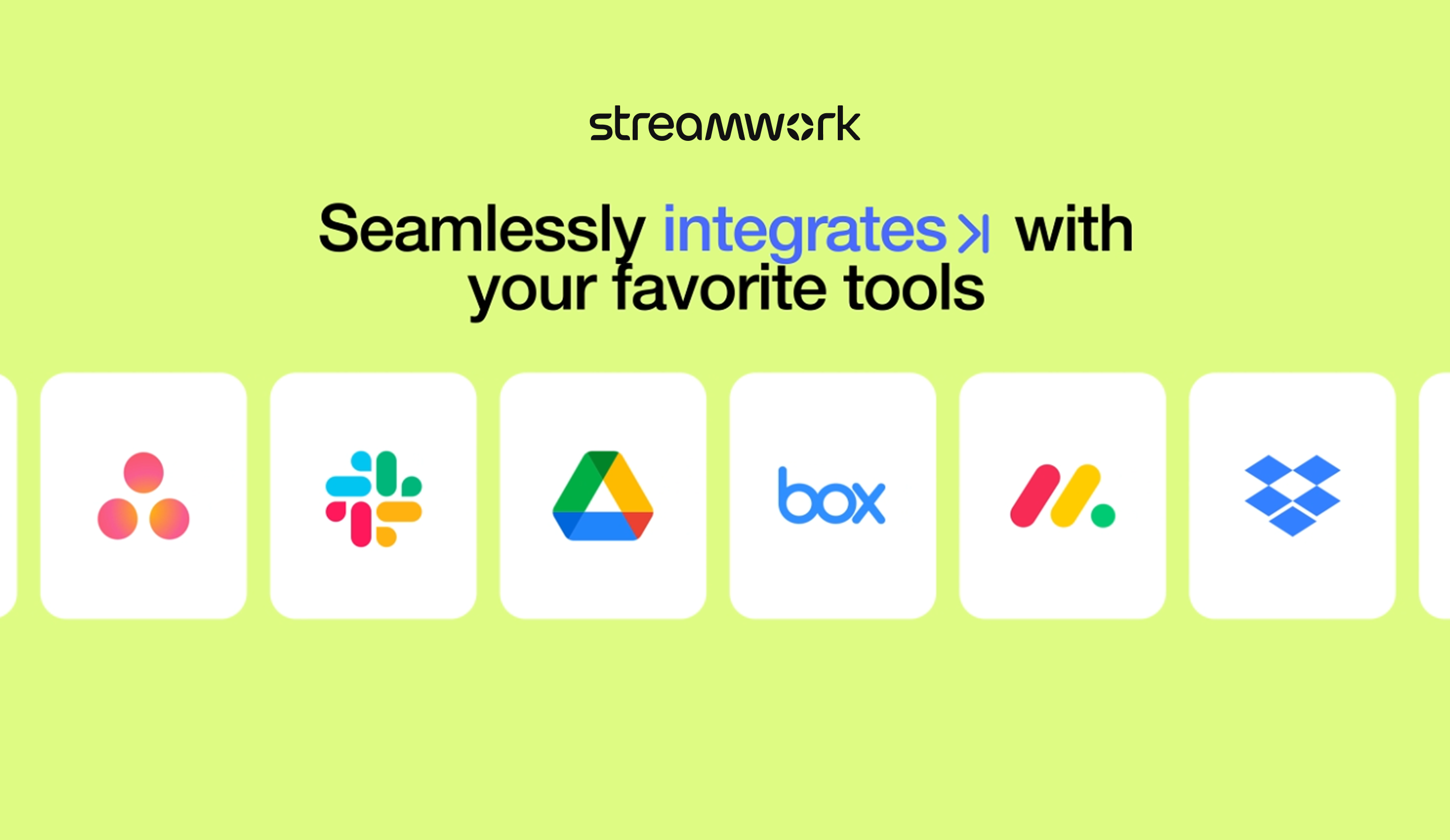
  • Integrates With Any Existing Creative Stack: Connects with project management tools like Asana, Monday.com, and Slack to sync tasks, track approvals, and streamline cross-platform workflows.

Media

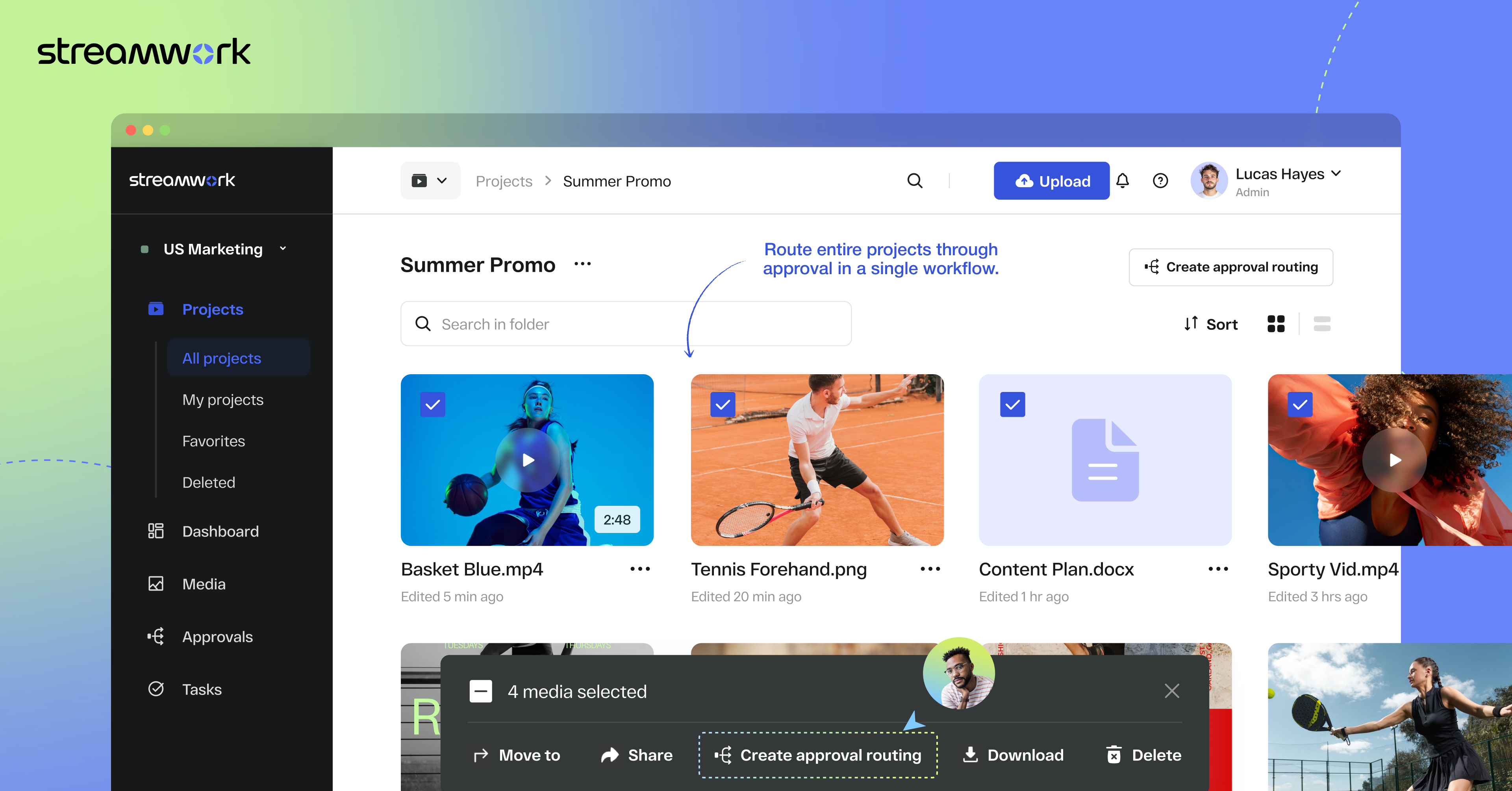
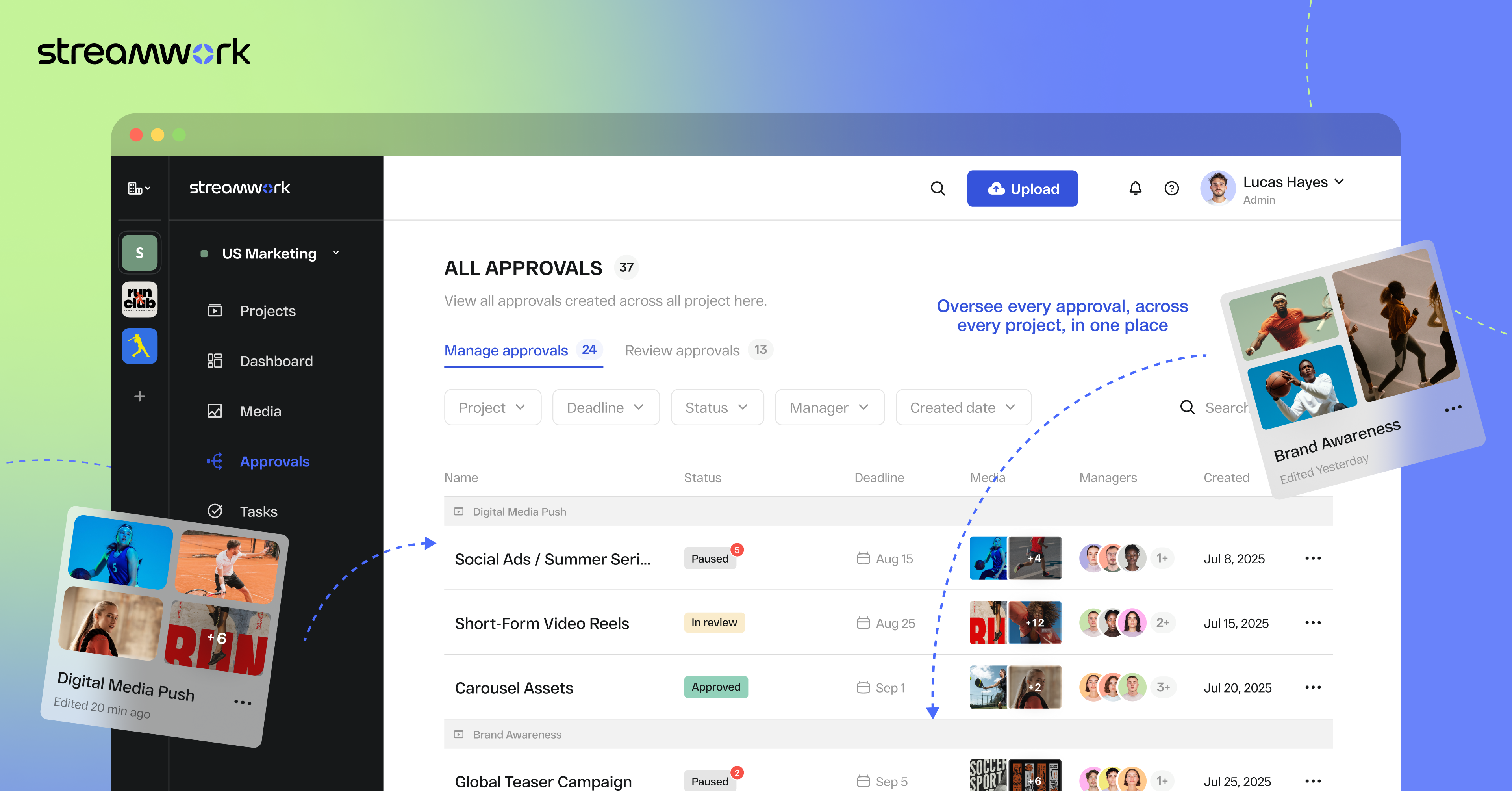
Screenshot of StreamWork Bulk Enterprise Approval. Here, users can route multiple media files—videos, PDFs, images, and decks—through a single approval flow, helping to keep stakeholders aligned, reduce bottlenecks, and upload new versions without disrupting progress.
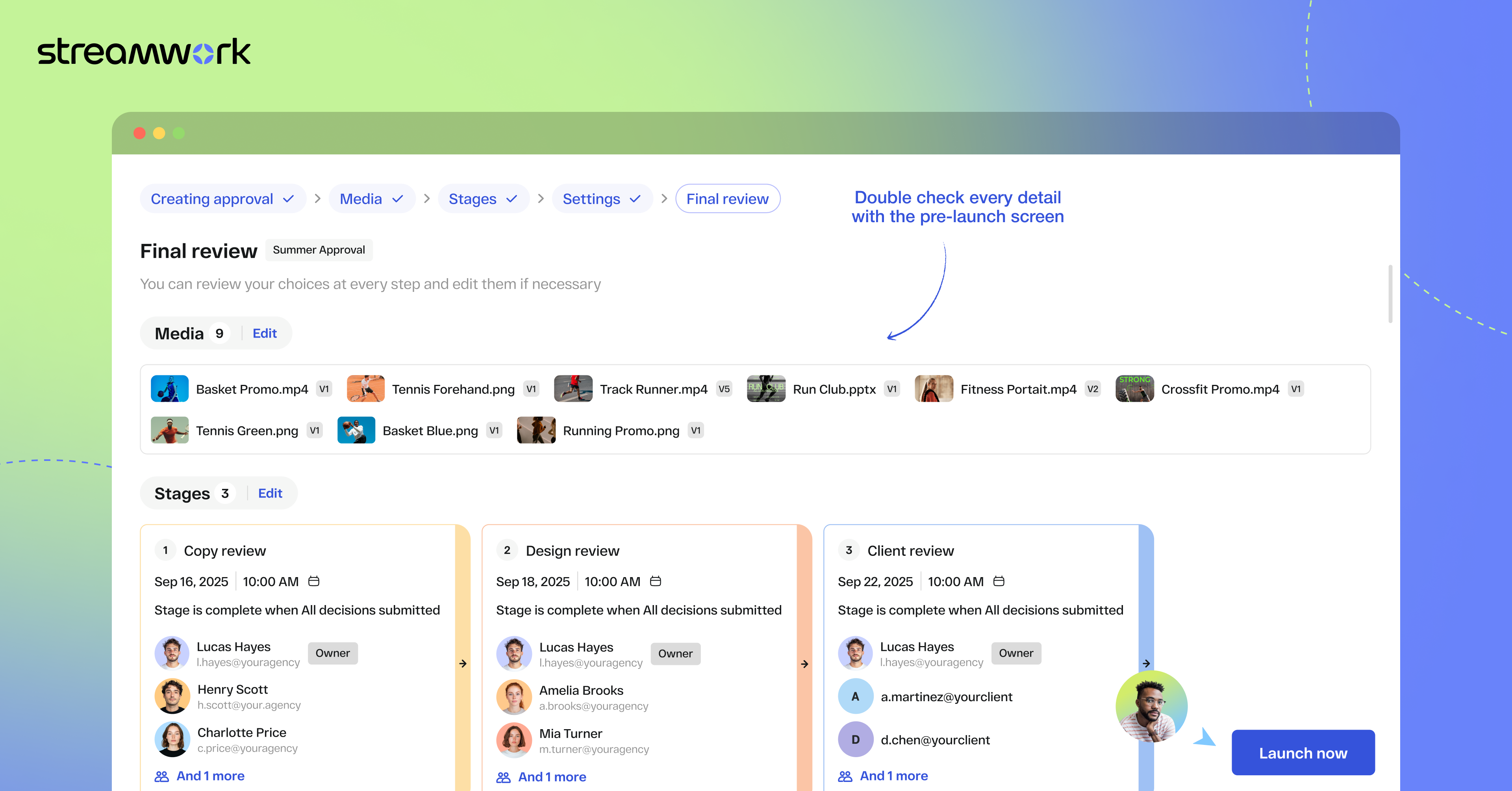
Screenshot of StreamWork Final Approval Review. This automates complex reviews with customizable, multi-stage workflows. Conditional routing, reviewer permissions, and smart deadlines help to ensure projects move forward efficiently without manual follow-ups.
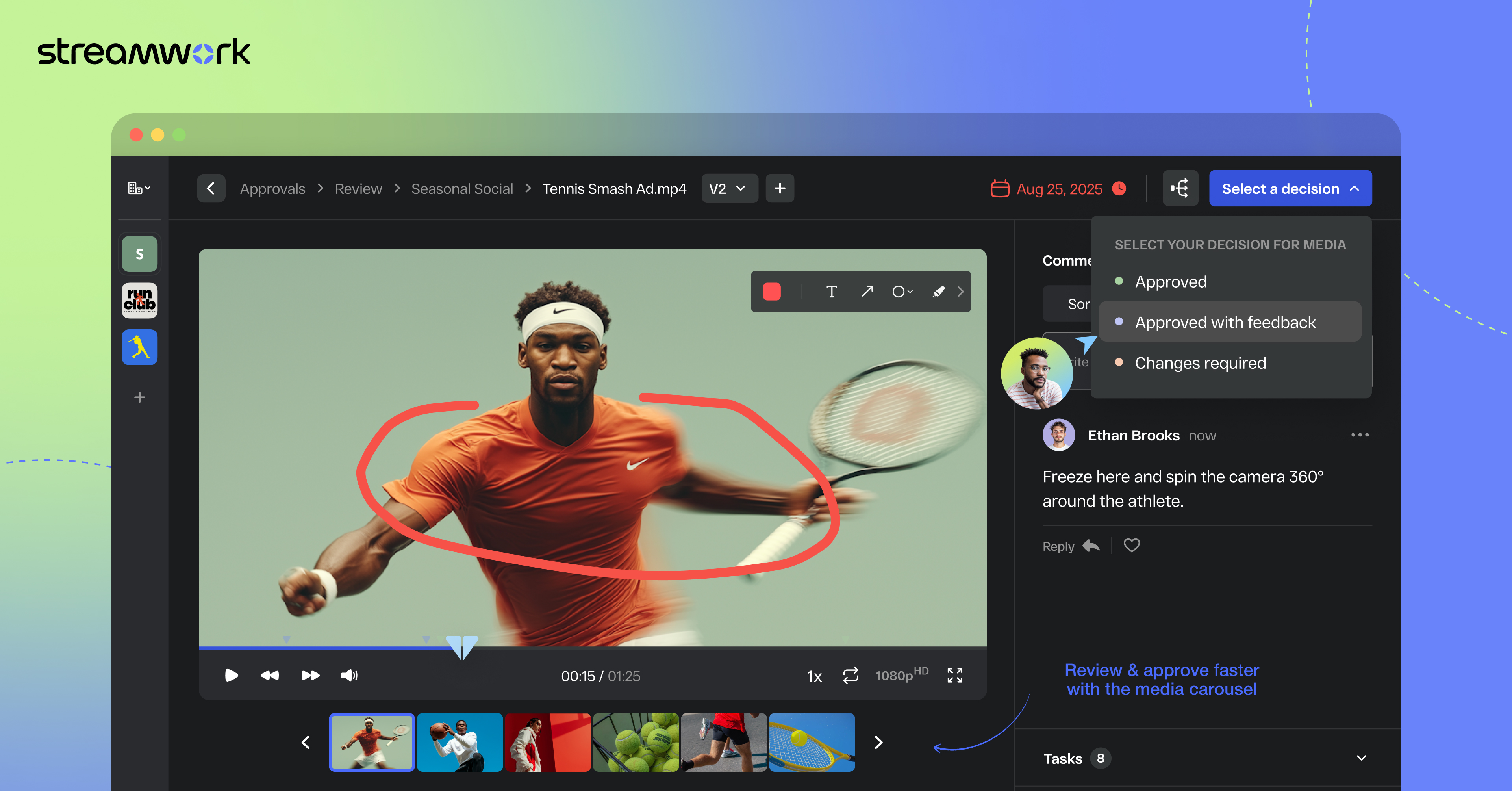
Screenshot of StreamWork Online Proofing Software. Here, users can annotate nearly any file type with precision markup and contextual comments, convert feedback into tasks instantly, and @mention teammates to streamline collaboration and keep projects on track.
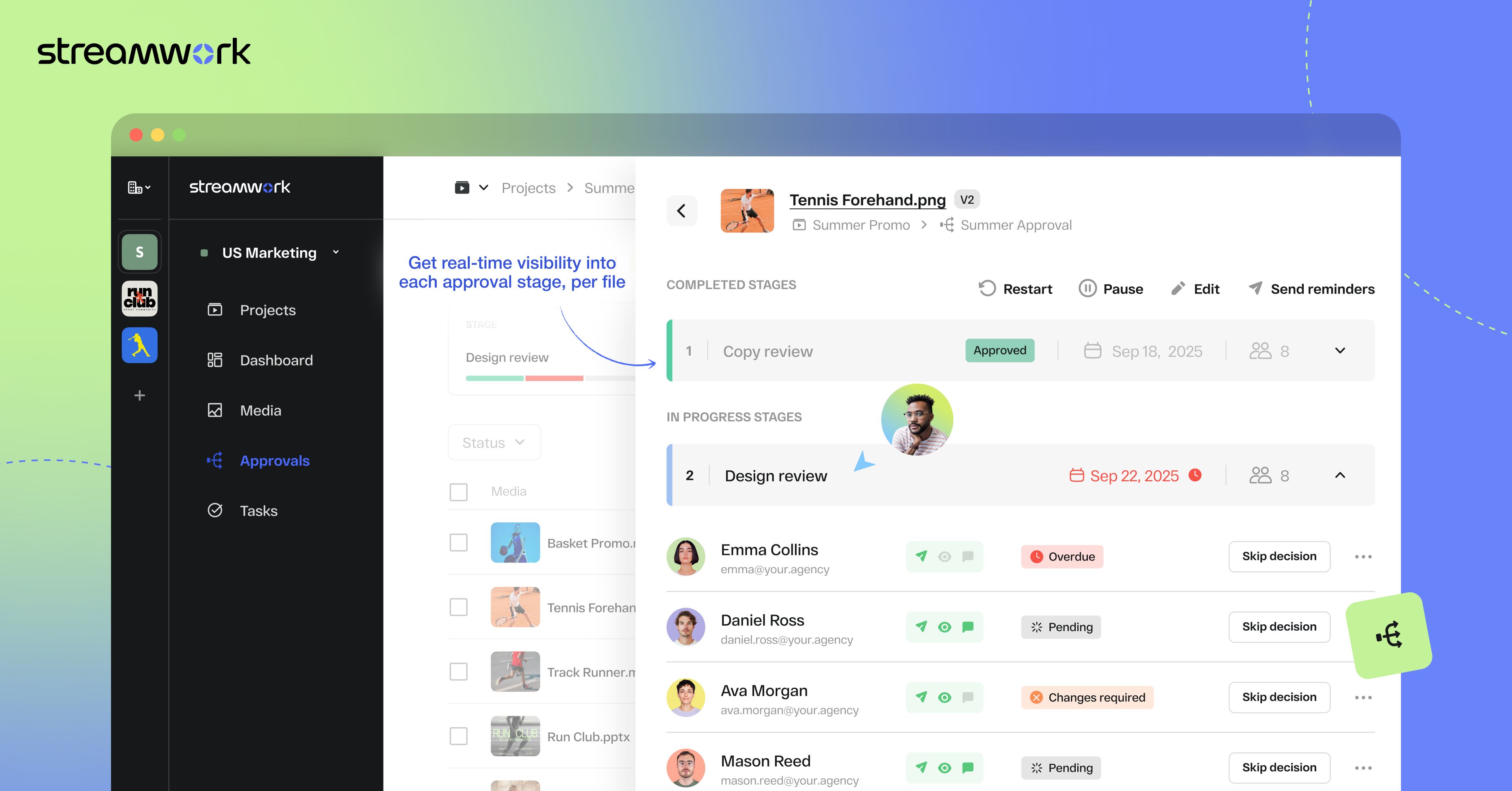
Screenshot of StreamWork Granular Approval Tracking. This creates real-time visibility into all approvals at a glance by enabling users to track deadlines, reviewer progress, and project status from a single dashboard.
Screenshot of StreamWork Enterprise Approval Dashboards. These help maintain full compliance and accountability with immutable audit logs. They display time-stamped decisions, monitor reviewer activity, and generate reliable approval histories for enterprise-grade governance.
Screenshot of some of StreamWork direct integrations like Asana, Monday.com, Slack, Google Drive, and Dropbox.

1 / 6

Screenshot of StreamWork Bulk Enterprise Approval. Here, users can route multiple media files—videos, PDFs, images, and decks—through a single approval flow, helping to keep stakeholders aligned, reduce bottlenecks, and upload new versions without disrupting progress.

Top-notch Software for Creative Operations

Use Cases and Deployment Scope

Before now, my team has struggled with the creative reviews process. All of the other solutions we've tried added too many extra steps or resulted in important feedback being buried. StreamWork's Asana integration keeps all feedback in one place and ensures the right people have visibility at the right time.

Pros

  • Integrations with Project Management software
  • Custom approvals routing
  • Excellent customer service

Cons

  • Further refining user experience

Return on Investment

  • Decreased the amount of time an asset is stuck in approvals.
  • Improved visibility into prior versions.
  • Improved designer efficiency as a result of having feedback in one place.
  • Reduced risk of unapproved assets going live.

Usability

Alternatives Considered

Adobe Workfront, Frame.io and Dropbox Paper

We finish our video content faster with StreamWork

Use Cases and Deployment Scope

We use StreamWork to collaborate on video content. We have multiple individuals and teams that need to provide feedback and approvals across multiple video iterations. StreamWork enables us to organize this in one place, accelerating the time it takes us to get our video content completed.

Pros

  • Enables commenting on specific parts or sections of video content
  • Discussion threads allow for conversation to happen in a focused area that is relevant to the discussion
  • Video versioning and approvals

Cons

  • On occasion you need to be careful to correctly set the time slider when tagging a reply to an original comment, otherwise it may end up at a different time

Return on Investment

  • StreamWork has enabled us to produce final quality video content faster
  • We're able to output a higher bandwidth of content as well

Usability

StreamWork Review

Use Cases and Deployment Scope

We use it for file sharing internally and externally, as well as to gather feedback on different file formats.

Pros

  • Centralizing Feedback & Proofing
  • Strong Version Control
  • Ease of Collaboration — Internal & External

Cons

  • External Reviewer Experience - making sure they understand how to comment / markup correctly, or simplifying the external reviewer interface even more.

Return on Investment

  • StreamWork has made our creative review process far more efficient. It’s reduced turnaround times, minimized miscommunication, and helped us deliver assets to clients faster... all of which translate into better project outcomes and a clear ROI.

Usability

Alternatives Considered

PageProof

Other Software Used

monday.com, Adobe Workfront, Microsoft Teams

Keeps feedback and approvals in one place

Use Cases and Deployment Scope

I use StreamWork as a consultant working with multiple companies. It helps me coordinate feedback, reviews, and approvals in one place, instead of relying on scattered emails and documents. For my use case, it’s a simple way to keep projects moving and reduce the back-and-forth, especially when I’m collaborating across different teams and tools like Asana.

Pros

  • Centralizes feedback so comments and approvals aren’t scattered across emails or docs
  • Integrates with Asana, keeping tasks aligned without extra duplication
  • Simple, intuitive interface that makes setup and adoption quick

Cons

  • Organization-wide rollout can be tricky; it helps to have examples or playbooks for getting teams onboarded beyond just setup.
  • Would love to see more best practices or case studies that show how different teams use StreamWork day to day.

Return on Investment

  • Cuts down on chasing feedback across emails and docs
  • Supports both revenue and client satisfaction through smoother collaboration
  • Keeps projects organized and moving faster with fewer mistakes

Usability

Other Software Used

Asana, Slack

StreamWork - Streamlining My QA Iterative Collaborative Processes

Use Cases and Deployment Scope

Our company uses StreamWork to collaborate across time zones and global regions. With StreamWork, our remote team members can communicate about their projects, review solutions, iterate, and collaborate. StreamWork also ensures that projects with aggressive deadlines stay on track and that iterations are tracked. In one sentence: StreamWork helps us with project plans, tracking iterations, and ensuring that project stakeholders and participants are in alignment.

Pros

  • Establishing approval processes
  • Monitoring the approval process not only by project but also by team member
  • Keeping track of project output iterations

Cons

  • Can't think of anything
  • The way I use StreamWork... it's perfectly fine

Return on Investment

  • StreamWork has expedited my team's QA and iterative processes.

Usability

Alternatives Considered

PageProof and Adobe Workfront

Other Software Used

Adobe PhotoShop, Adobe XD, Figma Dev Mode, Microsoft 365, Microsoft 365 Copilot, Adobe Acrobat, Adobe Analytics, Adobe XD, Adobe Illustrator CC, Adobe Experience Manager, Adobe Firefly, Adobe InDesign, Adobe Marketo Engage