1Password vs. Dashlane Password Manager vs. Device42

Overview
ProductRatingMost Used ByProduct SummaryStarting Price
1Password
Score 9.2 out of 10
N/A
AgileBits in Toronto offers 1Password, a password manager available to both private individuals and businesses, touting a unique approach to multi-factor authentication to improve security.
$2.99
per month
Dashlane Password Manager
Score 9.1 out of 10
N/A
Dashlane is a credential manager that secures every credential, every user, and every employee device to proactively protect against breaches. Brands worldwide can use Dashlane to stay ahead of evolving threats.
$240
per year 10 employees
Device42
Score 6.4 out of 10
N/A
Device42 is a comprehensive, agentless discovery system for Hybrid IT. Device42 can continuously discover, map, and optimize infrastructure and applications across data centers and cloud, in order to provide an accurate views of the IT ecosystem. Device42 intelligently groups discovered workloads by application affinities, so as to reduce the effort required to create move groups, capturing all communications. The vendor boasts customers in more than 60 countries including Global 2000…
$1,449
1-1K IPs
Pricing
1PasswordDashlane Password ManagerDevice42
Editions & Modules
1Password
$2.99
per month
Teams
$3.99
per user/per month
1Password Families
$4.99
per month
Business
$7.99
per user/per month
Enterprise
Custom Pricing
Business
$8
per month (billed annually) per seat
Omnix™
Contact Sales
per year for organizations of 100+
Core 1-100 Devices
$1,449
1-1K IPs
Core 101-500 Devices
$2,999
1K-5K IPs
Core 501-1000 Devices
$4,999
5K-10K IPs
Core 1001-2500 Devices
$9,999
10K-25K IPs
Core 2500+ Devices
Request Quote
25K+ IPs
Offerings
Pricing Offerings
1PasswordDashlane Password ManagerDevice42
Free Trial
NoYesYes
Free/Freemium Version
NoYesNo
Premium Consulting/Integration Services
NoNoNo
Entry-level Setup FeeNo setup feeNo setup feeNo setup fee
Additional DetailsPricing for each customer requesting a SaaS installation/deployment is negotiated on a case by case basis, and depends on many factors
More Pricing Information
Community Pulse
1PasswordDashlane Password ManagerDevice42
Considered Multiple Products
1Password
Chose 1Password
1Password is a better solution than LastPass and Dashlane. The Watchtower feature monitors your accounts for possible breaches, leaks, and weak passwords. 1Password is more affordable, has a great set of tools, and works seamlessly to help teams manage credentials. Unlinke LastP…
Chose 1Password
A chief marketplace competitor to 1Password is LastPass. While it is highly regarded and includes some features that 1Password currently doesn't (such as secure sharing), it fell victim to a substantial security breach in 2015, which has made me loathe to reconsider it.

Another …
Chose 1Password
1Password had a stronger roster of companies that trusted them and a history of no security breaches. Additionally, we trust their security culture the most.
Dashlane Password Manager
Chose Dashlane Password Manager
1Password had a breach, not acceptable. If Dashlane Password Manager has a breach like that we will also drop them like a sack of potatoes.
Chose Dashlane Password Manager
I think the browser plugin for 1Pass is stronger in many UI/UX ways.

I will say provisioning a new piece of hardware with the platform like 1Password is painful. That can be a benefit from a security perspective, but when you're trying to onboard a new user on the platform on a …
Chose Dashlane Password Manager
We were told by regulator IT experts that Dashlane Password Manager was more secure than 1Password. I also find it easier to set up and easier to use across laptops and mobile devices. It's been a few years since we made the switch, so it's hard to remember specifics.
Chose Dashlane Password Manager
This was about 3 or 4 years ago, so I can't recall the exact details, but I remember that using 1Password was clunky and iffy. Sometimes it would work great, other times not so much. Password sharing and managing your team wasn't as simple. Dashlane seems to be built for …
Chose Dashlane Password Manager
Better useability, ability to share notes and codes, easy to toggle between organisation and personal logins, ability to share to other users and revoke that access as needed, able to get updates on password health and how many passwords other people are storing, user friendly …
Chose Dashlane Password Manager
It has been quite some time since we selected Dashlane, but it was a combination of features and price - it offered the greatest value with user sharing and cross-platform capabilities.
Chose Dashlane Password Manager
Our IT person said it was the best for our size of business and security needs.
Chose Dashlane Password Manager
Dashlane was the most complete product. We have moved to Keeper, though, for client management; we wish Dashlane had similar functionality.
Chose Dashlane Password Manager
We can get a discount on Dashlane Password Manager through TechSoup, so cost was the deciding factor, as all other elements were about equal for us in our evaluation.
Chose Dashlane Password Manager
Had PC app and better pricing. Did not get to extensively test wince we decided to renew Dashlane Password Manager.
Chose Dashlane Password Manager
Dashlane Password Manager is easier to onboard and use than both of the above.
Chose Dashlane Password Manager
Among all these and few open source we tried Dashlane Password Manager were close to our needs.
Chose Dashlane Password Manager
About the same, liked the interface better than both of those.
Chose Dashlane Password Manager
Dashlane’s customer support is often rated higher, providing more responsive and helpful assistance. LastPass has a slightly steeper learning curve than Dashlane, but it offers more flexibility with user permissions, which can benefit teams. Dashlane includes unlimited passkey …
Chose Dashlane Password Manager
Dashlane Password Manager offered a more seamless experience across multiple devices, both laptop and mobile and worked really well for sharing. The plans offered when we signed up were really compelling and the latest changes with free family and friends make it an easy choice …
Chose Dashlane Password Manager
We picked Dashlane because the decision maker was already using it.
Chose Dashlane Password Manager
It has better security and lower costs
Chose Dashlane Password Manager
Dashlane makes sharing passwords easier for employees and managers from all departments.
Chose Dashlane Password Manager
Dashlane has by far the best and simplest user experience, especially for non-technical users.
Device42

No answer on this topic

Best Alternatives
1PasswordDashlane Password ManagerDevice42
Small Businesses
RoboForm
RoboForm
Score 9.1 out of 10
RoboForm
RoboForm
Score 9.1 out of 10

No answers on this topic

Medium-sized Companies
Dashlane Password Manager
Score 9.1 out of 10
1Password
1Password
Score 9.2 out of 10
Microsoft System Center
Score 8.3 out of 10
Enterprises
KeePass
KeePass
Score 8.9 out of 10
KeePass
KeePass
Score 8.9 out of 10
Microsoft System Center
Score 8.3 out of 10
All AlternativesView all alternativesView all alternativesView all alternatives
User Ratings
1PasswordDashlane Password ManagerDevice42
Likelihood to Recommend
10.0
(50 ratings)
9.4
(157 ratings)
9.6
(11 ratings)
Likelihood to Renew
10.0
(4 ratings)
8.5
(3 ratings)
-
(0 ratings)
Usability
10.0
(4 ratings)
9.1
(144 ratings)
-
(0 ratings)
Support Rating
8.8
(17 ratings)
5.8
(6 ratings)
-
(0 ratings)
User Testimonials
1PasswordDashlane Password ManagerDevice42
Likelihood to Recommend
1Password (AgileBits, Inc)
1Password is a great tool when it comes to data security and managing your passwords. It is perfect for daily work that requires accessing a lot of different login credentials to different softwares, servers etc., so it is a great tool for all web developers and programmers, but also to project managers and other employees that have to login to multiple different services regularly.
Read full review
Dashlane
I think Dashlane is a great service for anyone who uses the internet. We need to create accounts on almost every website, and Dashlane helps generate secure passwords and store them safely, but easily accessible through its seamless browser extension. Any business or personal lifestyle can benefit from Dashlane when you go online
Read full review
Device42
1. Installbase management feature allows us to retire our old spreadsheet methods for tracking the data in favour of a singular database with some excellent reporting.2. We are also providing data connectivity from the WAN Providers and keeping all connections in Device42 gives us the ability have documentation of all connection that are made. 3. Ever changing and growing inventory that needs to be carefully tracked and inventoried. We find this so simple to use that we spend much less time than we used to on tracking these items.
Read full review
Pros
1Password (AgileBits, Inc)
  • Convenient secure access to my passwords anywhere.
  • Auto-generates secure long random passwords I would never be able to remember with so many I have to keep track of.
  • It's a small thing, but the numbers and punctuation are shown in different colors so you never need to wonder if it's a zero or a capital O.
  • Keywords let me organize my passwords however I want, by client, by function, whatever, the choice is up to me.
  • A handy place to keep contacts and all kinds of other data besides just passwords. Can add any fields I want, even attach files in the secure vault.
Read full review
Dashlane
  • Reliable autofill on most websites
  • Robust features in both the Admin and personal user sense
  • Multiple convenient options for unlocking that don't require retyping the master pass on a regularly used and trusted device
  • Extensive customization options in both the Admin panel and user settings
Read full review
Device42
  • Device42 can discover physical and virtual servers as well as your network devices
  • Device42 can give resource utilization details like CPU, Memory and Storage
  • Device42 can give dependency mapping
  • Device42 can give inbound and outbound communication details
  • Device42 can create Affinity Groups (Move Groups)
  • Device42 can recommend the Cloud platform to which you can migrate your infrastructure.
Read full review
Cons
1Password (AgileBits, Inc)
  • 1Password is so secure, that it lacks a self-managed "forget your password" functionality which means that as a manager, I have to approve password resets which may slow down some users.
  • On Chrome, the extension sometimes stops working when the browser is updated.
Read full review
Dashlane
  • The mobile app works fine for quick access, but autofill across different apps can be inconsistent. Sometimes it doesn’t recognize the login field, which slows people down when they’re on the go.
  • Occasionally the browser extension logs users out or doesn’t sync immediately with the desktop app, which causes frustration if someone just updated a password.
Read full review
Device42
  • UI/UX is not up to the standards.
  • Can't mass update everything.
  • No export option for the sub components that have changed linked to the device they are assigned to
  • Plugins options are limited
  • Sometimes randomly times out my login forcing me to log in again.
Read full review
Likelihood to Renew
1Password (AgileBits, Inc)
1Password is a great password manager and it helps us a lot in our every day duties at the company. Since implementing this solution we also feel way more secure when it comes to our own data or the data of our Clients.
Read full review
Dashlane
It has served us very well until now and at the pricepoint it doesn't make us second guess our current relationship.
Read full review
Device42
No answers on this topic
Usability
1Password (AgileBits, Inc)
The 1Password app design is top notch, much better than a couple other password managers I've looked at. The app and service are very flexible, allowing for many different types of data storage. The browser extensions generally work very well, allowing for easy access to login information while using pretty much any modern web browser.
Read full review
Dashlane
Dashlane is usable, but there are 2 key issues that annoy me. 1. The mobile app and the browser extension are not synced and i cannot find passwords in the app that are clearly in the extension. 2. The system doe snot make it easy to assign a password to a specific subdomain. I get hundreds of passwords that i have to go through any time i go to any subdomain on my main site because of the nature of my business. I need the option back to assign a password to only work with a specific subdomain (and all related paged on that subdomain) note: The search features have been annoying in the past. I just went to test them to verify my issues and found that notes inside of a password are finally searchable. This helps
Read full review
Device42
No answers on this topic
Support Rating
1Password (AgileBits, Inc)
I have never had any issues with 1Password and they have always been able to answer my questions adequately resolve my issues. Furthermore, they have a robust peer forum that can be accessed. They have helpful "Get to know Apps", videos and many articles to assist in the process of using the product.
Read full review
Dashlane
We've had no issues with Dashlane. I can't speak to their customer service because I have not personally needed to contact them. I guess that speaks about their product if we've not had any issues to reach out about. Great for supporting data/information on multiple platforms that are shared among team members.
Read full review
Device42
No answers on this topic
Alternatives Considered
1Password (AgileBits, Inc)
1Password and LastPass are presently quite comparable in terms of the feature set they offer to their users. Unfortunately, it is their pricing models that differ, and is the only reason we felt the need to switch to LastPass from 1Password. LastPass simply offered better pricing for their business tier k(cheaper by $1/user/month.)
Read full review
Dashlane
Dashlane’s customer support is often rated higher, providing more responsive and helpful assistance. LastPass has a slightly steeper learning curve than Dashlane, but it offers more flexibility with user permissions, which can benefit teams. Dashlane includes unlimited passkey support and a clean breach history, while LastPass is more accommodating for smaller teams.
Read full review
Device42
What I appreciate and love about Device42 is how everything links together from room layout,to server rack organisation,down to all VMs and Business applications. We are also able to get full value of our money and full visibility of our assets management process.
Read full review
Return on Investment
1Password (AgileBits, Inc)
  • It saves time, and time is a very expensive resource.
  • The account details and the sensitive business information in safe behind the 1Password encoding, while staying accessible to stakeholders
  • The password generation is a secure and quick way to help employees register new services on their own.
Read full review
Dashlane
  • We constantly preach security, Dashlane Password Manager has provided us a means to improve our security posture
  • Employees love the ease of use and the ability to keep all password in one place
  • Employees feel more secure as they are able to use Dashlane Password Manager for personal protection as well
Read full review
Device42
  • We use it for the mass updates. Because of which we save lots of time
  • It helps in making everything documented
  • With this system you can get any information about the location of the device, connected cables, additional information and statuses.
  • Inventory Management
Read full review
ScreenShots

Dashlane Password Manager Screenshots
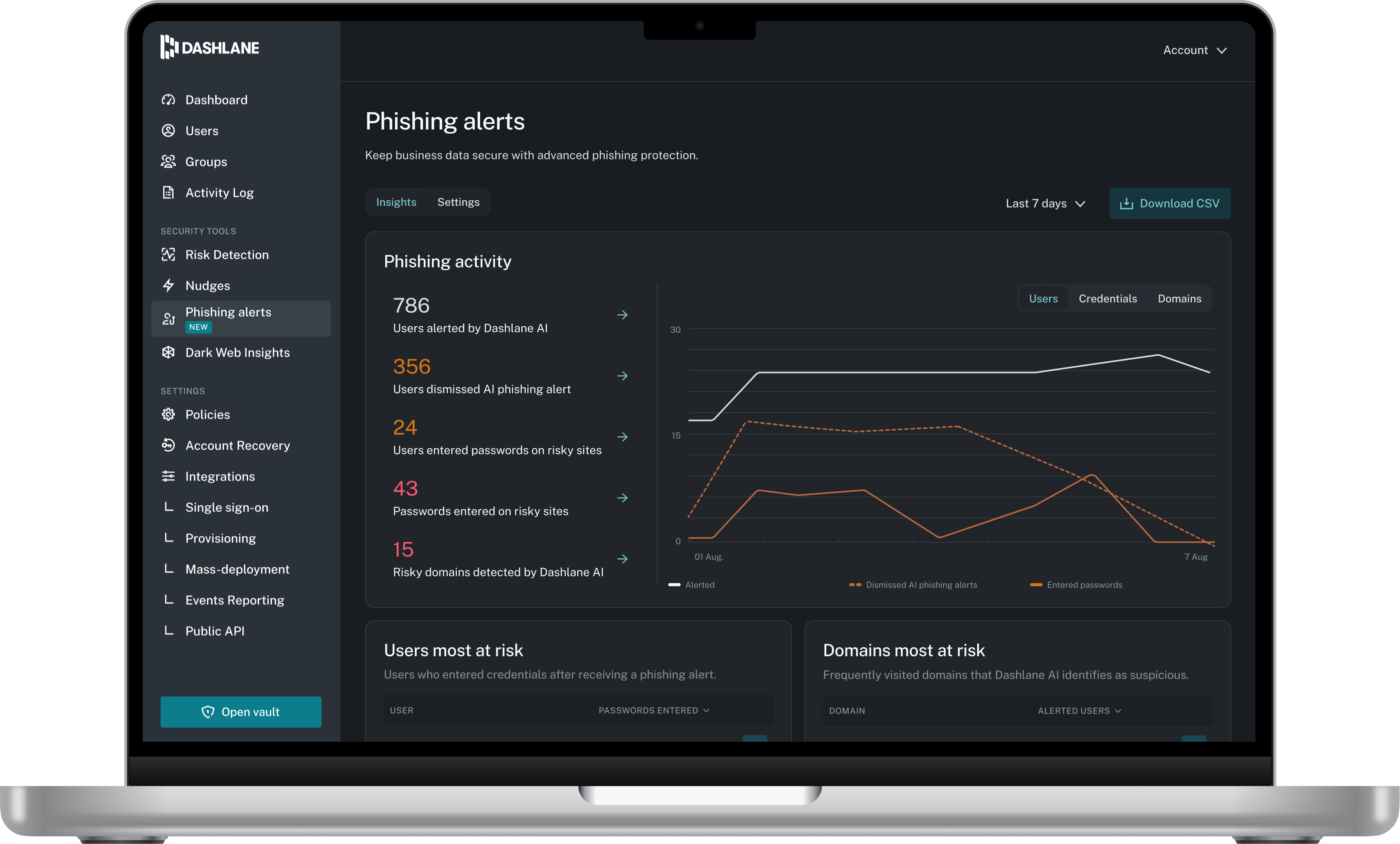
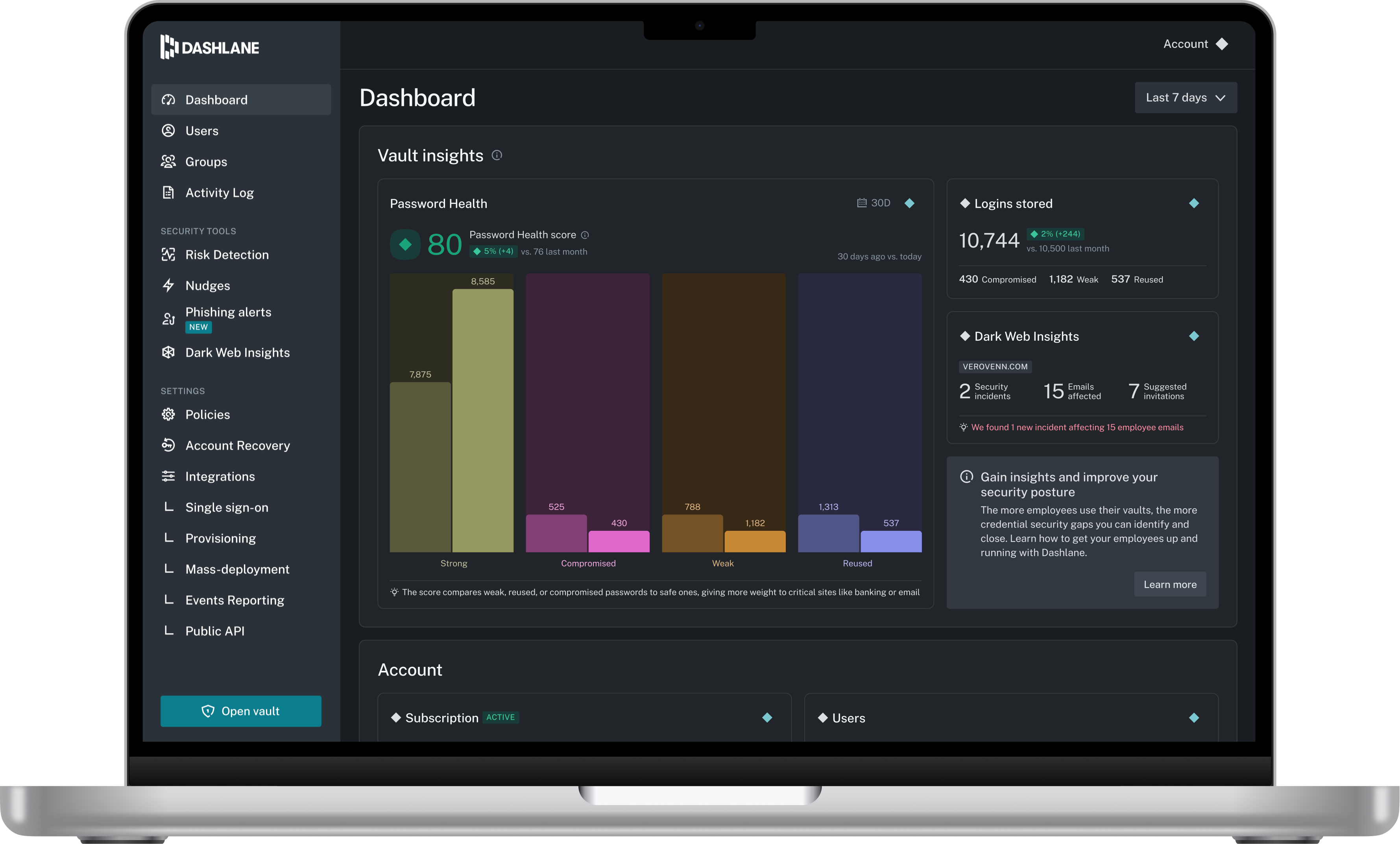
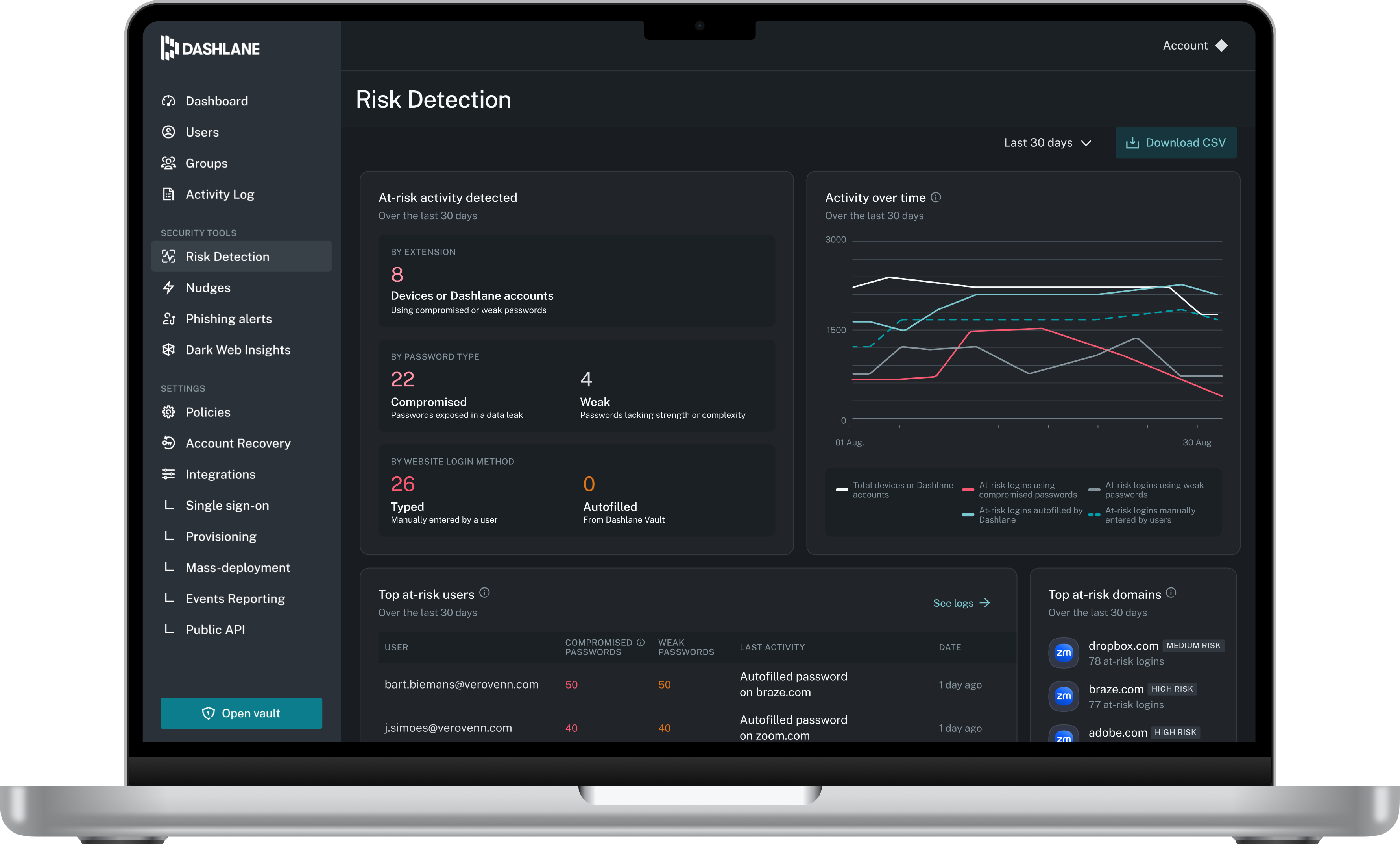
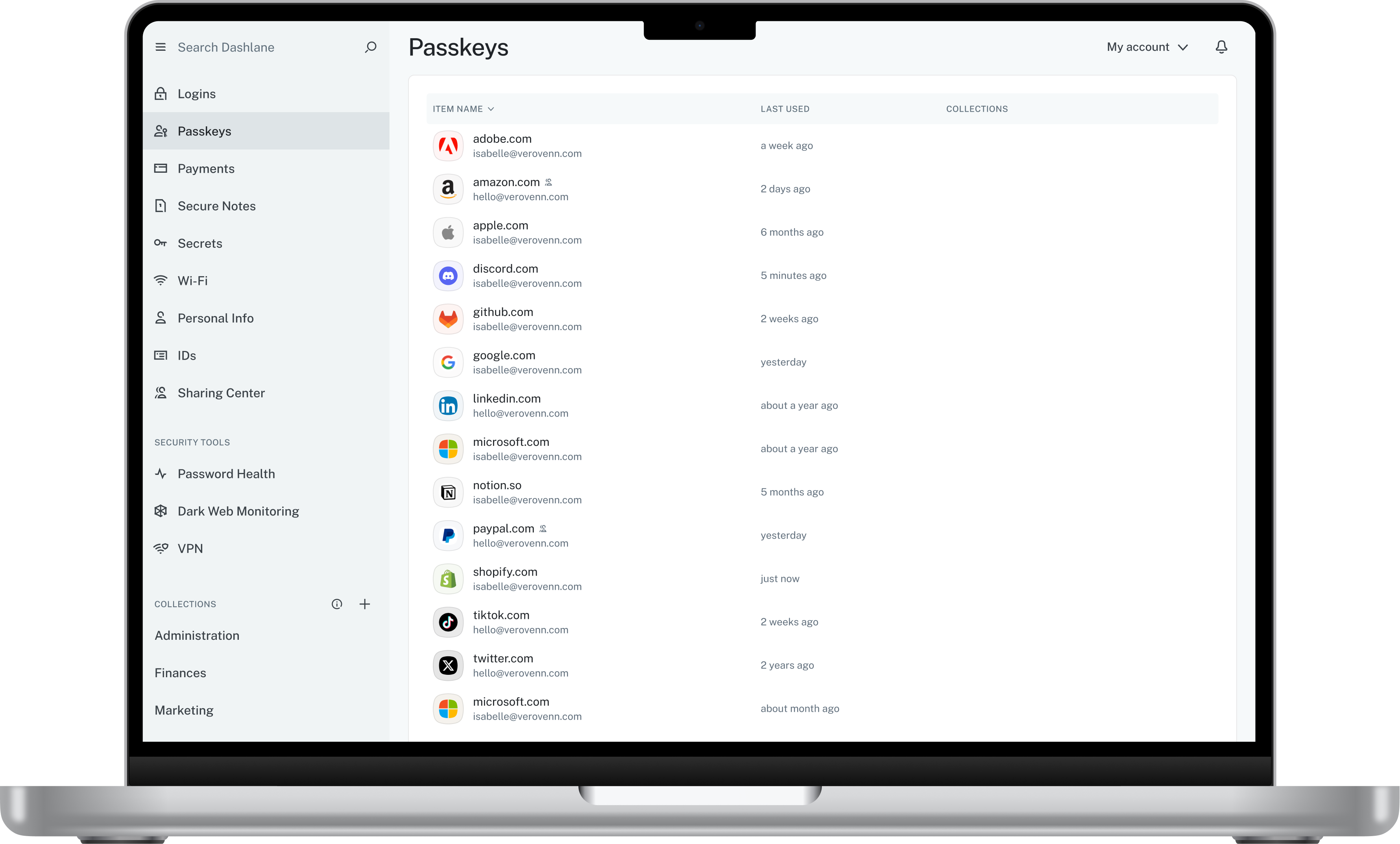
Screenshot of Admin DashboardScreenshot of Credential Risk DetectionScreenshot of AI Phishing AlertScreenshot of Vault

Device42 Screenshots

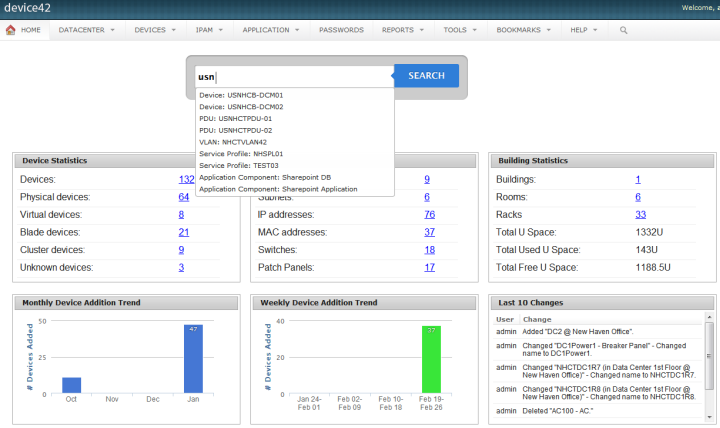
Screenshot of Drag and drop room layoutsScreenshot of Super easy search