7shifts vs. Workday Workforce Management

Overview
ProductRatingMost Used ByProduct SummaryStarting Price
7shifts
Score 9.9 out of 10
N/A
7shifts is a restaurant workforce and scheduling management application, which also features collaboration features, from the Canadian company of the same name.
$0
Workday Workforce Management
Score 8.3 out of 10
N/A
Workday Workforce Management is a workforce operations software that integrates HR, time, and scheduling data, to eliminate disjointed processes that halt day-to-day operations. Consistent with a worker-first approach, Workday provides mobile-first access to personalized pay, time, and schedules, giving workers frictionless on-the-go access. This helps overcome difficulties in retaining workers and keeps them engaged in a competitive labor…N/A
Pricing
7shiftsWorkday Workforce Management
Editions & Modules
Free
$0.00
Appetizer
$19.99
per location/per month
Entree
$43.99
per location/per month
The Works
$74.97
per location/per month
Gourmet
Contact sales team
No answers on this topic
Offerings
Pricing Offerings
7shiftsWorkday Workforce Management
Free Trial
YesNo
Free/Freemium Version
YesNo
Premium Consulting/Integration Services
NoNo
Entry-level Setup FeeNo setup feeNo setup fee
Additional Details
More Pricing Information
Community Pulse
7shiftsWorkday Workforce Management
Features
7shiftsWorkday Workforce Management
Payroll Management
Comparison of Payroll Management features of Product A and Product B
7shifts
-
Ratings
Workday Workforce Management
8.9
11 Ratings
7% above category average
Pay calculation00 Ratings9.89 Ratings
Support for external payroll vendors00 Ratings7.95 Ratings
Off-cycle/On-Demand payment00 Ratings8.97 Ratings
Benefit plan administration00 Ratings9.68 Ratings
Direct deposit files00 Ratings8.911 Ratings
Salary revision and increment management00 Ratings8.710 Ratings
Reimbursement management00 Ratings9.05 Ratings
Best Alternatives
7shiftsWorkday Workforce Management
Small Businesses
PowerDMS by NEOGOV
PowerDMS by NEOGOV
Score 7.1 out of 10
Dayforce Powerpay
Dayforce Powerpay
Score 9.3 out of 10
Medium-sized Companies
PowerDMS by NEOGOV
PowerDMS by NEOGOV
Score 7.1 out of 10
Paypro Workforce Management
Score 9.2 out of 10
Enterprises
Zoho People
Zoho People
Score 8.9 out of 10
Infor Human Resources
Score 7.1 out of 10
All AlternativesView all alternativesView all alternatives
User Ratings
7shiftsWorkday Workforce Management
Likelihood to Recommend
10.0
(6 ratings)
9.3
(5 ratings)
Usability
-
(0 ratings)
9.1
(3 ratings)
Support Rating
10.0
(4 ratings)
-
(0 ratings)
User Testimonials
7shiftsWorkday Workforce Management
Likelihood to Recommend
7shifts
7Shifts is ideal for a broad number of restaurant clients, whether it is a single unit, independent location or multi-unit, multi-jurisdiction group like ours. Pricing is very reasonable, and as mentioned earlier, a lightweight and intuitive platform makes it easy to implement and maintain, and scalable for growth
Read full review
Workday
Workday Workforce Management has a lot of varying templates that give you a good place to start. You can tailor the if/then statements to your liking. When scheduling meetings, it scans for people on break/lunch/in other meetings and reduces conflicts that can derail an important meeting by someone having to leave early
Read full review
Pros
7shifts
  • Staff can easily access fellow team members' contact info (phone & email).
  • Staff can easily enter availability or time off.
  • Managers have a log book to share issues or updates from the days’ shift so quick action can be completed easily if needed.
  • Being able to communicate with managers only, with a specific department, or with the entire staff easily is very helpful.
Read full review
Workday
  • Collaborate with HR on completed tasks
  • Review and Submit Timesheets for staff
  • Submit personal time off for supervisors to review and approve or decline.
Read full review
Cons
7shifts
  • When creating schedules I wish there was a way to remember the last schedule you were on instead of ordering them in alphabetical order.
  • When working on a schedule, again when you revisit it, it alphabetizes the employees instead of keeping them in the order you add them. This is pertinent for our business because we're reservation-based and work off of a rotating schedule where the lowest ones are called off if there are not enough reservations.
Read full review
Workday
  • The tasks function is somewhat clunky, and its hard to see who the task is sent to next in order to follow up with them.
  • In-process referrals don't always show up in the "My Referrals" tab
  • Filters on tasks don't always work.
Read full review
Usability
7shifts
No answers on this topic
Workday
The UI is a bit outdated and could be a bit more streamlined. There are a lot of clicks for a few items like updating employee information. The training section could be more integrated into the tasks section so users can see they have training right from their home screen.
Read full review
Support Rating
7shifts
I would say everyone at our store really appreciates the fact that we have 7shifts. We would be lost with out it. It would be hard to find anyone that does not support the software.
Read full review
Workday
No answers on this topic
Alternatives Considered
7shifts
For me, 7Shifts has the same amount of functionality, but for a much better price. The app functionality of 7shifts was easier to navigate and allowed me to do more than HotSchedules. I've recommended it to several other local businesses who have implemented it as well and had great luck.
Read full review
Workday
The only other tool I have used was paylocity. Paylocity is a great tool as well and is more user friendly, however it is not for as big of organizations as Workday is. I would say if you are under 1k employees go with Paylocity as it will be less expensive and has everything you need with a user friendly experience. Workday is great for larger orgs but doesn’t have as much of a user friendly experience
Read full review
Return on Investment
7shifts
  • Positive: Less call outs/ and missed communication due to internal conversations that were never communicated. For example, employees tell manager A they are not coming but Manager A does not tell manage B and C.
  • Positive: Manager log book has helped multiple departments stay in touch and on the pulse of the floor operation. Departments like HR, events, reservations, AP/ AR, etc. are not empowered to be more proactive
  • Labor and sales are tracked and can be forecasted which has helps us schedule SMARTER
Read full review
Workday
  • Workday Workforce Management has lowered the amount of time team members have to go to HR for questions.
  • The approval process for reimbursement is lightning fast.
  • I am no longer requested to research my team's different benefit options, which saves me a LOT of time during enrollment periods.
Read full review
ScreenShots

Workday Workforce Management Screenshots
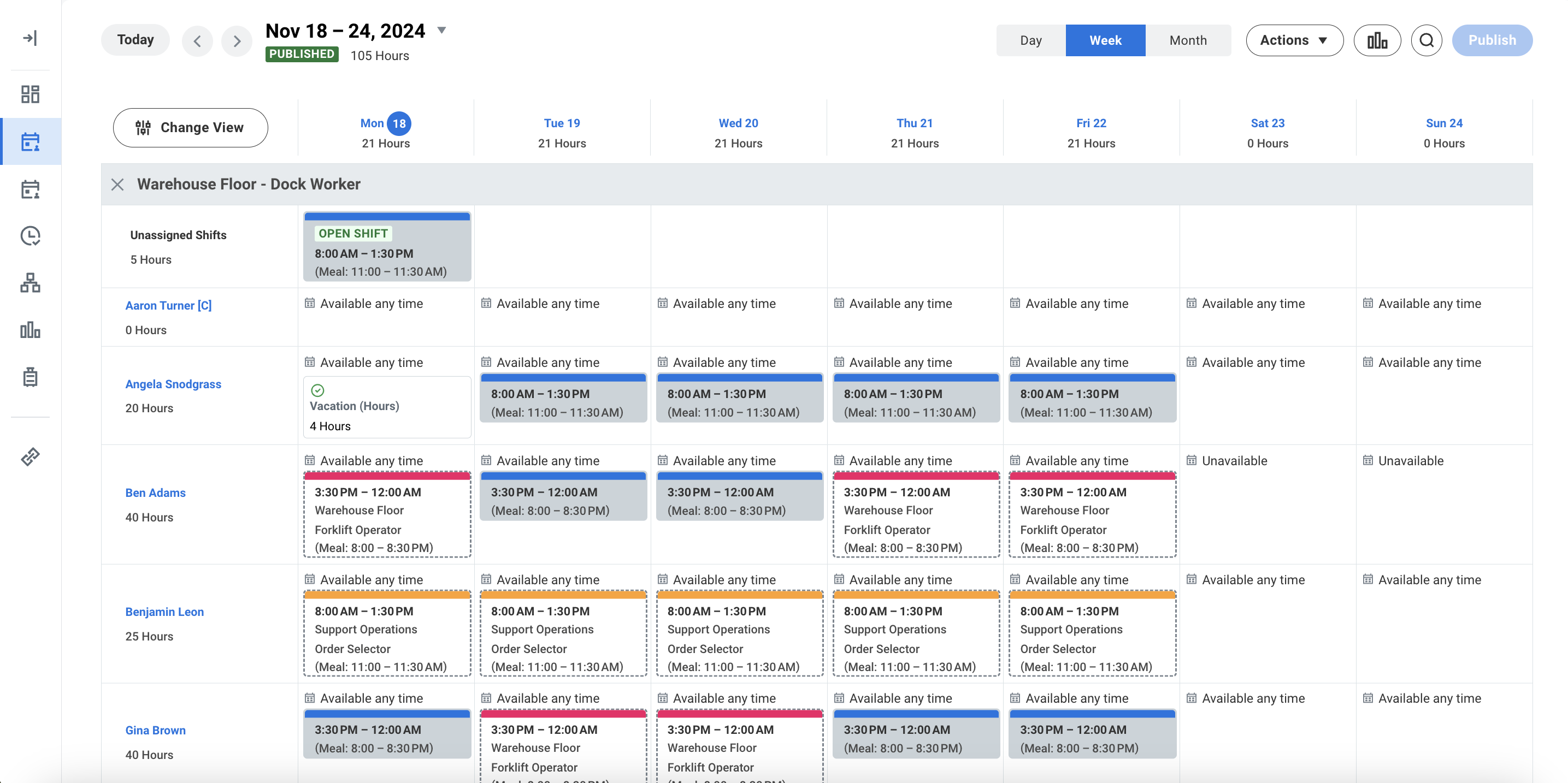
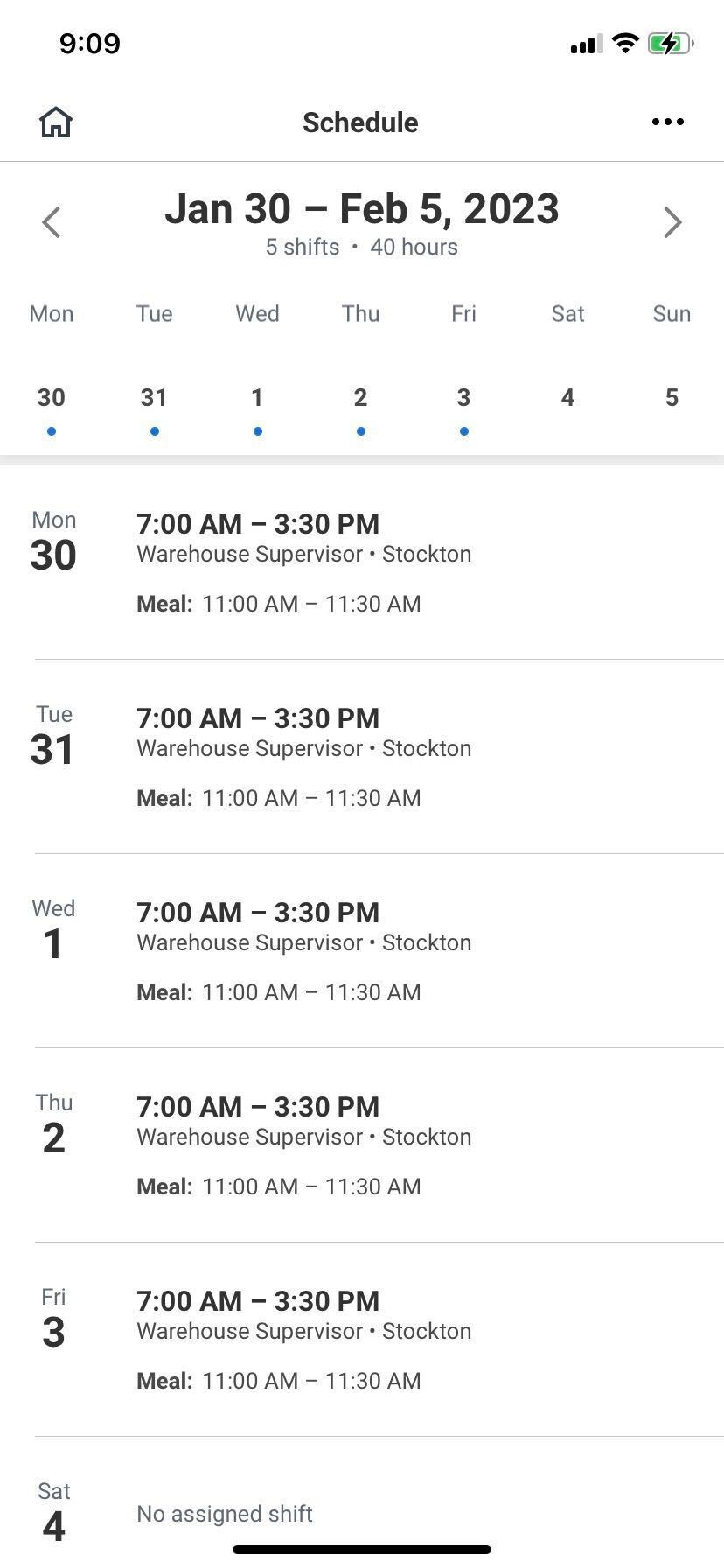
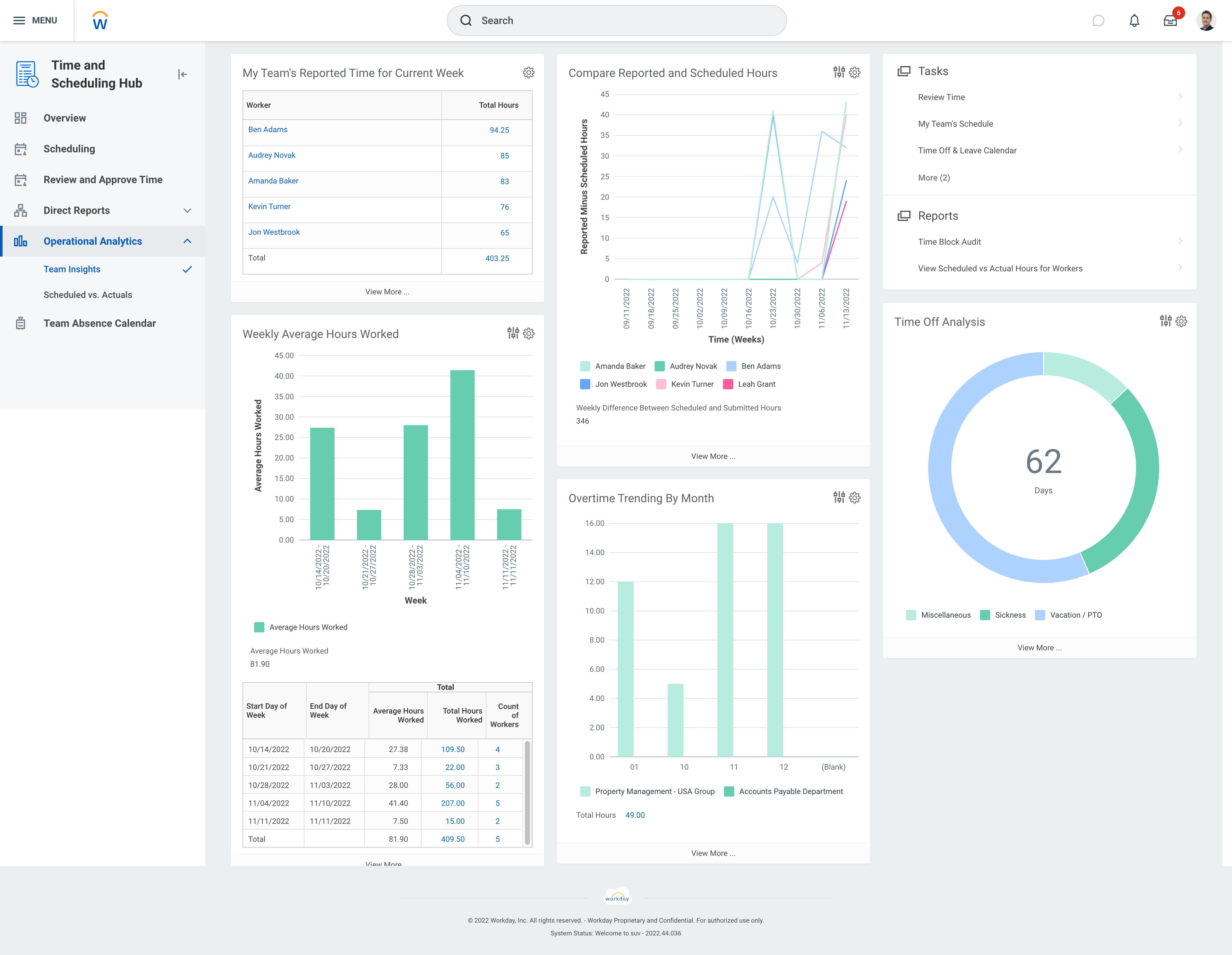
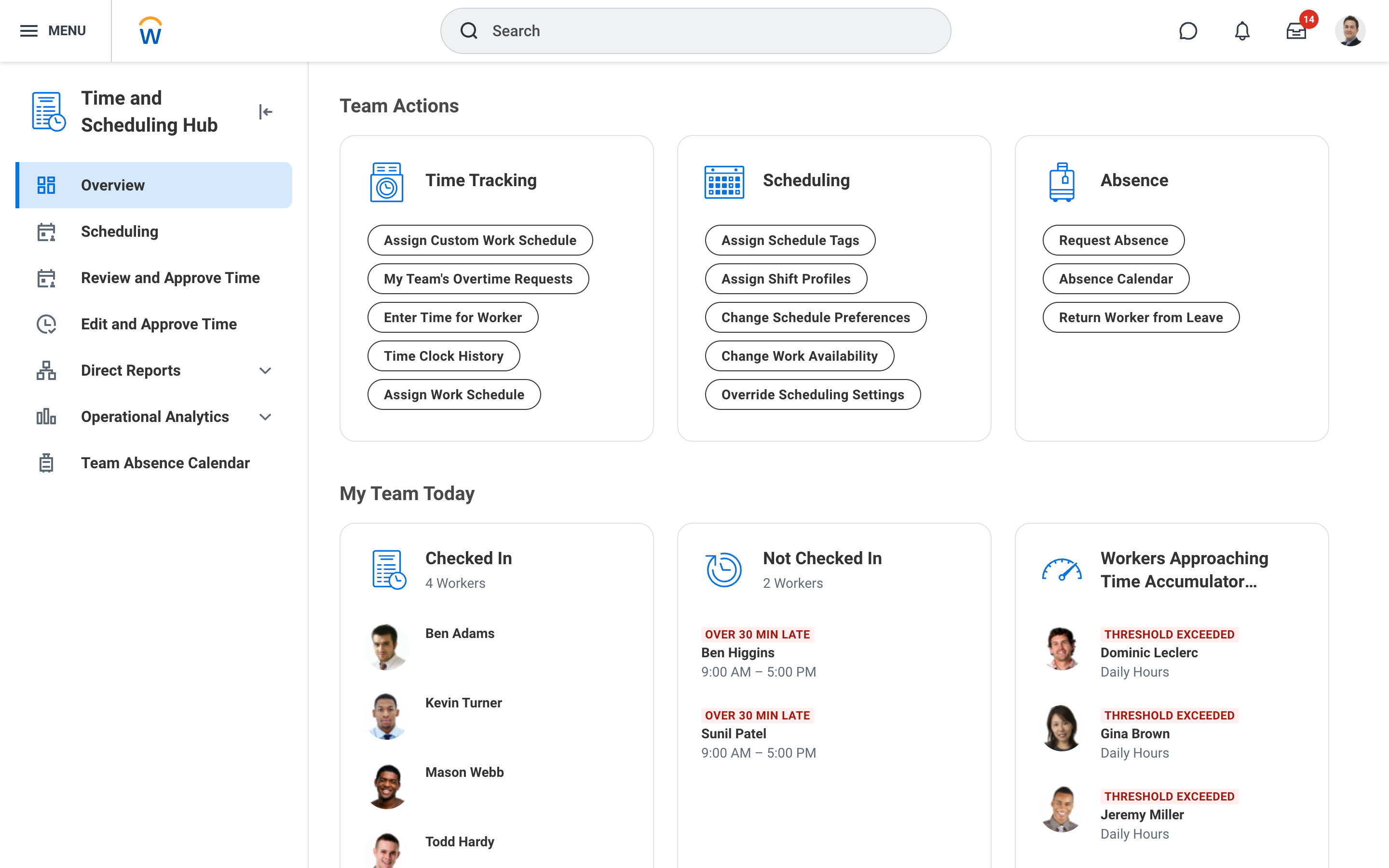
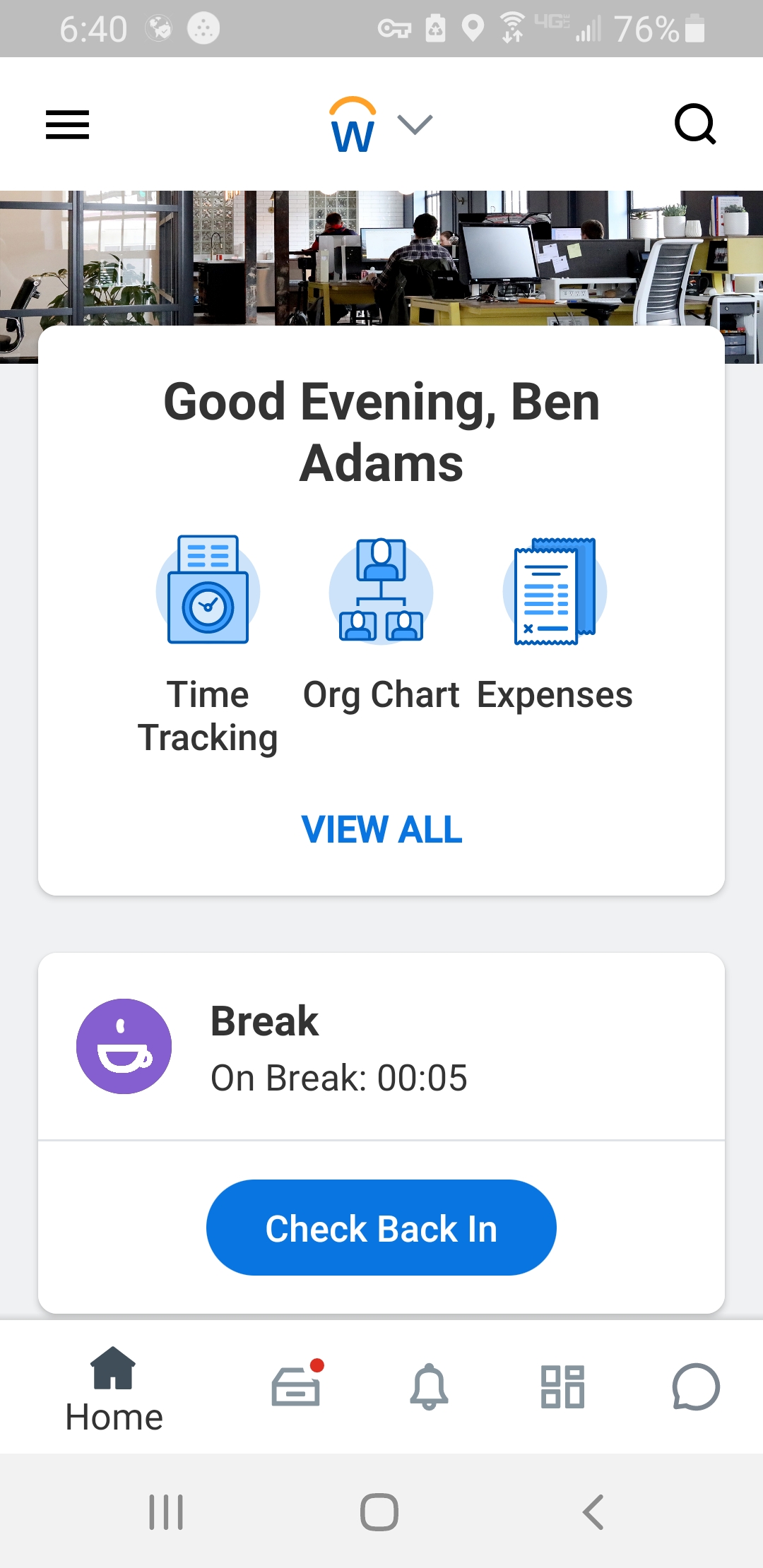
Screenshot of Workday Workforce Management ScheduleScreenshot of Workday Workforce Management Schedule (Mobile)Screenshot of Workday Workforce Management Team InsightsScreenshot of Workday Workforce Management Time and Scheduling HubScreenshot of Workday Workforce Management Time (Mobile)