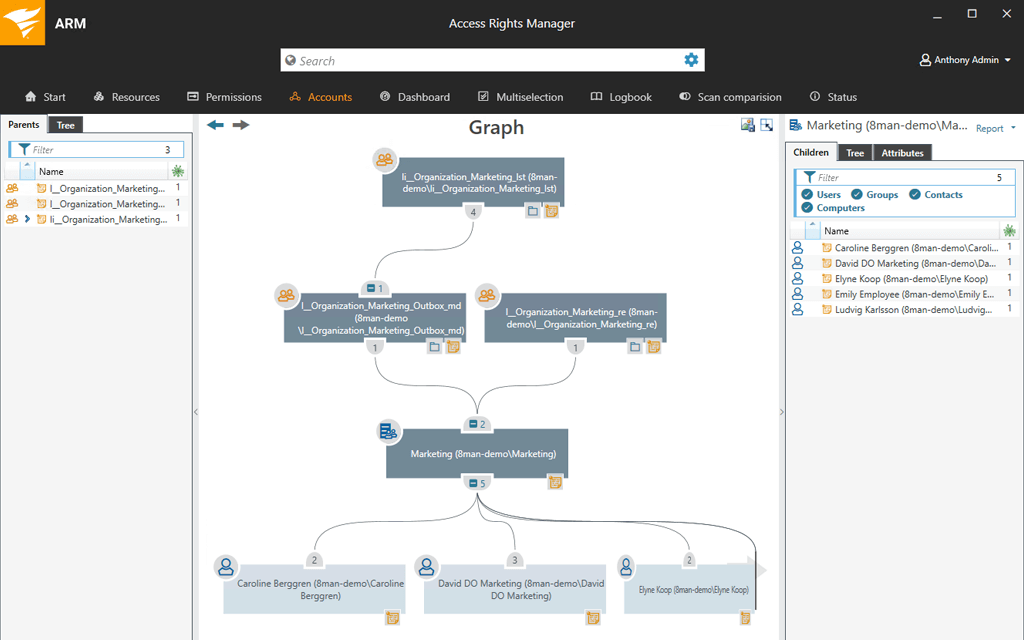
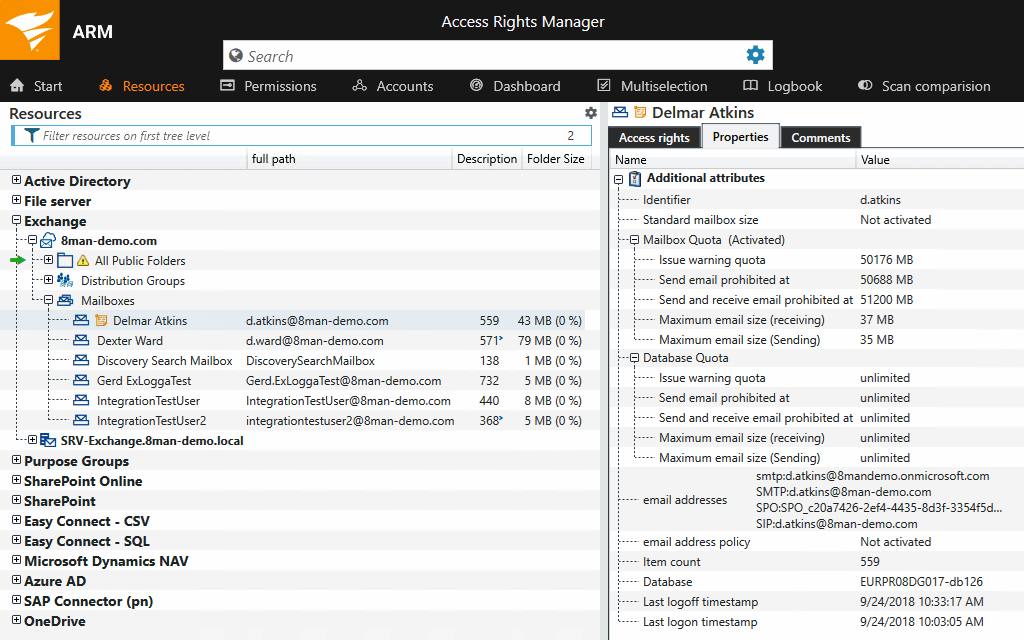
SolarWinds Access Rights Manager (ARM) is designed to assist IT and security admins to quickly and easily provision, deprovision, manage and audit user access rights to systems, data, and files. By analyzing user authorizations and access permission you get visualization of who has access to what and when they accessed it. Demonstrate compliance with most regulatory requirements with customized reports. Provision and deprovision users using…
N/A
ManageEngine ADManager Plus
Score 9.0 out of 10
Mid-Size Companies (51-1,000 employees)
ManageEngine ADManager Plus simplifies enterprise-wide Windows Active Directory management and reporting.
$0
No Expiration Supports up to 100 domain objects
SAP Customer Data Solutions
Score 8.0 out of 10
N/A
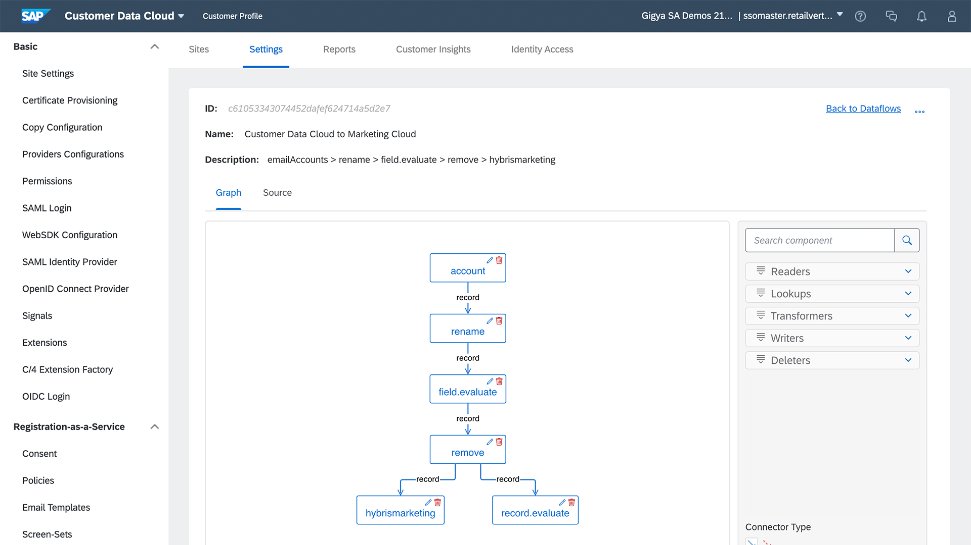
The SAP Customer Data Cloud, based on Gigya (acquired by SAP in 2017) is a product suite that allows users to identify consumers, business customers, or partners across devices and channels to drive registrations and engagement; manage access, permission, and consent; and transform data into unified customer profiles.
N/A
Pricing
SolarWinds Access Rights Manager (ARM)
ManageEngine ADManager Plus
SAP Customer Data Solutions
Editions & Modules
No answers on this topic
Free Edition
$0
No Expiration Supports up to 100 domain objects
Standard
$595
per year 1 Domain & 2 help desk Technicians
Standard Edition
$595
per year Priced per domain; scales with the number of domains, technicians, and add-ons.
Professional
$795
per year 1 Domain
Professional Edition
$795
per year Priced per domain; scales with the number of domains, technicians, and add-ons.
Standard
$1,195
per year 1 Domain & 5 help desk Technicians
Professional
$1,795
per year 1 Domain & 2 help desk Technicians
Standard
$2,145
per year 1 Domain & 10 help desk Technicians
Standard
$3,345
per year 1 Domain & 20 help desk Technicians
Professional
$3,345
per year 1 Domain & 5 help desk Technicians
Professional
$5,395
per year 1 Domain & 10 help desk Technicians
Standard
$5995
per year 1 Domain & 50 help desk Technicians
Standard
$7795
per year 1 Domain & 100 help desk Technicians
Professional
$7,795
per year 1 Domain & 20 help desk Technicians
Standard
$10,795
per year 1 Domain & 200 help desk Technicians
Professional
$10,795
per year 1 Domain & 50 help desk Technicians
Standard
$11,995
per year 1 Domain & 500 help desk Technicians
Professional
$11,995
per year 1 Domain & 100 help desk Technicians
Professional
$15,595
per year 1 Domain & 200 help desk Technicians
Professional
$17,995
per year 1 Domain & 500 help desk Technicians
Standard
Free
per year 1 Domain
No answers on this topic
Offerings
Pricing Offerings
SolarWinds Access Rights Manager (ARM)
ManageEngine ADManager Plus
SAP Customer Data Solutions
Free Trial
Yes
Yes
No
Free/Freemium Version
No
Yes
No
Premium Consulting/Integration Services
No
No
No
Entry-level Setup Fee
No setup fee
Optional
No setup fee
Additional Details
—
Each additional domain: Standard = $345. Professional = $595. These prices are for an annual license. ADManager Plus license is xml-based and supplied through e-mail. Each ADManager Plus license includes an administrator account by default.
ADManager Plus offers two main add-ons: a Governance, Risk and Compliance add-on for access certification and advanced compliance capabilities, and a Backup and Recovery add-on for AD, Entra ID, and Google Workspace user objects.
The other solutions apps provide diffrent way to manage and organize user access rights. For example in SolarWinds ARM the UI is slick and smooth and you can reach many taps within few clicks. While in other apps it take a lot of configuration and jumping between windows to …
I would say SolarWinds Access Rights Manager (ARM) is on the high end of the scale in terms of ability and being user friendly. Very few issues, limitations - The product delivers on a great ticketing system! Love it!
I found the installation and configuration to be much easier and more straightforward. What also assisted in the decision to go with Access Rights Manager, was the fact we already made use of Solarwinds products. Knowing from previous experiences with their support staff, meant …
While the CatTools are used mainly by a colleague of mine, DameWare is only used periodically and definitely not on a daily base. We chose ARM (when we bought it, it was called 8Man) because it had a good and well fitting set of features for a reasonable price. In addition to …
SolarWinds Access Rights Manager, in my opinion, is better than most of its competitors, because it doesn't have alot of bloat. Most alternatives employ very strict zero trust solutions, which may be what is needed, but in our case we can easily maintain those things ourselves. …
We looked at Okta, Sailpoint, and some others but they were cost prohibitive and we needed to slap something together quickly and these required a lot of planning before implementation. Planning is a good thing and would certainly have helped but I wasn't given the option of …
Selected Solarwinds arm because we were already heavily invested in Solarwinds products. The brand speaks volumes and ARM did not disappoint. It has performed as expected and been a useful tool in preparing reports for auditors.
There's actually very few enterprise level products out there providing the coverage that ARM does. We have never previously purchased or really tried any other solutions. We looked at PRTG AD Manager and ManageEngine AD, but we find PRTG products difficult and ManageEngine …
We decided to use ManageEngine ADManager Plus due to the compatibility it had with our systems. We run a hybrid environment and ManageEngine ADManager Plus was the system that fit into our infrastructure the best. It also provides the most opportunity for growth in the way we …
We used NinjaOne in the past but I feel like it is trying to do too much. Whereas ManageEngine ADManager Plus is focused on managing Active Directory and staying in that lane, NinjaOne tries to incorporate all elements of IT into one platform, which makes it a mile wide but …
I appreciate the reporting feature in ManageEngine ADManager Plus. With just a click, I can get reports that would take days with other tools, and ADManager gets it done in minutes. It's incredibly time-saving when I need to find out how many licensed users we have. It provides …
It was incredible useful for those that I was able to onboard. Our small organization was not a good fit at the time, but I could absolutely see the value for a larger, distributed workforce.
We have not evaluated other products. We use several ManageEngine products and are very happy with them. The pricing is reasonable and support is very good.
We did not research any other applications. ADManager Plus was the first that appeared in our search. After a demo with their sales team, it was apparent that this was the application we wanted. The price was perfect too. We ordered it right away and implemented it within a …
As far as reporting, ADManager Plus is on par with these other companies, but you would need an additional module to get the exact same reports. The items that put this in front of the other companies is the ability to create users and make group/permission changes.
My company already owned ADManager when I started with them. If I remember correctly, it was chosen because it is a fairly cheap tool and because we also use Manage Engine's Service Desk Plus application. ADManager's main competitor (in my eyes) would be PowerShell, now that I …
There is a dedicated team for SAP setup that helps in providing specialized or customized services to the user. The platform's accessibility lets us obtain reports and information in real time so we reach clients at the proper moment by optimizing delivery time appealed to us …
SAP has been the best partner I have worked with during my career. The platform offers highly valuable features for crafting and structuring data presentations, enabling informed decision-making by management.
We carefully looked at different solutions to manage customer data and ultimately chose SAP Customer Data Solutions. What sets it apart is its complete management of customer data, robust analytics, and effortless integration with marketing tools. SAP's user-friendly interface …
SAP customer data platform is market leader in data unification. Integration with multiple data channels with real time customer data helped in decision making process.
Resources and specialized IT personnel is needed for the effective administration and deployment of Informatica Customer 360. This resource-intensive for smaller organizations. Although Informatica has the ability to integrate, the process of setting up and establishing these …
SAP Customer Data Solutions differs from many of his competitors since it's the only solution which provides an end-to-end approach that starts directly from the website integration (which is not demanded to whoever manages your website but it's integrated directly), and …
This is an industry leading tool which also has matured over the period of time and is better suited for large corporations and mission critical applications.
A better integration with out database was the key factor that led our decision to move forward with this tool. Keeping in mind that it was more costly, we knew that it would be a safe bet, would bring a more data-driven culture to our team, the capacity to create laser focused …
SAP is bigger and better in all the ways from its competitors. However, when costing is a concern from a client, then they tend to use a budget friendly solution like Hubspot or Salesforce.
It was the best in the market and many organization's were using this when we looked for the options available in the market. It has best customer ratings and good brand value.
Better customer service at SAP. No concerns whatsoever with regards to safety and security of customer data. Timely updation of systems which ensures smooth functioning of the platform with very little down time. Cost of implementation and licensing is something which is a …
There's no other product I tried as ready to use as SAP CDC. It doesn't offer only endpoints or API to manage authentication but a full suite of functionalities almost ready to be integrated with a few customizations
SolarWinds ARM is best used for large organiziation with users exceeding 1000 users or employee with varius roles and permissions. Controll access rights and prevening data leakes. Auditing and monitoring users access to see if users are accessing data that they are not supposed to see. Reporting when users rights are expired and degrant permissions
The interface has really improved and modernized over the years. It integrates perfectly with Active Directory and can do just about anything you can imagine. It's speedy, too—large tasks don't take long at all. I've used this product for many, many years (over a decade) and have rarely needed support, but when I have reached out for assistance, they've been helpful. The price is fantastic for what you get. It can seem like a one-trick pony at first, but the more you use it, the more you realize what else you can do with it. ADManager Plus is chock-full of tools that you'd think Microsoft would include out of the box, but after 25+ years of Active Directory, it's clear they have no interest in doing so. ADManager Plus fills all the gaps left by Microsoft. Simple mass imports with automatic OU assignments, mass changes to existing accounts, etc. Some of this can be done through PowerShell, sure, but this makes it easy.
It's best suited for business business to turn digital interaction in to richer and high value and experience that reach across computing platform also it offers a holistic and integrated approach to managing customer data and enhancing and personalized experience.it also draw actionable insights.because it offers wide range of products . perfect customer insight data solutions
It is very good in the bulk user creation. With this tool, we can create a number of users in just a few minutes rather than following a long old process.
It is good for bulk user account modification. You can select a lot of users and make changes as per the requirements.
ManageEngine ADManager Plus is helping us a lot in the report generation of user accounts, passwords, groups, and other reports that are helping us a lot.
This tool also helps us with mailbox creation and shared mailbox creation
Licensing model when we changed over to SolarWinds was [I feel] a nightmare. It needs to be more streamlined and SolarWinds needs to understand what their customers require. When we changed over to SolarWinds we found it very hard to get answers to what modules we were still licensed for.
Our current system is not functioning. We can't login to the application with the accounts we created that were working. The error that appears doesn't help to resolve it. So at present we just renewed licenses for this year and we can't use the system.
They need to improve their report in terms of modification, like you will not get a lot of customization options in the report.
In the password report if you are applying filter in Days since password last set and selecting the password change date from day 0 and again you want to select the Account status as Enable then you cannot do this.
If you have more than 1 domain and you are trying to modify users in both domains in a single attempt, you cannot do this.
I find the interface a bit complex and challenging to navigate. I remember having difficultly grasping it completely especially when I was new to the system. Simplifying the user experience would make it more accessible for everyone, making tasks quicker and more intuitive.
integrating it seamlessly with other software and platforms could enhance its functionality. I would really really love an integration between BenchMark email marketing tool.
We are very satfisfied with the software and when time permits, we hope to explore additional features we are not using. It has a lot of we ae not currently using due to staffing shortages.
We use SAP CDC since it was Gigya and not a SAP solution. In these years, we only lost one customer, all others are happy with this solution and how we integrate it.
The GUI is pretty straight forward and easy to learn for new employees. All changes that have been made over the years have not required additional training. Reports generated are easily viewed in Excel, and can be added into our reporting file seamlessly
It is very easy to use and provides so many functions we can do in Active Directory that's laid out in a nice UI. The bulk management and reporting features allows us to make changes and gather information from AD infinitely more effective that if we just used AD and PowerShell commands.
We mostly work with the API which is of very good quality and is well documented.However, some of our success is also due to having very talented developers on staff, and also understanding advanced gamification design. The tool supports a talented team! It won't actually do everything for you automatically.
I don't have personal experience or the capability to rate specific software's availability. SAP Customer Data Solutions' availability can vary depending on factors like the implementation, infrastructure, and maintenance by the organization using it. To assess its availability, it's best to refer to performance data and user feedback within the specific organization.
There are some latency issues. The 24 hour caching problem mentioned earlier is a problem. Sometimes the Gigya system makes two calls instead of a single call if we go directly to the social platform. For this reason, it's sometimes more efficient to go direct rather than use Gigya.
This is one of their lacking points... Every time I have needed support the first thing they want to see is our log files. And then it can take days or weeks to hear back from them and sometimes you have to follow up yourself or they will just close your request. If you can actually get someone on the phone or a sessions scheduled to troubleshoot, sometimes you'll be lucky enough to solve your problem. We used to have a major new hire automation running in ADManager and it broke after updating the software. We went back and forth with them for a month or so and they were not able to resolve the issue, I ended up writing a PowerShell script and scheduling it to do the work that was being done before. This also allowed me to make the automation better than ADManager allowed.
We have had multiple instances of help from Gigya to get our custom implementation working, including detailed technical assistance to a third party. We have found Gigya to be thorough and timely in their responses to all queries, which are consistently excellent.
They trained me in a train the trainer model. I then trained the internal team. Total training was about two hours, with an additional two hours for system setup. Training was maybe a little thin, but the system was fairly easy to learn and this wasn't really a problem.
It was my first exposure to this type of product and I wasn’t given the time to figure out how best to implement it. I would say get a plan together of what you are tying to accomplish first
There was a bit of a learning curve in the beginning, and perhaps we were unclear on some of our requirements. Once they figured out what we wanted though, things went pretty smoothly. Just some minor hiccups in the beginning
While the CatTools are used mainly by a colleague of mine, DameWare is only used periodically and definitely not on a daily base. We chose ARM (when we bought it, it was called 8Man) because it had a good and well fitting set of features for a reasonable price. In addition to that, we could quite easily configure some features for our needs. Other products didn't get even close to this feature list for this price.
We decided to use ManageEngine ADManager Plus due to the compatibility it had with our systems. We run a hybrid environment and ManageEngine ADManager Plus was the system that fit into our infrastructure the best. It also provides the most opportunity for growth in the way we want and does not require us to build on systems we are not yet ready to implement.
There is a dedicated team for SAP setup that helps in providing specialized or customized services to the user. The platform's accessibility lets us obtain reports and information in real time so we reach clients at the proper moment by optimizing delivery time appealed to us the most.
Because it's cut down on the mistakes and time lost creating new user accounts, this has meant there is a reduction in tickets relating to changes needing to be made to user accounts. Whether this was the incorrect spelling of the name, or the need to add/remove security groups. With ARM now doing the user creation along with the templates we've created, this has dramatically cut down the number of support tickets regarding user accounts, meaning our team now has more time to tend to other pending tickets.
The built-in reports and queries are invaluable. You simply won't have this information in a vanilla AD environment.
The ease that you can access the information you need about your environment is outstanding. You can access the information you need quickly so you can make better decisions on managing your business.
The ability to easily designate techs with limited access is great. This offloads menial administration duties from your higher level techs so your not paying high level folks to do redundant tasks.
We've been able to curate highly targeted marketing campaigns that resonate with our audience and have improved customer engagement and conversion rates.
Using insights from the software, we refined our marketing plans and campaigns for better impact.
Our marketing strategies were enhanced through our seamless integration with other marketing tools and platforms, promoting efficiency and accuracy in our marketing initiatives.