A production management software that helps roofing and exterior contractors manage their sales pipeline, create roofing estimates, schedules, oversee production, order materials and better understand the performance of their business. The roofing CRM specifically supports working in the Insurance Restoration, Retail Roofing, Residential Roofing, and Commercial Roofing industries. AccuLynx provides integrations with the most trusted names in the industry.
N/A
ProContractor
Score2.6 out of 10
N/A
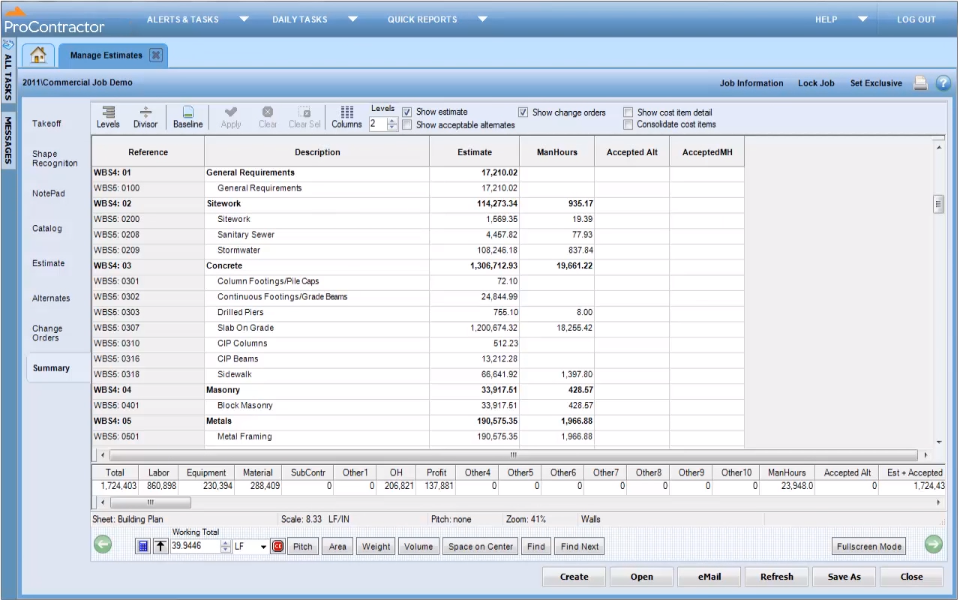
ProContractor is a Cloud-Based Solution for Estimating, Project Management, and Accounting. Designed to improve visibility and profitability across construction businesses, ProContractor™ by Viewpoint is a cloud-based software solution for estimating, project management, and accounting. The user can manage the entire project lifecycle from bid to cash in a single solution. Built to be flexible and scalable, ProContractor allows users to go all-in-one, or build a complete solution…
When you want to track your quotes that have gone out to customers so that you can follow up on them, this system makes it way easier to do that. It also makes it way easier to track invoice dates. One area that it is less appropriate is for detailed big public bids where a traditional estimate template is not appropriate.
A de minimis incentive was given to thank the reviewer for their time. The incentive was not used to bias or drive a particular response, nor was the incentive contingent on a positive endorsement. More Info
It is appropriate for the size and scale of my company - 150 projects a year that has a lot going on a multiple lines with each project. However there are many features and things that go unused with the software, because of how tinkery it can be. For example - our company needs a positive pay file, however we had to employ an outside service provide to create the file within the system. Same with a Backlog - the system kind of has a report but then again it has to be manipulated in order for it be of use. It gets the job done and has the reports needed to submit for certified payroll to the state, which was why we purchased Viewpoint ProContractor, however its ease of use is one of its biggest downfalls.
A de minimis incentive was given to thank the reviewer for their time. The incentive was not used to bias or drive a particular response, nor was the incentive contingent on a positive endorsement. More Info
A de minimis incentive was given to thank the reviewer for their time. The incentive was not used to bias or drive a particular response, nor was the incentive contingent on a positive endorsement. More Info
A de minimis incentive was given to thank the reviewer for their time. The incentive was not used to bias or drive a particular response, nor was the incentive contingent on a positive endorsement. More Info
Pricing in the database for each item is done manually due to the merger of two large suppliers nationally who decided to write their own database and estimating program and disconnect themselves from AccuLynx that had the ability to automatically update pricing. I feel that was a huge mistake on the part of the supplier. AccuLynx is trying to rectify that relationship.
It's unfortunate that the only calendaring option is Google Calendar. We are very tied to Outlook which we feel is more user-friendly and we know it well.
A de minimis incentive was given to thank the reviewer for their time. The incentive was not used to bias or drive a particular response, nor was the incentive contingent on a positive endorsement. More Info
A de minimis incentive was given to thank the reviewer for their time. The incentive was not used to bias or drive a particular response, nor was the incentive contingent on a positive endorsement. More Info
Until someone shows me something more efficient or has features that are more streamlined and time is saved by all then I am all ears and ready to listen to that presentation. I wouldn't care at this point if I had to abandon QB if the system had it's own integrated accounting system otherwise it has to be able to do all and more of the features of QB and the CRM side also has to have/do more than AccuLynx features.
A de minimis incentive was given to thank the reviewer for their time. The incentive was not used to bias or drive a particular response, nor was the incentive contingent on a positive endorsement. More Info
Very versatile and allows for other people to complete things and someone else to still look at and approve if needed. Great communication ability internally and with customers and with that being the case is a tremendous asset with documentation also. Really a well rounded tool that allows you to do everything needed for a job in one place and have the records to show what was done by whom and when.
A de minimis incentive was given to thank the reviewer for their time. The incentive was not used to bias or drive a particular response, nor was the incentive contingent on a positive endorsement. More Info
I give Viewpoint ProContractor a 10 out of 10. This system is user friendly to help keep me organized on a daily basis. I can find everything I need daily with this system. I am able to look up our subcontactors, vendors and clients I need to find quickly. I am able to see bills that I need to pay as well as invoices that I need to send out.
They can always improve and we are very successful when calling support. I would suggest they keep their support technicians available later for the west coast contractors who need help at the end of the day. We've come to know many of the techs because we call to offer suggestions but there's a process for us to follow for that.
A de minimis incentive was given to thank the reviewer for their time. The incentive was not used to bias or drive a particular response, nor was the incentive contingent on a positive endorsement. More Info
When something isn't working, you can contact support who will gladly remote into your system and try and work out a solution. Though several of the issues we encountered, they were not able to fix and had to submit for further review. While some were eventually rectified in updates, it takes time for these to be addressed and implemented.
A de minimis incentive was given to thank the reviewer for their time. The incentive was not used to bias or drive a particular response, nor was the incentive contingent on a positive endorsement. More Info
AccuLynx has met our needs more than our previous CRM program. ALX is user-friendly which is super nice when training new employees, compared to our previous program which then seemed very outdated.
A de minimis incentive was given to thank the reviewer for their time. The incentive was not used to bias or drive a particular response, nor was the incentive contingent on a positive endorsement. More Info
Procore beats Viewpoint hands down but can integrate well with Viewpoint Vista accounting software. I think that if the Viewpoint software was more flexible if they were more interested in patches, updates, and hearing customer feedback in the way the Procore does, that they would actually have the opportunity to corner the market.
A de minimis incentive was given to thank the reviewer for their time. The incentive was not used to bias or drive a particular response, nor was the incentive contingent on a positive endorsement. More Info
I am have had a hard time justifying AccuLynx since I am a small business. I hate all the add ons. I do not appreciate that all the good tools cost extra money on top of my monthly payment.
A de minimis incentive was given to thank the reviewer for their time. The incentive was not used to bias or drive a particular response, nor was the incentive contingent on a positive endorsement. More Info
Overall it allowed us to go electronic for certified payroll allowing us to be more accurate in reporting which was a giant win for the company
It's viewable pay estimates with dates and records of payment are crucial to a company like ours that relies on a general contractor and the state for payment of EADA quantites
Negatively training is not the easiest for the company and therefore onboarding new employees with no experience with the software is time consuming and difficult.
A de minimis incentive was given to thank the reviewer for their time. The incentive was not used to bias or drive a particular response, nor was the incentive contingent on a positive endorsement. More Info