Adobe Acrobat DC is the current version of the well-established document / PDF management solution, part of the Adobe Document Cloud (the other part being Adobe's eSign services based on technology acquired with EchoSign in 2011).
$29.99
per month per seat
Autodesk Forma Build
Score9.6 out of 10
N/A
Autodesk Forma Build, previously known as Autodesk Build and originally based on PlanGrid, is a Construction Management and Job Site Management application within the Autodesk Forma suite. It provides contractors, owners, and subcontractors with a unified platform for project collaboration and information management across the construction and operations lifecycle.
A de minimis incentive was given to thank the reviewer for their time. The incentive was not used to bias or drive a particular response, nor was the incentive contingent on a positive endorsement. More Info
Verified User
Chose Autodesk Forma Build
I have only used Autodesk Build at work. Compared to Procore which I have recently been introduced to, Autodesk Build has a more modern look and accessibility features. I can not give an in-depth review between the two products as I do not spend a lot of time using Procore.
A de minimis incentive was given to thank the reviewer for their time. The incentive was not used to bias or drive a particular response, nor was the incentive contingent on a positive endorsement. More Info
Verified User
Chose Autodesk Forma Build
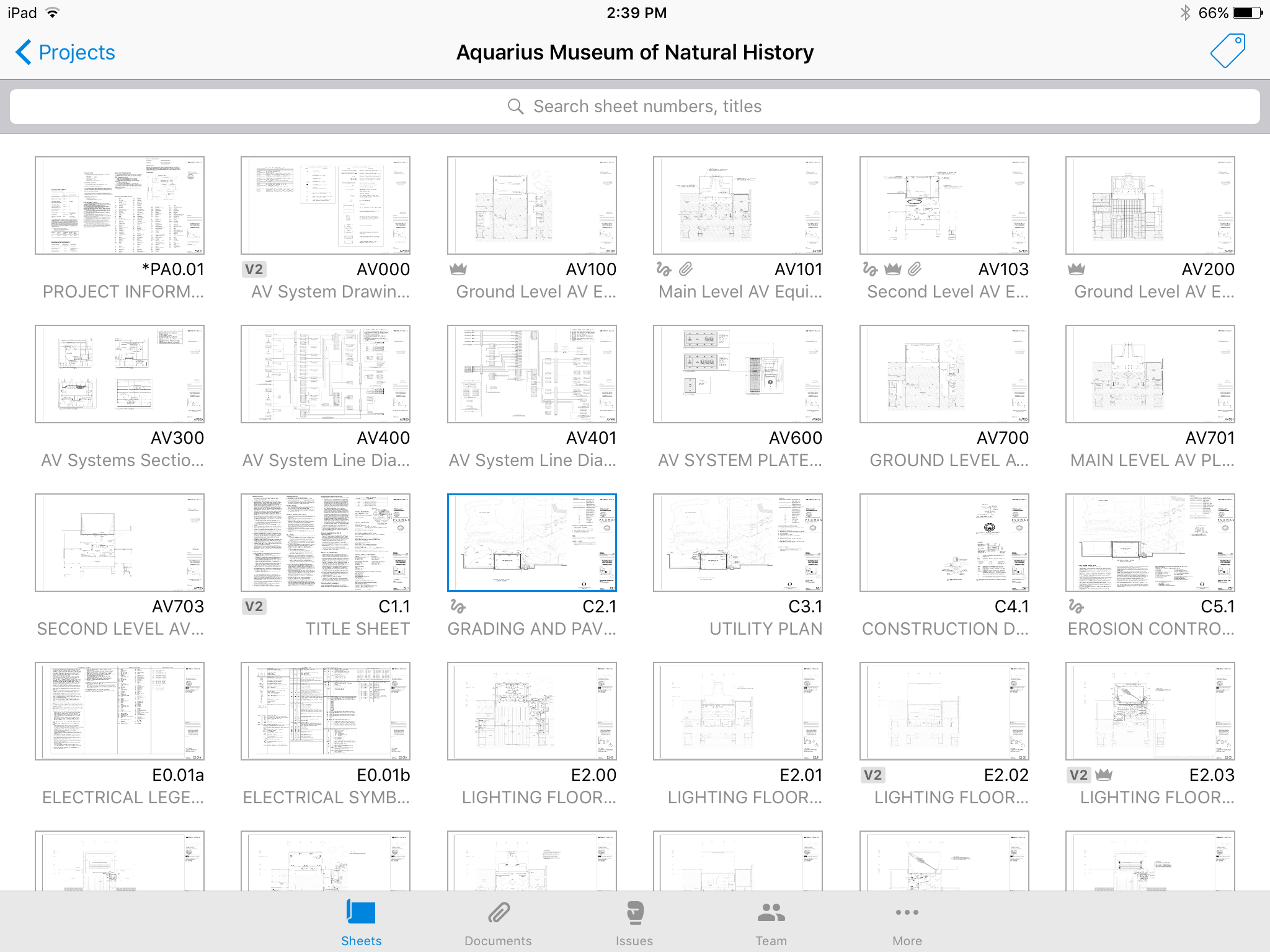
We currently use both Bluebeam and Adobe in our environment, but PlanGrid makes it much easier to view and do quick markups and annotations.
A de minimis incentive was given to thank the reviewer for their time. The incentive was not used to bias or drive a particular response, nor was the incentive contingent on a positive endorsement. More Info
Project Manager in Engineering at Hoar Construction (Construction, 501-1000 employees)
Chose Autodesk Forma Build
I have not used many products that compare with Plangrid. I've heard that AD 360 Field is a nice product and have watched some of its informational videos. We used to use a tablet version of Adobe - PDF reader which was not in the same ballpark as far as capability.
A de minimis incentive was given to thank the reviewer for their time. The incentive was not used to bias or drive a particular response, nor was the incentive contingent on a positive endorsement. More Info
A scenario where Adobe Acrobat is well suited is for sending a PDF for a client to markup with their comments or revisions they would want. A scenario where it is less appropriate is doing actual design work and layout in the program.
A de minimis incentive was given to thank the reviewer for their time. The incentive was not used to bias or drive a particular response, nor was the incentive contingent on a positive endorsement. More Info
Well Suited: Autodesk Construction Cloud is cost effective, user friendly, and robust. They aren't nickel and diming you for use of each module. Once users are on-board with the system it creates an ecosystem that all users "go to first" for an answer. Less Appropriate: As a Developer, there are some hiccups as it is designed more for the GC (general contractor). A template option that is Developer forward would an improvement.
A de minimis incentive was given to thank the reviewer for their time. The incentive was not used to bias or drive a particular response, nor was the incentive contingent on a positive endorsement. More Info
A de minimis incentive was given to thank the reviewer for their time. The incentive was not used to bias or drive a particular response, nor was the incentive contingent on a positive endorsement. TR verified that a representative sample of customers was invited. More Info
The user interface is extremely easy to use for both the advanced and not-so-advanced computer users. This is huge in an industry that has a high diversity of computer skills among end-users of technology.
Rendering speed of documents is extremely quick on every device/platform.
The application can be used on every platform from Windows/iOS/Andriod (mobile or desktop) as well as the web, without diluting platform features.
The ability to import 3D models and maintain accompanying metadata is extremely beneficial.
A de minimis incentive was given to thank the reviewer for their time. The incentive was not used to bias or drive a particular response, nor was the incentive contingent on a positive endorsement. More Info
I wish the backward compatibility was a little more friendly. PDFLyer had to be updated sooner that we would like when we updated from Adobe 2017 to Adobe 2026.
I wish it had list processing like Excel where it could remove duplicates, change formatting, etc.
Sometimes after an update we lose our plugins and have to restablish the connection to the plugin or reinstall.
A de minimis incentive was given to thank the reviewer for their time. The incentive was not used to bias or drive a particular response, nor was the incentive contingent on a positive endorsement. TR verified that a representative sample of customers was invited. More Info
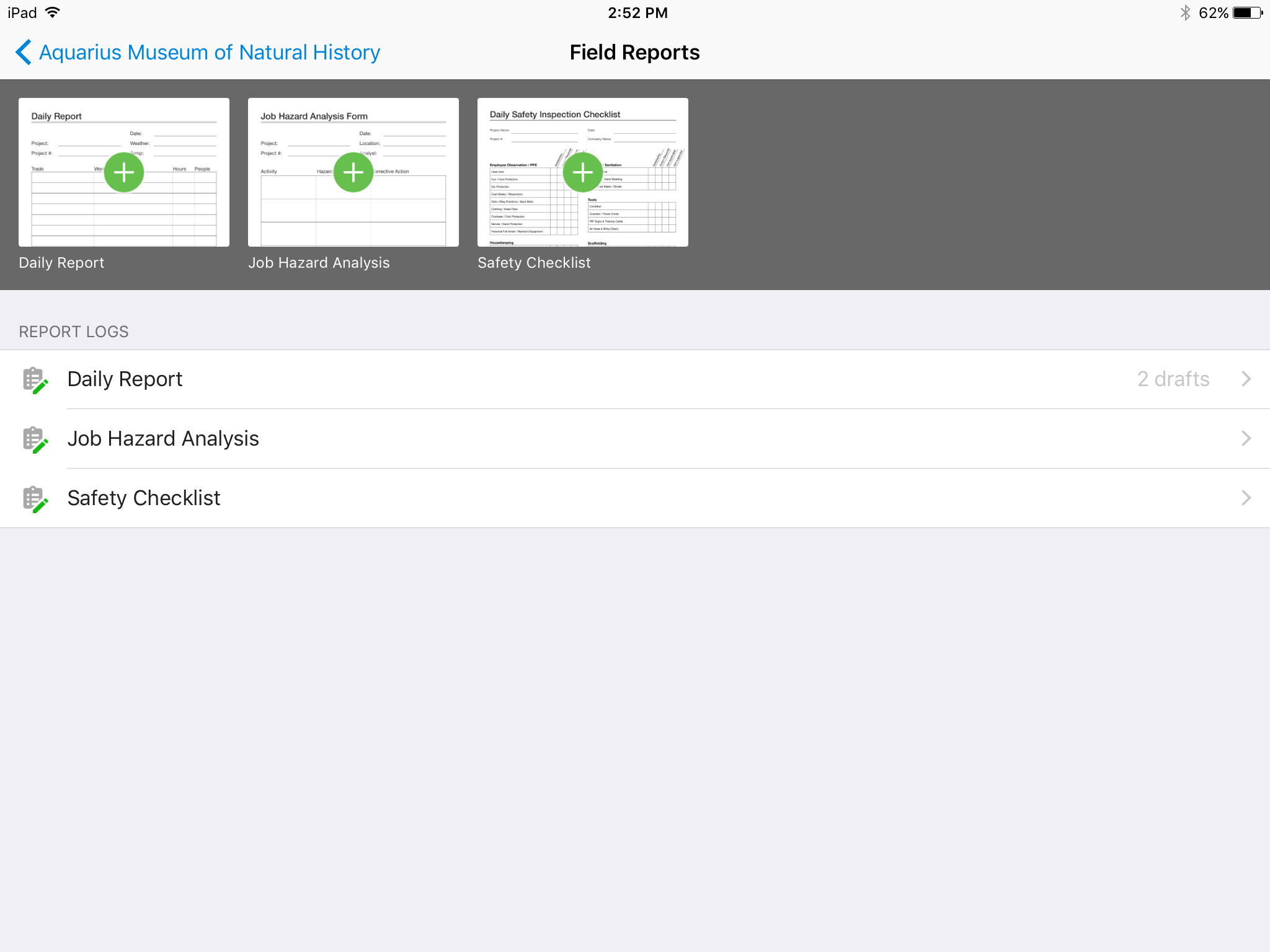
Plangrid is in the process of adding enhanced construction documentation such as better Submittal, RFI, and Field Reporting modules, but the ones in place right now will not be up to par for some people used to more full-featured applications such as Sage or Procore.
Like other SaaS Construction applications, Plangrid is very expensive. Too expensive in my opinion. They should find ways to offer more tiers of cost so smaller companies can use the application is a limited manner and not have to pay the same cost as the larger companies which may get more use out of advanced features.
On the same theme of cost, many of Plangrids collaboration features require all collaborators to have a license. Try telling all 30 subs on your project that they have to run out and pay an extra $50-$100/MO per employee to collaborate with you. Does not always go over well.
Plangrids Field Report, Submittal and RFI modules are still a bit of a work in progress.
A de minimis incentive was given to thank the reviewer for their time. The incentive was not used to bias or drive a particular response, nor was the incentive contingent on a positive endorsement. More Info
Adobe Acrobat works seamlessly with the other Adobe products we use that are industry-standard. We will certainly continue to use Adobe InDesign, Photoshop, and Illustrator, meaning it will always be convenient to work seamlessly with Adobe Acrobat for our organization. We are happy with the performance of Acrobat and it's meets our expectations.
A de minimis incentive was given to thank the reviewer for their time. The incentive was not used to bias or drive a particular response, nor was the incentive contingent on a positive endorsement. TR verified that a representative sample of customers was invited. More Info
We are at the point where we have shown our teams what is possible with this software. We cannot take it away and go back to the way we used to do things. I think that they would push back on us to give them access to something electronic. It is a good program that we will continue to use
A de minimis incentive was given to thank the reviewer for their time. The incentive was not used to bias or drive a particular response, nor was the incentive contingent on a positive endorsement. More Info
Adobe Acrobat is extremely easy to use on a regular desktop PC. The functionality gets a little harder to use on a smaller screen like a laptop, but it still works well. Using it on a smaller tablet or cell phone would be problematic because the screen size doesn't match the document size.
A de minimis incentive was given to thank the reviewer for their time. The incentive was not used to bias or drive a particular response, nor was the incentive contingent on a positive endorsement. TR verified that a representative sample of customers was invited. More Info
Because it is very user friendly and it also adapts the software to the device... For example , iPads are more Superintendent friendly and the desktop version is more useful for PM and Project Engineers. I also like that theres versions of the software that are on our desktop or ipad, so when we have a network failure we are still able to do the majority of our work
A de minimis incentive was given to thank the reviewer for their time. The incentive was not used to bias or drive a particular response, nor was the incentive contingent on a positive endorsement. More Info
We have not had availability issues with Adobe Acrobat, or at least none that I am personally aware of. Some may encounter crashes of the software during outages of electricity in their city or neighborhood, which no one can plan for, but with generators in our organization, we have been lucky not to have outages
A de minimis incentive was given to thank the reviewer for their time. The incentive was not used to bias or drive a particular response, nor was the incentive contingent on a positive endorsement. More Info
One of the best features of Adobe Acrobat is its speed and stability. When dealing with massive multi-page files, having to reload a crashed program over and over again would slow down progress unnecessarily. And expanding on that, having the table of contents generated allows me to skip to different pages with ease, a necessary feature with exceptionally long files. word searches are even more helpful with text recognition.
A de minimis incentive was given to thank the reviewer for their time. The incentive was not used to bias or drive a particular response, nor was the incentive contingent on a positive endorsement. More Info
For a while, Acrobat DC crashed pretty frequently. I contacted Adobe Acrobat support about the problem. At first support was unable to provide a solution. After about a month Adobe's software engineers provided a fix. I just wish it had taken less than a month to solve the problem.
A de minimis incentive was given to thank the reviewer for their time. The incentive was not used to bias or drive a particular response, nor was the incentive contingent on a positive endorsement. More Info
I haven't used PlanGrid support much, because I'm getting used to it. But the few times I have, they seem very good. A rep has reached out to me for help, scheduling a demo, etc. Once I get my team on board to buy the software we will use the video and web demos more often and I'd imagine they could be quite useful.
A de minimis incentive was given to thank the reviewer for their time. The incentive was not used to bias or drive a particular response, nor was the incentive contingent on a positive endorsement. More Info
A de minimis incentive was given to thank the reviewer for their time. The incentive was not used to bias or drive a particular response, nor was the incentive contingent on a positive endorsement. More Info
I was not involved with the implementation process, so I cannot answer this question. However, when it was installed on my computer system, they did so virtually. I just sat there while they took control of my computer over the network and watch them install it, lickety split
A de minimis incentive was given to thank the reviewer for their time. The incentive was not used to bias or drive a particular response, nor was the incentive contingent on a positive endorsement. More Info
I think OpenOffice and other programs are great in theory; but I work closely with the Adobe Creative Cloud ecosystem so I like keeping it all together. For the pricing I don't see the loss in getting an Adobe Acrobat license if not the whole Creative Cloud dependent on your work needs
A de minimis incentive was given to thank the reviewer for their time. The incentive was not used to bias or drive a particular response, nor was the incentive contingent on a positive endorsement. More Info
Plangrid, while not serving the external document distribution function, is unrivaled for internal document distribution and sharing in the construction industry. The speed at which documents are navigatable, the ability to download your projects for viewing without an internet connection, and the document mark-up and photo tools place it head and shoulders above the competition.
A de minimis incentive was given to thank the reviewer for their time. The incentive was not used to bias or drive a particular response, nor was the incentive contingent on a positive endorsement. More Info
A de minimis incentive was given to thank the reviewer for their time. The incentive was not used to bias or drive a particular response, nor was the incentive contingent on a positive endorsement. TR verified that a representative sample of customers was invited. More Info
I find that many users aren't aware of many features of the software they use, nor may they be comfortable with learning multiple-step processes. For the simplest of PDF purposes (scanning, downloading, exporting), it gets a thumbs-up. For anything involving electronic signatures, meh--causes eyes to glaze over, or forgetting what all is involved.
A de minimis incentive was given to thank the reviewer for their time. The incentive was not used to bias or drive a particular response, nor was the incentive contingent on a positive endorsement. TR verified that a representative sample of customers was invited. More Info
A de minimis incentive was given to thank the reviewer for their time. The incentive was not used to bias or drive a particular response, nor was the incentive contingent on a positive endorsement. More Info
Definitely a positive ROI when I can receive clear notes/direction on edits for a PDF via Acrobat's comment system, rather than chicken scratch on a printed document.
The ability to password-protect my PDFs so I can make sure only the workforce I want to see the information has been priceless!
As I mentioned before, a huge positive impact is the ability to edit PDFs without having to return to the original file's native software.
A de minimis incentive was given to thank the reviewer for their time. The incentive was not used to bias or drive a particular response, nor was the incentive contingent on a positive endorsement. More Info
It helped us "wow" a joint commission survey in 2016 and have a successful survey because he loved how we could access plans on an iPad, check suite sizes, and didn't have to carry around huge, heavy sets of life safety plans.
A de minimis incentive was given to thank the reviewer for their time. The incentive was not used to bias or drive a particular response, nor was the incentive contingent on a positive endorsement. More Info