Adobe Commerce Intelligence (formerly Magento BI) is an ecommerce analytics solution that provides data pipeline, warehouse and visualization capabilities. It was acquired by Magento, and is now owned and supported by Adobe.
N/A
SharePoint
Score 7.7 out of 10
N/A
Microsoft's SharePoint is an Intranet solution that enables users to share and manage content, knowledge, and applications to empower teamwork, quickly find information, and collaborate across the organization.
$5
Per User Per Month
SAP Lumira Discovery
Score 7.9 out of 10
N/A
SAP Lumira Discovery is SAP’s data visualization and discovery application. It facilitates data discovery, visualization, and analysis by assisting users with creation of dashboards, infographics, presentations, data facets, tag clouds, and more.
$185
per user
Pricing
Adobe Commerce Intelligence
Microsoft SharePoint
SAP Lumira Discovery
Editions & Modules
No answers on this topic
Plan 1
$5.00
Per User Per Month
Plan 2
$10.00
Per User Per Month
Office 365 E3
$20.00
Per User Per Month
SAP Lumira, standard edition
$185
per user
Offerings
Pricing Offerings
Adobe Commerce Intelligence
SharePoint
SAP Lumira Discovery
Free Trial
No
Yes
Yes
Free/Freemium Version
No
No
No
Premium Consulting/Integration Services
No
No
Yes
Entry-level Setup Fee
No setup fee
No setup fee
No setup fee
Additional Details
—
—
—
More Pricing Information
Community Pulse
Adobe Commerce Intelligence
Microsoft SharePoint
SAP Lumira Discovery
Features
Adobe Commerce Intelligence
Microsoft SharePoint
SAP Lumira Discovery
BI Standard Reporting
Comparison of BI Standard Reporting features of Product A and Product B
Adobe Commerce Intelligence
-
Ratings
Microsoft SharePoint
-
Ratings
SAP Lumira Discovery
8.0
97 Ratings
2% below category average
Customizable dashboards
00 Ratings
00 Ratings
8.097 Ratings
Ad-hoc Reporting
Comparison of Ad-hoc Reporting features of Product A and Product B
Adobe Commerce Intelligence
-
Ratings
Microsoft SharePoint
-
Ratings
SAP Lumira Discovery
7.3
103 Ratings
9% below category average
Drill-down analysis
00 Ratings
00 Ratings
10.0100 Ratings
Formatting capabilities
00 Ratings
00 Ratings
7.0103 Ratings
Report sharing and collaboration
00 Ratings
00 Ratings
5.098 Ratings
Report Output and Scheduling
Comparison of Report Output and Scheduling features of Product A and Product B
Adobe Commerce Intelligence
-
Ratings
Microsoft SharePoint
-
Ratings
SAP Lumira Discovery
6.1
95 Ratings
30% below category average
Publish to Web
00 Ratings
00 Ratings
7.082 Ratings
Publish to PDF
00 Ratings
00 Ratings
5.094 Ratings
Report Delivery Scheduling
00 Ratings
00 Ratings
6.355 Ratings
Data Discovery and Visualization
Comparison of Data Discovery and Visualization features of Product A and Product B
A company or organization that is in contact with the customer and wants to examine customer behavior in the purchase and selection of products and services should use this platform. It does not matter how many advertising tools and referral links or social media campaigns you use to attract customers. In any case, Magento BI integrates all the information and DB as a single platform and provides you with the best reports. Potential customers can be positioned according to location, city, country. Now we know exactly which product is most popular and where to put our advertising costs on which site or social network has the most audience.
SharePoint Document Management excels as a central repository for storing, organising, and retrieving documents. It supports version control, metadata tagging, secure access, and integration with tools like Power Automate. At our organisation, it's used for managing contracts, policies, and supplier documents. SharePoint Workflow Automation integrates with Power Automate to streamline approvals, gather feedback, and automate recurring tasks. This reduces reliance on email chains and manual trackers.
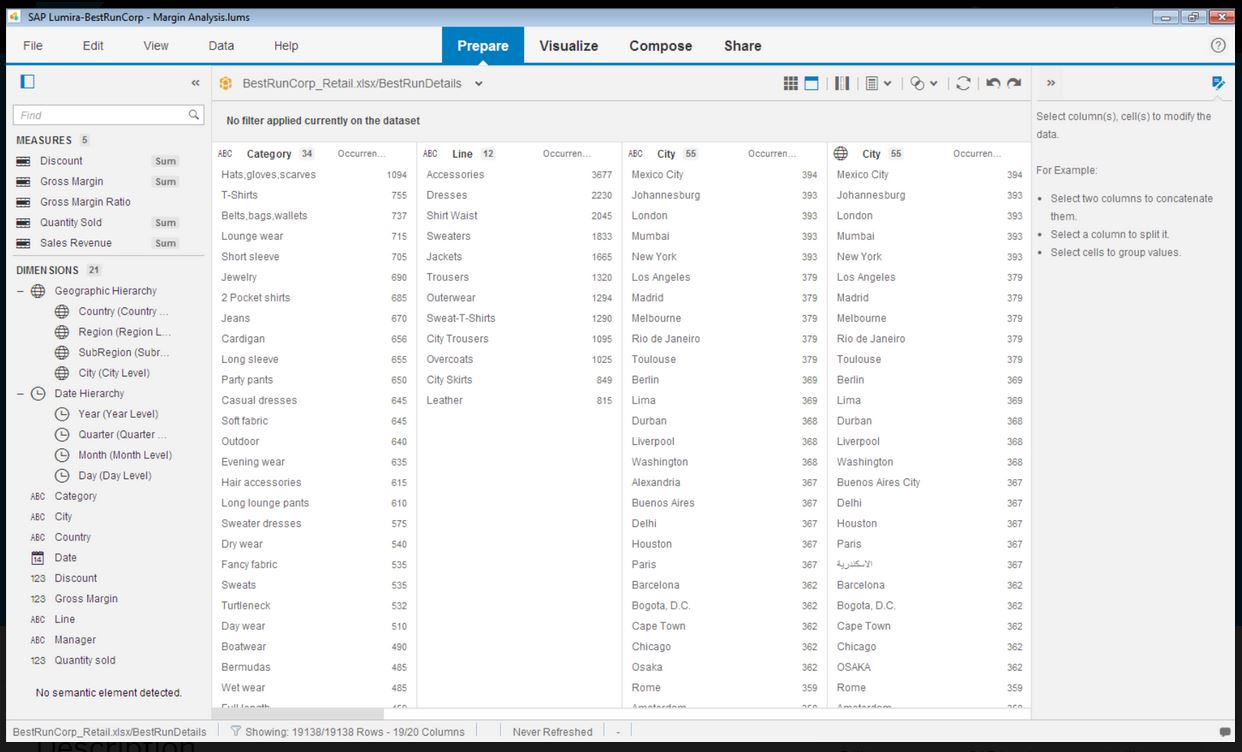
Infographics derived from specific data sources appears to be well suited for development using Lumira. The development of executive level dashboards was less appropriate from my perspective. The software does not provide sufficient demonstration or samples for the users to learn from in my opinion.
It is relatively easy to manipulate the time period in which you want to see your report. This is important for our business because we are constantly analyzing sales month over month, quarter over quarter, and year over year. RJ makes it easy to toggle between these time ranges on the same report.
The visualizers available for reports are what you would expect out of a product like this. You have the ability to view your results in tables and a multitude of charts.
The ability to customize dashboards and rearrange reports quickly is great and intuitive!
Educational videos and tutorials must be more simpler and more understandable language with subtitles
There should be the ability to select graphic diagrams with different shapes and graphs
The basic features of the Essential Paln can be increased with the current price so that startup companies can better use the features of this platform.
Windows Explorer users have some difficulty having to constantly UPLOAD / DOWNLOAD files. Specifically on the DOWNLOAD when they are used to Drag & Drop in & out of LOCAL folders via Window's explorer.
Microsoft SharePoint supports multiple "library" types. When implementing our "image" library the search function is done via "tags" and boolean logic. This is challenging to most end users. I'd like our users to be able to search our Microsoft SharePoint image library without having to enter KEYWORD or other BOOLEAN logic.
Microsoft SharePoint can also be an internal website for each department or company wide communication tool but I believe these features are geared for much larger organizations. Since we are a SMB we really aren't using these features. So maybe something more useful to SMBs would be nice.
Even though the process of creating visualizations of data is now greatly improved, it could still be a lot better as users become accustomed to this kind of tool and bring forward edge cases the developers did not anticipate.
It would be awesome to have a cross platform tool that works on more than just Windows.
It's integral to our business. It's already included with most of the Office 365 licensing we buy, so the cost is effectively zero. It stores our files, it is the foundation for custom applications, and Microsoft only continues to enhance its functionality and its connections to other Microsoft tools. SharePoint just keeps getting better and better.
In addition to its features, it has made the Magento Commerce platform much better, more functional, and smarter, and through Magento BI dashboard they know very well what reports have been sent and all our business tools are summarized in one business platform. The ability to share report results is very popular and useful, and you can share content with anyone anywhere in the world.
No usability issues reported. Individual teams also have allocated areas which replace legacy shared drives on local LANs. Access to Sharepoint resources is fully integrated with corporate Active Directory with additional two-factor authentication required for administrative users. Users have access to Microsoft Services Hub which allows you to create, manage, and track support requests while staying current on Microsoft technologies with access to select self-paced learning paths
SAP Lumira is very good self service analytical tool with powerful capabilities. However need to look into other SAP products in BI space, like SAP SAC. SAP Lumira is more used for custom and complex analytical need in business intelligence area. Also SAP Lumira is going out of maintenance in coming future replaced by SAP SAC.
Lumira is a desktop application runs in its own JVM. It installs its own java runtime libraries to avoid any core java version conflicts. The availability of the application is completely relies on individual machine hardware configuration. On a decent desktop, it performs well and always launches in either 32 or 64 bit environment based on the hosts system's OS
The performance is linear with amount of data that is being explored. We have done some benchmarks acquiring 10million data cells without having any performance problems. We need to make proper adjustments to jvm run time properties to start with higher heap size and other parameters that optimizes the run time performance
The very strong and knowledgeable support team and great help forums and documents, any questions and cases will be answered immediately or checked through tickets and resolved quickly. It is also possible to send comments and changes. Or our team , fast response and after-sales cooperation of the service company is always more than the product itself and its quality, and we want the service and support to support our interests.
It does not have many bugs or issues since not a lot of new features are being added. The customer support for SAP Lumira Discovery is good and anyone considering this as a self-service tool would be happy. It integrates well in the SAP BI suite of products and the overall experience is positive.
The face to face training I received was on SharePoint Administration. It was rushed as there was a lot of information to cover and the application of the labs weren't that great either. I like to be able to relate what I am learning to what I am currently doing.
I like to learn at my own pace and online training allows for that. Additionally, you can skip through pieces of content that you already know or are already comfortable with. Microsoft actually offers great videos on their website for basic fundamental SharePoint Training. I have used these training videos in some of my own training sessions with end users.
Most of the user guides are pretty comprehensive and very easy to understand. The product itself is designed to be self-serve tool, did not need much of the end-user training. Most of the training we had is to how to read the data, how to explore the data, how to acquire the data etc.
Installing the desktop software on end-user machines is always challenging. The machine specifications are the biggest factor when running Lumira and be able to handle large datasets during data exploration. This often demands beefy machines at least for power-users. Although Lumira software licensing is not a big problem but managing partner's extensions and keeping track of their individual licenses may be an issue. If there is a way to bundle the more popular extensions such as vSQL or vOLAP should be bundled in core product and offer them as part of Lumira license instead of a separate license which causer operational burden.
The advantage of Magento BI is easier compatibility and adaptation with Adobe platforms and easier installation, configuration and customization with Mojto Store Builder and its various caskets, and I am very satisfied with it now and in every way I think it is a very good platform for integration in reporting.
The reasons for selecting MS SharePoint are: SharePoint provides ease of use and web design assistance and support SharePoint helps you schedule your content for publishing. enables users to share documents with external parties and offers a better internal structure of the content and better indexing and searching capabilities.
Even though SAP Analytics Cloud is considered to be better in aspects such as data connectivity or analytics, we decided to choose Lumira as it was easier to understand, learn and use. As our business is not really that big and does not require the inclusion of large amounts of data, Lumira was overall the safest and most comfortable option. Also, some members in our team had previous knowledge so it was easier to adapt
Enterprise wide implementation is a challenge with data security and trustedness. No easy installation can be done across the enterprise. no upgrade paths also available from SAP. They have so much of experience with desktop implementation, there it could be a controlled environment with a capital budget. These may be resolved in the upcoming releases