Adobe Workfront, acquired by Adobe in late 2020, is a web-based project-management tool. It is designed for both IT and marketing teams, but can be implemented for any kind of project. Workfront offers all the features standard to project management platforms, as well as resource allocation, automation, and agile workflow.
N/A
BugTracker.net
Score 7.5 out of 10
N/A
N/A
N/A
Deltek Ajera
Score 7.4 out of 10
N/A
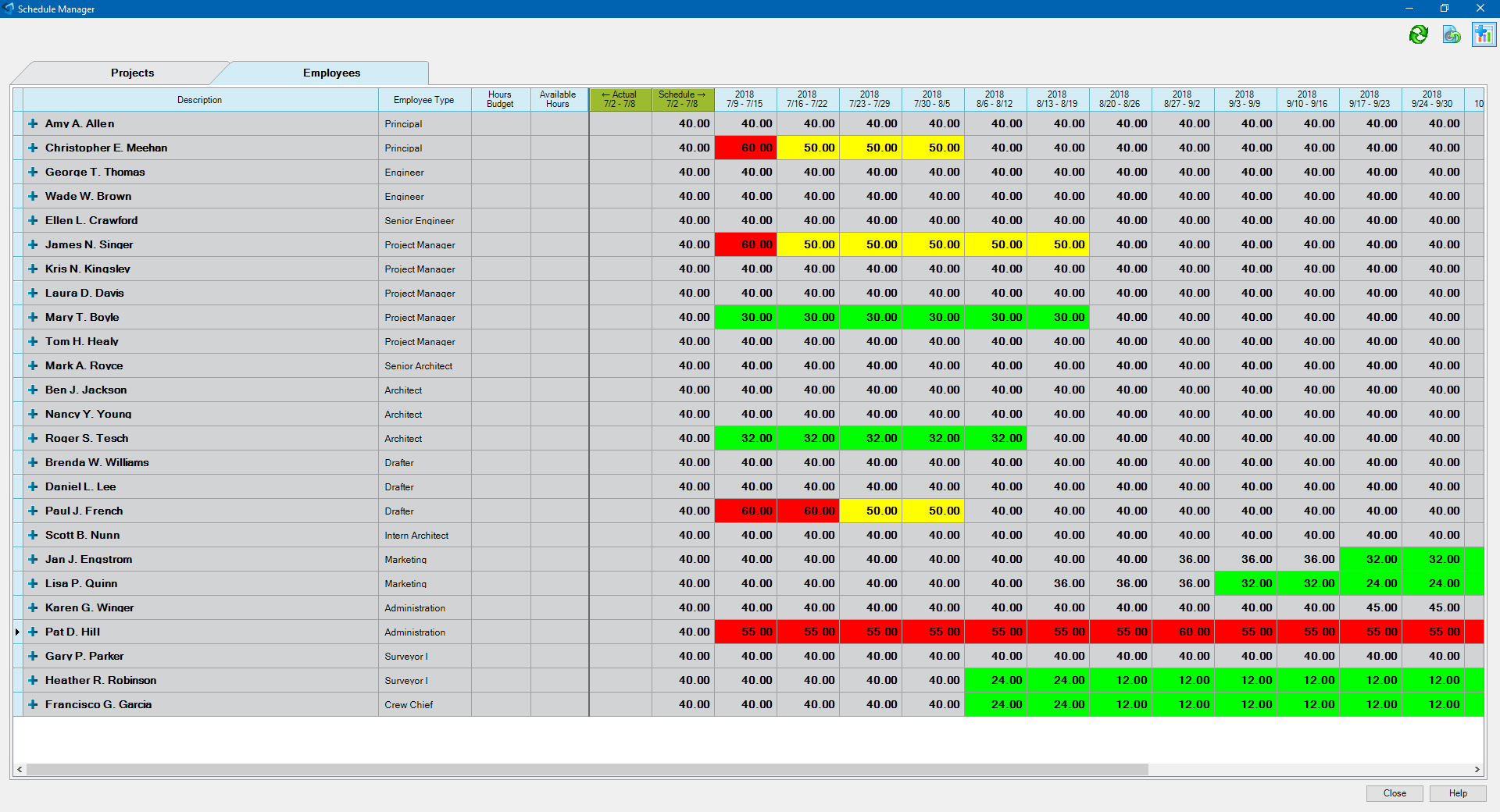
Deltek's Ajera is an integrated project management and accounting suite for architectural and engineering (A & E) companies that includes light payroll functionality and also can integrate with third-party payroll providers (ADP, Paychex, Quickbooks, etc.). The product was acquired with original developer Axium in June 2014. CRM functionality can also be added via integration with the Deltek Ajera CRM.
I am a consumer of Workfront for a couple of years now and am a major defender of this venture and the board apparatus for a few reasons. 1) I think that it's exceptionally natural for clients to utilize. 2) It is effectively tweaked dependent on the requirements of your …
It works super well for creative brief intake and brand reviews. It took us more time than I'm willing to admit to get it all set up, but for our limited use case, it's working very well now. I'm not sure where it wouldn't be a good fit, honestly. As a newer user, it's still something I'm getting to know and learn.
See above. Recommended questions: What type of feedback or tracking will we be doing? Will this need to be client-facing? How will we track content edits? How many users will be assigned to issues in a given project?
For small to medium engineering and architecture firms, Ajera appears to be the right size. Beyond the engineering software, Deltek Ajera has all the features a small to medium firm will need for smooth operation. AR, AP, Payroll, reporting, project management are all in one package. We chose to self-host because the licensing was more cost effective for us, but cloud hosting is also available.
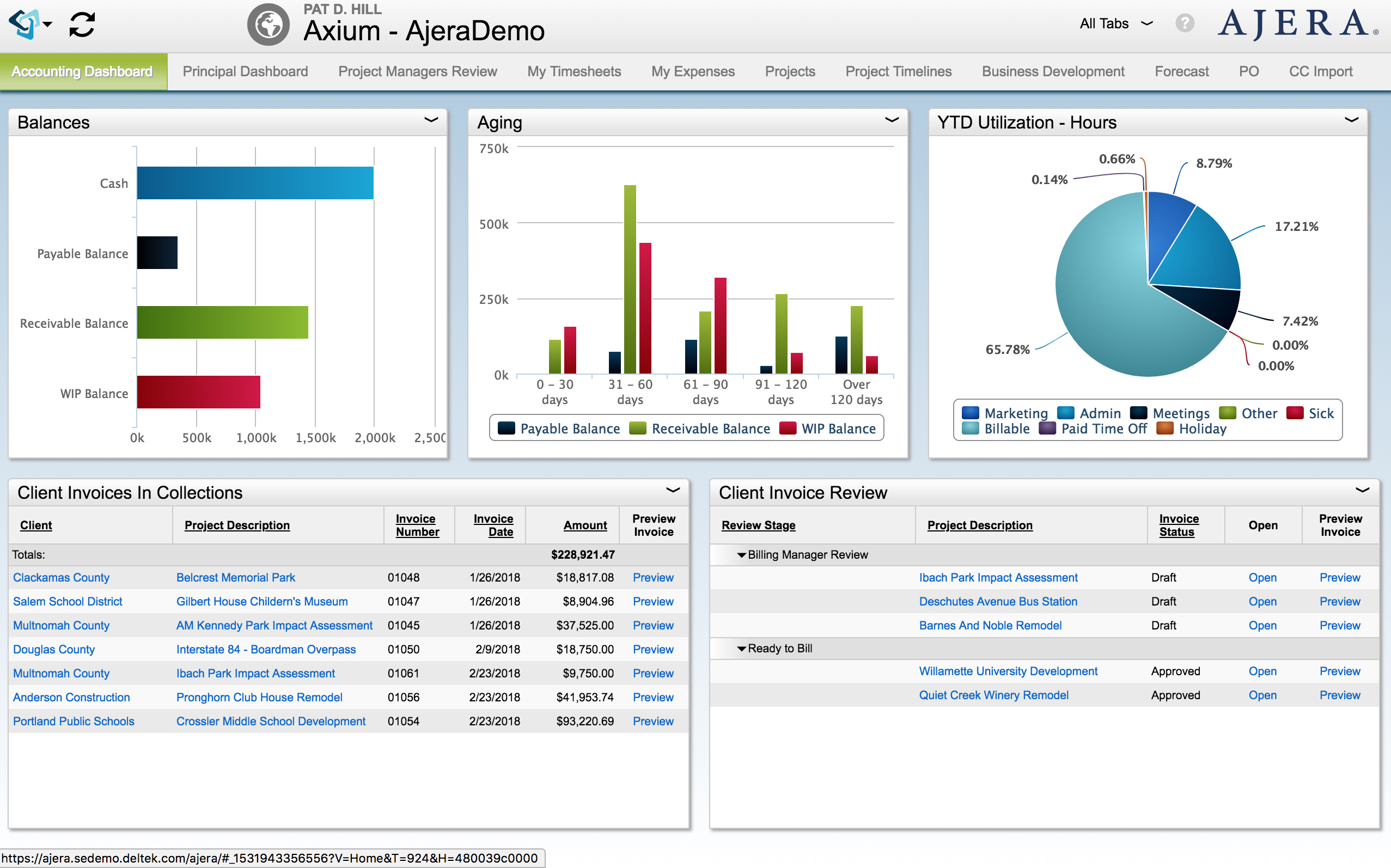
Widgets are the best feature of Ajera. Designers can make tiny reports for the entire company, or for one or two individuals. These little reports are the first things that the employee sees when they log in. Viewers of the reports are able to filter, sort, group, print or export the widget without impacting the other users. Deltek has been releasing new features that allow the editing of data in widgets. You can now create new projects or edit timesheets from the widgets.
Credit card importing and credit card reconciliation in Ajera has greatly decreased time spent by administration. You can import credit card transactions from your credit cards. It saves on data entry, and it is easy to see what receipts you are missing when you get the statement.
Mobile timesheets and expense reports help engineers or other users enter their time and expenses as they are on the go. They can take pictures or receipts or submit their timesheet from home.
The Project Command Center is a one stop fountain of information. Everything the project manager wants to know about a project can be found here. You can also add custom fields that allow you to tract addition information.
Allow nonusers to add requests, our organization has no need to add all 10,000+ team members to Adobe Workfront, but would like them to be able to send requests to our team
Workfront is sometimes a bit clunky to use, but overall it works well for our teams when it comes to project management and collaboration across multiple, involved teams. It also has flexibility that allows us to adapt it to diverse use cases, some of which aren't necessarily always the first things that one would think of using workfront for.
I would plan on renewing and staying with BugTracker.net simply because it is a no nonsense easy to use tool. Once you get it set up and understand the small nuances with this custom piece of software, it really is a great tool to help your organization get started with Defect Management and BugTracking without having to drop several thousands of dollars on tools that are more fluff than function.
Workfront is overly complex, but it is functional as a tool to keep track of projects. It is a shame that sometimes it takes a lot of clicks to find anything. Workfront is slowly modernizing its interface but at the same time, hides certain information away thus making the experience feels worse.
Maintenance is required, but usually after work hours, Some days the proofing tool function is not operational, but this is a new function of the tool that WF is working out. the kinks on. Chrome is the best browser to use the system in and we find Firefox and Explorer lose some view functionality - Gantt Chart, Resource Grid
I think overall, Adobe Workfront performs well. There have been some times when it doesn't load or run as quickly as our team would like. This is frustrating when it is such a crucial tool that our team utilizes on a daily basis. It can show our workflow when it lags.
I know that this particular company has it's own Adobe Workfront employee that builds out things they need from the software, and meets with them regularly to troubleshoot. I'm not part of this process, but it's refreshing to see Adobe provide this level of customer service to people, and they're expedient.
The training is very easy to use and you can simply choose the topics included in the course(s) that are most important to your training needs. After each training course, you are tested on what you have learned. If you need a refresher course, they provide Course Catalogs as well as instructor-led courses & workshops.
Most people learn as you go, a lot of this stuff requires trial and error throughout so my suggestion is to provide as much information in the upfront and keep it as simple as possible. You can add other tools and features as you go but everyone should have the basics down so no bad habits can start to develop. Be persistent with everyone, and don't be afraid to correct and talk through steps again so everyone is on the same page
Adobe Workfront blows the other systems out of the water. It just delivers more - out of the gate, and at every quarterly update. Innovation is top of mind, and meeting customers' needs is key. We have been extremely satisfied with Workfront and look forward to all the new features on the horizon, especially AI.
The previous systems were essentially timesheet systems only with very basic accounting. It's mostly the accounting subsystem that made us select Ajera.
As I stated earlier, I didn't have to pay for Workfront myself- I'm a user under a large organization. I know it's not cheap to implement, I don't know how the price scales for a small-business, but I do like the product enough that I'm going to look into it in the future for my own company.
Our organization has thousands of users that use Workfront and it seems to hold up very well. I have not encountered any issues using it and I think it makes it very easy for multiple people to be involved in a project and keep things organized and clear for everyone involved.
Resource Management - Year over year, we were able to validate time and money saved by the implementation of Workfront by more than 2%, saving in non-working dollars and 9% savings in working media dollars.
Organization Restructuring and Automation- We also restructured our teams and implemented automation based on our analysis of how and what we spend our time on and the ROI for our respective business units.