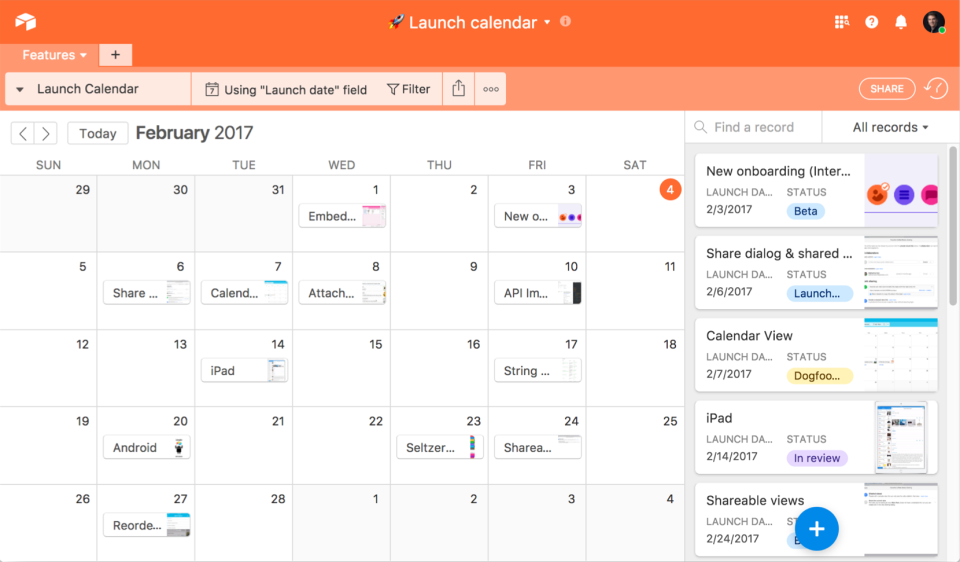
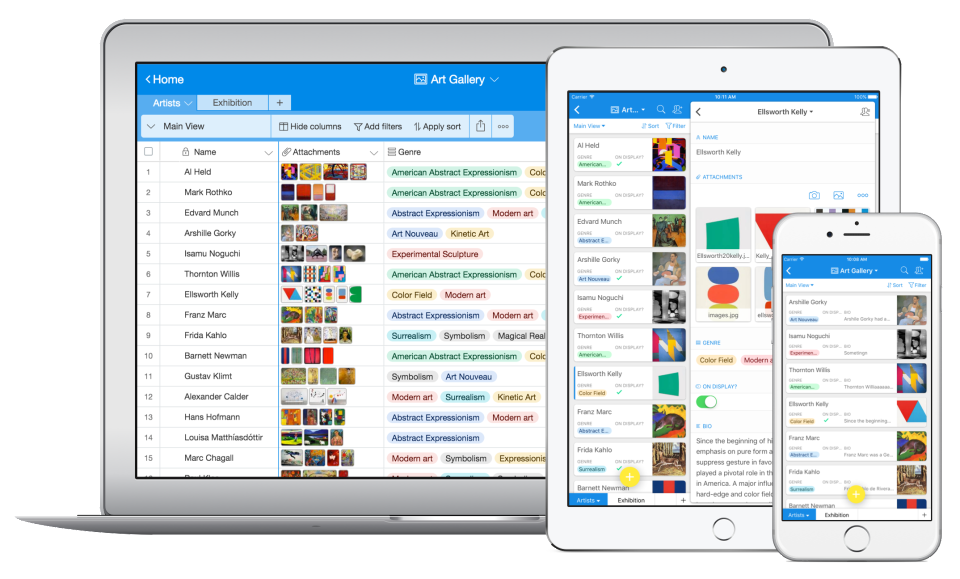
Airtable is a web-based application builder that combines spreadsheet usability with relational database architecture. The platform enables users to construct custom operational applications, configure automated workflows, and design tailored interfaces without traditional software development.
$24
per month per seat
ProcessMaker
Score 8.8 out of 10
N/A
ProcessMaker is a process automation platform that helps organizations optimize and scale their business operations. By combining workflow automation, AI-driven decision-making, and advanced analytics, ProcessMaker empowers businesses to streamline complex processes, improve efficiency, and enhance customer experiences.
N/A
Pricing
Airtable
ProcessMaker
Editions & Modules
Team
$24
per month per user
Business
$54
per month per user
Enterprise
Custom Pricing
No answers on this topic
Offerings
Pricing Offerings
Airtable
ProcessMaker
Free Trial
Yes
Yes
Free/Freemium Version
Yes
No
Premium Consulting/Integration Services
No
Yes
Entry-level Setup Fee
No setup fee
No setup fee
Additional Details
—
—
More Pricing Information
Community Pulse
Airtable
ProcessMaker
Features
Airtable
ProcessMaker
Project Management
Comparison of Project Management features of Product A and Product B
Airtable
7.8
235 Ratings
1% above category average
ProcessMaker
-
Ratings
Task Management
8.9199 Ratings
00 Ratings
Resource Management
8.0193 Ratings
00 Ratings
Gantt Charts
8.489 Ratings
00 Ratings
Scheduling
7.4165 Ratings
00 Ratings
Workflow Automation
8.0143 Ratings
00 Ratings
Team Collaboration
7.9218 Ratings
00 Ratings
Support for Agile Methodology
8.3108 Ratings
00 Ratings
Support for Waterfall Methodology
8.580 Ratings
00 Ratings
Document Management
7.5170 Ratings
00 Ratings
Email integration
7.1115 Ratings
00 Ratings
Mobile Access
5.9191 Ratings
00 Ratings
Timesheet Tracking
7.893 Ratings
00 Ratings
Change request and Case Management
8.2102 Ratings
00 Ratings
Budget and Expense Management
7.1127 Ratings
00 Ratings
Customization
Comparison of Customization features of Product A and Product B
Airtable
-
Ratings
ProcessMaker
7.9
3 Ratings
8% above category average
API for custom integration
00 Ratings
7.93 Ratings
Reporting & Analytics
Comparison of Reporting & Analytics features of Product A and Product B
Airtable
-
Ratings
ProcessMaker
8.6
11 Ratings
10% above category average
Dashboards
00 Ratings
8.911 Ratings
Standard reports
00 Ratings
8.911 Ratings
Custom reports
00 Ratings
8.09 Ratings
Process Engine
Comparison of Process Engine features of Product A and Product B
Airtable
-
Ratings
ProcessMaker
8.9
10 Ratings
20% above category average
Process designer
00 Ratings
9.99 Ratings
Process simulation
00 Ratings
8.28 Ratings
Business rules engine
00 Ratings
9.99 Ratings
SOA support
00 Ratings
9.910 Ratings
Process player
00 Ratings
7.98 Ratings
Form builder
00 Ratings
7.98 Ratings
Model execution
00 Ratings
8.28 Ratings
Business Process Automation
Comparison of Business Process Automation features of Product A and Product B
Airtable is an ideal platform for small and growing businesses to keep track of just about EVERYTHING they need to keep things running smoothly. It's a great way to keep tasks organized, and keep everyone on the same page with progress on all things. Our company finds the kanban particularly useful, as products go through a lifecycle from ideation to retirement, it's good to keep a database of what is in production, what's working, and what we've tried before. I can see the platform being challenging with much larger businesses, but for the small to medium businesses I've used the platform with, it is ideal.
The task mining component is well suited for processes where there are a lot of steps performed in a variety of systems, particularly by a single individual on a team. It also requires a robust activity ID to be able to track an activity. It is not well suited when trying to track a process where the content is in an email.
Airtable has capabilities commonly found in spreadsheet applications, but also has some of the features found in databases.
The ability to filter fields. I set up a filter on the status field, so when a project is marked, complete, on hold, or canceled, that record is hidden from my current projects table view. If it is marked complete, the record is moved to the completed projects table view. In this way I can easily access a record of past projects
Being able to duplicate tables and create alternate views
Collapse and expand records. When I collapse the rows, I can easily scan current projects, next steps, project status, and due dates. When I expand the row, or field, I can see more detailed information about that field or record very easily. I can also expand or open the entire record. This is is helpful, when I am entering a lot of information to multiple fields in that record.
User interface. It is clean and easy to understand. You won't get overwhelmed the second you log in.
The workflow maker. With a drag and drop interface, you can easily visualize and implement what you want on the screen. Out of all the programs we tested, this one had the easiest process maker and designer.
Ease of understanding. My biggest recommendation would be that this program is easy to access for anyone. There are complications (see negatives) but this program can be implemented quickly and efficiently, and nearly anyone can learn to use it. You will not feel like you are in the dark with it.
Complications when you get to the more advanced pieces. When trialing, I found that the more advanced a process got, the more complicated it got for me in coding. When you begin using the more advanced features, you will find that you need to have a basic knowledge of coding - otherwise you won't go any further. This was my sole issue. Unfortunately, it was one that would have brought the school to a grinding halt if they were to ever get more complicated than they were.
We will 10/10 renew the use of Airtable because it has brought great value to our team. Not only is Airtable affordable, but it's also user-friendly and helps our team be efficient. We no longer need to rely on Excel spreadsheets being passed from person to person via email. Furthermore, we aren't dealing with corrupt Excel spreadsheets and the need to salvage data when a file is accidentally altered.
IMO the usability of this product is its greatest asset. The UI is clean and the menus are intuitive to the point where I'd feel confident having a non-spreadsheety colleague take on building an Airtable for the first time with next to no training. I can't say that about every table-like software product that I've used such as Notion.
I gave this overall rating for ProcessMaker due to its overall flexibility, design and ease of use for most. Examples of this from us include it being an excellent and trustworthy tool for automating processes, the abilities and capabilities for real-time process tracking and the web-based accessibility and implementation which allows for easy access and management of the tool.
I have rarely experience downtime, compared to other tools, and given how much time we spend on the tool. Even if there were to be, their updates on it are very timely, and our support team are able to provide any questions regarding
I never had any issues with load time, even with the integrations that we use today (google sheets) However, I'm curious if adding additional layers of integrations would slow down performance. We do carry quite a bit of data in Airtable, but, again, no impact on overall performance
Airtable has great support. They have a variety of support features to answer any questions. They have great self teaching instructions for templates and product tours. They also have support for teams and project management. They also have a fantastic customer help line. They are able and willing to answer customer questions and never have customers waiting long
Recorded trainings were provided by the Airtable team. Great as an evergreen resources to new team members and for anyone that wants to refresh their Airtable knowledge
Training all users was an important part of the implementation, which did take considerable time and effort. At first glance without training, the content calendar can be overwhelming because of the amount of data. The features within Airtable seem to be endless but our team was able to identify the most important to be successful.
Airtable was a really good fit for this specific use case as it provided a huge number of collaboration features in an intuitive and pleasant-to-use interface. The free tier worked initially with our work, and the upgrade pathway was fair and made sense for us.
Before making the decision to get ProcessMaker, we assessed different and best options in the market, which are also quite competitive. KiSSFLOW, Blueworks Live, and Bizagi, being the most relevant and ADONIS, to mention the ones we consider the most relevant and capable of meeting our needs. In the end, we went for ProcessMaker because of mainly three things as described before: 1. Real-time process status tracking. 2. Metrics and dashboards. 3. Ease of use for constructing diagrams.
There are TONS of opportunity to scale, but I think it's a matter if you have the time and resources to do so because the initial setup can be fairly time consuming and prioritized dedication
The capability is robust and quite industry agnostic. It would benefit significantly with some out of the box models - e.g. procure to pay on SAP and similar. They could also develop industry specific examples which could kickstart the implementation for organizations.
Through this platform, I always have the idea bout which of my team member is working on which particular part of the project, I can easily track their progress, and also I can easily correct them where it is required by adding sticky notes, by sending the attachments and URLs.
I'm using Communication edition to introduce BPMN in my organization. I can build the first process in a short time, make my boss more confident with my job.
But, with ProcessMaker, we need more time to design code to handle the process, and without PHP/Javascript Programmer, it seems hard to work with more and more processes online.
However, IE Browser is not well supported, somewhat let the user confuse.