Overview
ProductRatingMost Used ByProduct SummaryStarting Price
Apache Subversion
Score 9.6 out of 10
N/A
Apache Subversion is a version control option that is free to download and open source under the Apache 2.0 license.N/A
Git
Score 10.0 out of 10
N/A
N/AN/A
Jira Service Management
Score 7.9 out of 10
N/A
Jira Service Management (formerly Jira Service Desk, now including features from the former Mindville Insight, acquired by Atlassian in June 2020) is a service desk software that is purpose-built for IT, service, and support teams. The software provides everything IT and support teams need out-of-the-box for service request, incident, problem and change management. Jira Service Management integrates seamlessly with Jira Software so that IT and development teams can work better together. Users…
$0
per month
Pricing
Apache SubversionGitJira Service Management
Editions & Modules
No answers on this topic
Free
$0
per month
Standard
$20
per agent/per month
Premium
$40
per agent/per month
Enterprise
Contact sales team
Offerings
Pricing Offerings
Apache SubversionGitJira Service Management
Free Trial
NoNoYes
Free/Freemium Version
NoNoNo
Premium Consulting/Integration Services
NoNoYes
Entry-level Setup FeeNo setup feeNo setup feeNo setup fee
Additional Details
More Pricing Information
Community Pulse
Apache SubversionGitJira Service Management
Considered Multiple Products
Apache Subversion
Chose Apache Subversion
Git is a newer version control system compared to that of svn. I think that svn is more stable, easy to learn/use, and not-so-complex as Git. Also, svn has very good client applications which provide extremely user-friendly user interfaces. Apache Subversion is also open source …
Chose Apache Subversion
Git is probably the biggest open source rival to Subversion. It's designed for distributed development, an environment I'm not very familiar with. I've only got some experience with it, and only as a user, and even that is limited. I had some trouble wrapping my mind around the …
Chose Apache Subversion
We used Visual SourceSafe before SVN many years ago and we chose SVN at that time mainly because it allowed us to do collaborative work on the same source code. It also had improved conflict resolution when doing code merges, blaming changes etc, which improved the speed of …
Chose Apache Subversion
Git has become the new standard of version control, with its support for distributed design. As a tool to manage and control versions, Subversion does it well, but Git is the future.
Chose Apache Subversion
Git is better than Subversion in every aspect except that is not free . But since our company has bought Git licenses and I would not go back to using Subversion .
Git
Chose Git
I've used both Apache Subversion & Git over the years and have maintained my allegiance to Git. Git is not objectively better than Subversion. It's different. The key difference is that it is decentralized. With Subversion, you have a problem here: The SVN Repository may be in …
Chose Git
The two main alternatives to Git that I know about are Mercurial and Subversion. I've never used either one, but I know a bit about Subversion. From what I remember, Subversion requires a server. I don't anyone using any other source control other than Git, it seems to have …
Chose Git
Git is more advanced and easier to use. It has a very simple UI and a very efficient command-line tool. Git gives you flexibility and performance for the price, and has greatly increased the complexity of workflow. The overall performance is good. It caches information locally …
Chose Git
GIT being a widely used tool have better reliability than its peers and have stands out when we compare it on operational performance criteria.
GIT with speedy and extensive branching capabilities have helped developers to use check in their code quickly and space efficient way.
G…
Chose Git
Compared to SVN, Git has a decentralized approach which increases collaboration in the team by enabling the local stored branches. There is no need to be connected to the repository(via an internet link) to work and commit code. Besides the fact that the performance of Git is …
Chose Git
I do not have much experience with other version control tools. Git is highly used everywhere and it is hard to find a development team that isn't using it. One thing I know is that with Git each developer has their own copy of a repository so they could technically work …
Chose Git
Git is the best Source Control Management Tool I've used. Every company, team, and project I've worked on professionally either used Git 100%, or was moving to Git, away from the alternatives like SVN. Git has all the features necessary, as well as a very large community of …
Chose Git
Git is by far the best version control system out there. It's open source, free, and fast. No other version control system I've ever used has had all three features.
Chose Git
Git is a distributed version control system. There is more flexibility to work with a bigger team. You can modify the same file and later merge all changes into a single file.
Chose Git
After using Subversion previously for a number of years, Git comes across as the new and improved source control approach. Git seems very suited to working with Agile:- branches can be created easily, allowing multiple developers to switch to them quickly, and having local …
Chose Git
Git is my favorite among all of the version control systems out there. It follows the Linux software philosophy of being built by many loosely coupled and small components that do one thing well. It's incredibly open, and its adoption in the open source community seems to be …
Jira Service Management
Chose Jira Service Management
Compared to other products I have used, like, Fresh Desk Service or Manage Engine it has more features included per user and technician (others may require a license for each type). Portal setup can be integrated to the Confluence Portal for easy access to Jira for service …
Chose Jira Service Management
When we completed our merger with another company, they were already using Jira so it made sense for us to use a common solution. Their experience and investment with the package was a major factor in choosing it over our current tools and those we were researching for future …
Features
Apache SubversionGitJira Service Management
Incident and problem management
Comparison of Incident and problem management features of Product A and Product B
Apache Subversion
-
Ratings
Git
-
Ratings
Jira Service Management
8.5
85 Ratings
3% above category average
Organize and prioritize service tickets00 Ratings00 Ratings8.884 Ratings
Expert directory00 Ratings00 Ratings9.02 Ratings
Service restoration00 Ratings00 Ratings9.52 Ratings
Self-service tools00 Ratings00 Ratings8.176 Ratings
Subscription-based notifications00 Ratings00 Ratings10.01 Ratings
ITSM collaboration and documentation00 Ratings00 Ratings7.771 Ratings
ITSM reports and dashboards00 Ratings00 Ratings6.772 Ratings
ITSM asset management
Comparison of ITSM asset management features of Product A and Product B
Apache Subversion
-
Ratings
Git
-
Ratings
Jira Service Management
10.0
1 Ratings
19% above category average
Configuration mangement00 Ratings00 Ratings10.01 Ratings
Asset management dashboard00 Ratings00 Ratings10.01 Ratings
Policy and contract enforcement00 Ratings00 Ratings10.01 Ratings
Change management
Comparison of Change management features of Product A and Product B
Apache Subversion
-
Ratings
Git
-
Ratings
Jira Service Management
7.5
79 Ratings
14% below category average
Change requests repository00 Ratings00 Ratings8.472 Ratings
Change calendar00 Ratings00 Ratings6.52 Ratings
Service-level management00 Ratings00 Ratings7.777 Ratings
Best Alternatives
Apache SubversionGitJira Service Management
Small Businesses
Git
Git
Score 10.0 out of 10
GitHub
GitHub
Score 9.1 out of 10
Agiloft Service Desk (discontinued)
Score 9.0 out of 10
Medium-sized Companies
Git
Git
Score 10.0 out of 10
GitHub
GitHub
Score 9.1 out of 10
Agiloft Service Desk (discontinued)
Score 9.0 out of 10
Enterprises
Perforce P4
Perforce P4
Score 7.2 out of 10
Perforce P4
Perforce P4
Score 7.2 out of 10
ManageEngine ServiceDesk Plus
Score 9.3 out of 10
All AlternativesView all alternativesView all alternativesView all alternatives
User Ratings
Apache SubversionGitJira Service Management
Likelihood to Recommend
6.6
(10 ratings)
10.0
(36 ratings)
7.9
(85 ratings)
Likelihood to Renew
3.1
(2 ratings)
10.0
(1 ratings)
10.0
(1 ratings)
Usability
-
(0 ratings)
9.0
(1 ratings)
8.3
(10 ratings)
Support Rating
-
(0 ratings)
8.5
(11 ratings)
9.1
(25 ratings)
Implementation Rating
-
(0 ratings)
9.0
(1 ratings)
-
(0 ratings)
User Testimonials
Apache SubversionGitJira Service Management
Likelihood to Recommend
Apache
It's a relatively simple version control system so it works great for an individual or small team (less than 10 people). But if you have a medium to large team, especially one with members distributed over a large geographic area, or one where individuals need to be able to work "offline" without access to a central server, Apache Subversion will likely not be the best choice.
Also, if you're maintaining an open-source project where outside people will be interacting with your code repository, git is probably a better choice because it's becoming the de-facto standard these days and what most developers are familiar with.
Read full review
Open Source
GIT is good to be used for faster and high availability operations during code release cycle. Git provides a complete replica of the repository on the developer's local system which is why every developer will have complete repository available for quick access on his system and they can merge the specific branches that they have worked on back to the centralized repository. The limitations with GIT are seen when checking in large files.
Read full review
Atlassian
I think using a ticketing system is very easy to use and allows multiple teams to create help desks in the same portal. In terms of internal usage, I think this is a great option. However, suppose you're trying to keep internal items and external helpdesks in the same instance. In that case, this is not ideal, as there is no effective way to separate the two instances to protect internal data better.
Read full review
Pros
Apache
  • Revision control done properly - you have end to end visibility of all changes in the project.
  • Conflict resolution - visually highlighting the differences helps to track down the problem.
  • Being open source and very popular.
  • We are using SVN hosted in our network - it is very stable, we had almost zero downtime in 4 years.
  • Rollbacks are made simple and easy to use.
Read full review
Open Source
  • Ability to create branches off current releases to modify code that can be tested in a separate environment.
  • Each developer had their own local copy of branches so it minimizes mistakes being made.
  • Has a user-friendly UI called Git Gui that users can use if they do not like using the command line.
  • Conflicts are displayed nicely so that developers can resolve with ease.
Read full review
Atlassian
  • Integration with many of the most common tools companies are using (Slack, MS Teams, Salesforce, ... etc)
  • Natural workflow with Jira (as product development / project management tool) which makes the full fix and follow up of the tickets / issues very easy to follow
  • Allow multiple different entry points and work flows for as many different needs your teams / company have
Read full review
Cons
Apache
  • Distributed development - I've never worked in an environment where distributed development (developers widely scattered geographically) was a factor, but that's why git exists.
  • Merging - Merging of code from one branch to another can be painful, especially if it's not done frequently. (On the other hand, doing merges is one of the reasons I get a nice salary, so I can't complain too much!)
  • Acceptance - Let's face it, git is what "all the cool kids are using." If you've got a bunch of developers fresh out of school, they'll probably know git and not Subversion.
Read full review
Open Source
  • There can be quite a number of commands once you get to the advanced features and functionality of Git. Takes time to master.
  • Doesn't handle static assets (ie: videos, images, etc.) well. Although in the recent years, new functionality has been introduced to address this.
  • Many different GUIs, many people (including myself) opt to just use the command-line.
Read full review
Atlassian
  • Navigating through issues outside of a kan ban board can be confusing and task heavy.
  • It's easy to clutter up the tool. It could use some easy clean up capabilities.
  • User interface is decent, but could use work to make it more intuitive.
Read full review
Likelihood to Renew
Apache
While there are interesting alternatives, such a GIT, Subversion has been a breath of fresh air compared to its predecessors like CVS or Microsoft Source Safe (now called Team Foundation Server). Its ease of use and high adoption rate is going to keep me using this product for years to come.
Read full review
Open Source
Git has met all standards for a source control tool and even exceeded those standards. Git is so integrated with our work that I can't imagine a day without it.
Read full review
Atlassian
In the current contect the requirments is around having a tool that is focused and can handle large ticket volumes and tracking incident, problem and user requests concerning end users. Jira has built in functionality to address the above practice needs faily easily and has a substantial amount of customizable reports for generating the relevant intelligence.
Read full review
Usability
Apache
No answers on this topic
Open Source
Git is easy to use most of the time. You mostly use a few commands like commiting, fetch/pull, and push which will get you by for most of time.
Read full review
Atlassian
If you're used to other tools in the Atlassian ecosystem, you'll feel right at home with JSM. It's also a platform that technical folk can easily pick up. However, I wouldn't recommend using JSM as a company's first jumping off point into Atlassian. There are a lot of other 'newer' tools that provide sleeker ITSM systems at a similar cost.
Read full review
Support Rating
Apache
No answers on this topic
Open Source
I am not sure what the official Git support channels are like as I have never needed to use any official support. Because Git is so popular among all developers now, it is pretty easy to find the answer to almost any Git question with a quick Google search. I've never had trouble finding what I'm looking for.
Read full review
Atlassian
I gave JIRA a 9 rating since for me JIRA works according to its purpose. Since there is a customer portal, our clients can leave a comment or communicate with us using the PR ticket that way it is easier for us to also request any additional information we need for our investigation.
Read full review
Implementation Rating
Apache
No answers on this topic
Open Source
It's easy to set up and get going.
Read full review
Atlassian
No answers on this topic
Alternatives Considered
Apache
Git has become the new standard of version control, with its support for distributed design. As a tool to manage and control versions, Subversion does it well, but Git is the future.
Read full review
Open Source
I've used both Apache Subversion & Git over the years and have maintained my allegiance to Git. Git is not objectively better than Subversion. It's different.
The key difference is that it is decentralized. With Subversion, you have a problem here: The SVN Repository may be in a location you can't reach (behind a VPN, intranet - etc), you cannot commit. If you want to make a copy of your code, you have to literally copy/paste it. With Git, you do not have this problem. Your local copy is a repository, and you can commit to it and get all benefits of source control. When you regain connectivity to the main repository, you can commit against it. Another thing for consideration is that Git tracks content rather than files. Branches are lightweight and merging is easy, and I mean really easy.
It's distributed, basically every repository is a branch. It's much easier to develop concurrently and collaboratively than with Subversion, in my opinion. It also makes offline development possible. It doesn't impose any workflow, as seen on the above linked website, there are many workflows possible with Git. A Subversion-style workflow is easily mimicked.
Read full review
Atlassian
Zendesk is a similar ticketing system that our organization used before JIRA Service Desk. The main drawback of Zendesk was that it can only be used as a cloud service. This means that our company data would be living on the internet at the hands of their security team. Another drawback of this is the price is significantly more expensive rather than hosting it yourself. Zendesk does have some additional features such as commenting on multiple tickets at once that JSD does lack. However, switching to JSD was significantly more cost effective because we have the ability and the infrastructure to host our own ticketing system, something that Zendesk could not provide. Ultimatley switching to JSD saved us money and allows the ability for integration with all of the other Atlassian Suite products that we use on a day to day basis.
Read full review
Return on Investment
Apache
  • Subversion helps us feel secure in maintaining access to all of our product code, both current and historical.
  • Being free and open source makes it an even better "investment".
Read full review
Open Source
  • Git has saved our organization countless hours having to manually trace code to a breaking change or manage conflicting changes. It has no equal when it comes to scalability or manageability.
  • Git has allowed our engineering team to build code reviews into its workflow by preventing a developer from approving or merging in their own code; instead, all proposed changes are reviewed by another engineer to assess the impact of the code and whether or not it should be merged in first. This greatly reduces the likelihood of breaking changes getting into production.
  • Git has at times created some confusion among developers about what to do if they accidentally commit a change they decide later they want to roll back. There are multiple ways to address this problem and the best available option may not be obvious in all cases.
Read full review
Atlassian
  • It is definitely cheaper than Salesforce
  • It allows the IT service desk to be more organized and respond more quickly to tickets, which can save time for both agent and requester.
  • Some things are "not quite there" developmentally, so this means that internal IT will need to spend more time developing and testing the product.
Read full review
ScreenShots

Jira Service Management Screenshots
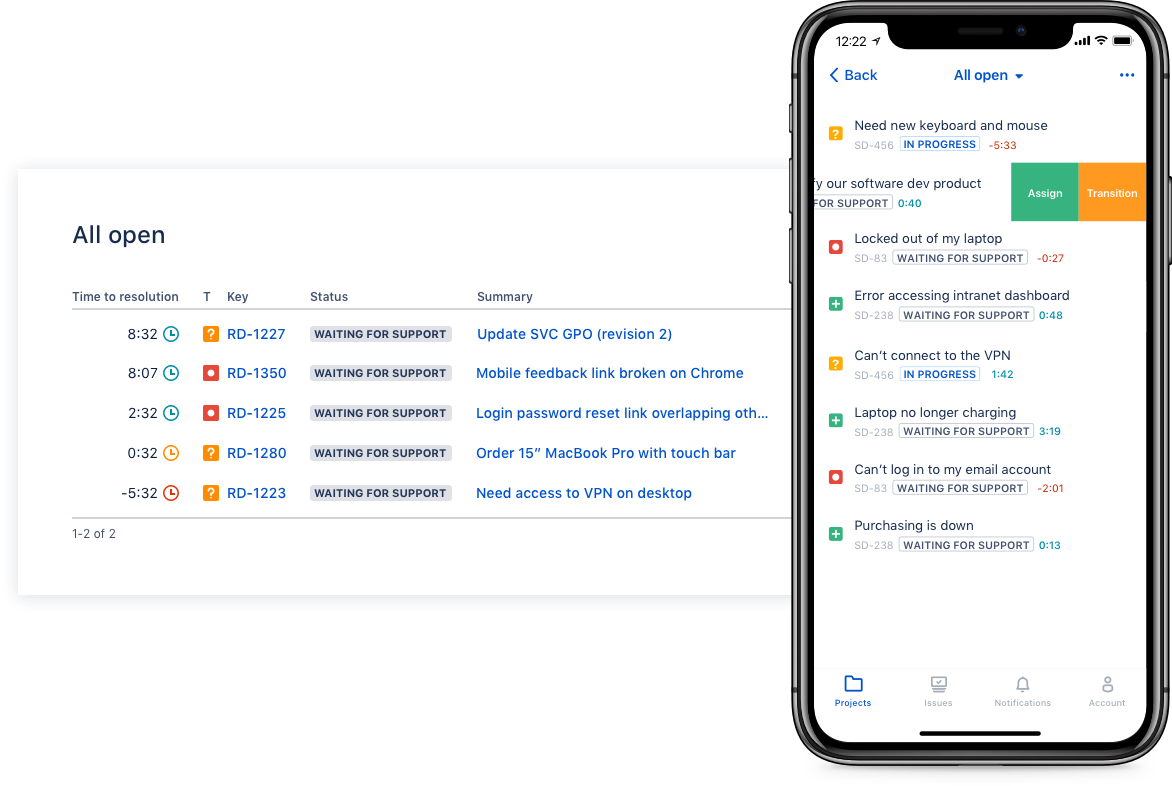
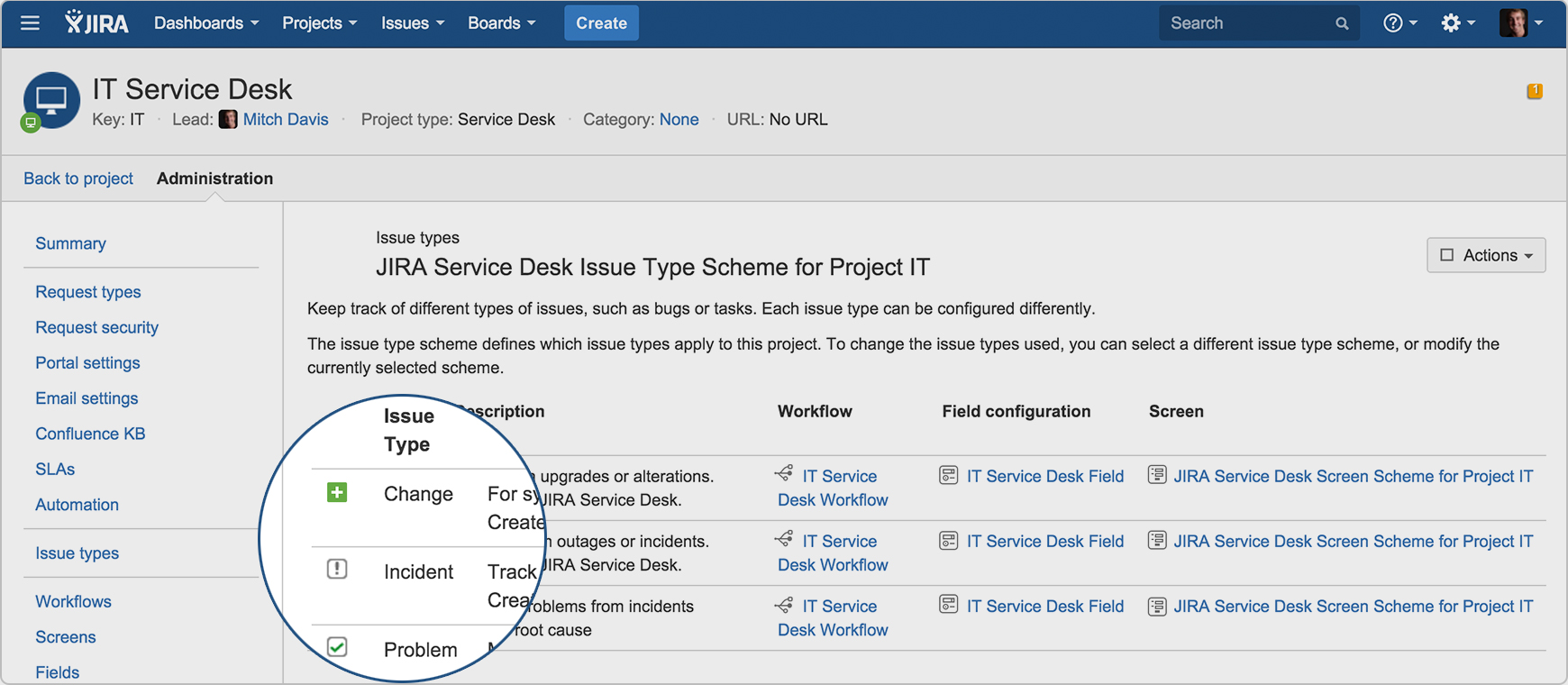
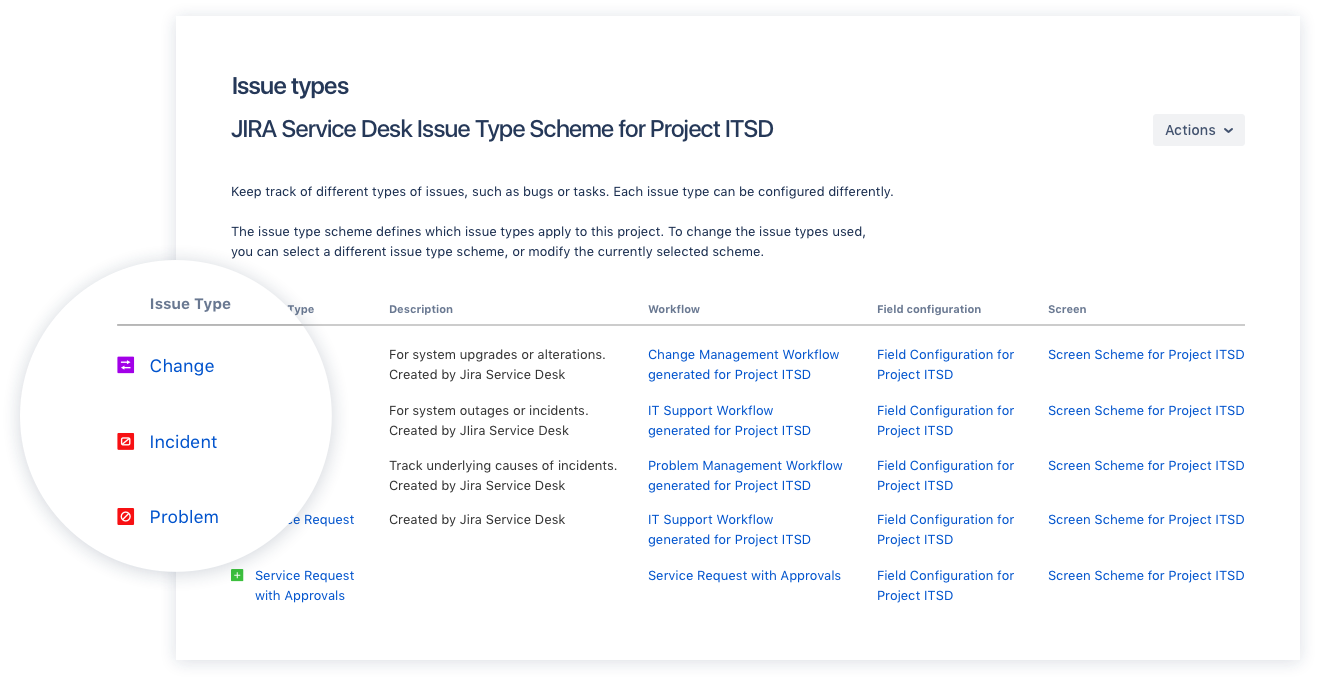
Screenshot of Drive IT best practices with ITIL-ready templates. Get everything your IT teams need out of the box for service request, incident, problem, and change management.Screenshot of Get an ITIL certified service desk. Everything your IT teams need out-of-the-box for service request, incident, problem, and change management. Jira Service Desk is PinkVERIFY™ certified.Screenshot of Deliver a better service experience. Customers or employees can submit requests with an easy-to-use help center and add Confluence to Jira Service Desk to get an integrated knowledge base. Machine learning intelligently recommends the right service and learns from every interaction, so answers are easy to find.Screenshot of Stay in the loop with developers. y linking Jira Service Desk with Jira Software, IT and developer teams can collaborate on one platform to fix incidents faster and push changes with confidence.Screenshot of Deliver on SLA's. Nail your Service Level Agreements, every time. Your agents get a simple queue so they get the important things done first. Configure and get going in minutes.Screenshot of Automate those repetitive tasks. Is your team stuck in gear with repetitive tasks or missing priority requests? Setup automations so your agents can focus on solving the important stuff and help lighten the workload.