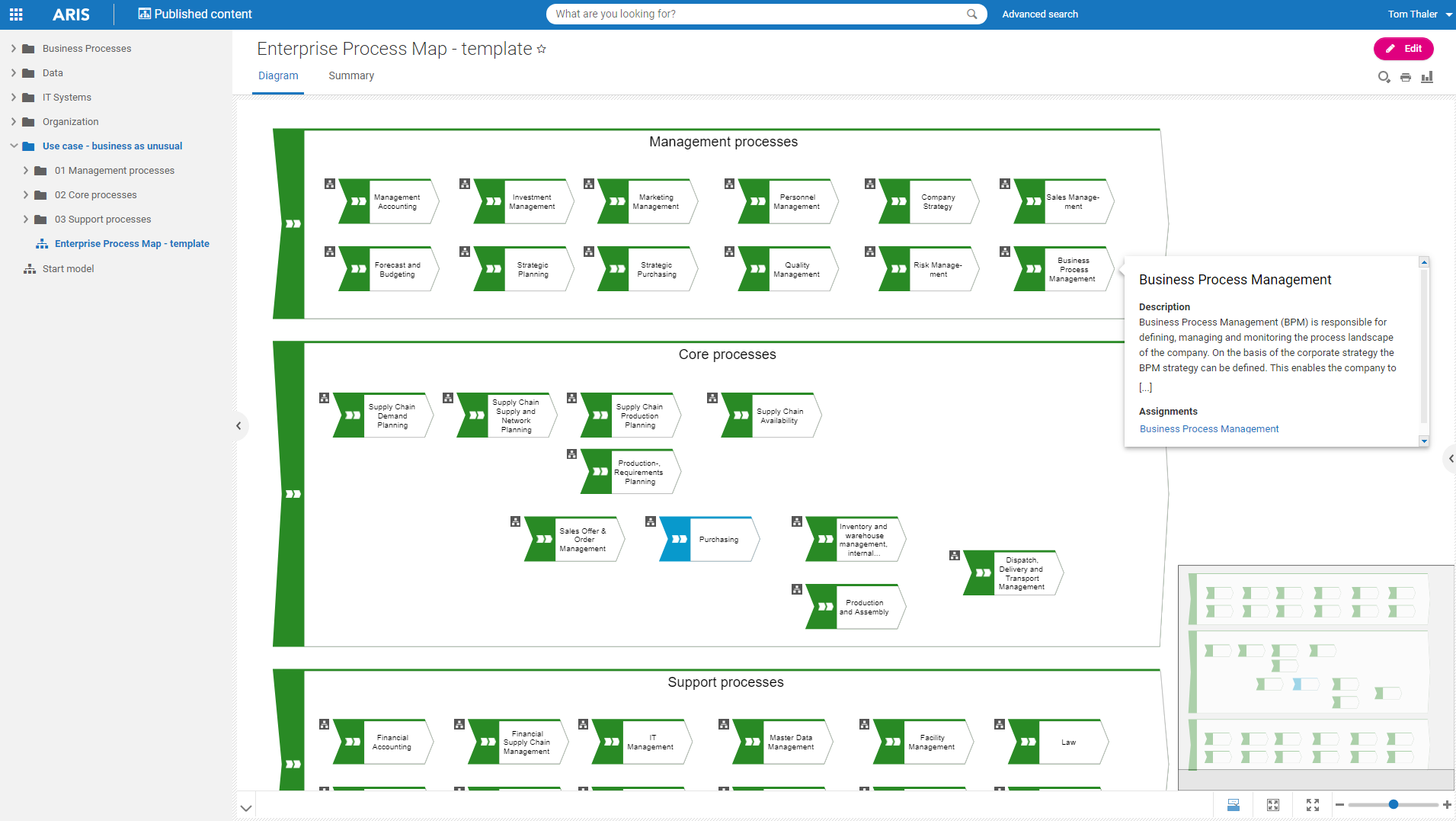
Software AG's Business Process Analysis Platform, ARIS, uses robust architecture and process management / analysis capability to drive integrations with the existing business processes along with information technology and SAP systems.
$100
designer
Celonis
Score 9.5 out of 10
N/A
Celonis is a Process Intelligence platform that helps companies improve their operations, customer experience, and sustainability. The company’s technology provides a digital twin of a company’s processes, giving everyone in the organization a common language and the ability to identify and capture value.
N/A
Microsoft Visio
Score 7.7 out of 10
N/A
Microsoft offers Visio, a diagramming tool for building flowcharts, diagrams (e.g. network diagrams), org charts and floor plans, available online as a subscription and also in enterprise level packages (e.g. Visio Professional).
$5
per month per user
Pricing
ARIS
Celonis
Microsoft Visio
Editions & Modules
ARIS Elements
$100
designer
ARIS Advanced
$200
designer
ARIS Enterprise
contact us
ARIS Enterprise
contact us
No answers on this topic
Visio Plan 1
$5.00
per month per user
Visio Plan 2
$15.00
per month per user
Visio Standard 2024
$309.99
one-time fee On-premises diagramming solution, licensed for one PC
Visio Professional 2024
$579.99
one-time fee On-premises diagramming solution, licensed for one PC
Offerings
Pricing Offerings
ARIS
Celonis
Microsoft Visio
Free Trial
Yes
No
No
Free/Freemium Version
Yes
Yes
Yes
Premium Consulting/Integration Services
Yes
Yes
No
Entry-level Setup Fee
No setup fee
Required
No setup fee
Additional Details
—
Snap is Celonis' free-to-use, cloud-based process mining solution, with over 3500 registrants and users. It includes most major features of Celonis, including all functionality found in common process mining tools. It also includes pre-built connectors to ServiceNow and pre-built content to get users started quickly on their process mining journey.
Yes, ARIS is one of the leading process modeling and analysis tools with advanced reporting and modeling capabilities. It also provides a license for simulation and process mining.
Verified User
Analyst
Chose ARIS
The Service area, they have been very useful. ARIS suite is covering number of applications. ARIS engine is very powerful and robust. The tool can be configured in many ways which can be beneficial but can be a curse at the same time. As a user, you need to apply this …
ARIS has its own EPC notation which is very easy, hence a preferred notation amongst many. It has some enhanced features like the ability to create custom reports, queries, adhoc analysis, and simulation, which not all tools offer. However, it is very high priced compared to …
ARIS is a much more complex ecosystem than Visio in terms of functionality, being able to create complex relations between people, departments, IT systems, input and output documents, and roles. ARIS handles all these via its library that is defined and created for the whole …
Features like SAP Solman Sync, Alfabet EA integration (another Software AG product) and a well defined framework for BPM or any consulting practice across any verticals or domains is useful in a consulting practice, whether it's TOGAF methodology, running a BPM Lifecycle or Six …
Celonis appears to be more complete and offer more functionalities for taking action after the analysis. Furthermore Celonis product seems to have a better and faster continuous improvement compared to competitors.
Celonis has more than 60% market share of the process mining market. It has a great ability to bring together different ERP systems data together to create the end-to-end business value stream view. It covers all aspects of process mining like data extraction, dashboards, …
The out of box features of Celonis such as App Store, dedicated execution management system, and capabilities to slice and dice the process steps/data set to a granular level make Celonis the leader in this segment. Especially for SAP ERP systems with predefined process …
Celonis offers a richer library to connect with standard enterprise Apps, easier-to-use GUI, and a better action engine to purpose system enhancements. Celonis pre-defined apps accelerate the implementation and fit in perfectly many industry standards, the dashboards are more …
We've evaluated other products like UiPath or lanalab, but Celonis seems more complete and provides more automation options than the ones seen to date, which are more focused on process mining or task mining but are not themselves an Execution Management System.
Visio is much easier to use with no training/education required to use/operate it. It has the same interface with any MS Office application which contributes to its ease of use. If the business need is not very sophisticated, that organization is not after process management …
Well suited for enterprise architecture modeling where the intent to document elements beyond processes as well, such as risks and controls, KPIs, systems, org charts, etc. It also has the excellent capability of creating custom reports, hence if looking for various views right from summary to detailed, this is a great tool. It is less appropriate for implementing the processes as it is not very strong in BPMN.
Some projects have already reached out to me, looking for input if they should do something similar. My feedback has been that Celonis has given us a lot in terms of understanding the process and giving us a baseline in order to measure what we do going forward. My feedback is that they need to be clear on their requirements and expectations of what they want to achieve in advance. Celonis is not a silver bullet that can identify problems and solutions, but it can give us a deep understanding once we know what we are looking for.
Visio is by far and away the best tool that I have used to do Value Stream Mapping sessions with the warehouse I support. It has all of the shapes needed built in to be able to represent all areas of the processes. I also like how you are able to make the drawing as big as needed and when printing it out of Visio you have the ability to use the necessary paper size. The biggest complaint that I have with the software if how it can be cumbersome for non-Visio users (that is, people without a license in the orgnaization) to interact with the Visio Map. We normally have to dedicate one Visio SME to be able to make the changes that Process SME's find since they do not have access to the software.
Microsoft Visio is excellent for organizing thought processes related to our more complex research.
The diagrams created with Microsoft Visio are ideal for graphically displaying the internal organization of work and research groups through flow diagrams.
Microsoft Visio is a great tool for managing our students' activities by creating flowcharts that help us graphically visualize the steps of their group work.
We had to build a custom dashboard for tracking value realization, as the transformation center was minimal in scope. For a very value-focused company, this area can be improved, which would be incredibly beneficial.
The current licensing model sometimes limits the ambitious value goals, as we can't experiment with building analyses in different areas without a long-term license for that process.
When navigating through swim lanes, the user must be careful between switching from the point to the connection features as it can be difficult to remember which mode you’re in.
When drawing “decision points,” it can be difficult to type words like “yes” or “no” between the connection lines.
The exporting options aren’t ideal. They are hard to create in PDF format.
We have been able to leverage Celonis [greatly] because of the commitment and support we receive from our data scientist. I strongly believe that we would not be able to accomplish this without her assistance. Moreover, when we escalate matters, the product development is engaged and commits resources to make sure our initiatives/business cases are supported.
We use Microsoft Visio to keep our diagrams updated and to that end we will need the subscription to keep using the software. Otherwise we will be left with PDF versions of the diagrams.
I am a BPM and Enterprise Architect Consultant and hence have been using different BPM and EA tools for consulting practice. Until now I have used Opentext Provision EA,Sparx EA, MS Visio and IBM Blueworks. All of the tools used are good and have their own unique features and capabilities. ARIS BPA is widely used by my current organization for different projects.
It is a great tool but also requires a lot of work to get it into a useable fashion. Part of this is on our end as we don't have the dedicated analyst function yet to really become self-sufficient with Celonis. It also uncovers a lot of data issues or at the very least, multiple rounds of development and data validation are required before getting to a position where the business users feel comfortable with the data being reflected. This is fairly normal with any data-related development effort and perhaps not unique to Celonis.
I have always struggled with some basics, such as connection points, object alignment, font consistency, arranging layers and their order (bring forward, send backward), and managing overlap. I usually need to create an initial rough draft and then do a separate cleanup pass to bring the diagram up to my quality standards. If I skip that step, the result generally does not look very good. And once a diagram becomes busy or the file gets large, Visio has been unstable for me in the past, including occasional crashes that caused non-recoverable edits.
It has good, even complex functionality that is provided by its library and ability to create relations between items, yet it is not hard to use. Anyone can use it in a short time. It provides reporting abilities and good documentation with the availability of exporting options. The only drawback I have seen was user management/login issues.
We submit tickets to Celonis through product support. No assistance is generally provided, have to wait and the ticket is then escalated to product support in Germany. Many times we submit the ticket and the support desk asks us the same questions back where they should already have this information.
Overall, I feel that Microsoft's support is weak. They are now such a behemoth that their model of putting documentation online for their users to sift through is totally outgrown. Given the amount of money you pay for these licenses, Microsoft should provide easy one-on-one support for their products via email or chat. The idea of paying their rates for support incidents is ridiculous. If you have an enormous amount of time on your hands, use their support websites and you will eventually find a solution most of the time.
The Service area, they have been very useful. ARIS suite is covering number of applications. ARIS engine is very powerful and robust. The tool can be configured in many ways which can be beneficial but can be a curse at the same time. As a user, you need to apply this flexibility with care.
The major reason to choose Celonis is that it has enhanced decision-making in filtering the candidates. The frontend designer has nice graphics and has well-designed self-service. I particularly enjoy the visual editor, which allows you to create complicated PQL without having to write any code, as well as the numerous filtering choices, including process mining options.
Even though it’s a more expensive solution, Vizio is built for the enterprise. Therefore, it integrates perfectly with our existing Microsoft stack, and quite frankly, because it’s such a more mature product, it provides exactly the functionality we need and expect.
The previous IFRS 9 calculation method was reaching its end of life—Celonis is a direct replacement for us.
When rebuilding our logic from the old system to the new, it gave us a much-needed opportunity to revamp and standardise company codes and, in some cases, even pick up some errors.
Reduces the amount of time I need to create process flow diagrams. In the past I would use Powerpoint or Word which required a lot more effort and time and never looked as good. Visio just takes that headache away.
Only negative is that I personally believe it should always have been part and parcel of the Office suite, thus giving more users the opportunity to use it rather than specifically having to justify its separate purchase within our organisation. Different now with Office 365 of course!