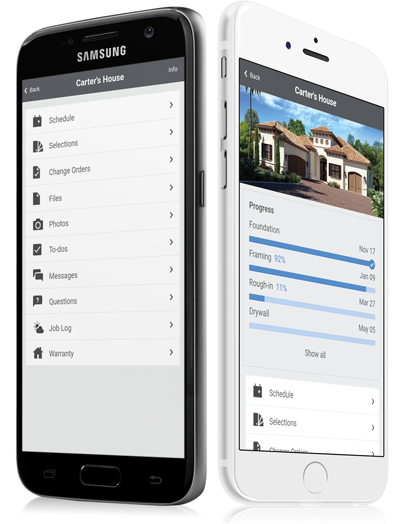
Asana is a web and mobile project management app. With tasks, projects, conversations, and dashboards, Asana lets an entire team know who's doing what by when, enabling workload balancing. Users can also add integrations for GANTT charts, time tracking and more.
$13.49
per month per user
CoConstruct
Score 7.1 out of 10
N/A
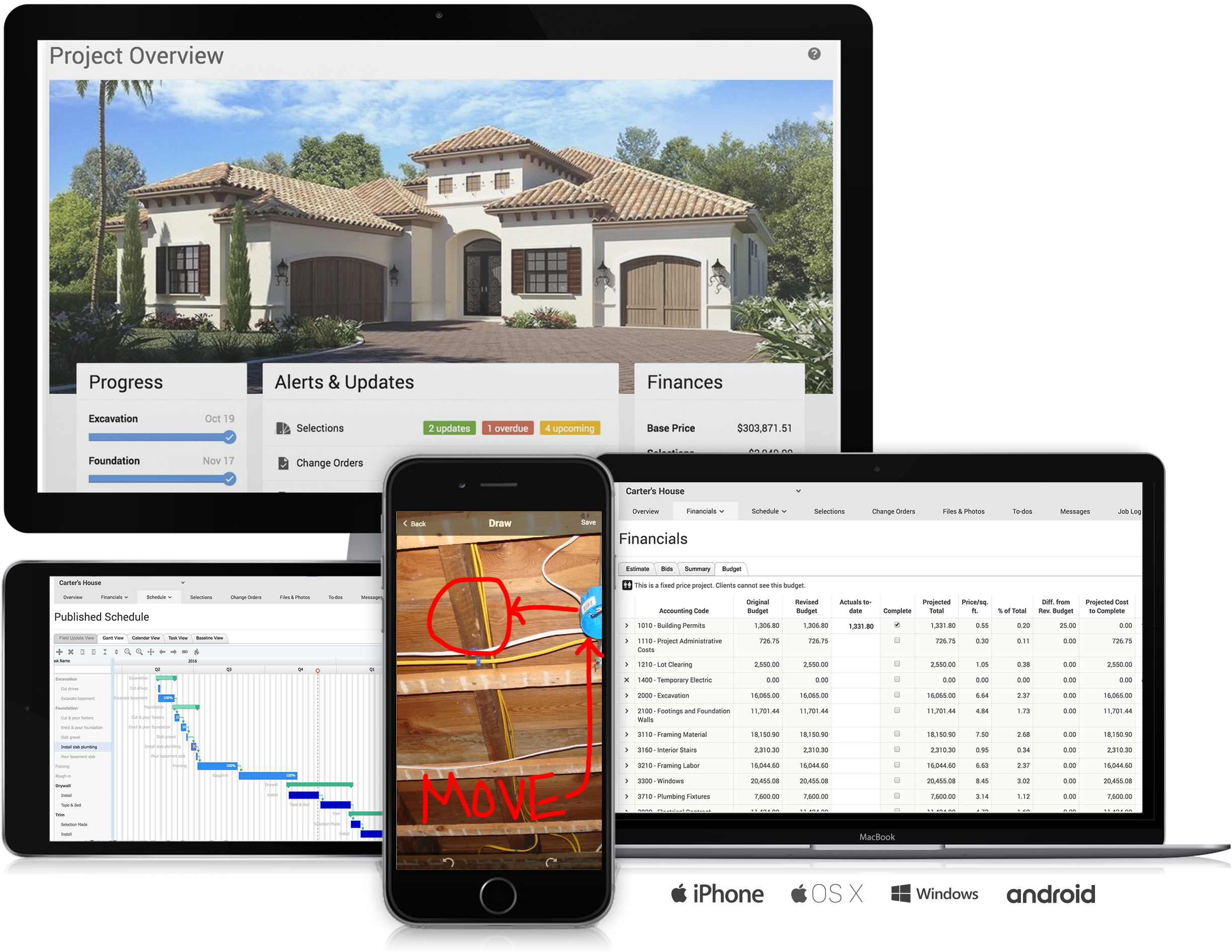
CoConstruct, from Buildertrend since the November 2021 acquisition, is a custom builder & remodeler software. It allows users to enter data once and have that information flow through the estimate, specs, selections, bids, proposals, change orders, and budgets, including to and from QuickBooks. In addition, CoConstruct includes scheduling and 3-way communication between builder, client, and trade partners. Everything is captured via email and texting. Login isn't required for…
$49
per month
Hive
Score 9.0 out of 10
N/A
Hive Technology offers their eponymous project management and process management application, providing integrations with many popularly used applications for productivity, cloud storage, and collaboration.
$24
per month per user
Pricing
Asana
CoConstruct
Hive
Editions & Modules
Starter
$13.49
per month per user
Advanced
$30.49
per month per user
Enterprise
Contact Sales
Personal
Free
Ramp
$49
per month
Plus 5
$299
per month
Plus 10
$399
per month
Plus 15
$499
per month
Free
$0
Lite
$24
per month per user
Growth
$34
per month per user
Pro
$59
per month per user
Elite
Contact Sales
Offerings
Pricing Offerings
Asana
CoConstruct
Hive
Free Trial
Yes
No
Yes
Free/Freemium Version
Yes
No
Yes
Premium Consulting/Integration Services
Yes
No
No
Entry-level Setup Fee
Optional
No setup fee
No setup fee
Additional Details
A discount is offered for annual billing.
CoConstruct pricing is based on active job sites that have client access online, which means it is adaptable to builders & remodelers businesses. This means that there are an unlimited amount of projects available for estimates and proposals, so that customers only pay when they win a contract. Also built into the pricing are a myriad of services: a dedicated implementation coach, free estimate & scheduling templates based on industry best practices from successful builders and the NAHB, unlimited storage and users, software branded with the customer's logo, unlimited amount of warranty projects, and unlimited phone & email support. The vendor offers a money-back guarantee that is good for the first 90 days of service.
I would say that in comparison to Asana, Hive is a better interface an UI. I think Asana is more robust in terms of what it can do in conjunction with Confluence but I think Hive is a better entry-level model for new employees. Hive is much simpler and more straight forward and …
Hive is a bit different than Jira and Monday, which I used mostly. Overall does a great job managing project and helps with team communication. Removes dependency of asking team members for updates by going to conference rooms. With Hive, the team updates the status, and we …
So far Hive is the total package for our needs. Offering request forms and proofing/approval out of the box without third party integrations has been a huge upgrade for us along with incredibly reasonable pricing. The support for onboarding has been fantastic and we haven't …
The usability of Asana is broad since it's available in a variety of platforms that are widely used nowadays. I think that it would be great for people who are constantly on the move and switching devices, since it has allowed me to work from my phone, too. I also think that Asana has proven itself to handle a large quantity of work
Having the ability to completely manage a project from start to finish with one app is super helpful. The time reporting feature (when it works correctly) is a nice added bonus as it allows employees to switch from one task to another on the same project or to another project and task with ease, aiding in the accounting process of the total project. This was helpful for running analytics to see where we were spending too much time on certain tasks, thus allowing us to assess any training needs.
Hive is a powerful tool for data analysis and management that is well-suited for a wide range of scenarios. Here are some specific examples of scenarios where Hive might be particularly well-suited: Data warehousing: Hive is often used as a data warehousing platform, allowing users to store and analyze large amounts of structured and semi-structured data. It is especially good at handling data that is too large to be stored and analyzed on a single machine, and supports a wide variety of data formats. Batch processing: Hive is designed for batch processing of large datasets, making it well-suited for tasks such as data ETL (extract, transform, load), data cleansing, and data aggregation.Simple queries on large datasets: Hive is optimized for simple queries on large datasets, making it a good choice for tasks such as data exploration and summary statistics. Data transformation: Hive allows users to perform data transformations and manipulations using custom scripts written in Java, Python, or other programming languages. This can be useful for tasks such as data cleansing, data aggregation, and data transformation. On the other hand, here are some specific examples of scenarios where Hive might be less appropriate: Real-time queries: Hive is a batch-oriented system, which means that it is designed to process large amounts of data in a batch mode rather than in real-time. While it is possible to use Hive for real-time queries, it may not be the most efficient choice for this type of workload. Complex queries: Hive is optimized for simple queries on large datasets, but may struggle with more complex queries or queries that require multiple joins or subqueries.Very large datasets: While Hive is designed to scale horizontally and can handle large amounts of data, it may not scale as well as some other tools for very large datasets or complex workloads.
Through it, we were able to communicate and cooperate with the rest of the team to complete the work in the required manner and at the appropriate time.
The integration of all aspects needed to run a remodeling company efficiently: project scheduling and management, financial planning and customer service. Since it’s an all-in-one suite and cloud-based, it enables our team to keep track of all our projects in real-time. Communication breakdown is the last thing we want, so being on the same page is not only desirable but makes for the best possible relationship with our clients.
Product education - We like how CoConstruct helps new users and get them to start using the tool right away. The dashboard resource materials are incredibly useful. We don’t have to spend a lot of time training new hires on the system and onboarding new clients.
Simplicity, it offers a clean environment without risking the outcome. An example of this are the timesheets that allow a fast way to keep track of progress
Interaction, the different options make it faster and easier to interact and collaborate in the development of a product. An example of this would be Hive Notes for meetings
The different visualisations it offers allow to explore the best ways to affront your projects. I really like the Gantt mappings view to understand who can be contacted at each point
Internal Communication - CoConstruct lacks the ability to tag-team members for internal communication using @mentions or any other means. This has been crippling for us and forced us to use alternative software for communicating among our team members.
Pipeline Management - CoConstruct's lead-tracking system feels clunky and hard to navigate and doesn't provide a pipeline view that's easy to navigate. We have moved our Pipeline Management outside of CoConstruct to make it easier for our sales team to track leads.
CRM - CoConstruct doesn't offer anything for customer follow-up after projects are completed. This, in addition to the lack of an effective pipeline system, has led to our decision to use Hubspot as our CRM. Moving projects into CoConstruct for Design and back our after Production.
It is very user-friendly. Takes a new employee an hour to start figuring out how the system works. That's an important factor. You don't want to encounter the issue where employees need a week to understand how the system works. For example, JIRA, I tried using it for a week and I still don't understand the complicated layout. Asana has a simple interface. Once you see it, you get it type of program.
I haven't had to use their support so I can't rate it. The fact that I haven't needed them reflects the ease of use of the product. I would recommend that any new users schedule a complete demo of the product to ensure that they are using it to it's fullest (there's a lot of useful features).
The support staff is brilliant; they don't operate on Australian time, so you can't just dial up support when you need it. The response times are quick, and the staff is knowledgeable. They are also well versed in most of the differences between buildings in the US and the building in Australasia. Despite their funny accents and strange use of the English language, we get by just fine!
Our CSR is easily accessible and they have support built into the app itself. They also have a pretty robust support site. We also took advantage of the free trial and learned so much by putting Hive through the paces and figuring out the best way to mold it to our needs.
Asana is a top-tier project management software that helps us organize and track projects from start to finish. It allows us to apply tasks/to-dos to multiple projects without duplication, divide complex projects into smaller tasks, and track project progress. It also helps us organize work on Kanban boards or linear lists. It stands out from the crowd in a big way compared to the competition.
Products like Procore and PlanGrid are geared towards projects with huge projects teams, multiple stakeholders and dozens of subcontractors. CoConstruct can be used for projects big and small (value) and also with small project teams or large projects teams. For small partial renovation or addition projects CoConstruct is a good more cost effective option.
Hive is a bit different than Jira and Monday, which I used mostly. Overall does a great job managing project and helps with team communication. Removes dependency of asking team members for updates by going to conference rooms. With Hive, the team updates the status, and we can easily track it.