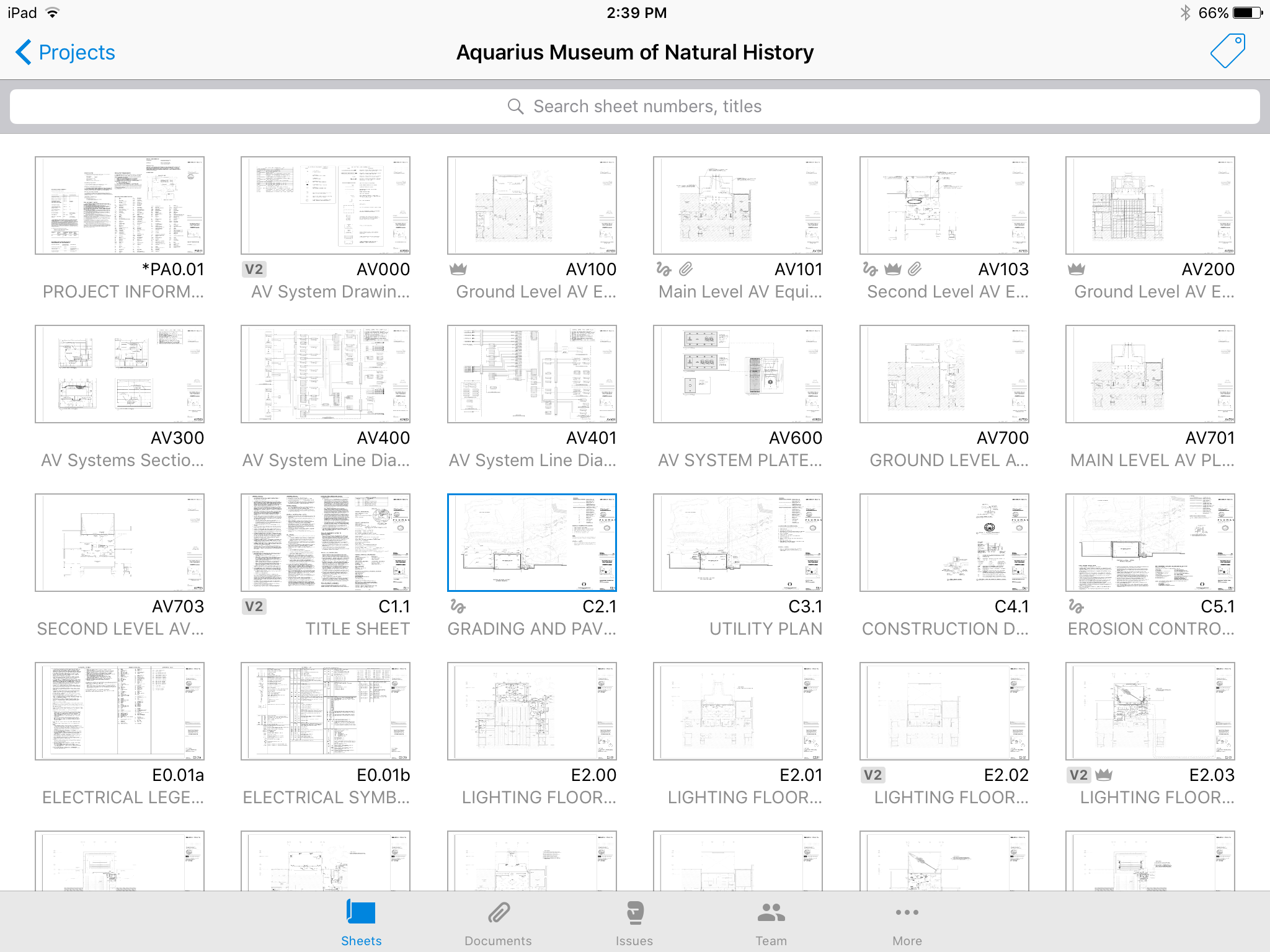
Autodesk Build, based on the former PlanGrid, is construction productivity software. It includes tools to collaborate, collect, and manage project information throughout the project’s construction and operations lifespan. It enables document centralization and tracking.
$39
user per month
Oracle PeopleSoft HCM
Score 6.8 out of 10
N/A
Oracle's PeopleSoft HCM is a complete, customizable suite including Global Core Human Capital Management, Workforce Management, Workforce Service Delivery, and Talent Management. PeopleSoft can be integrated to run on the Oracle Cloud.
$85
Per User Per Month
Pricing
Autodesk Build
Oracle PeopleSoft HCM
Editions & Modules
Nailgun
$39
user per month
Dozer
$59
user per month
Crane
$139
user per month
Benefits
$85.00
Per User Per Month
Pension Administration
$85.00
Per User Per Month
Human Resources
$185.00
Per User Per Month
Payroll
$225.00
Per User Per Month
Offerings
Pricing Offerings
Autodesk Build
Oracle PeopleSoft HCM
Free Trial
Yes
No
Free/Freemium Version
No
No
Premium Consulting/Integration Services
Yes
No
Entry-level Setup Fee
No setup fee
No setup fee
Additional Details
—
—
More Pricing Information
Community Pulse
Autodesk Build
Oracle PeopleSoft HCM
Features
Autodesk Build
Oracle PeopleSoft HCM
Construction Project & Field Management
Comparison of Construction Project & Field Management features of Product A and Product B
Autodesk Build
6.5
58 Ratings
13% below category average
Oracle PeopleSoft HCM
-
Ratings
Plan distribution & viewing
7.057 Ratings
00 Ratings
Plan markups & sharing
6.057 Ratings
00 Ratings
Issue tracking & punchlists
5.052 Ratings
00 Ratings
Photo documentation
9.049 Ratings
00 Ratings
Jobsite reports
9.037 Ratings
00 Ratings
Document sharing
8.056 Ratings
00 Ratings
RFI tools
5.039 Ratings
00 Ratings
Collaboration & approvals
8.043 Ratings
00 Ratings
As-built drawings
5.043 Ratings
00 Ratings
Mobile app
3.055 Ratings
00 Ratings
Human Resource Management
Comparison of Human Resource Management features of Product A and Product B
Autodesk Build
-
Ratings
Oracle PeopleSoft HCM
7.7
75 Ratings
5% below category average
Employee demographic data
00 Ratings
8.371 Ratings
Employment history
00 Ratings
7.769 Ratings
Job profiles and administration
00 Ratings
7.471 Ratings
Workflow for transfers, promotions, pay raises, etc.
00 Ratings
7.569 Ratings
Organizational charting
00 Ratings
7.661 Ratings
Organization and location management
00 Ratings
8.066 Ratings
Compliance data (COBRA, OSHA, etc.)
00 Ratings
7.458 Ratings
Payroll Management
Comparison of Payroll Management features of Product A and Product B
Autodesk Build
-
Ratings
Oracle PeopleSoft HCM
7.3
65 Ratings
11% below category average
Pay calculation
00 Ratings
7.561 Ratings
Support for external payroll vendors
00 Ratings
7.145 Ratings
Off-cycle/On-Demand payment
00 Ratings
7.18 Ratings
Benefit plan administration
00 Ratings
7.256 Ratings
Direct deposit files
00 Ratings
7.659 Ratings
Salary revision and increment management
00 Ratings
7.657 Ratings
Reimbursement management
00 Ratings
7.044 Ratings
Leave and Attendance Management
Comparison of Leave and Attendance Management features of Product A and Product B
Autodesk Build
-
Ratings
Oracle PeopleSoft HCM
7.3
53 Ratings
11% below category average
Approval workflow
00 Ratings
7.545 Ratings
Balance details
00 Ratings
7.252 Ratings
Annual carry-forward and encashment
00 Ratings
7.141 Ratings
Employee Self Service
Comparison of Employee Self Service features of Product A and Product B
Autodesk Build
-
Ratings
Oracle PeopleSoft HCM
7.3
74 Ratings
12% below category average
View and generate pay and benefit information
00 Ratings
7.864 Ratings
Update personal information
00 Ratings
8.472 Ratings
View company policy documentation
00 Ratings
6.750 Ratings
Employee recognition
00 Ratings
5.943 Ratings
View job history
00 Ratings
8.168 Ratings
Asset Management
Comparison of Asset Management features of Product A and Product B
Autodesk Build
-
Ratings
Oracle PeopleSoft HCM
8.6
30 Ratings
7% above category average
Tracking of all physical assets
00 Ratings
8.630 Ratings
HR Reporting
Comparison of HR Reporting features of Product A and Product B
Autodesk Build
-
Ratings
Oracle PeopleSoft HCM
7.0
70 Ratings
7% below category average
Report builder
00 Ratings
8.367 Ratings
Pre-built reports
00 Ratings
7.064 Ratings
Ability to combine HR data with external data
00 Ratings
5.859 Ratings
Onboarding
Comparison of Onboarding features of Product A and Product B
Autodesk Build
-
Ratings
Oracle PeopleSoft HCM
7.6
49 Ratings
5% below category average
New hire portal
00 Ratings
7.649 Ratings
Manager tracking tools
00 Ratings
7.745 Ratings
Performance and Goals
Comparison of Performance and Goals features of Product A and Product B
Autodesk Build
-
Ratings
Oracle PeopleSoft HCM
6.9
38 Ratings
15% below category average
Corporate goal setting
00 Ratings
6.736 Ratings
Individual goal setting
00 Ratings
7.438 Ratings
Line-of sight-visibility
00 Ratings
6.736 Ratings
Performance tracking
00 Ratings
6.638 Ratings
Performance Management
Comparison of Performance Management features of Product A and Product B
Autodesk Build
-
Ratings
Oracle PeopleSoft HCM
5.8
43 Ratings
30% below category average
Performance plans
00 Ratings
6.142 Ratings
Performance improvement plans
00 Ratings
5.641 Ratings
Review status tracking
00 Ratings
5.841 Ratings
Review reminders
00 Ratings
5.836 Ratings
Multiple review frequency
00 Ratings
5.739 Ratings
Succession Planning
Comparison of Succession Planning features of Product A and Product B
Autodesk Build
-
Ratings
Oracle PeopleSoft HCM
6.4
34 Ratings
20% below category average
Create succession plans/pools
00 Ratings
6.633 Ratings
Candidate ranking
00 Ratings
6.332 Ratings
Candidate search
00 Ratings
6.333 Ratings
Candidate development
00 Ratings
6.430 Ratings
Recruiting / ATS
Comparison of Recruiting / ATS features of Product A and Product B
PlanGrid performs really well in all aspects of construction from the general to the sub/trade. The platform distributes and communicates project documentation in an extremely user-friendly manner. As with most software, it is cheaper the larger the scale of the project. In situations where the project is relatively small, and the trade contracts are also of relatively low dollar value, the product can be cost-prohibitive.
Oracle PeopleSoft HCM is great for onboarding new hires. The process, including some newer direct entry features, has been streamlined and made more intuitive. However, there is a steep learning curve for those who are completely unfamiliar with enterprise systems as a whole. In my experience, Oracle PeopleSoft HCM's updates have historically failed to improve the intuitiveness of navigation and features even through a move to a SaaS configuration in the cloud. This makes it hard to train new HR staff because there may be five different ways to accomplish the same thing and none of them are intuitive enough to just "figure out". This has been a bone of contention for me for all Oracle products for my entire 20+ year career, and it has never been fully addressed.
Plangrid is the best SaaS I have seen for ease of uploading construction plans and automated organization of those plans.
For companies that are not using other products for mobile access, the Plangrid mobile apps are perfect to allow people on and off site to share and collaborate in many phases of construction project documentation.
Plangrid has a very responsive technical support team (although it is pretty much email only).
Plangrid's website layout is easy to use and understand and allows new users to jump right in and do basic to moderate tasks without little training.
Oracle PeopleSoft HCM is one of the best product and has helped implement the complex Business functionalities in the Higher Education business in a very streamlined process.
Oracle PeopleSoft HCM helped in moving from 34 different legacy system to one centralized system which helps immensely in maintaining the data and reporting purpose.
Oracle PeopleSoft HCM also helps immensely in data analytics and trend analysis which helps immensely in preparing for the resourcing and planning for the peak season in advance and be better prepared to handle the quarterly on annual activities.
The photo attachment process is a bit complicated. In ProCore (another similar software I've used), you can upload photos directly into RFIs for your reference, or into e-mails. For PlanGrid, you have to first upload the photo into the documents tab, then link them into the RFI. It's not intuitive and can add confusion to the documents tab.
Photos can't be directly uploaded. Between different devices and colleagues, it's possible you'll get an important photo outside of the PlanGrid photo capture feature within its app. Again, it's complicated for users to use.
In their new drawings viewer, the icons for actions do not have icons available. I had to use them all in order to understand what they meant, and I'm fairly tech savvy. I'm not sure if a new person to PlanGrid will pick up on each icon's abilities very easily.
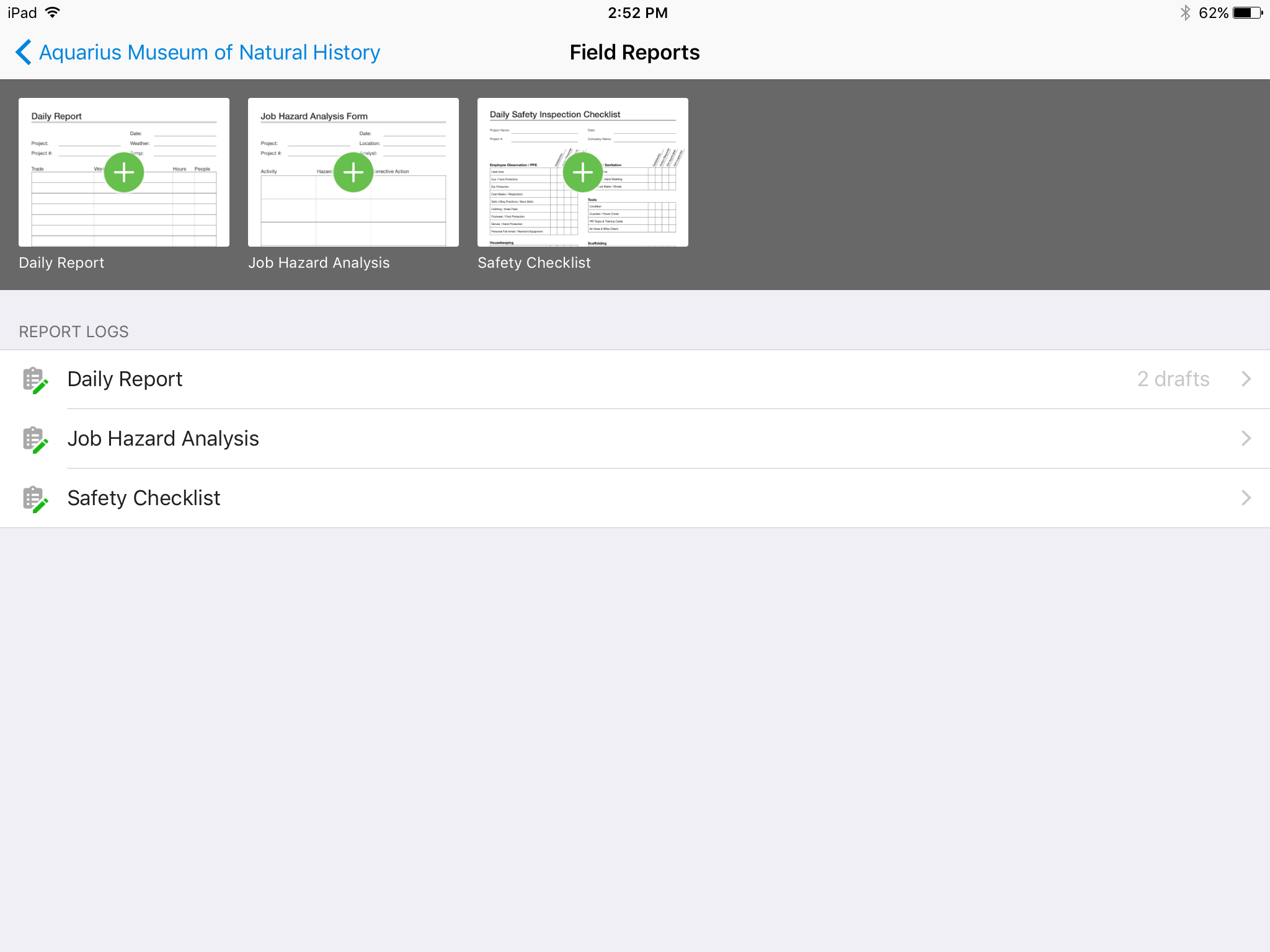
There's no all-in-one solution in CM, but PlanGrid is fairly barebones, and I don't believe it has any ability to connect to other software. There's no ability to take meeting munites; you can hack the field reports feature to accomplish this, but it's clear that was not the intent of the designers.
We have issues with students using Time & Labor for multiple jobs, where time is incorrectly calculated, including negative balances where none exist.
The application is complex and some areas, especially Time & Labor, are very difficult to troubleshoot. The overall level of complexity has increased over the years.
We also use Campus Solutions and had to split apart HCM and CS, significantly increasing our maintenance overhead and creating inter-system issues that aren't always resolvable.
Campus Solutions has developed a solution for managing preferred names and gender identity that is missing/ incompatible with the HCM product.
We are at the point where we have shown our teams what is possible with this software. We cannot take it away and go back to the way we used to do things. I think that they would push back on us to give them access to something electronic. It is a good program that we will continue to use
PeopleSoft HCM has provided a very flexible platform for our HR needs. The ability to add customizations to handle some of our unique business processes have been critical in the longevity of our PS HCM use. We've been able to handle a wide variety of business processes for multiple subsidiaries due to the ability to customize when needed.
Hard to get the hang of this software, but with time it become very repetitive and easier to navigate. I have used this software for over a year now and the constant updates by Autodesk have made the software better and better to use at work. This allows me to use this tool more effectively
Oracle HCM has been around for more thab a decade and is a preferred package to use for Human capital management.Ease with which upgrades happen and how updates are pushed has come thru a long way of improvement and research over the years.Oracle has moved toward cloud based architecture which will help in its customers keep at par with current industry trends.
I give this rating because we have had no issues in the area of the product's overall availability. In my opinion the resources are there when we need them and the features serve the purpose they are set to do. I feel things have gone really well as far as the availability of the product.
This is highly dependent on the server setup you implement. You need to make sure you've included enough hardware to support your users. Not enough power will quickly rear its ugly head. If you've got the correct setup, the product will operate quickly and provide a good user experience. Oracle is slowed down by certain realtime interfaces to other systems, but this can be addressed by your technical team relatively easily.
Online chat during business hours is extremely helpful. The Plangrid staff has gone above and beyond many times to help us. One time they even offered to completely rebuild our 900+ sheet project so I could slip sheet a few old drawing revisions! This undoubtedly would have taken hours on Plangrid's end. They are always responsive and are continually improving, listening to user feedback.
Overall support has been positive and Oracle has gladly sent out representatives to meet with our teams in person. Despite sometimes sow and inadequate fixes, their willingness to try and meet face to face helps give them a better name in our organization. Sometimes their people do not understand unique needs of the industry, and it can be a challenge to explain that one size does not fit all. Finding the appropriate IT support for our unique requests has been hit and miss.
In my opinion, training in Oracle PeopleSoft HCM is arduous at best. In my experience, there are numerous issues with creating training environments and that makes practice in a sandbox costly. I prefer asynchronous simulated environment training for this reason, but that costs even more due to the development and testing time needed to create that training. eLearning is always there with only the need to keep it up-to-date.
It was a great training tool and provided all of the necessary information we needed to implement the sites for our clients. We were provided with a great deal of resources in regards to Oracle CRM. We didn't have any issues with the training at all. The only thing I would say would that there could be more FAQ's for users to read through
When we implement Oracle and Taleo to different clients it typically goes pretty smoothly. When we do system upgrades we usually test the main issues the clients are having just to make sure there are not outstanding issues or errors. I don't have any examples where implementation went poorly. It typically goes well and clients are pleased with the final result. The only complaint would be the time it takes to implement
Plangrid, while not serving the external document distribution function, is unrivaled for internal document distribution and sharing in the construction industry. The speed at which documents are navigatable, the ability to download your projects for viewing without an internet connection, and the document mark-up and photo tools place it head and shoulders above the competition.
Oracle PeopleSoft HCM is not as good as SuccessFactors HCM. The look and feel of Oracle PeopleSoft HCM is still 'old school'. Cloud solutions can do more. SuccessFactors offers a great talent management, performance measurement, and employee development, while Oracle PeopleSoft HCM's core is employee records, benefits, and payroll.
In my opinion I rate this high because we have had no issues in this area and so that is why I give it such a high rating. There is no issue with the product's overall scalability. In my opinion this has been a positive from my team and client's view.
It helped us "wow" a joint commission survey in 2016 and have a successful survey because he loved how we could access plans on an iPad, check suite sizes, and didn't have to carry around huge, heavy sets of life safety plans.
As a long time PeopleSoft user, my institution has found great advantages of being involved in the HCM realm such as first-hand information, a complete suite of solutions as well as regular updates to stay up with federal and state regulations.
Ease of use of development, customization, maintenance and usage perspectives can lead to a better management of financial resources, that minimizes expenditure while providing all necessary resources.
Opportunities to provide better customer service and meet organizational policies have to lead to a positive outlook on the tool and its features.