AWeber is an email marketing and automation solution. It provides support for mobile-friendly HTML email newsletters, autoresponder campaigns, subscriber segmentation and management, RSS-to-email features, signup forms for websites or blogs, and more.
$15
per month
Zoho Campaigns
Score8.9 out of 10
N/A
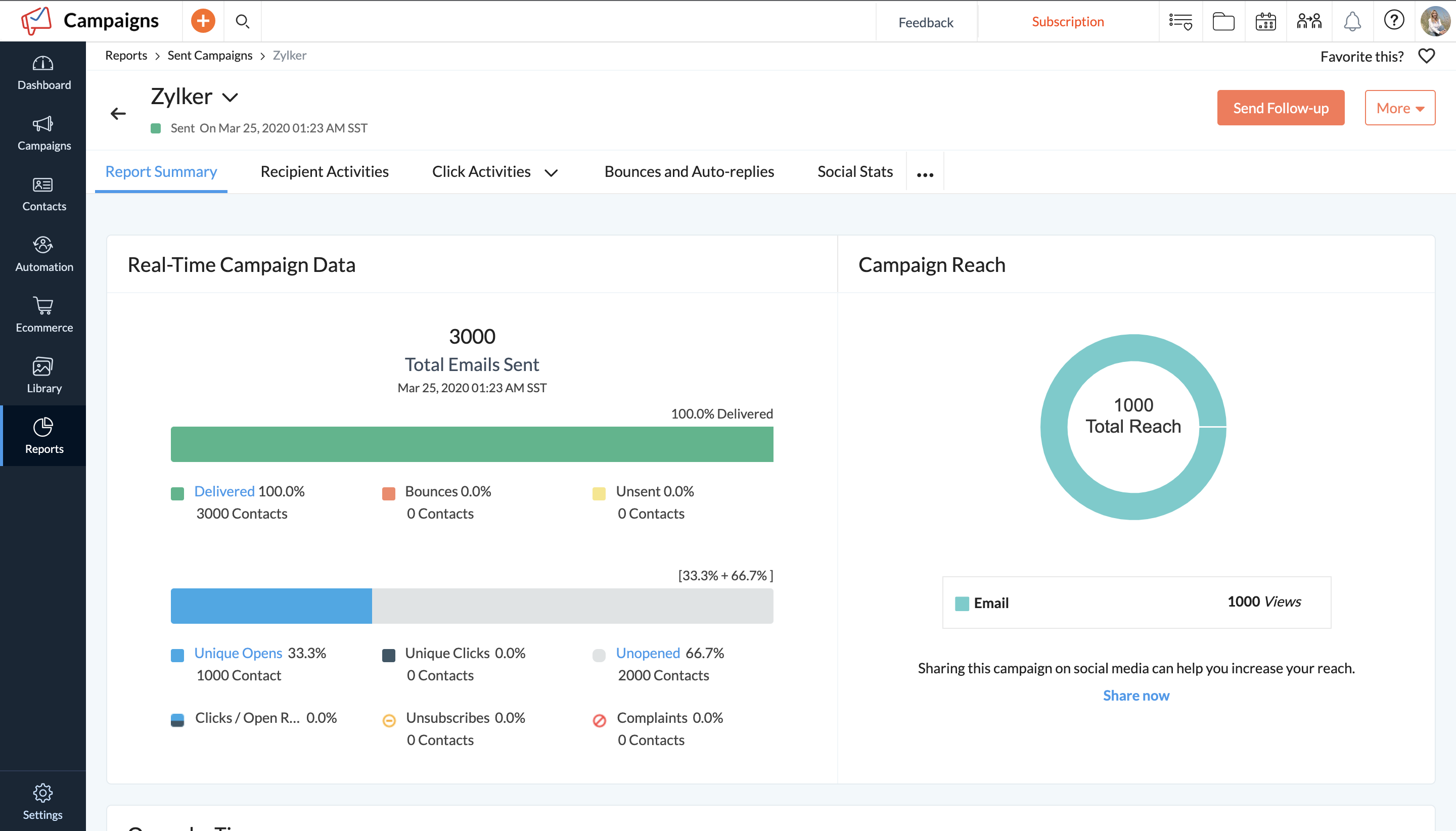
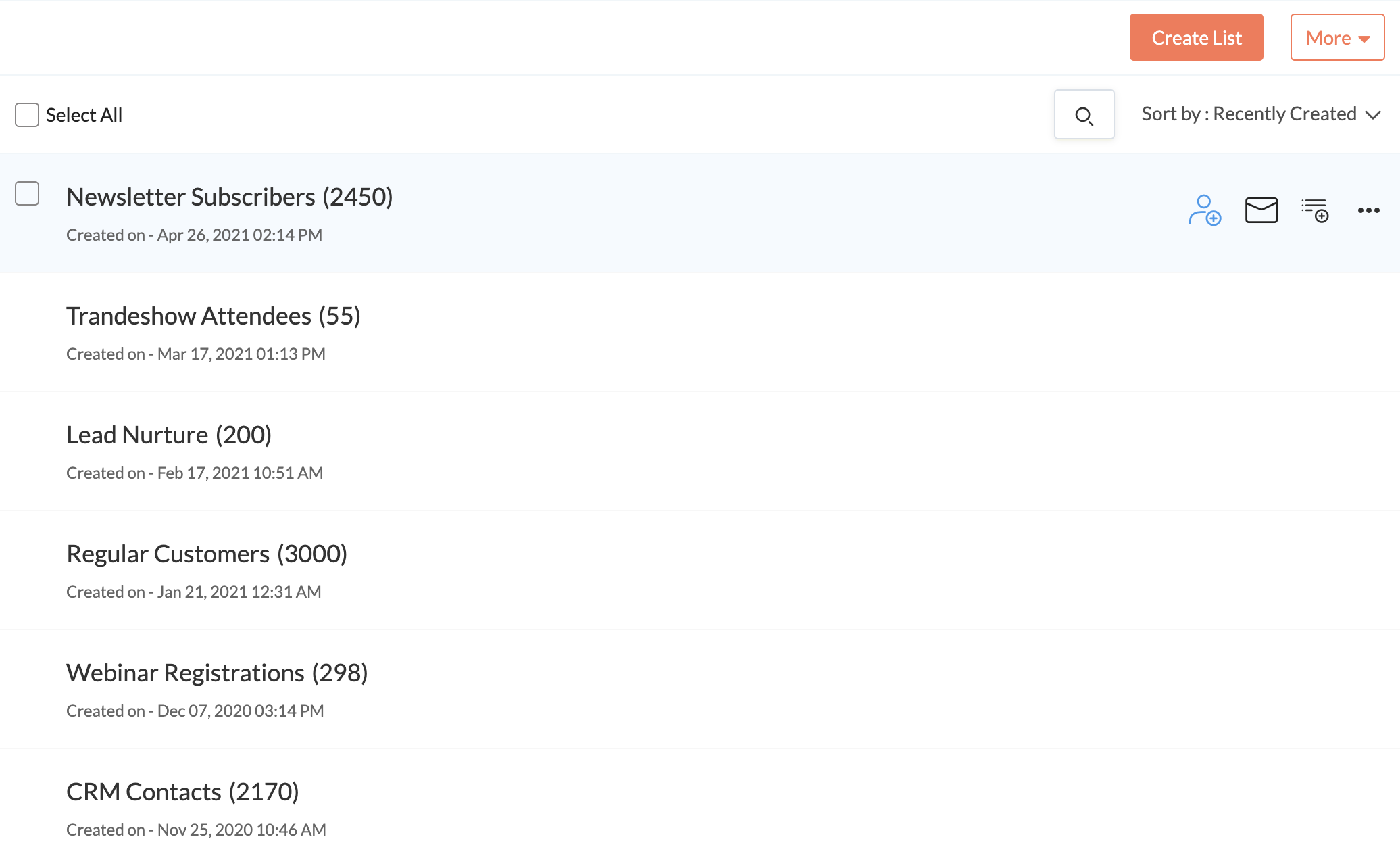
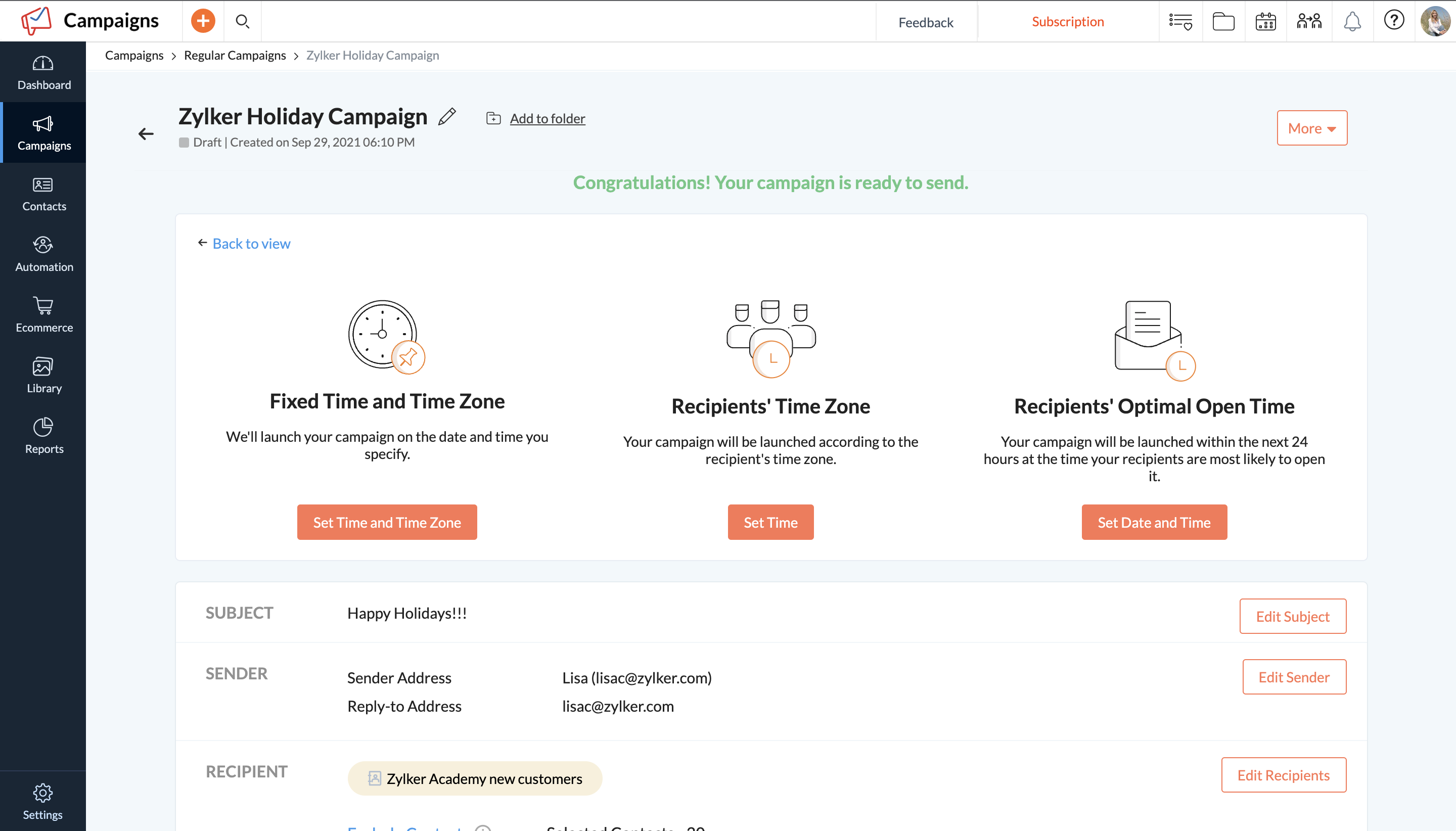
Zoho Campaigns is an email marketing and social networking campaigning tool for smaller companies that helps create, send, and track effective email campaigns. It features list management and segmentation, A/B Testing, tracking and reporting, automation, and mobile campaign management.
$0
Pricing
AWeber
Zoho Campaigns
Editions & Modules
AWeber Lite
$15
per month Starting at
AWeber Plus
$30
per month Starting at
Done For You Email
$30
per month Starting at
Unlimited
$899
per month
Forever Free
$0
Standard Plan
$3 for 500 contacts
per month
Professional Plan
$4.5 for 500 contacts
per month
Pay as you go
$14 for 500 contacts
Offerings
Pricing Offerings
AWeber
Zoho Campaigns
Free Trial
Yes
Yes
Free/Freemium Version
Yes
Yes
Premium Consulting/Integration Services
No
No
Entry-level Setup Fee
$79 one-time fee
No setup fee
Additional Details
AWeber offers usage-based pricing starting at $15/month. Plans scale based on the number of subscribers and features needed. Options include:
Lite Plan – Core tools like email automation, landing pages, sign-up forms, and AI Writing Assistant.
Plus Plan – Advanced features including split automation paths, behavioral triggers, analytics, A/B testing, ecommerce, and custom branding.
Done For You – A fully built email marketing system (emails, landing pages, and automations) delivered in 7 days, with 30 days of unlimited edits.
All plans include 24/7 support. 14-day free trial available.
Cofounder & CEO in Corporate at SeeResponse (Marketing & Advertising, 1-10 employees)
Chose AWeber
If you are evaluating an email marketing or email broadcast software that is easy to use, at a reasonable price and does the makes sure the emails get delivered in the inboxes and not in the spam folders and has all the necessary reporting functionality then try AWeber. …
A de minimis incentive was given to thank the reviewer for their time. The incentive was not used to bias or drive a particular response, nor was the incentive contingent on a positive endorsement. More Info
AWeber is an excellent email marketing solution for small to mid-sized businesses, especially those that are just starting with email marketing campaigns. AWeber is also good for bloggers. But it's not perfect for an affiliate marketer who wants to make a landing page on AWeber. Businesses that require advanced segmentation options may need to consider other email marketing platforms.
A de minimis incentive was given to thank the reviewer for their time. The incentive was not used to bias or drive a particular response, nor was the incentive contingent on a positive endorsement. More Info
List building: AWeber makes it easy to grow opt-in subscribers through customizable signup forms as well an integration with tools like Sumo and Hustle Pro.
List segmentation: with a little more information about each subscriber, it's easy to create custom segmented lists based on different criteria.
Deliverability: AWeber enforces opt-in rules to keep spammers out of its system and improve deliverability rates for reputable users. We rarely have issues with our messages from AWeber being routed to spam folders.
Double opt-in: AWeber makes it easy to set up double opt-in to make extra certain you have a high-quality mailing list.
A de minimis incentive was given to thank the reviewer for their time. The incentive was not used to bias or drive a particular response, nor was the incentive contingent on a positive endorsement. More Info
A de minimis incentive was given to thank the reviewer for their time. The incentive was not used to bias or drive a particular response, nor was the incentive contingent on a positive endorsement. More Info
Aweber would be even better if it had the ability to host landing pages. I have to use a tool like landingpages.net to do this if I don't want to create the landing pages as part of my client's website. If I manage their site, it isn't a problem, but it keeps me from using Aweber for clients who manage their own sites or dont' have one.
Aweber would greatly benefit from a more robust reseller program. Firms like mine have multiple clients and, with each client needing an individual Aweber account, it would be nice to have access to margin so that we could resell the services.
Along the lines of a reseller program, it would be great of Aweber allowed resellers to white label the interface and administrate multiple accounts from one agency account.
A de minimis incentive was given to thank the reviewer for their time. The incentive was not used to bias or drive a particular response, nor was the incentive contingent on a positive endorsement. More Info
Zoho should start by throwing this tool in the trash and then recreate it from scratch. There are so many flaws I would be here all year trying to list them all. Start by the fact that creating templates is an absolute nightmare. You'll find over and over again that something that should be easily executed can't be done. It is NOT a plug and play program. Everything is trial and error.
The reporting SUCKS bad. It gives you basics, but if you want any real insights... I have to export all my data into my own spreadsheets to compare results from multiple campaigns.
Customer service is B.A.D. You'll spend HOURS upon HOURS with a tech support team that knows less than you. The only time anything gets accomplished is when you work with a programmer. BUT, you'll seriously waste 1-2 hours explaining a problem to someone who is only taking notes. You'll get so frustrated when they try to show you how they think it works and you respond with... "I know how this works because I have used it for a year - the problem is that it stopped working the way it always did before. They will argue with you. You will respond accordingly. They will close tickets without resolution. Speaking of tickets, you'll never get one. They say they will take care of it and a week later you will follow-up and no one will have any idea what is going on. You'll start from scratch and be even more frustrated. You will learn to "fix" it on your own or deal with it, broken.
After two years, I'm still not sure if my emails even make it to an inbox. When asked, you'll be told that you need to write better subject lines. I call bull****. Don't rely on this product to deliver your email. And don't question Zoho, as it will always be your fault.
You can't use this tool to send to ANY group email addresses. You can't even override the system. I have a lot of clients that use info@xxx.com or sales@xxx.com, etc. and I have to send them personal emails since this will not allow them to be sent. They say it is to protect them from getting blacklisted. I call bull**** again.
The templates offered by the system are crap - unless you only send holiday emails. Not a large selection of just generic templates. You'll be pulling your hair out trying to use their builder to create your own. In the end, you'll end up sending emails with nothing "pretty" about them.
A de minimis incentive was given to thank the reviewer for their time. The incentive was not used to bias or drive a particular response, nor was the incentive contingent on a positive endorsement. More Info
AWeber is easy and intuitive for me use. I really like the simplicity and the structure of the work flow as it saves me time. AWeber also integrates with all the other programs, systems and gateways that I use on a daily basis (WordPress, Paypal, LeadPages, Facebook and more) and if I have any questions or have trouble the AWeber customer service technicians are very helpful.
A de minimis incentive was given to thank the reviewer for their time. The incentive was not used to bias or drive a particular response, nor was the incentive contingent on a positive endorsement. More Info
See previous answers ... the design / customization interface could be more intuitive and elegant .. for example, for me it has been difficult to easily figure out how to place pictures / images to the right, left or center of text.
A de minimis incentive was given to thank the reviewer for their time. The incentive was not used to bias or drive a particular response, nor was the incentive contingent on a positive endorsement. More Info
Zoho Campaigns is a powerful email sending tool. Zoho Campaigns is highly user-friendly and intuitive software. Complex email marketing tasks are simplified by Zoho Campaigns. Best part of Zoho Campaigns is that when you upload the email addresses it verifies that emails are valid or not. I have never seen this feature except in Zoho Campaigns.
I have always received prompt phone or live chat support that has resolved my issues on the first call in a competent, knowledgeable and friendly manner. By contrast MailChimp offers no live chat or phone support; they only offer email support and the response time for MailChimp is slow by comparison to AWeber.
A de minimis incentive was given to thank the reviewer for their time. The incentive was not used to bias or drive a particular response, nor was the incentive contingent on a positive endorsement. More Info
We often use Canva to design our content and then export it as an image to upload into Aweber, as Aweber designs and limitations are too much of a hindrance to our needs. Canva is a brilliant tool for marketing and saves you a lot of time being able to adapt or change an existing template you create.
Zoho Campaigns is not for beginners to email marketing, but it’s an excellent choice for those who want to send out a lot of emails with few restrictions and great reporting. It’s a no-brainer if you’re already a Zoho user, as Campaigns is included in Zoho One subscriptions and integrates nicely with other Zoho apps.
A de minimis incentive was given to thank the reviewer for their time. The incentive was not used to bias or drive a particular response, nor was the incentive contingent on a positive endorsement. More Info
A de minimis incentive was given to thank the reviewer for their time. The incentive was not used to bias or drive a particular response, nor was the incentive contingent on a positive endorsement. More Info
It allows us to communicate with all our customers or lists together or individually, and to track how successful our campaigns are.
Customer Service is a target area of why we use Zoho Campaigns, and it meets our needs greatly.
To date we have not really measured the ROI or impact that Zoho Campaigns has on our marketing efforts but with this product it certainly has the means to do such.
A de minimis incentive was given to thank the reviewer for their time. The incentive was not used to bias or drive a particular response, nor was the incentive contingent on a positive endorsement. More Info