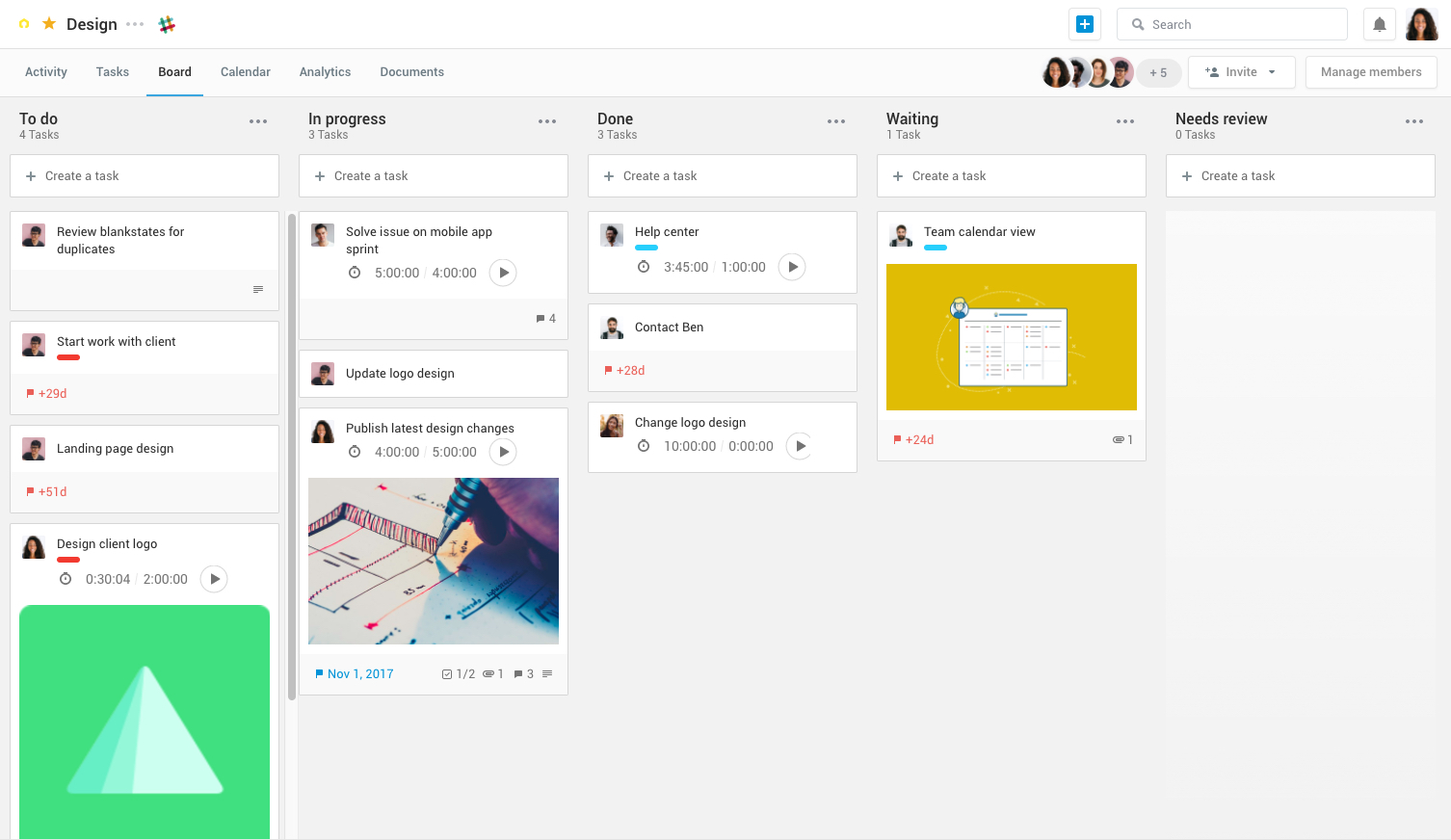
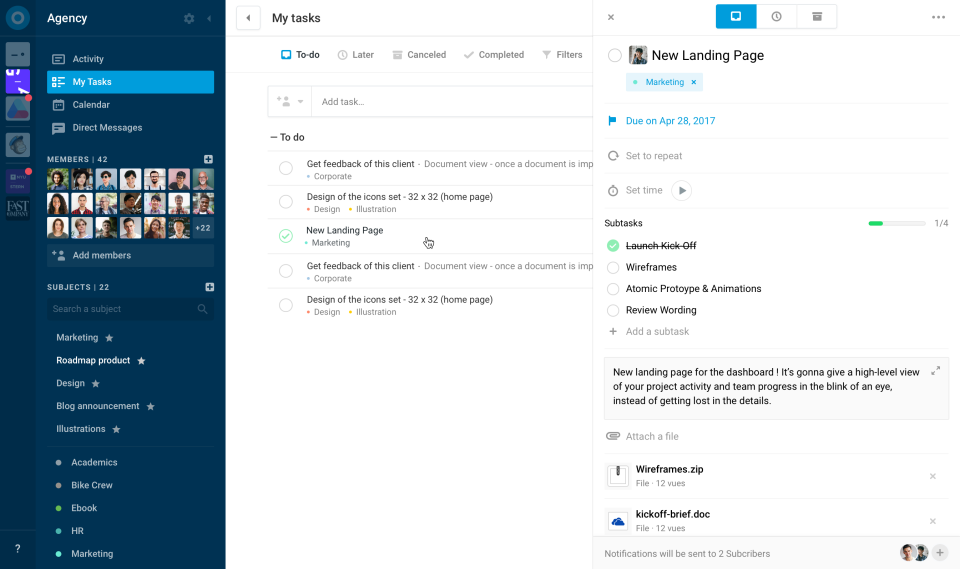
Azendoo is a work management application to help teams work more effectively by giving them the tools to communicate, plan and execute together. Azendoo is designed to make teams collaborate in a more transparent and positive way while making work more enjoyable. Conversations are held in threads shared on projects to see through every piece of information and eventually take action by creating a task based on a conversation. Tasks allow team members to see all of their work in one…
$7.50
per user
Teamwork.com
Score 8.2 out of 10
N/A
Teamwork.com is a project management platform built specifically for client work. The platform helps users deliver work on time and on budget, eliminate client chaos, and understand profitability. Teamwork.com’s customers track and manage their projects with a suite of integrated solutions such as helpdesk, collaboration, knowledge sharing and customer relationship management add-ons, enabling Teamwork.com to be the ‘one-stop shop’ solution for business owners. Teamwork.com…
$13.99
per month per user
Pricing
azendoo
Teamwork.com
Editions & Modules
Team plan
$7.50
per user
Business plan
$14.00
per user
Enterprise plan
custom pricing
per user
Deliver
$13.99
per month per user
Grow
$29.99
per month per user
Optimize
Contact Sales
Enterprise
Contact Sales
Offerings
Pricing Offerings
azendoo
Teamwork.com
Free Trial
Yes
Yes
Free/Freemium Version
No
No
Premium Consulting/Integration Services
Yes
No
Entry-level Setup Fee
$7.50 per user
Optional
Additional Details
Add some time tracking: +$5.00 user/month
Scheduled and accumulated time per task
A discount is offered for annual billing.
More Pricing Information
Community Pulse
azendoo
Teamwork.com
Features
azendoo
Teamwork.com
Project Management
Comparison of Project Management features of Product A and Product B
azendoo
8.3
3 Ratings
8% above category average
Teamwork.com
6.2
80 Ratings
21% below category average
Task Management
8.13 Ratings
10.080 Ratings
Resource Management
9.03 Ratings
6.311 Ratings
Scheduling
7.93 Ratings
5.426 Ratings
Workflow Automation
8.93 Ratings
5.322 Ratings
Team Collaboration
9.03 Ratings
8.223 Ratings
Document Management
8.03 Ratings
7.271 Ratings
Email integration
8.02 Ratings
7.263 Ratings
Mobile Access
8.03 Ratings
4.462 Ratings
Budget and Expense Management
8.02 Ratings
3.515 Ratings
Gantt Charts
00 Ratings
4.471 Ratings
Support for Agile Methodology
00 Ratings
7.215 Ratings
Support for Waterfall Methodology
00 Ratings
8.116 Ratings
Timesheet Tracking
00 Ratings
7.223 Ratings
Change request and Case Management
00 Ratings
2.517 Ratings
Professional Services Automation
Comparison of Professional Services Automation features of Product A and Product B
I think Azendoo is suited well to small office tracking projects and tasks together. The shared projects/calendar use is helpful and can make work easier if everyone uses it in a similar manner. The ability to add things from other sources (Dropbox, Evernote, etc) does make it a useful platform because you can integrate other things into the app well. The visibility and shared spaces provide good accountability and follow up for work being done.
Teamwork is awesome for teams who need a flexible tool that supports all types of projects. Since it supports kanban it makes visualizing the work to be done and the work in progress very easy. The Gantt chart support is decent and helps to understand how a team is doing when it comes to getting work done in a given time frame. Teamwork isn't a great option for companies that have a bunch of projects going simultaneously due to the way Teamwork structures their billing based on a number of active projects.
Software Updates - The azendoo interface is constantly being updated with new features which are helpful to our organization. For example, they just rolled out the ability to assign subtasks, so that we don't have to manually update the assignee on each step of a large, multi-step task.
Email Notifications - azendoo provides complete customization over the amount of notification emails you receive. Some of us prefer to be emailed with each update made within a task, whereas others prefer just a once-daily notification email.
Levels of organization - azendoo provides many tiers of structure within the platform, making it easy for us to layer levels of detail for a single project. For example, at the workspace level we can define where our teams "live" on azendoo, and at the subject level we can categorize projects for tracking purposes. With the new addition of subtasks, we now have an additional layer of organization which helps us keep track of where a task is at in its lifecycle.
Visualization needs to be improved, charts graphs are limited
Value stream mapping should be available to determine and prioritize the work.
Documentation should be available stepwise with export and printable facility.
It should be configurable like ERP with cross functionalities of different users, where users login, assign and approve the work, job or project details, where it should be collectively effected on a project.
Add many examples, little more AI, Machine learning required for suggestion and recommendation. It would be a plus point
We are already at an annual contract, and have been for the past 5 years; so far the system has delivered, and our personal is already trained in it. A major overhaul of our entire infrastructure (as in moving everything to a single, unified platform) might change the current continuity of Teamwork Projects on our organization, but that's not feasible in the near future.
I give it a 9 out of 10, because there is a bit of a learning curve when you first start using Teamwork Projects because there is a lot to learn & recognize where to find it. They do offer a good range of tools that can be applied to every project - So say you're working on an internal project and don't need Milestones or Billing, you can shut those modules off. This can help simplify the interface for beginners. Once you've had a few days in Teamwork Projects, I think it's a 10/10 usability. It's very easy to accomplish your tasks and keep track of what you're managing.
We've been able to meet with the customer success team on multiple occasions to discuss the roadmap and learn about the company culture. Being based in Ireland, we occasionally have to wait until they wake up to get support requests handled in the states and larger conversations about big enhancement requests were politely collected but not followed up on
azendoo is a different tool, meant for a different project type. While it's a good program on its own, Evernote ultimately had all I needed as a single employee/student is the only person within my workspaces. I did not need to network and as such, I did not find it applicable. Later down the road in a shared office, I might feel differently.
I spoke about this quite a bit before, but as far as usability goes, Microsoft Projects is totally useless for me, so I avoid it at all costs. Basecamp was just a task management app and had very small feature set beyond that. We had to rig it to do other things for us, but it failed at that. Asana was a very nice app to trial, but it lacked many of the features that we were looking for.
azendoo's integration with Google Drive has been valuable to our organization, as we are heavy users of Drive. We've been able to seamlessly attach documents to tasks which has been very helpful from a collaboration perspective.
Training new team members - It's relatively easy to get new team members up-to-speed on what's going on in the department, as they can just log into azendoo and catch up on all of our existing projects and things coming down the pipeline.
App - azendoo's mobile app has been great for keeping up with progress on items while many of us are out of office or working away from the office. The app has a great user experience and is much easier than keeping tabs via email.
Teamwork was a great starter into project management software. We were WAY more organized and efficient than we ever were with Trello boards and the PM software included with our accounting system.
Clients were mostly pleased with interacting with Teamwork, and appreciated the ability to track their comments and requests in one place.
Ultimately, we stopped using Teamwork after about 6 months because we need something more focused on web development projects specifically