Easy Projects is a project management tool designed for a wide range of businesses (small to mid-sized and enterprise level). It includes both basic features like creating projects and tasks and filling in the calendar, and also some advanced ones, including an interactive Gantt chart, an executive dashboard, time tracking and billing. It provides integration with MS Outlook, is customizable and has SaaS/On-Premise options.
$6
per month
Kintone
Score 9.7 out of 10
N/A
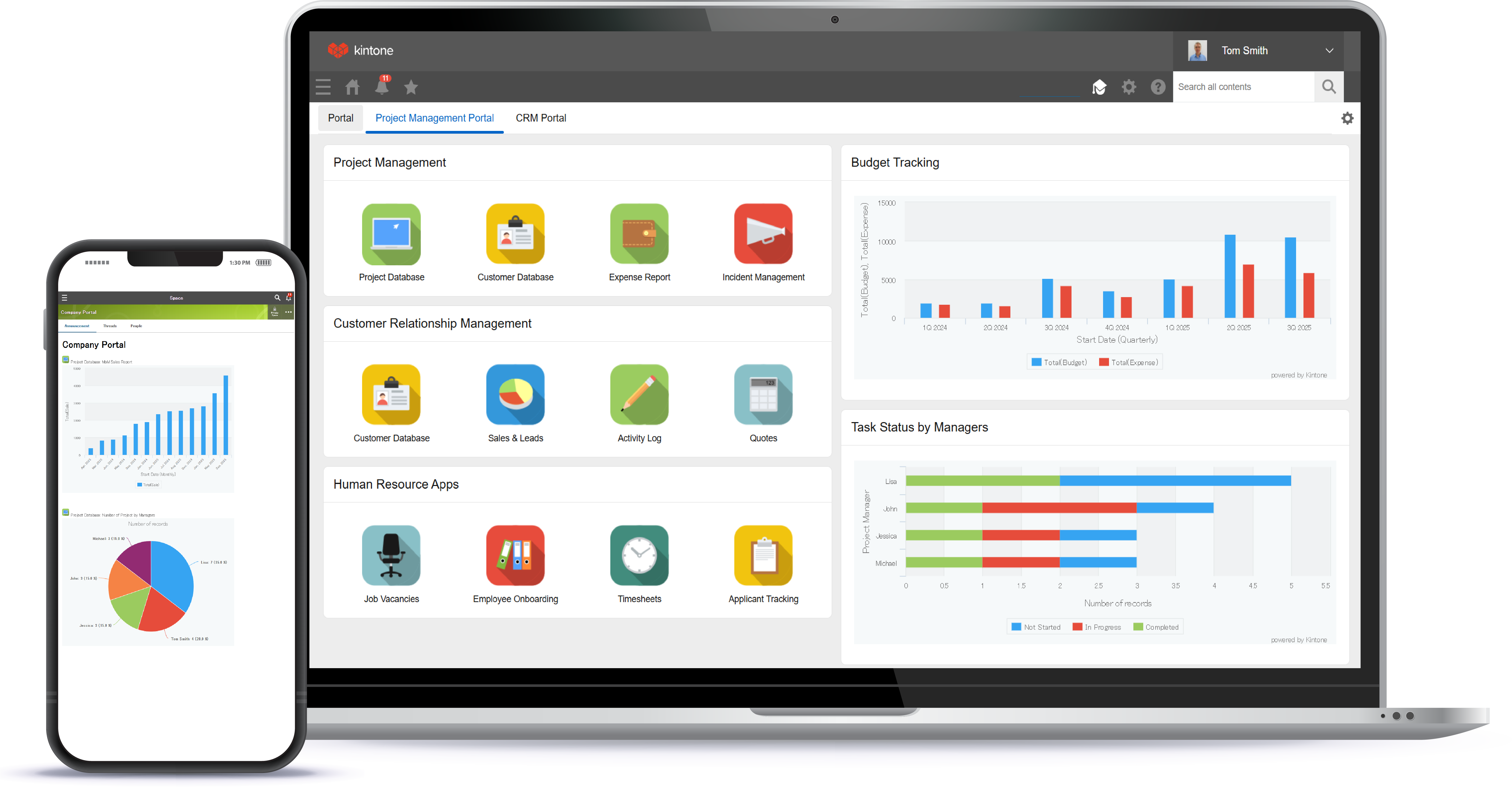
Kintone is a customizable digital workplace platform used to manage data, tasks, and communication. The no-code drag-and-drop interface can be used to create custom applications.
$24
per month per user
Zoho Creator
Score 7.9 out of 10
Mid-Size Companies (51-1,000 employees)
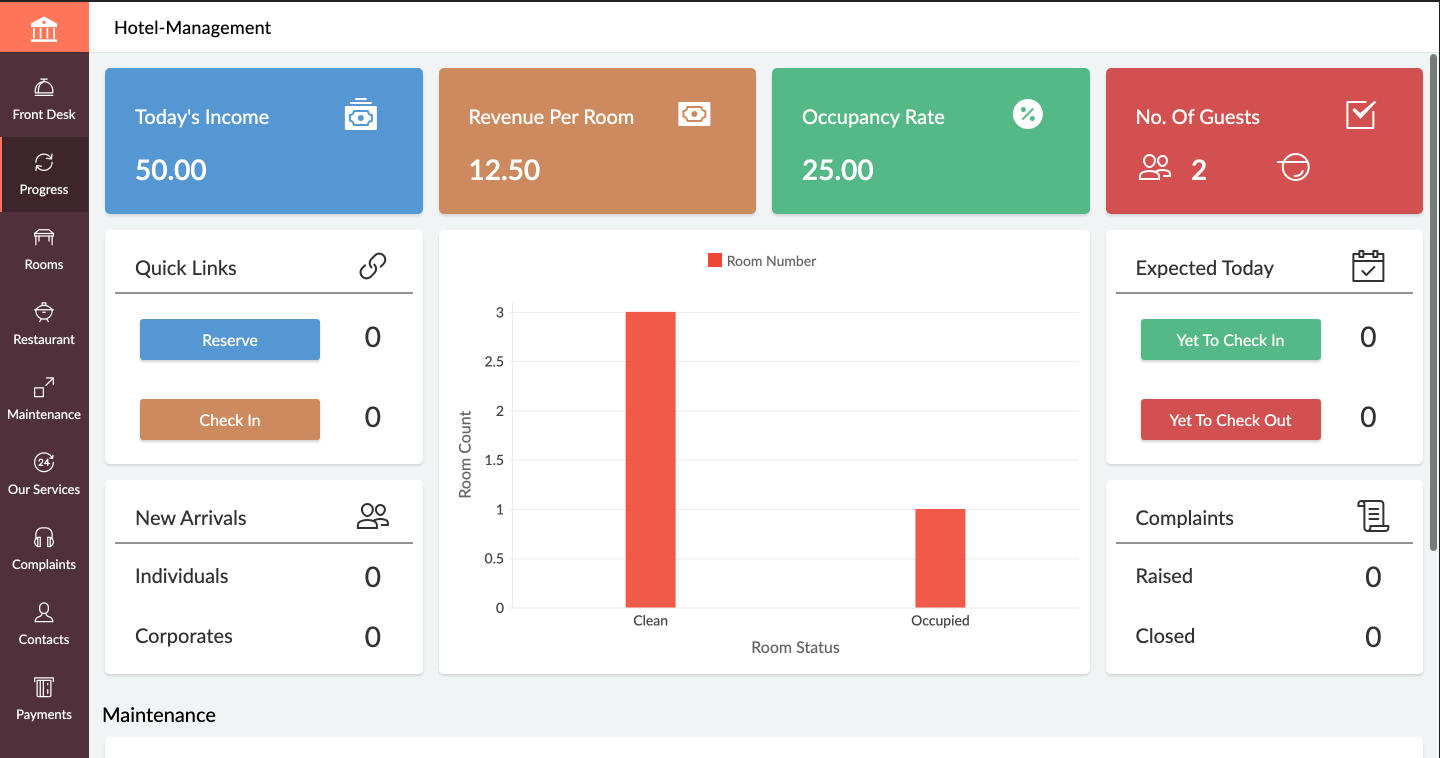
Zoho Creator is a low-code application development platform for building enterprise-class applications that run on mobile, tablet, and web. It is designed to allow users to create custom forms, configure workflows, build pages, and deploy apps quickly.
$12
per month per user
Pricing
Birdview
Kintone
Zoho Creator
Editions & Modules
Essentials
$6
per month
Business
$12
per month
Platform
$19
per month
Professional Subscription
$24
per month per user
Standard
$12
per month per user
Professional
$30
per month per user
Enterprise
$37
per month per user
Offerings
Pricing Offerings
Birdview
Kintone
Zoho Creator
Free Trial
Yes
Yes
Yes
Free/Freemium Version
No
No
Yes
Premium Consulting/Integration Services
No
No
No
Entry-level Setup Fee
Optional
Optional
Optional
Additional Details
—
Minimum requirement of 5 users. Kintone offers a free prototype to build with using existing process.
Add-ons:
Customer Portal: $100/month onwards
Premium Support : 20% of license fees
Enterprise support: 25% of license fees
Most project management systems are fairly the same, however, this would be better than monday.com in that it is more suited for project management professionals, and monday.com is more for anyone to use because it's more simple. This means Easy Projects are better equipped for …
East Projects integrates with other financial systems such as NetSuite and Compass, which allows a great financial view into the existing and future projects and overall financial health of our resourcing. Other systems, such as Wrike and MS Projects, just focus on project/task …
An Easy Project is more powerful than the other two as it has a comprehensive platform to do the project management, task tracking, log hrs, resource loading check, project budget control, project cost estimate. Easy project is very powerful and has a lot of functions to meet …
I liked using Asana at my previous companies, but it's hard to say that one is better than the other. Both these platforms are great for project management and help solve similar problems but in their unique way. They both have great interfaces, but I enjoy the layout of Easy …
The product is very reliable. It has amazing features. It can be used by any business. It is very easy to understand and navigate. You never have to worry about missing any deadlines or informing your PM about the status of the project. You can manage multiple projects in one …
Alongside Easy Projects we use Jira too to develop projects, write stories, make EPICS, [and] make QA, so maybe EP needs to improve that part [like] how to track QA performance. The principal use for Jira is the creation and tracking related to Bugs in our systems, and the …
From my perspective, Easy Projects and Vertabase do the same thing. I enter my hours in, and this allows me to get paid. There are some other project management functions; I have not yet used these. I had no part in selecting the project management software we use, so "why did …
I have used Hyperoffice, and honestly, I think Easy Projects is way easier to navigate. It's a lot more organized and intuitive than what I experienced with Hyperoffice.During the version that I saw, you had to organize files via a folder system in Hyperoffice -- similar to a …
I don't know if this is the right Salesforce platform we used, but it was way too clunky and not built for the metrics we actually wanted to collect. Kintone doesn't have all the bells and whistles of Salesforce, but I don't really need them. For our small organization's needs, …
Kintone is more customisable. Platforms like Zendesk and Monday were much more than we needed, yet also lacked things we wanted. Access, which we used for years, was customisable, but also required us to maintain servers on site and tended to be slow. Kintone was the perfect …
We tested Pipedrive with the free 30-day trial. We did not like the standard layout. It was not customizable to our liking, and it could not perform the functions we were looking for in our daily business workflow.
We transferred our data records from google sheets to Kintone. While they aren't very comparable, the amount of tools and analysis that Kintone allowed us to do were far superior to Google Sheets.
Again, I came along after the implementation of Kintone. Kintone does provide plenty of customization and personalization within the program without the ability to code HTML.
Kintone is the easiest product to create from and the cost is the lowest I believe. In addition, reconfigurability and extendability are great. If you look for a low code tool, you can try Kintone. But as same as another low code tool, don't expect too much.
It's more flexible and better looking than its competitors. But the main reason is that after extensive searches for a product that would support our requirements, Kintone was the only one that claimed to be able to do so. After building the project, it works as expected. We …
Kintone is the best value for the dollar amount. It is also based on JavaScript (as far as the more in-depth customizations go) so you don’t have to learn a new language. Quickbase was extremely expensive for what it offered and FileMaker Pro required learning their custom …
We spent 6 months working with programmers and customer service representatives from ActiveCampaign to try to customize ActiveCampaign for our needs. ActiveCampaign employees finally told us that our use-case was too complicated for their system since it was not designed to do …
Kintone won out based on a few factors. MS Access can be a good alternative, but you can have trouble with sharing the data when needed. We like the mobile app that Kintone provides as well. Compared to Trello, the price of Kintone was better, considering the differences in …
These systems have always lacked customization which is really where Kintone shines. That being said, Salesforce did allow a certain level of customization on a more grand scale for a giant company I worked. for.
Salesforce was very difficult to navigate and I couldn't figure out how to use it. Their interface is not very user-friendly. I contacted someone for help and they gave me a very typical business presentation, which was not useful. I figured out how to use Kintone immediately, …
Monday.com — I used this in my previous job and loved it for tracking stages and tasks (and I color-code everything), but at the time it was more clunky on raw data. It may have improved in this since then? Kintone is strong on data and I still color-code everything! …
Kintone allowed me to test its product more fully than other platforms. Scalable pricing was an incentive, as was the ability to create apps to perform diverse functions, like scheduling and project management. Kintone's help documentation enabled me to really play around with …
We selected Kintone because it was the best combination of price and function. We needed something that could grow and scale with the organization, and that included looking at future prices. We didn't want to invest in something if we would be priced out five new users later. …
Zoho Creator stands out for its balance of affordability, ease of use, and powerful customization options. While it may not offer the same level of enterprise-scale features as platforms like OutSystems or Mendix, it provides a robust solution that meets the needs of many …
zoho creator is quite a good option with zoho books, but need lot of integration.and the reason for choosing zoho creator is its reliability and easy to create and scale.
I could use Excel to do what I need but prefer to use Zoho Creator for the main reasons of being very secure, fast, easily accessible, cloud based, etc. The CSV import option is a huge time saver, I can import CSV or TXT files directly into Zoho Creator in seconds.
Well, We had reviewed many applications during last 5 years and we moved with Zoho Creator, due to its technical support capabilities along with per user Cost which they provided. The mix of both worked for us and we moved.
It is almost same and easy to use. Anyone can deploy the application and use the services in the platforms. It depends on the company use case that how they will use the products to use services. But a lot of improvement can be done to introduce multiple management and white …
Zoho Creator Platform can integrate and combine different views and databases from different platforms and expand the features that you can get out of them.
Zoho Creator offers more functionalities than Zapier but has lesser integrations than Zapier. Compared to Honeycomb.io, I find Zoho Creator easier to work on.
Trello is a very different kind of tool, and what it does is better in that it is far simpler. But there's no way Trello could ever maintain the same kind of data that Zoho Creator does. It's not really a fair comparison because Trello isn't intended to be the same kind of tool …
We decided that proprietary programming language and develop the software from scratch would cost us more than our budget, and also it would take a lot of time we didn't have. Zoho Creator was chosen besides any other proprietary way to develop a software because it's low code …
I've looked into this app but never really considered using it. Zoho Creator has met and exceeded all our expectations as a database management app there's been no need to stack it up against others.
Manager - Research and Development, Rubber Technology
Chose Zoho Creator
Lower cost and easier implementation. I had been creating "cloud" solutions using active server pages (ASP) with a MS Access directory back-end before Zoho Creator. I did not want the worry of maintaining a server and required an easier way to build database forms. I was one of …
I've used Knack previously. It has better/easier controls over user authenticated access and a better/more fun to use UI. However it is less flexible than Zoho Creator. With Zoho I can pretty much do anything I can dream up. Knack is powerful, but more limited than Zoho Creator.
Features
Birdview
Kintone
Zoho Creator
Project Management
Comparison of Project Management features of Product A and Product B
Birdview
8.1
Ratings
5% above category average
Kintone
-
Ratings
Zoho Creator
-
Ratings
Task Management
8.50 Ratings
00 Ratings
00 Ratings
Resource Management
7.10 Ratings
00 Ratings
00 Ratings
Gantt Charts
8.50 Ratings
00 Ratings
00 Ratings
Scheduling
8.00 Ratings
00 Ratings
00 Ratings
Workflow Automation
7.00 Ratings
00 Ratings
00 Ratings
Team Collaboration
7.50 Ratings
00 Ratings
00 Ratings
Support for Agile Methodology
7.50 Ratings
00 Ratings
00 Ratings
Support for Waterfall Methodology
7.00 Ratings
00 Ratings
00 Ratings
Document Management
10.00 Ratings
00 Ratings
00 Ratings
Email integration
7.90 Ratings
00 Ratings
00 Ratings
Mobile Access
7.90 Ratings
00 Ratings
00 Ratings
Timesheet Tracking
8.90 Ratings
00 Ratings
00 Ratings
Change request and Case Management
8.00 Ratings
00 Ratings
00 Ratings
Budget and Expense Management
8.90 Ratings
00 Ratings
00 Ratings
Professional Services Automation
Comparison of Professional Services Automation features of Product A and Product B
Birdview
8.3
Ratings
7% above category average
Kintone
-
Ratings
Zoho Creator
-
Ratings
Project & financial reporting
7.50 Ratings
00 Ratings
00 Ratings
Integration with accounting software
9.10 Ratings
00 Ratings
00 Ratings
Sales Force Automation
Comparison of Sales Force Automation features of Product A and Product B
Birdview
-
Ratings
Kintone
8.3
Ratings
5% above category average
Zoho Creator
-
Ratings
Customer data management / contact management
00 Ratings
9.70 Ratings
00 Ratings
Workflow management
00 Ratings
9.10 Ratings
00 Ratings
Territory management
00 Ratings
8.50 Ratings
00 Ratings
Opportunity management
00 Ratings
8.50 Ratings
00 Ratings
Integration with email client (e.g., Outlook or Gmail)
00 Ratings
7.00 Ratings
00 Ratings
Contract management
00 Ratings
7.00 Ratings
00 Ratings
Quote & order management
00 Ratings
7.50 Ratings
00 Ratings
Channel / partner relationship management
00 Ratings
9.30 Ratings
00 Ratings
Customer Service & Support
Comparison of Customer Service & Support features of Product A and Product B
Birdview
-
Ratings
Kintone
9.0
Ratings
15% above category average
Zoho Creator
-
Ratings
Case management
00 Ratings
9.60 Ratings
00 Ratings
Help desk management
00 Ratings
8.50 Ratings
00 Ratings
Marketing Automation
Comparison of Marketing Automation features of Product A and Product B
Birdview
-
Ratings
Kintone
8.0
Ratings
3% above category average
Zoho Creator
-
Ratings
Lead management
00 Ratings
8.00 Ratings
00 Ratings
CRM Project Management
Comparison of CRM Project Management features of Product A and Product B
Birdview
-
Ratings
Kintone
8.8
Ratings
13% above category average
Zoho Creator
-
Ratings
Task management
00 Ratings
9.00 Ratings
00 Ratings
Reporting
00 Ratings
8.60 Ratings
00 Ratings
CRM Reporting & Analytics
Comparison of CRM Reporting & Analytics features of Product A and Product B
Birdview
-
Ratings
Kintone
8.6
Ratings
10% above category average
Zoho Creator
-
Ratings
Pipeline visualization
00 Ratings
8.30 Ratings
00 Ratings
Customizable reports
00 Ratings
8.90 Ratings
00 Ratings
Customization
Comparison of Customization features of Product A and Product B
Birdview
-
Ratings
Kintone
9.6
Ratings
22% above category average
Zoho Creator
-
Ratings
Custom fields
00 Ratings
9.40 Ratings
00 Ratings
Custom objects
00 Ratings
9.30 Ratings
00 Ratings
API for custom integration
00 Ratings
10.00 Ratings
00 Ratings
Integrations with 3rd-party Software
Comparison of Integrations with 3rd-party Software features of Product A and Product B
Birdview
-
Ratings
Kintone
8.5
Ratings
12% above category average
Zoho Creator
-
Ratings
Marketing automation
00 Ratings
8.50 Ratings
00 Ratings
Platform
Comparison of Platform features of Product A and Product B
Birdview
-
Ratings
Kintone
9.3
Ratings
19% above category average
Zoho Creator
-
Ratings
Mobile access
00 Ratings
9.30 Ratings
00 Ratings
Security
Comparison of Security features of Product A and Product B
Birdview
-
Ratings
Kintone
9.4
Ratings
11% above category average
Zoho Creator
-
Ratings
Role-based user permissions
00 Ratings
9.40 Ratings
00 Ratings
Low-Code Development
Comparison of Low-Code Development features of Product A and Product B
I think as a project management software, Easy Projects is great. We used spreadsheets before, and that led to a whole mess of confusion. Easy Projects gets everything in one place online -- you can access it from anywhere with an Internet connection and everyone is working off the same files. This works well for us as a marketing/graphic design group. Our colleagues in web design use it, as well, I'm told with success. So I know those two scenarios will work with the Easy Projects system. If you are selecting project management software, definitely know what you need a system to do in its most basic form -- then see what additional elements appeal to you. One thing you may want to investigate during your evaluation of Easy Projects is server space. We host this program and its files on an internal server, so we have to be sure there is enough space to accommodate open jobs and archive files.
I recommend Kintone for companies that need the ability to customize standalone applications or to provide a 'hub' to employees as a jumping-off point. I also recommend Kintone for any company that is drowning in spreadsheets, or is using 10 apps for 10 different purposes - you can consolidate everything into one place. Kintone, I think, needs a larger team for customization as your company grows. If you are a small office of 20 people, using it out of the box will likely be just fine for your needs. If you're working with 200 people out of an office, it'd likely be good to have someone with a bit of CSS, Java, and API experience in order to maximize what you get out of it - though you won't need that if you're keeping it simple.
If you are using some application of Zoho and want some more functionality into it, Use Zoho creator to develop a separate app as per requirement and integrate it with your Zoho App. Small organization can use creator to make apps but it can be used for small range of storage, For Large organization , it may be not feasible.
Easy Projects is great for project management. It allows you to assign users, set tasks and end dates, and keep it all together in one working file/job. It's a project manager's dream -- you can look inside and see exactly what is going on and any missed deadlines.
Easy Projects allows good customization of the fields. We have worked it so that in a job file, we can enter info about things specific to publication design -- size, file format, delivery location, etc. And we've been able to change these further over time as our needs change.
Easy Projects allows for archiving of completed jobs. You don't have to see them every time you log in, but it's great to be able to go back and search through completed jobs (even several years back) to see what was done last time, who was assigning, costs, etc.
Easy Projects allows you to pull reports and export them. This has proved helpful when we needed an overall log of jobs for a client or to pull a large number of costs.
I feel that Kintone is not well enough known yet. This means that other apps/APIs are not necessarily easy to connect with Kintone. Yes, you can use Zapier though for interfacing with other apps.
It would be great if it could give more customized options to change the look and format of certain things. You can make price quote apps, for example, but have to rely on 3rd party apps or programming skills to customize the look and fields.
If you make a table as an input field, it cannot connect to other internal Kintone apps for lookups and such.
I think there is more potential to make more customized data graphs.
In the C5 Version, User Management was easy, but in C6 due to the by default integration of analytics, we at our end are not able to deactivate the users, which can be improved as to add new user, we need to have the control at our end.
While integrating with third party software's, creator should develop mechanism to use multiple applications using common points
Though the system is very easy to use and develop, UI customization option should be provided with similar low code facility
EP is great but could be better. EP has been a wonderful tool within our organization, it has helped us control expenses, resources, and the time needed to invest in each project, however when it comes to presenting reports and details it is a bit weak, there are more tools specialized in data visualization, and it would be good to make some kind of integration between EP and the other market alternatives
We have been quite happy with our use of Kintone thus far. We looked at several options before choosing Kintone and believe it had the best value and best features, while allowing for complete customization, rather than being locked into preformatted apps that may not address exactly what we need or be more than what we need.
Today Zoho Creator is included in our current plan from Zoho One, but if it was needed to pay apart it should be done because the software we created became very important for our team. The use of Zoho Creator contributes to endorse the Zoho One subscription year after year.
Kintone is extremely user friendly and self explanatory. Very little knowledge is needed to build or use the apps. Kintone has a very robust help section to guide you through anything you might need assistance with while building out apps. The process of building apps is basically drag and drop, making it easy for anyone to create what they need.
Its quite easy if one has the need, interest and passion to build applications and solutions through low-code. One example would be, that my finance head who has absolutely nothing to do with tech and apps, is now able to create apps and manage Zoho Creator all by himself. So its all about the interest and how much time we put to learn the tool. Having said that, its quite easy to learn the tool and create anything that's within our scope of knowledge.
In an earlier comment, I mentioned Zoho's excellent uptime. I have been using the system for over 6 years, and have experienced only momentary outages, and of those, only a hand full over the years. It is extremely reliable
We do not integrate Zoho with other systems at this time, but rarely are searches, database exports, record edits or creation tasks ever slow enough to notice. It is quite usable
In my personal experience, I only needed EP support once and the truth is that they attended me very well and very quickly, they helped me with what I needed, it was a question regarding the use of WebServices, they solved my doubt and then they contacted me another agent to verify that everything was resolved and if they could help me with anything else
I am very happy with Kintone and support it fully. I think that it is a great place for any company that wants to create a platform for better management. It is easy to use and pretty affordable. It is straightforward and has many tools that can be used by anyone. There are many helpful tutorials available too to guide users
I recommend Zoho Creator very often. A lot of companies go big earlier than they need to and spend way too much on SalesForce & Marketo. I worked for a small company with some limited budget that pivoted to sell it's product to the Enterprise. Zoho Creator was incredibly easy to set up, intuitive to use, and contains all the most essential features that most users need and seek in SalesForce. We integrated with MailChimp & Unbounce and were able to be incredibly useful in acquiring leads, nurturing them, and tracking pipeline in Zoho Creator. Our small sales team found it very easy to use and loved it.
Everyone has their own tastes of things and way they want to work. Asking them to adapt to the changes with the new tools or apps is always difficult. We would want to start with a very small but best example within the organization, which in our case was that the employees will not be bothered by the bosses by being asked to find the documents, status of the progresses, or major things/requests/projects.
Even if it is a easy to use platform, it got some issues on the implementation that could easily handle by IT teams. In our scenario this team don't exist anymore, and the business/marketing team had their expectations that it was quickier to be implemented. So, consider a professional help on this implementation could be cost more (of cource) but it would be helpful to manage the issues and expectations.
Most project management systems are fairly the same, however, this would be better than monday.com in that it is more suited for project management professionals, and monday.com is more for anyone to use because it's more simple. This means Easy Projects are better equipped for the details needed to manage a project. The only drawback if you are a small group is that monday.com offers a free version where Easy Projects does not.
I don't know if this is the right Salesforce platform we used, but it was way too clunky and not built for the metrics we actually wanted to collect. Kintone doesn't have all the bells and whistles of Salesforce, but I don't really need them. For our small organization's needs, we needed something a little smaller and a little more versatile.
Trello is a very different kind of tool, and what it does is better in that it is far simpler. But there's no way Trello could ever maintain the same kind of data that Zoho Creator does. It's not really a fair comparison because Trello isn't intended to be the same kind of tool as Zoho Creator, however.
Zoho is incredibly versatile. Much thought was put in to the way the platform functions. I've yet to face a situation where Zoho would not be able to do what I needed. That being said, because of its power, it can also be a bit intimidating technically. Simple needs are simple. More complex needs are ... more complex! Overall, it's a powerful, robust platform
Increased team collaboration improved the results significantly, because we managed to reduce the amount of time wasted on unnecessary iterations, therefore reducing costs.
The reasonable pricing enabled us to enjoy the service we needed with with less impact on our budget than we've expected.
With using Zoho Creator we are able to build apps that we may otherwise pay a pretty penny for. We may risk some features we could get from a 3rd party app but the fact that the data we do collect can easily syn with our CRM and Accounting systems makes up for this.
Negatively speaking, it takes time to fine tune and really craft your application. I am not a coder, nor do I have a coding background, so patience is key as you design and build out your application.