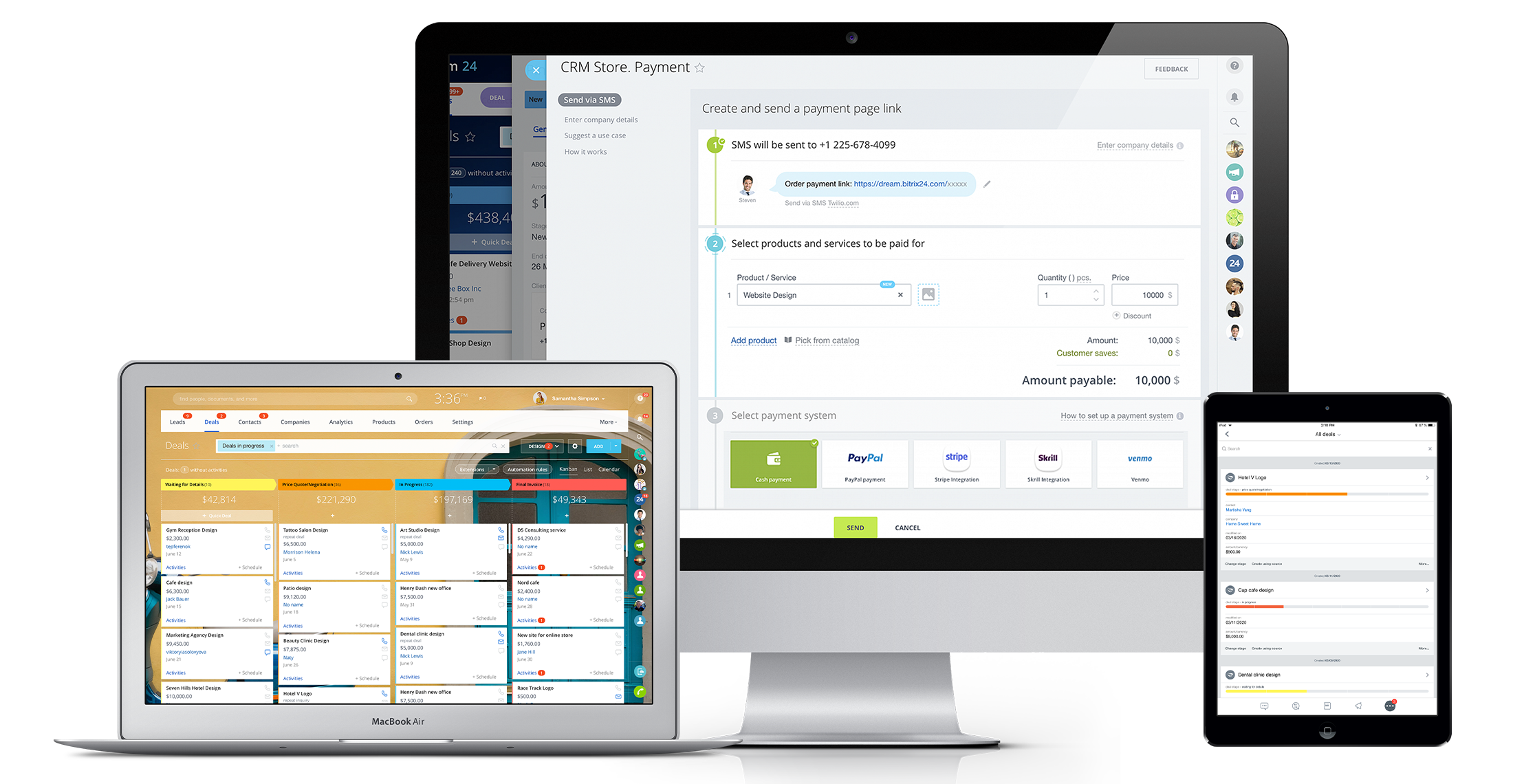
Bitrix24 is a local-hosted or cloud-based social intranet and project management platform that also contains core HR (HRMS) and CRM features. Bitrix24 also provides time management services and employee self-service.
$61
per month up to 5 users
Freehand by InVision
Score 7.5 out of 10
N/A
Freehand, from InVision headquartered in New York, is an online whiteboard that enables teams to plan, brainstorm, and draw together. It aims to give everyone a simple way to visually represent ideas with charts, diagrams, and drawings. Whether for mind mapping, creating a customer journey map, or drafting up an org chart, Freehand can help teams make ideas and plans visual.
$4
per month per user
Pricing
Bitrix24
Freehand by InVision
Editions & Modules
Basic
$61
per month up to 5 users
Standard
$124
per month up to 50 users
Professional
$249
per month up to 100 users
Enterprise 250
$399.00
per month 250 Users
Enterprise
$499
per month up to 250 Users
Enterprise 500
$639.00
per month 500 Users
Enterprise 1000
$799.00
per month 1000 Users
Freehand Free
$0
per year per user
Freehand Pro
$4
per month per user
Freehand Enterprise
Custom Quote
Offerings
Pricing Offerings
Bitrix24
Freehand by InVision
Free Trial
Yes
Yes
Free/Freemium Version
No
Yes
Premium Consulting/Integration Services
Yes
No
Entry-level Setup Fee
No setup fee
No setup fee
Additional Details
Price per month when paying for 1 year.
—
More Pricing Information
Community Pulse
Bitrix24
Freehand by InVision
Features
Bitrix24
Freehand by InVision
Project Management
Comparison of Project Management features of Product A and Product B
Bitrix24
8.8
22 Ratings
12% above category average
Freehand by InVision
-
Ratings
Task Management
8.022 Ratings
00 Ratings
Gantt Charts
8.017 Ratings
00 Ratings
Scheduling
10.019 Ratings
00 Ratings
Workflow Automation
8.919 Ratings
00 Ratings
Mobile Access
9.821 Ratings
00 Ratings
Search
8.019 Ratings
00 Ratings
Visual planning tools
9.020 Ratings
00 Ratings
Communication
Comparison of Communication features of Product A and Product B
Bitrix24
8.6
22 Ratings
7% above category average
Freehand by InVision
-
Ratings
Chat
9.021 Ratings
00 Ratings
Notifications
9.922 Ratings
00 Ratings
Discussions
8.021 Ratings
00 Ratings
Surveys
8.815 Ratings
00 Ratings
Internal knowledgebase
8.019 Ratings
00 Ratings
Integrates with GoToMeeting
8.38 Ratings
00 Ratings
Integrates with Gmail and Google Hangouts
9.012 Ratings
00 Ratings
Integrates with Outlook
8.011 Ratings
00 Ratings
File Sharing & Management
Comparison of File Sharing & Management features of Product A and Product B
Bitrix24 is highly beneficial for teams that are geographically dispersed or working remotely. Its real-time communication tools, including instant messaging and video conferencing, enable seamless collaboration regardless of physical location. The centralized document management feature ensures that team members can easily access and collaborate on shared documents from anywhere, facilitating efficient teamwork in a remote or distributed environment.
InVision Freehand has quickly evolved to be a very robust solution for our pre-design process and collaboration with stakeholders and other product teams. It has brought a lot more hands-on workshopping opportunities and created engaging spaces for cross functional teams. Internally to our design org we are able to prototype ideas faster and generate insights or changes BEFORE going into more hi-fidelity design tools or processes.
It's user interface can use some work. Although it doesn't take as long as some other software to learn, there is still a bit of a learning curve when it comes to day to day usage.
Bitrix offers a lot of features. It would be nice to have those features laid out in an easier-to-read layout, versus the long list at the side of the page.
It's mobile app functionality is quite limited. It can be difficult to work with other team members, solely off of their mobile app.
The resolution: Our webpage designs always pass the resolution threshold to where freehand starts to work its compression. During presentations, it can be a little embarrassing when we can't read the copy because it looks like potatoes.
Embedding videos: GIFs are only good to a certain point, and creating Vimeo embeds is tedious. I wish I could embed MP4s or web assets a lot quicker.
Touchpad panning: I can't tell you how many times I've "gone back" in my browser when I'm just trying to pan across the freehand. Has honestly made me wanna force quit on many occasions.
Sticky notes and text in shapes: Overall, it's really hard to use the sticky notes and text inside rectangles without the text just getting all over the place. It's different sizes, it gets too tiny, it gets way too big, and overall, it just doesn't look professional, even with a lot of fussing.
No ability to crop/mask an image. Nice to have, but sometimes we just need to delete a chunk off a screenshot, and it requires opening PS or taking a screenshot to edit anything.
Wish there was a way to have "internal comments" that are not visible to our clients.
It has become the central nervous system of the business and has constantly proven to be of value. We are not just renewing but might even upgrade to advanced Bitrix24 plans and will be adding more user licenses in the next 3 months. Bitrix24 has a sharper learning curve initially. However once it is surpassed, it opens doors to a range of creative deployment strategies
Honestly as in any organization it's up to budget. I feel like every organization I go to I'm constantly striving to keep InVision as part of the main funded tools used by the team especially in a remote environment. I feel there is a push to move to Figma and Zooms new white boarding tool but I'm still not a fan of Zoom's tool. Microsoft also created a white boarding tool which has been buggy.
It is a time-saving CRM that will help save time by using one application for all your business needs. Our brain sees colors, images, drawings, it is very visual, and so is Bitrix24. You can plan visually and easily see how everything is progressing. It has tasks, projects management, chat and video, CRM (as you know), visual staff structure, calendar, shared drive, mobile app. You can't ask for anything better out on the market for what you get with their free version and also their step-up plan is $20/month, all the way up to $200, they have a plan for your business. Get your free account and try it out for a few weeks.
Color Selection can be tricky when changing colors for shapes and text I've seen other users struggle with creating sticky notes and getting text to fit in the box properly and had to abandon the tool for a workshop for this reason After having a demo, I learned of new features I wasn't using. I don't know it would have been intuitive to find on my own.
I can't recall any instance of unplanned outages over the past 1 year of use. Likewise for application errors. However note that, advanced users will have a learning curve
For availability, we never have to even think about whether inVision Freehand is going to be available for us to work with. There has never been a time when we have opened up the application and had any issues of any kind. I can't imagine why anyone would work with a platform that is unreliable. inVision Freehand is realibel, stable, and getting better all the time. Whether it's their built-in tools or the expanding of Templates to work with Freehand has been a reliable go-to platform for us.
It is a little slow when bringing artboards from Sketch to Freehand using Craft. I have had some issues loading and redrawing pages when I have a lot of images on my freehand board. It gives me an error message while I am in the file and starts to reload and redraw all the photos again. Not sure if it has a limit on how many images it can handle on a board at a time.
The absolute worst! Your only contact method is via the paid version and via a chat window. They will take days to answer and when they finally do answer, they will provide nothing but a half baked canned help file.
I haven't had to use the support team for anything, which is great news because that means the product usually works as expected! In terms of online support, I've been able to find videos that show how new features work. Also, many of the people I work with have experience with the tools so they are a great resource for me.
Overall the training was very comprehensive. The trainer did provider necessary additional reading materials as well. However the general approach at Bitrix24 is to divert users to self-help documentation and videos. It is recommended that atleast 1-2 personnel in the organization be "Bitrix24 experts" so that lower phases of training requirements are covered internally itself. Also the best part about Bitrix24 is that not all users need to go very deep while using it. We have multiple counsellors who started using it on day 2 without any major hiccups
The implementation is pretty much easy-peasy and plug-n-play. We simply download the applications and install, signed in and were good to go. I really cannot imagine that there would be anyone who would have any difficulty whatsoever in getting started in more than just a few minutes. It's really how implementing these officewide improvements should always go.
In fact, I use both, but in different ways, monday to control the internal agenda, Bitrix for all other parts within the company, such as task control, chat with employees and with calendar also for control in two systems. Bitrix is more complete and has many more features, but its purpose is also different from monday.
Miro (formerly Realtime Board) is the original product concept for this tool and I used it for 3-4 years for product development. Invision is aesthetically a carbon copy of the tool but lacks in fine usability controls. We actually didn't choose Freehand, it just came as an added tool under our Invision subscription. It's helpful but knowing the previous tool, it's been a hard sell because it's just not as good. Again, it's really fine tuned usability things like navigation, zoom, switching from tool to tool, selecting and deselecting, etc
Getting set up with inVision Freehand was super simple. We figured how many of our team members were going to be using it and we set up our account knowing that. There were no negotiations, contract hassles or anything that would have been a waste of our time, efforts or resources.
The scalability and reliability is almost 9.5/10 to be honest. We istarted with Bitrix24 for just 2 functions and now have expanded its usage to 2 more. In terms of users, every full-time employee (FTE) now uses Bitrix24 without fail. We are also working on giving limited/partial access to external service providers
Not everyone in the company has access to Invision, and they can't view the links I provide to them. I also wish everyone could view a file without logging in to the enterprise account. It comes in handy when I am doing focus-group studies or other studies with our customers that don't have Freehand. Unfortunately, if that is possible, I don't know how to do that.