Bluescape is a cloud-based, software as a service company based in Silicon Valley, CA, that provides a digital whiteboard of the same name.
$10
per month
InVision
Score7.9 out of 10
N/A
InVision is a collaborative design and prototyping platform with features such as freehand drafting mode and interactive mockups, collaboration, idea management, user testing, and integration with Slack and other collaboration tools. According to the vendor, 1 million designers are using the free version.
$0
Zeplin
Score7.6 out of 10
N/A
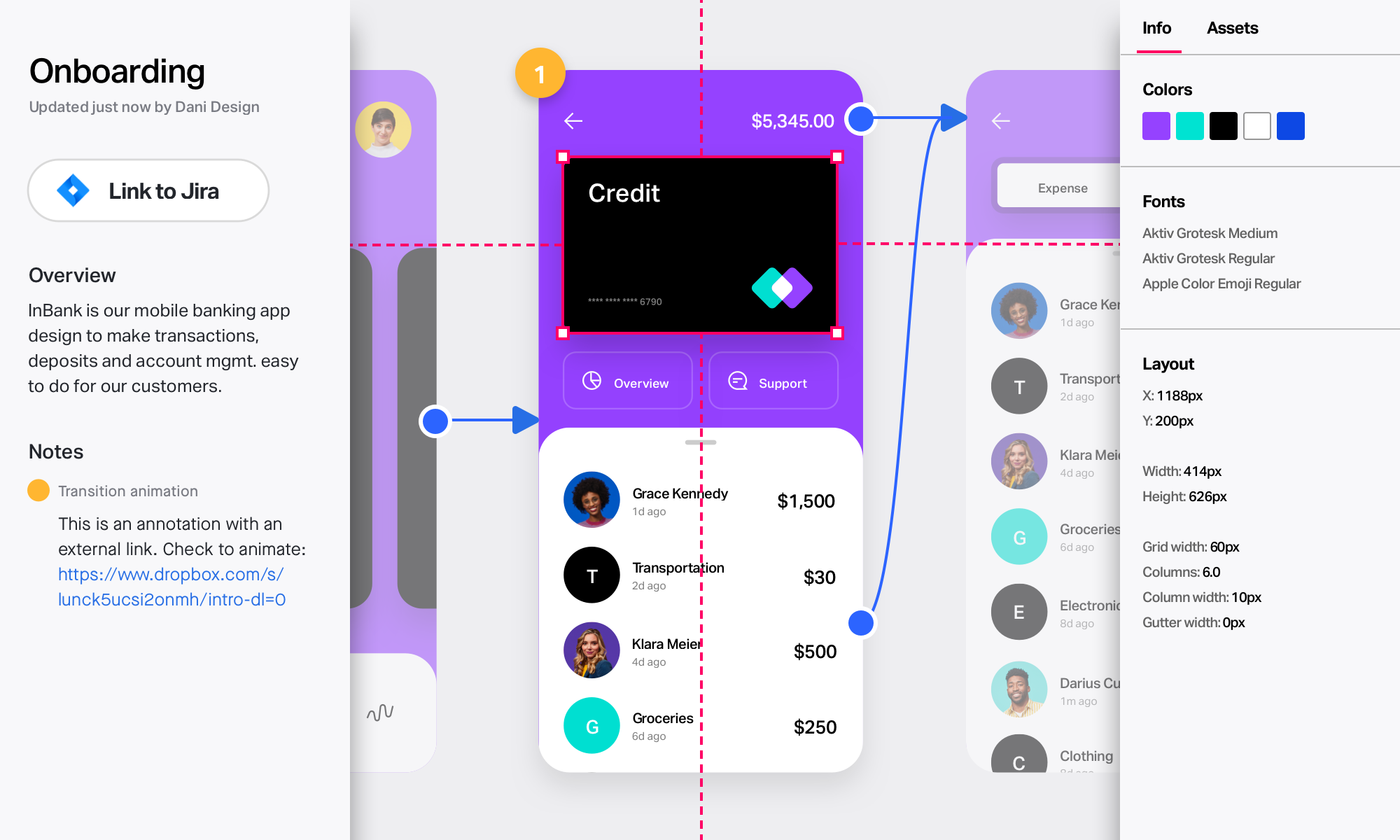
Zeplin, from the company of the same name, is a platform supporting collaboration in application development by engineers and designers by providing an API with popular collaboration, development and prototyping tools and creating a space where productions can be shared and reviewed.
$15
per month
Pricing
Bluescape
InVision
Zeplin
Editions & Modules
Team
$10
per user, per month (10-50 licenses)
Business
$20
per user, per month (10+ licenses)
Enterprise
Custom Pricing
10+ licenses
Free
$0
Pro
$7.75
per user/per month
Enterprise
Contact Sales
Free
$0
up to 1 project
Advanced
$15
per month per seat (up to 50 projects)
Basic
$15
per month per project
Enterprise
Contact sales team
Offerings
Pricing Offerings
Bluescape
InVision
Zeplin
Free Trial
Yes
No
Yes
Free/Freemium Version
No
No
Yes
Premium Consulting/Integration Services
No
No
No
Entry-level Setup Fee
No setup fee
No setup fee
No setup fee
Additional Details
—
—
—
More Pricing Information
Community Pulse
Bluescape
InVision
Zeplin
Considered Multiple Products
Bluescape
No answer on this topic
InVisionApp Inc.
Verified User
Chose InVision
We went with InVision because we were already bought into that ecosystem. We have since decided to move to Figma, as we were not receiving the features we needed from InVision and the associated tools (Whimsical, Sketch, Abstract, and Zeplin). The ROI of Figma allows us to free …
A de minimis incentive was given to thank the reviewer for their time. The incentive was not used to bias or drive a particular response, nor was the incentive contingent on a positive endorsement. More Info
A de minimis incentive was given to thank the reviewer for their time. The incentive was not used to bias or drive a particular response, nor was the incentive contingent on a positive endorsement. More Info
Senior Product Manager in Product Management at Branch (Internet, 201-500 employees)
Chose InVision
Zeplin also allows to share design spec and collect feedback, but the ability to have prototype changes the game.
Also, other products like Craft plugin is cherry on the cake.
A de minimis incentive was given to thank the reviewer for their time. The incentive was not used to bias or drive a particular response, nor was the incentive contingent on a positive endorsement. More Info
Verified User
Chose InVision
we use different 'similar' applications for different usecases.
A de minimis incentive was given to thank the reviewer for their time. The incentive was not used to bias or drive a particular response, nor was the incentive contingent on a positive endorsement. More Info
Verified User
Chose InVision
Compared to other tools, InVision is a very solid tool with a great reputation and prototyping functionalities to back it up. InVision was the first prototyping tool we purchased, and it’s served us really well. However, more and more design tools are now also providing …
A de minimis incentive was given to thank the reviewer for their time. The incentive was not used to bias or drive a particular response, nor was the incentive contingent on a positive endorsement. More Info
Zeplin
Verified User
Chose Zeplin
I believe InVision is the only one that is supporting such inspection tools at this moment.
A de minimis incentive was given to thank the reviewer for their time. The incentive was not used to bias or drive a particular response, nor was the incentive contingent on a positive endorsement. More Info
Senior Product Manager in Product Management at Tokopedia (Internet, 1001-5000 employees)
Chose Zeplin
Zeplin is simpler. Zeplin lacks prototyping on par with InVision. Zeplin doesn't give a direct code for Android and iOS like Figma does. Zeplin doesn't have a lot of advanced features like InVision, for example, whiteboard. But Zeplin is good for at its job which is to share …
A de minimis incentive was given to thank the reviewer for their time. The incentive was not used to bias or drive a particular response, nor was the incentive contingent on a positive endorsement. More Info
Verified User
Chose Zeplin
Zeplin is a really nice lightweight app, that is easier to use than InVision for sharing purposes. InVision does primarily handle prototyping, which Zeplin does not do. Abstract is my product of choice but is also a slightly different tool — almost a GitHub for design. It …
A de minimis incentive was given to thank the reviewer for their time. The incentive was not used to bias or drive a particular response, nor was the incentive contingent on a positive endorsement. More Info
Verified User
Chose Zeplin
We chose Zeplin because it allowed our product and design teams to collaborate more effectively, while providing the rest of the organization an easily accessible location to access up-to-date assets. While InVision's interface can be more intuitive, we prefer Zeplin because it …
A de minimis incentive was given to thank the reviewer for their time. The incentive was not used to bias or drive a particular response, nor was the incentive contingent on a positive endorsement. More Info
Co-founder & Manager in Information Technology at Coopers Digital Production (Internet, 1-10 employees)
Chose Zeplin
Zeplin is great to inspect and share user interfaces, specifications and assets, perfect for developers. Tools like InVision and Marvel are much better to create prototypes for both developers, coworkers and even stakeholders, but they don't have this kind of feature …
A de minimis incentive was given to thank the reviewer for their time. The incentive was not used to bias or drive a particular response, nor was the incentive contingent on a positive endorsement. More Info
Creative Director in Product Management at Rebuliço (Entertainment, 1-10 employees)
Chose Zeplin
Zeplin is more focused on the handoff than in the creation itself. The other alternatives can do both, but Zeplin is an awesome tool for the handoff part. It depends in how big is your team and how the workflow is organized to understand whats the best tool for your team.
A de minimis incentive was given to thank the reviewer for their time. The incentive was not used to bias or drive a particular response, nor was the incentive contingent on a positive endorsement. More Info
A de minimis incentive was given to thank the reviewer for their time. The incentive was not used to bias or drive a particular response, nor was the incentive contingent on a positive endorsement. More Info
Verified User
Chose Zeplin
Out of all of the products that I have used to support design-to-development handoffs, Zeplin is my favorite. It’s pretty lightweight and easy to use (once you get the hang of it). Zeplin also has a smooth interface and is, generally, clearer to use than other tools, such as …
A de minimis incentive was given to thank the reviewer for their time. The incentive was not used to bias or drive a particular response, nor was the incentive contingent on a positive endorsement. More Info
Verified User
Chose Zeplin
These other tools are really helpful products for creating and sharing wireframes / prototypes. However, Zeplin is the best tool for the actual hand off between the design and development teams once the design is actually ready to share. Zeplin fills this gap and improves the …
A de minimis incentive was given to thank the reviewer for their time. The incentive was not used to bias or drive a particular response, nor was the incentive contingent on a positive endorsement. More Info
Desarrollador de software in Research & Development at Global Consulting (Computer Software, 51-200 employees)
Chose Zeplin
Marvel is a pretty expensive application for what it gives you, it is a pretty good tool but I think the handoff is not as good as Zeplin's. I think the style of Zeplin is more oriented to developers and Marvel is more oriented to the designers. I like the way Zeplin is …
A de minimis incentive was given to thank the reviewer for their time. The incentive was not used to bias or drive a particular response, nor was the incentive contingent on a positive endorsement. More Info
Senior Front-end developer in Engineering at Velocity Partners (Information Technology and Services, 201-500 employees)
Chose Zeplin
For my company needs, Zeplin comes as the best tool in its category. Zeplin's competitors are great tools but they either offer way too many features or are priced above Zeplin with the same features.
Zeplin is in the right spot for both pricing and features.
A de minimis incentive was given to thank the reviewer for their time. The incentive was not used to bias or drive a particular response, nor was the incentive contingent on a positive endorsement. More Info
Verified User
Chose Zeplin
Zeplin is much better when it comes to seeing the properties and CSS code of the design elements. Our developers love it when they get all that info from the Zeplin file.
A de minimis incentive was given to thank the reviewer for their time. The incentive was not used to bias or drive a particular response, nor was the incentive contingent on a positive endorsement. More Info
This digital version of a pin-up space is absolutely an improvement to my workflow. The input is so robust. What you do with it is where the magic happens. This program is best suited for team collaboration. It helps to discuss how/where the team will contribute information to it--whether that is discussing the templates or a plan of action. Otherwise, the workspace can tend to get messy. I like the idea of having a presentation mode, where some of the markups could be hidden. The idea of a working session with consultants or clients sounds appealing, but at the same time, there is a desire for a cleaned up, clear shareout.
A de minimis incentive was given to thank the reviewer for their time. The incentive was not used to bias or drive a particular response, nor was the incentive contingent on a positive endorsement. More Info
InVision is well suited for design reviews and immersing yourself in the experience of an app-to-be. As a Product Manager, it's difficult to take abstract concepts, user pain points, and business needs, and produce a vision for an app without a visual aid to communicate a vision. InVIsion offers PMs, designers, and developers the opportunity to sketch a vision, communicate about it with inline commenting, and shareable with other stakeholders.
A de minimis incentive was given to thank the reviewer for their time. The incentive was not used to bias or drive a particular response, nor was the incentive contingent on a positive endorsement. More Info
I still have some issues, especially with color integration between the style guide and also project. When we update the colors, it's not automatically sync to every project. Aside from that, zeplin solves my problem for hand-off design from design to developer. I set zeplin is source of truth design file
A de minimis incentive was given to thank the reviewer for their time. The incentive was not used to bias or drive a particular response, nor was the incentive contingent on a positive endorsement. More Info
A de minimis incentive was given to thank the reviewer for their time. The incentive was not used to bias or drive a particular response, nor was the incentive contingent on a positive endorsement. More Info
A de minimis incentive was given to thank the reviewer for their time. The incentive was not used to bias or drive a particular response, nor was the incentive contingent on a positive endorsement. More Info
Ease in automatically building design style guides, saving time that might be spent on building style guides in another tool (such as InDesign).
Users can use Mac, PC, or web versions of this app to collaborate on a single project, enabling us to work with a wider pool of contractors.
Accelerates the design-to-development workflow, as it’s very easy to import Sketch or Photoshop files through plug-ins, and HTML/CSS codes are automatically created based on designs.
Provides cross-platform specifications for web, iOS, and Android, which can save developers time in figuring out specifications beyond the “main platform" on their own.
A de minimis incentive was given to thank the reviewer for their time. The incentive was not used to bias or drive a particular response, nor was the incentive contingent on a positive endorsement. More Info
A de minimis incentive was given to thank the reviewer for their time. The incentive was not used to bias or drive a particular response, nor was the incentive contingent on a positive endorsement. More Info
A de minimis incentive was given to thank the reviewer for their time. The incentive was not used to bias or drive a particular response, nor was the incentive contingent on a positive endorsement. TR verified that a representative sample of customers was invited. More Info
A de minimis incentive was given to thank the reviewer for their time. The incentive was not used to bias or drive a particular response, nor was the incentive contingent on a positive endorsement. More Info
A de minimis incentive was given to thank the reviewer for their time. The incentive was not used to bias or drive a particular response, nor was the incentive contingent on a positive endorsement. More Info
A de minimis incentive was given to thank the reviewer for their time. The incentive was not used to bias or drive a particular response, nor was the incentive contingent on a positive endorsement. More Info
Easy for prototyping, sharing for comments and review changes with version. lags a bit when the design is heavy and large design models learning curve is shorter so saves time with new stakeholders responsiveness could be better and auto modeling can be introduced Not much advance features that can be used
A de minimis incentive was given to thank the reviewer for their time. The incentive was not used to bias or drive a particular response, nor was the incentive contingent on a positive endorsement. More Info
Zeplin's component management and style guide help us to be consistent across whole product and it so easy to use for non-technical person. It is now easy to collaboration for designes between different teams like stackholders, product owner, UI/UX, developers and testers. Now there is only one point of reference is Zeplin so it is so easy to get details without asking designer or developer again and again.
A de minimis incentive was given to thank the reviewer for their time. The incentive was not used to bias or drive a particular response, nor was the incentive contingent on a positive endorsement. More Info
I didn't need to contact InVision support, as I've never needed it. They have an intuitive UI, and most of the questions are answered in their help portal or in tutorials online. Since many people use it, there a great resources available on for example YouTube. No problems so far with InVision.
A de minimis incentive was given to thank the reviewer for their time. The incentive was not used to bias or drive a particular response, nor was the incentive contingent on a positive endorsement. More Info
Zeplin has classic support with a chat from the website. It's working fine, and we're also getting the support needed when needed. However, Zeplin is very good at closing the incidents and moving on. It was a while ago we had a case with their support so that it might have improved since then.
A de minimis incentive was given to thank the reviewer for their time. The incentive was not used to bias or drive a particular response, nor was the incentive contingent on a positive endorsement. More Info
We have Workware installed on different computers in our office that were supposed to be great for presentation but we had issues after a user connected their laptop then they no longer had access to our server. If they had files they needed for the presentation they had to save them to their desktop to make sure they were accessible.
A de minimis incentive was given to thank the reviewer for their time. The incentive was not used to bias or drive a particular response, nor was the incentive contingent on a positive endorsement. More Info
We only tested out using Adobe XD for similar uses and found it to be more challenging to fit within our processes. It didn't have as robust a set of capabilities as InVision and wasn't as easy to use enterprise wide. I recall also having issues with working with Sketch.
A de minimis incentive was given to thank the reviewer for their time. The incentive was not used to bias or drive a particular response, nor was the incentive contingent on a positive endorsement. More Info
Zeplin is great to inspect and share user interfaces, specifications and assets, perfect for developers. Tools like InVision and Marvel are much better to create prototypes for both developers, coworkers and even stakeholders, but they don't have this kind of feature (inspection) as Zeplin does. So each of them can be used for different purposes, offering different approaches to share and interact with layouts for apps and websites.
A de minimis incentive was given to thank the reviewer for their time. The incentive was not used to bias or drive a particular response, nor was the incentive contingent on a positive endorsement. More Info
A de minimis incentive was given to thank the reviewer for their time. The incentive was not used to bias or drive a particular response, nor was the incentive contingent on a positive endorsement. More Info
InVision helps our team better and more professionally portray the value and the work we do as designers, leading to more company buy-in in supporting and funding our work. In the past, we would create PowerPoints with screenshots to portray a user workflow that we would share out to stakeholders. Once we began to use this app, where stakeholders could click through and comment as though they were “real” users, stakeholders began to better understand our work, designs, and workflows. This has led to more productive conversations that, in turn, lead to more effective end products that have more consistently served our business goals in tangible ways.
InVision helps us save production time, effort, and cost, as we are able to solve design issues early in the process by having clickable prototypes to show to internal stakeholders and external users. It’s, understandably, difficult for people to provide effective feedback on screenshots. Using the clickable prototypes we created in InVision, we are able to get more effective feedback to solve user workflow issues before we spend time and money developing problematic designs (and later having to redesign them).
It’s easier to market designs to potential buyers with clickable prototypes than with screenshots. With these prototypes, we’ve been able to sell more digital products before product release dates, which has helped to secure many contracts and new business relationships that continue to this day.
A de minimis incentive was given to thank the reviewer for their time. The incentive was not used to bias or drive a particular response, nor was the incentive contingent on a positive endorsement. More Info
Development time has reduced as the design updates are communicated in real time to developers and they don't have to write the boilerplate code as it's already generated.
Employee engagement has improved as every stakeholder is aware about the design changes from the beginning and can give their inputs.
Designers save a lot of time as they don't to explicitly communicate when the update or publish their designs and also it just takes a couple of clicks to publish their designs. Also, lot of rework is saved as every stakeholder is involved right from the beginning.
A de minimis incentive was given to thank the reviewer for their time. The incentive was not used to bias or drive a particular response, nor was the incentive contingent on a positive endorsement. More Info