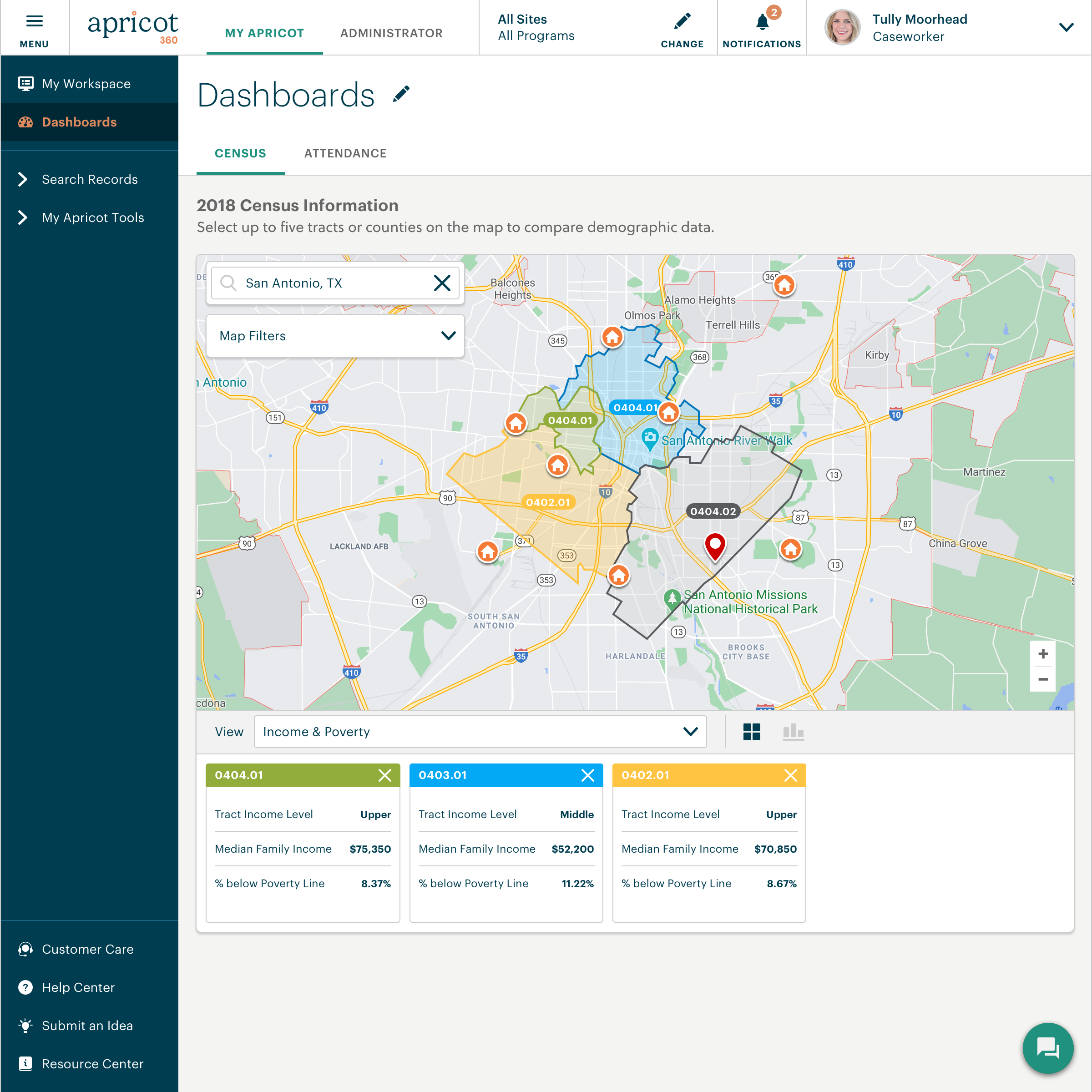
Bonterra Apricot is a cloud-based solution for nonprofits of all sizes. It's designed to bring data to the forefront in order to bolster a nonprofit organization’s impact. Apricot helps organizations to save time and resources because the tool makes managing data more efficient, so that users increase the time spent delivering the mission. Apricot offers configurable forms and fields so organizations can customize their experience to their clients and mission. It allows…
N/A
IBM Business Automation Workflow
Score 9.9 out of 10
N/A
IBM Business Automation Workflow is a solution that helps users automate digital workflows to increase productivity, efficiency and insights — on premises or on cloud.
N/A
Pricing
Bonterra Apricot
IBM Business Automation Workflow
Editions & Modules
No answers on this topic
No answers on this topic
Offerings
Pricing Offerings
Bonterra Apricot
IBM Business Automation Workflow
Free Trial
Yes
Yes
Free/Freemium Version
No
No
Premium Consulting/Integration Services
Yes
No
Entry-level Setup Fee
Required
No setup fee
Additional Details
Pricing for Bonterra Case Management is driven by individual usage and needs of the nonprofit.
Organizations aren't one-size fits all, so neither is Bonterra's pricing.
Secure case note documentation: It is well-suited for organizations like the NAMI Living Room that need a secure, reliable system for storing sensitive client information and maintaining confidentiality. Also, it allows for continuity of care as staff can easily access past notes and track progress.
Have your process first on paper Its important to first document the process before venturing into BPMS. It will save a lot of pain and heartaches. A BPM tool is no magic bullet, it merely automates your process. Its upto you to put visibility and tracking on top of it. Provide monitoring so that you get a chance to improve your process continously. BPM is not an application If you are trying to build an application with BPM, chances are that your are alraedy failing. BPM must be a strategic initiative for an organization. Yes, you build Dashboards, Reports and other software in BPMS, however you do it at a process level not at an application level. http://bpmstech.blogspot.com/2011/05/bpm-initiative.htmlKnow the difference between process data and business datahttp://bpmstech.blogspot.com/2011/05/lombardi-best-practices.htmlhttp://bpmstech.blogspot.com/2012/02/bpm-system-architecture.html
System does a great job normalizing business process and automating order processing tasks. Before TeamWorks, the process was much more manual and more expensive staff ($65k to $70K) were required to manage the process. Since implementing TeamWorks, we need much lower-skilled workers to manage order processing.
System ensures that we have consistent data across all systems.
Rules engine is really the “company playbook” – it is the heart and soul of how the company works. It handles thousands of orders per day
The Connect feature is poor. We were hoping to use it to send resources to families geographically, but the system does not have that function to filter at this time. A way to filter the people you want to message without having to do it manually is needed
Apricot can run very slow in general and I have to hit the refresh button multiple times
The system gets crashed when many instances go into the queue stage. The system even crashes and sometimes restarts automatically when the load on the server increases. We had to develop a separate software for this and maintain the same.
We cannot manipulate the data during run time. It is difficult to develop user-interfaces with complex functionality.
In order to consume external services that follow HTTP protocol, we need to use IDE for that, and consuming services from IDE takes a lot of time to give a response.
I went to the Summit a few weeks ago to learn about the future expansion and vision of Social Solutions. I already been with Apricot for 5 years and researched other products I still come back to Apricot and where it can grow with us.
This particular decision will be made by other people. Overall IBM BPM is the best BPM engine that I have worked with. It is implemented at our company and IT and business are already somewhat familiar with it. Therefore if asked I will recommend renewal as long as the price is reasonable.
Without any formal IT education, I was able to utilize their articles and videos to teach myself how to configure and customize the software to our organization (although I do recommend their Apricot Admin training to polish your skills). The majority of users are able to adapt immediately with minimal training.Staff that have challenges with technology in general do adapt to using the system once you can create buy in and engagement (although it does take time and training)
• The system is easy enough to use but, by definition, is a complex tool. However, they have done a good job generally balancing tool complexity / capability with usability. When comparing to MS Biz Talk, for example, Biz Talk has less functionality but is actually harder to use. • Software is very flexible. For somebody with the right technical background, it’s quite easy to write some Java code to overcome any hurdles or make the product do what is needed
This is a difficult question to answer because when I hear the word "support" I think of this in multiple levels. The customer service on the front end, with my account manager is pretty good. There was a time for about a year and a half where I didn't even want to get to know this persons name because they wouldn't be there there long enough for me to get to know them. For the past 8-9 months we've had the same account manager, and this is helpful as a way to grow our trust in Apricot social solutions as well as the account manager understanding the needs of our organization. The technical support is also fine. The issues we most have problems with is how the technical support is calculated and the lack of roll-over of technical support time. If our account has 1 hour of technical support per month, but we don't need any technical support for 4 months, it would be great to have the ability to use those 4 hours (as time allows per the IT calendar) when we need them, even if it falls within one month. We've also had instances of working with IT persons who didn't seem to care at all about our issues, and seemed eager to put our call behind them and get onto the next without much thought as to why we were calling them in the first place. We've also had instances where the IT person didn't seem to really be listening to what it is we needed, and was heck bent on what they THOUGHT we needed rather than listening to what we actually did need. While we also have had experiences of working with IT persons who were absolutely great at working through issues. They were patient and understanding and would explain why a solution (c)would or (c)would not work. We even worked through those options in real time if they were unsure whether a data solution would work or not. That was great because we felt heard.
Issues can be raised through tickets and it works based on the priority of the issue. The Support Team response is also good and the solution is provided in a short span of time. In a case where the issue is serious, they try to find out the root cause and provide an alternative for it.
• Attended on premise sysadmin training for 4 days, 8 hours per day. Although further follow-up training was available, I never felt the need to go back. Training was very hands-on with real modeling (rather than just following a manual). Very effective.
There need to be specialists who know how to best work with an organization developing a new program, not just transferring existing forms to a digital format.
• Very satisfied – not too difficult at all. • We had a consultant available as part of our contract, but we didn’t really need to use (except for some advice on ActiveDirectory and single sign-on)
We also use a state database called ETO that tracks case notes for our families, but doesn't give us the ability to analyze things like gross annual income growth for our families during their time in the program, # of housing applications completed, etc. It is solely used to track case notes regarding case management meeting content. Apricot allows us to generate statistics we can use to source funding and prove our efficiency as an organization as we continue to market our coaching model. ETO does not have this benefit.
Pega Pega is a comprehensive suite which offers a unique theme of BPM development in the market. A no-coding approach based on rules with inheritance makes Pega a very powerful product. However Pega, falls short on integration centric capabilities and very rigid to customize. On the other hand IBM comes with array of products which suits needs of varying degree. Advanced integration is solved by BPEL Process Server which has support for state based patterns and mediation. Dynamic rules and event management can be solved with WODM, Cloud to on-premise connectivity with Cast Iron, Enterprise gateway and security usecases with DataPower, Social BPM with IBM BPM , WODM, mobify with Worklight. Pega has a little bit of eveything here and there. It solves the dynamic rule management, brings out the flavor of Social BPM and mobility with Antenna ( I guess) and predictive analytics as well in one single suite. There are certain usecases which needs to have a little bit of everything, however this little bits and pieces of functionality when its blows, Pega would have problems to scale. With IBM its a bit nightmare to maintain a variety of technologies, however you can wish to go for one without the other and go for something only when you truly need it. Pega vs IBM Its difficult to pick a winner. In nutshell when you want a full scale BPM with rich integration capabilities go for IBM BPM. On the other hand if you hava mature integration capability already, Pega can yield quick results for you as well. Pega's strength is its methodology. IBM BPM's strength is integration. Actually you can't go wrong with both in terms of implementation. My strong recommendation is to invest time to process analysis and pick a good vendor to support consulting and implementation.
It scales from small team interactions to business processes serving thousands of employees, as well as straight-through-processing needs that go well beyond. Of course, scale is always in the eye of the beholder, but IBM BPM does a good job of giving you all of the hooks, APIs, and data that you need to take on whatever scaling approaches you need to meet the load