BQE CORE is a business management solution built specifically for professional service firms. BQE CORE is a combination of a billing assistant, project management, and accounting solution. CORE is designed to do the hard work of delivering actionable insights directly to the user's dashboards or inbox. BQE CORE replaces the products Engineeroffice, Archioffice, and BillQuick; the functionality of these applications is now found in BQE CORE.
N/A
Infor CRM
Score6 out of 10
N/A
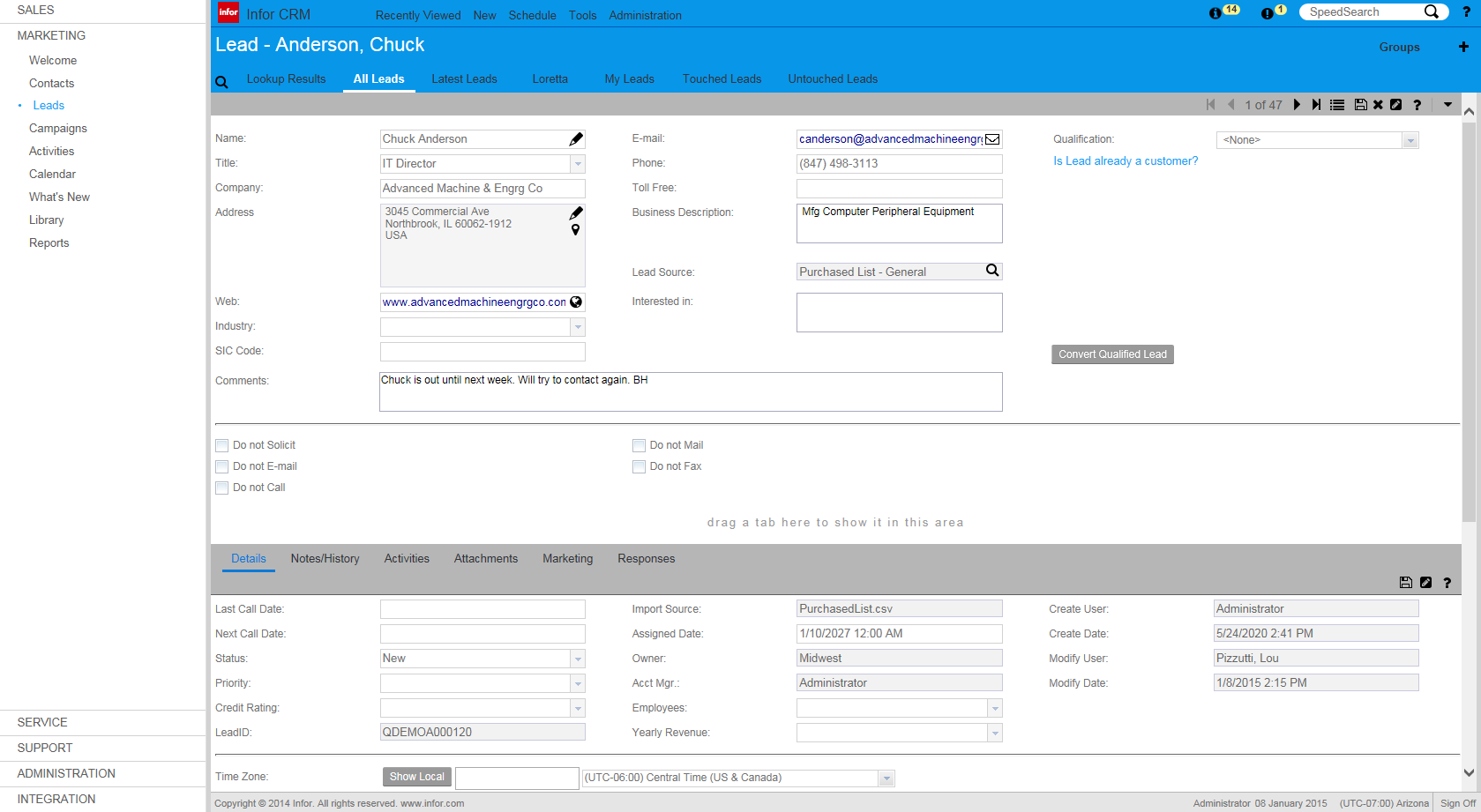
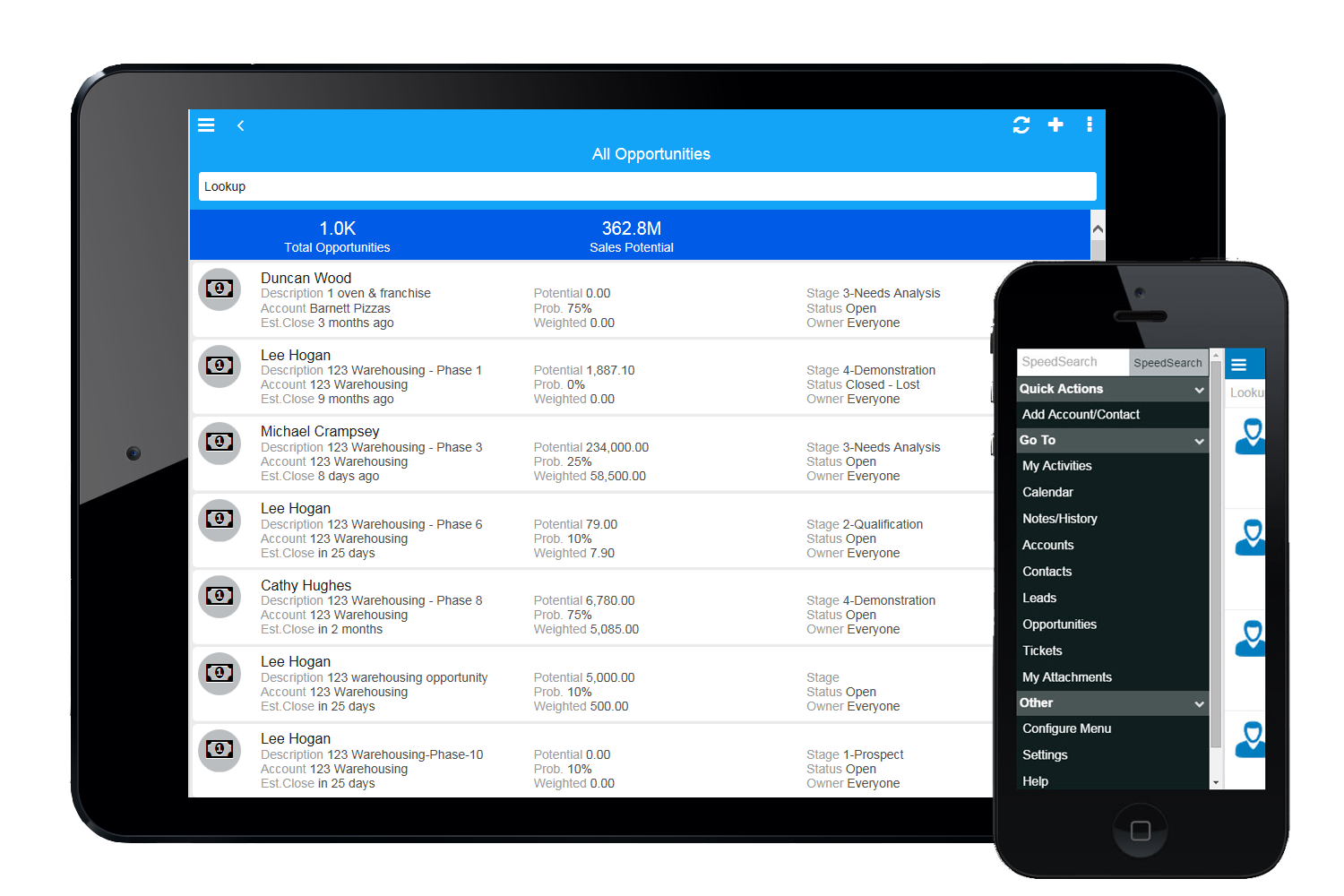
Infor CRM delivers tools for individuals, teams, and companies focused on increasing sales performance and the insights to optimize sales, marketing, and service strategy and execution. Infor CRM provides sales teams with rich customer information from interactions and transactions across the business and accommodates the modern flexible workforce with multiple access methods. Robust process automation capabilities enable efficiencies and the application of best practices across sales…
I would recommend this for our industry: architecture, engineering, or construction. I would recommend this for any larger firm with many employees or high number of projects. I would particularly recommend this for a company with projects that have budget constraints and where time tracking and expense tracking is very important. I would not recommend this complicated software for a small firm with a small amount of income or number of projects.
If you have a mobile workforce, it likely wouldn't be as appropriate (keep in mind we're using the desktop client, and have very limited experience with the web app). It is well suited if your business needs lots of custom processes- find a good vendor. We utilize SimpleSoft out of Ohio, and they have been excellent. Key question: think about where your business is going to be in 5-10 years, and will this CRM solution be able to grow with us?
A de minimis incentive was given to thank the reviewer for their time. The incentive was not used to bias or drive a particular response, nor was the incentive contingent on a positive endorsement. More Info
Invoice Collections within Billing is a great tool because of the ability to take notes and track contact.
Invoices are professional looking and easy for our clients to understand the overall progress within each phase of their project.
Dashboards are the best tool EVER!
The Contact List feature within Clients setup is the perfect way to track multiple project managers within a large company that also has multiple contracts with us.
A de minimis incentive was given to thank the reviewer for their time. The incentive was not used to bias or drive a particular response, nor was the incentive contingent on a positive endorsement. More Info
Saleslogix functionality can be managed to a very granular level for each individual using it. Within the users profile you can restrict access to modules, remove write permission, remove export privileges, etc.
Saleslogix has one of the best sync engines I have ever seen. If you allow your outside sales reps to have their own database, they can modify customer record while off line and when they do have internet access they can sync changes in both directions. This functionality works great when you have inside and outside sales staff covering the same territory.
Saleslogix can be customized using Visual Basic Code syntax. This is a positive aspect as well as a negative. Our existing Saleslogix is so customized that if we were to upgrade to 8.0 it would cost us over $20k to redo some of the customizations. Upgrades are frequently incompatible with customizations.
Assigning contacts to particular roles - such as Invoicing, Contracts, etc.
Accounting Functionality - they are basically a project management accounting software, so in my opinion, they could learn some things from other accounting software such as QuickBooks etc.
A de minimis incentive was given to thank the reviewer for their time. The incentive was not used to bias or drive a particular response, nor was the incentive contingent on a positive endorsement. More Info
InforCRM has made dramatic improvements in the web client though in some cases it has been painfully slow to get the most needed things updated. An example is the slow speed of the web client. The newest update is supposed to fix this.
The web client does not autosave, so users have to remember to hit the 'save' button at each screen. This is the biggest complaint of users going from the desktop client to the web client.
I personally would like to see data panes (account, contact, etc.) with the capability to set up a different view for each team and/or security level that would access the data.
A de minimis incentive was given to thank the reviewer for their time. The incentive was not used to bias or drive a particular response, nor was the incentive contingent on a positive endorsement. More Info
We have been using Core for a few years now, and honestly started to look at other software systems to see what was out there. What we chose was a nightmare for migration so we never left Core. Now we have added invoicing and payments from Core instead of double entry with QBO. Still only a few cycles in but looks like it will be up to speed soon and working smoothly.
A de minimis incentive was given to thank the reviewer for their time. The incentive was not used to bias or drive a particular response, nor was the incentive contingent on a positive endorsement. More Info
Because we've already made the investment in the original on-premise version, the cost per user is relatively low. The product has grown with us and we can now choose a LAN or Web client version and host the site internally, giving us total control of our data. The iPhone and iPad versions allow the sales team quick access in the field and the voice-to-text option is quite handy. SalesLogix doesn't require that our technology stack be constantly up to date which again, keeps our cost down. They are always making enhancements to the product and we can choose to update/upgrade when those enhancements appeal to us enough to justify adding the service pack.
The foundation is awesome, like I have said before, however the house being built on it, the educational resources being provided to us (more of sales pitches that don't work), and flexible workflow opportunities, is making us look elsewhere for how much we will be spending on per user. It's crazy to think how flexible they are not when it comes to user settings. Lack of integration with other sources is awful.
A de minimis incentive was given to thank the reviewer for their time. The incentive was not used to bias or drive a particular response, nor was the incentive contingent on a positive endorsement. More Info
A de minimis incentive was given to thank the reviewer for their time. The incentive was not used to bias or drive a particular response, nor was the incentive contingent on a positive endorsement. More Info
This is one area that does need some improvement. It can be slow at time, so we had our IT look at it from our side and we had no issues, so it has to be some slowness on their side.
As a new employee and CORE user, I talk to support on a weekly basis. I have never had to wait for more than 3 min to get connect with a support rep, and all my questions have been answered. The support representatives are polite and eager to help no matter how simple your question is.
A de minimis incentive was given to thank the reviewer for their time. The incentive was not used to bias or drive a particular response, nor was the incentive contingent on a positive endorsement. More Info
A de minimis incentive was given to thank the reviewer for their time. The incentive was not used to bias or drive a particular response, nor was the incentive contingent on a positive endorsement. More Info
A de minimis incentive was given to thank the reviewer for their time. The incentive was not used to bias or drive a particular response, nor was the incentive contingent on a positive endorsement. More Info
Deltek Vision is far more advanced, more encompassing and offers more flexibility with what you want to do. However, it's also quite difficult to use, whereas BQE CORE is intuitive and user friendly. The trade off is worth it in some arenas but overall it's not suited for a larger fast paced company. Great for smaller companies.
A de minimis incentive was given to thank the reviewer for their time. The incentive was not used to bias or drive a particular response, nor was the incentive contingent on a positive endorsement. More Info
We selected INFOR CRM over Salesforce simply because it was affordable and didn't have so many 'bells & whistles' that Salesforce has that we were not using. We didn't realize that the compatibility with upgrades were going to be such an issue.
A de minimis incentive was given to thank the reviewer for their time. The incentive was not used to bias or drive a particular response, nor was the incentive contingent on a positive endorsement. More Info
A de minimis incentive was given to thank the reviewer for their time. The incentive was not used to bias or drive a particular response, nor was the incentive contingent on a positive endorsement. More Info