Certinia FM Cloud automates financial management on the Salesforce platform. The customer-centric software includes a general ledger, automated billing processes, and financial intelligence.
N/A
Microsoft Dynamics SL
Score 5.4 out of 10
N/A
Microsoft Dynamics SL is one of the ERP products in the Dynamics family.
This product was acquired from Solomon 2000.
The product is typically used by SMBs, particularly in project-based businesses (e.g. construction). It has strong accounting and project management capabilities.
N/A
Planview AdaptiveWork
Score 8.2 out of 10
N/A
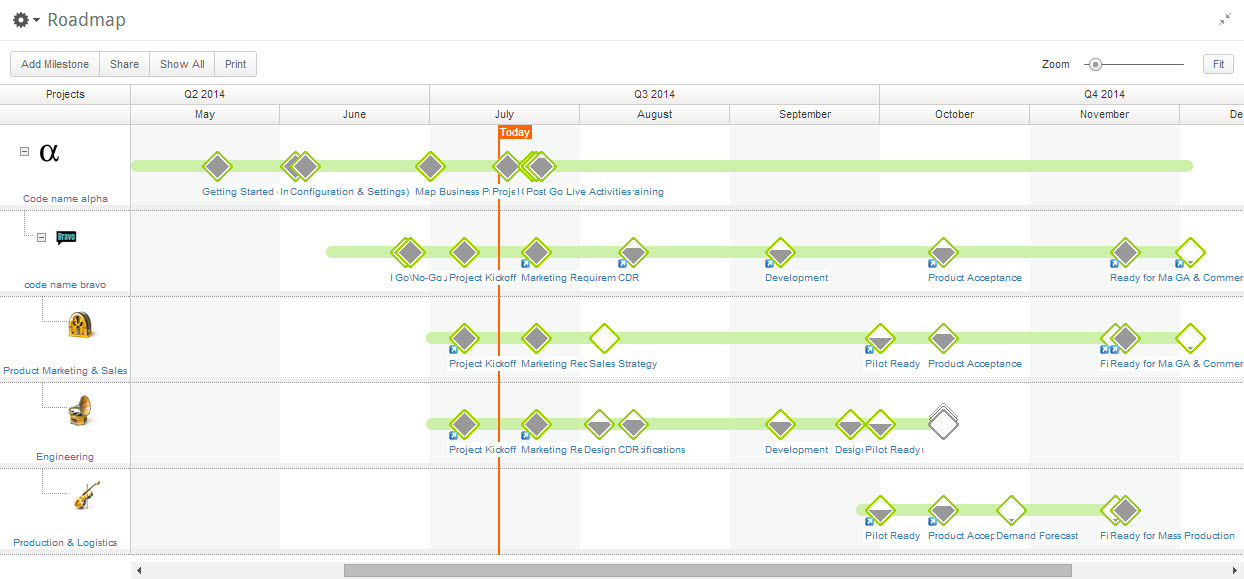
Planview AdaptiveWork is a web-based collaborative work management software. Planview AdaptiveWork enables users to connect employees and partners and create documents, reports and specialized workflow automation. Planview AdaptiveWork is designed to work across multiple teams to enable cross-company task, project, and resource management.
N/A
Pricing
Certinia FM Cloud
Microsoft Dynamics SL
Planview AdaptiveWork
Editions & Modules
No answers on this topic
No answers on this topic
No answers on this topic
Offerings
Pricing Offerings
Certinia FM Cloud
Microsoft Dynamics SL
Planview AdaptiveWork
Free Trial
No
No
Yes
Free/Freemium Version
No
No
No
Premium Consulting/Integration Services
Yes
No
Yes
Entry-level Setup Fee
Required
No setup fee
Optional
Additional Details
Certinia Professional Services Cloud software follows a subscription-based pricing model that is typically structured according to the number of users and the level of features required. The software’s pricing may vary depending on the organization’s size and needs, with options to select modules or add-ons for additional functionality. Specific pricing details may require a consultation or quote from Certinia for tailored solutions.
—
—
More Pricing Information
Community Pulse
Certinia FM Cloud
Microsoft Dynamics SL
Planview AdaptiveWork
Considered Multiple Products
Certinia FM Cloud
Verified User
Director
Chose Certinia FM Cloud
FFA is built on the Salesforce platform, giving us one source of data for our KPIs. Unlike Dynamics, FFA allows us to create custom reports and dashboards through which we can share financial results. We were able to better automate and streamline accounts payable using FFA. …
For accounting systems, users and/or evaluators often want to see some type of matrix or "heads up" comparisons of specific features and functionality of a system in key areas such as: 1) General Ledger 2) Order to Cash cycle 3) Purchase to Pay cycle 4) Cash management 5) Inventory and/or Cost Accounting (Projects/Jobs, etc) 6) Revenue Recognition 7) Fixed Assets management 8) Budgets 9) Tax 10) Reports and Analysis It would be great if this kind of matrix existed to be filled in by reviewers so that others could benefit from their perspectives about the applications and how they address or handle the specific features/functionality. With respect to FinancialForce, the company has found that nearly all the key features it needed were available from the application.
For a small to mid-size business, MS Dynamics SL is effective. We are capable of managing our finances with a very low risk of error. We have worked with MS Dynamics for almost 15 years and have more than doubled the size of our business in that time with very few issues from the program. We have exponentially increased our revenue and reporting demands and have found SL to be very dependable and stable. The program does have the occasional glitch and those are sometimes outside of the realm of expertise of our IT department. SL support is excellent, but their timeliness is not as urgent as ours.
I've been an AdaptiveWork (Clarizen) admin for the past 14 years, so I've seen much improvement since I started working with the product. I'm very happy we can utilize the hybrid mode by using the cards, I think this was long overdue but it works very well.
Provides flexibility for complex project based cost accounting
Strong and flexible allocation processer for cost allocations, markups, and pricing
A "Flexible Billing" module under the project controller series that allows for multiple billing formats ranging from fixed price schedule of values, T&M or Cost Plus, and scheduled billing.
Flexible reporting with options using Crystal Reports, SSRS, a Quick Query tool, and ability to tie into MS Office tools such as MS Access and MS Excel
Tight integration with Financials, but also the ability to integrate with modules such as Sales Order, Inventory, and Field Service
Customization abilities ranging from a VBA (visual basic for application) foundation to allow customizing existing forms to the ability to use the SDK (Software Development Kit) to build more complex customizations that integrate with Dynamics SL.
Many ways to acclimate to the system; documentation, videos, community, and contacts.
Planview provides scalable customization options tailored to the unique needs of each business unit or department. Easily add or remove fields in the system. As the admin, it was easy to learn how to configure.
Offers flexibility to adapt to existing systems and align with organizational workflows and processes. There are multiple ways to customize each part of the system to meet our needs.
Since SalesForce was not made with accounting in mind, building FinancialForce as a module on top of SalesForce gives problems because the overarching architect of SalesForce cannot facilitate all the accounting requirements.
The FinancialForce integration team was not very good, and did not help us set up our FinancialForce very well. Their customer support is also lacking and takes a long time to respond and troubleshoot our problems.
FinancialForce doesn't actually build financial statement reports. We were only able to run a trial balance, and we had to build the statements ourselves in Excel.
Reporting in the Project module is lacking functionality. I understand that most companies have specific needs when it comes to tracking project information but the standard reports are not good.
I would recommend a product like Management Reporter that is for Projects only. Project Reporter should allow users to pull in all Project related data into reports.
Fixing suspended batches. Obviously all of us users have experienced this mess. SL knows what needs to be corrected and there could be some step by step fixes in a separate repair module to do the steps we do in Query Analyzer.
When it comes to reports, it would be great if there was an easy way to roll-up the results instead of having to create configurations to summarize data.
The consultant experience has not been great when it comes to more advanced needs for configurations. The consultants are in a different timezone which limits hours to work together and it seems hours are spent trying to determine what the requirement is and when the initial thought is that the configuration is possible, it may result in not being able to assist.
Charts in the reports section are not able to be exported
When pulling a report together, you need to make sure you pull from the right "item" or level. If you decide you need data that resides in another "item" or level, you need to re-do the report from the beginning.
Because the system is so configurable and I imagine different clients use the system differently, when you need something automated in your account, where you need to pull a consultant or SME in, the person doesn't necessarily understand your configurations and how things work so they are unable to give recommendations on how to solve problems that don't impact other configurations you already have set up in the system.
Templates cannot be updated unless they are pulled into a project and then re-saved. In the templates module, you are not able to open a template and edit to re-save. Therefore, making updates to a template can be very time consuming having to find a project to use to pull it in, make updates, re-save and then pull out. It would be great if the templates module allowed you to edit the templates and re-save.
The company has now converted its legacy, "home grown" operations system and built it on the force.com platform, and the integration between it and FinancialForce is deeply entrenched. No other application would be able to replicate this functionality, and the company will be able to scale and leverage the force.com platform as it grows.
Unfortunately, Dynamics' lack of ability to smoothly integrate with our CRM system is causing us to look at other solutions. The efficiencies that we gain by using Dynamics for our day to day accounting are lost in the constant headaches of getting sales quotes to import properly into the system for invoicing. Another major issue for us has been budgeting and reporting. We currently do all of our budgeting and board reporting in Excel, which is too time consuming and inefficient, especially when a system as robust as Dynamics should easily be able to handle this relatively simple task.
I give my renewal of this product a 9. It's only because we never know what product may come out next and how other factors in our office political environment may cause impact upon this. If I always had my way, this is what we'd settle on as our de facto project management system.
Change management is always an issue, but the evidence of the application's usability is that both long-time employees (used to the legacy systems for many years) and newer employees have been able to learn the system and improve their business processes.
I rate it a 10 because we have removed the fields we don't need so users can really crank the data into the system. The software was designed for the professional services firm in mind but does a tremendous job for construction firms and "blended" companies that are both distribution firms but project centric as well. Perhaps they drop ship inventory to a project where their employees or subs need to work on a project for example.
It is easy to configure, intuitive. The customization process is in some ways better than Salesforce.com. It has a great UI. It does however depend on how it's implemented.
The design of it is generally fine, however the ability to data upload people from a spreadsheet is an obvious miss.
Unless the internet is completely unavailable - which has not happened yet - the application is always accessible. Since FinancialForce is built on the force.com platform, it's uptime is tied to Salesforce security and system performance standards
We have had only one unplanned outage for 2 hours in the last 30 months. We shut down for 30 min to 1 hour once a month, but that is for Microsoft OS updates to the servers. Being a 24/7 world wide operation, the reliability is really important. We do get an 8 hour window on the weekend that we can be down for a short period to install Microsoft Dynamics SL updates, but we do not have many of those. On our last version upgrade, we shut the users out at 9:30 am and were fully operational in less than 6 hours. The upgrade was New SQL server, New SL server and 2 new Citrix servers.
Sometimes it is slow when everyone is entering their time on Fridays or Mondays but other than that we rarely see downtime and maintenance notifications are well in advance.
Most Ancillary Pages: Quick to Reasonable (By "ancillary" I mean lesser used/master data maintenance pages - e.g. People, Customers, Individual Tasks, Milestones, etc.)
Work Plan (with 100 sub items): Reasonable to Slow
The response time for FinancialForce is exemplary. Immediate acknowledgement of the support request by automatically logging a case/ticket on the provider side, then less than 24-hour follow up by a support team member with specific questions, information or resolution for the issue.
Support is only used when needed, so unfortunately ,they get all the odd issues. It's a difficult business, but Microsoft and our firm do a great job of meeting customer needs. We get routine feedback that our support services are very good.
It's a good experience overall. Clarizen was useful when needed. It's mostly needed for advice on how to do more sophisticated actions or how to change something that was set up administratively. It's seldom used otherwise. The product consistently works, the documentation is acceptable, and the generally intuitive product is easy enough for most staff to pick up without much issue.
• We worked with a Project Manager on their side. He was very good about developing a project plan to hit our goal. I think we had weekly or twice weekly calls – very steady cadence over 3 month period. • Their PM skills were great – kept us on task. For the last week, they sent 2 people on site and they did training for power users. After that a couple of them revisited here
Through its Xtra login website available to its customers, FinancialForce offers a complete set of online, video tutorials, training and documentation. Each tutorial is "bite-sized", meaning it imparts instructional, step-by-step information in 2-3 minute narrated videos. For a particular cycle or process, like invoices to payments for example, each tutorial builds on the last so that the user can get a complete picture of the steps and process in less than 10 minutes.
Our trainer, Alex, is exceptional and knows the product really well. I swear he must have wrote the product himself! His manner with training is very easy going, gives you homework that is applicable to what you need to learn and stages it correctly for you. It was a pleasure to be trained by him.
The company decided to run parallel for three months in order to soften the impact of the change from the legacy "system" - which users had been interfacing with for over a decade - to FinancialForce. While not recommended, this did provide time for the in-house "super user" team of 2 people to become completely familiar with the application, and thus provide hands-on training and be a resource for the users who would be processing the daily accounting transactions.
Just to let it take its course. The implementation for me once I became a part of my former organization was pretty seamless. Just get to know the basics and call the support team to ask questions if you need help on an issue, should they arise. They are ready, willing, and able to help!
We have been able to implement AdaptiveWork pretty easily but it requires updating of resource availability and continuous training as roles change and new people join the company. Other documentation is used such as spreadsheets for longer range planning and project approval
FinancialForce Subscription & Usage Billing has more features, more useability, and manages higher numbers of customers. The systems I have used in the past are easier to navigate but couldn't handle this number of customers.
Of the comparable mid-range ERP systems, Dynamics SL competes at the lower end based on price, but also above the high-end based on flexibility, data, and reporting. Being able to stay with the same core accounting from a $100 million dollar company to a $3 billion dollar company shows the range of capabilities.
Planview AdaptiveWork was the right size, at the right price point that fit our customization and integration flexibility. It is intuitive to use but allowed us to add complexity as our needs grew
By implementing Planview AdaptiveWork on a company-wide level, we have been able to remove the other project management tools we have been using and consolidate our costs for technology down to a single tool
The ability to incorporate cross-departmental work and communication has streamlined our project management processes to a point where we can work seamlessly together without interruption trying to consider the gaps between tools
Reporting capabilities from the unified tool has given our leadership insight and the ability to make strategic business decisions more effectively than ever