Chose Emburse Chrome River
I don't have any previous experience with similar products.

| Product | Rating | Most Used By | Product Summary | Starting Price |
|---|---|---|---|---|
 Emburse Chrome River | N/A | Chrome River EXPENSE is expense management software, from Chrome River Technologies in Los Angeles, California. | N/A | |
 Emburse Certify | N/A | Certify is travel and expense management software developed by the company of the same name in Maine, which merged with Chrome River in 2019 to form Emburse. | N/A | |
 Hurdlr | Enterprise companies (1,001+ employees) | Hurdlr automatically tracks mileage, expenses, income streams, and tax deductions in real-time. Self-employed business owners, freelancers, and solo entrepreneurs use Hurdlr to save time, save money, and stay organized while running their business. The vendor states that on average, people find over $5,600 in tax deductions. | N/A |
| Emburse Chrome River | Emburse Certify | Hurdlr | ||||||||||||||||||||||
|---|---|---|---|---|---|---|---|---|---|---|---|---|---|---|---|---|---|---|---|---|---|---|---|---|
| Editions & Modules | No answers on this topic | No answers on this topic | No answers on this topic | |||||||||||||||||||||
| Offerings |
| |||||||||||||||||||||||
| Entry-level Setup Fee | No setup fee | $8 Expense report | No setup fee | |||||||||||||||||||||
| Additional Details | We offer three cost-effective, subscription-based pricing models: A transaction-based model, priced according to expense report volume A submitter-based model, priced according to an average number of monthly submitters An enterprise-level model that includes unlimited expense reports. Pricing for this model is based on total employee headcount Feel free to contact us to discuss the best one for your organization. | Certify AP has volume based pricing based on processed invoices | — | |||||||||||||||||||||
| More Pricing Information | ||||||||||||||||||||||||
| Emburse Chrome River | Emburse Certify | Hurdlr | |
|---|---|---|---|
| Considered Multiple Products |  Emburse Chrome River  Philip Barnett Travel Reporting & System Administrator Chose Emburse Chrome River The user interface and features surpass the experience and similar features of other products because of the following. Good customer support to also make the program better. Also, a good interface to navigate the expense creation process.  Jordan Kerr, CPA Director of Finance/Controller Chose Emburse Chrome River The 3 biggest reasons we went with Chrome River were: The dynamic workflow capabilities of Chrome River compared to other systems. We have 30-45 budget owners who need to review/approve based on the budget codes they oversee. Most other systems just allowed for a …  Jose Romero Area Director of Marketing and Business Development Chose Emburse Chrome River It's the [industry-leading] software for Enterprise level organizations with [large-scale] teams and financial responsibilities. The software has the most robust set of tools and pays for itself with the amount of time it saves. Many newer alternatives have sprouted up but I …  Danielle Bulla Accounts Payable and Financial Services Coordinator Chose Emburse Chrome River I think Chrome River is much more intuitive and user-friendly. Also, I love the ease of pulling data and diving into analytics with Chrome River. The system is very dynamic and changes in real-time. As far as Concur goes, I had a lot of difficulty and redundant motions when …  Athena Gazikas Senior Expense Administrator Chose Emburse Chrome River We shopped Rydoo and another online expense reimbursement platform but ultimately chose Emburse Certify for our needs. Emburse Certify was more customizable for our organizations needs. This was our first time using an online expense platform. Previously, as recently as 2018, …  Jacob Kletzli Accountant Chose Emburse Chrome River Expense Track, better since approvals are in the app. The export still isn't as good.  Stephen Townsend, CPA Director Of Finance Chose Emburse Chrome River We initially tried implementing Concur, but they provided no dedicated resources to our implementation and ended up initially implementing the wrong version and we finally scrapped the project.  Sofia Franciscus Account Manager - Technical Sales Chose Emburse Chrome River At the bottom. It's worse than an excel spread sheet. It is the worst.  Scott Howell Director, Technology & Information Services Chose Emburse Chrome River Emburse Chrome River has a nicer interface and was easier to implement than Concur. |  Emburse Certify  Enrique Abello Vice President, Human Resources & Administration Chose Emburse Certify The cost to implement [Emburse] Certify was lower than the primary competition (Concur), but the integration with our existing card programs simply did not work the way we expected it to and the way it was sold to us. Any money saved by going with Certify over Concur was lost … Chose Emburse Certify I've used Concur in the past, but Certify is much lower-cost and a much better service. It has more flexibility and is easier to use.  Adam Neveu Sales Manager, U.S. Chose Emburse Certify The price is better and the support is better from what I have been told. I looked into them and never heard back from them when I sent in my info and Certify got in contact in mins to discuss my needs.  Michael Palecek IT Manager Chose Emburse Certify I think most of the functionality between the two products is similar and very competitive. I do not use the booking or research facilities of either product but I believe they are similar and have the same functionality. Overall I liked the interface a little bit better on …  Sheila Garcia Chief Communications Officer Chose Emburse Certify We chose Certify for ease of understanding, resources for training staff, multiple departments, and price.  Tristan Dobbs Vice President of Shared Services Chose Emburse Certify I've only briefly looked at Concur as an expense platform and it came close to what Certify offers. The interfaces are similar, the functionality is basically the same, and a lot of companies use both systems. I think that it comes down often to price between the platforms. …  Debbie Cochran Staff Accountant Chose Emburse Certify We have not used other products. This system was highly recommended by our colleagues.  Jennifer McBride, CMA Finance Director Chose Emburse Certify We compared Certify with the Wells Fargo platform. Certify is more user-friendly. |  Hurdlr  Alanna Hawley SEO Consultant Chose Hurdlr Hurdlr is much cheaper and less complicated than QuickBooks. Less money, less time, less frustration than QuickBooks. I used QuickBooks Online for another business and had to spend hours and hours figuring out how to set it up, and ultimately had to pay an accountant to do it … |
| Emburse Chrome River | Emburse Certify | Hurdlr | |||||||||||||||||||||||||||||||
|---|---|---|---|---|---|---|---|---|---|---|---|---|---|---|---|---|---|---|---|---|---|---|---|---|---|---|---|---|---|---|---|---|---|
| Expense Management |
| ||||||||||||||||||||||||||||||||
| Payment Management |
|
| Emburse Chrome River | Emburse Certify | Hurdlr | |
|---|---|---|---|
| Small Businesses |  Dext Score 9.6 out of 10 | Dext Score 9.6 out of 10 | Dext Score 9.6 out of 10 |
| Medium-sized Companies |  BILL Spend & Expense Score 8.9 out of 10 | BILL Spend & Expense Score 8.9 out of 10 | BILL Spend & Expense Score 8.9 out of 10 |
| Enterprises |  Webexpenses Score 8.7 out of 10 | Emburse Chrome River Score 7.8 out of 10 | Emburse Chrome River Score 7.8 out of 10 |
| All Alternatives | View all alternatives | View all alternatives | View all alternatives |
| Emburse Chrome River | Emburse Certify | Hurdlr | |
|---|---|---|---|
| Likelihood to Recommend | 7.2 (0 ratings) | 8.3 (0 ratings) | 9.0 (0 ratings) |
| Likelihood to Renew | 9.8 (0 ratings) | - (0 ratings) | - (0 ratings) |
| Usability | 8.0 (0 ratings) | 9.0 (0 ratings) | - (0 ratings) |
| Availability | 10.0 (0 ratings) | - (0 ratings) | - (0 ratings) |
| Performance | 9.0 (0 ratings) | - (0 ratings) | - (0 ratings) |
| Support Rating | 9.0 (0 ratings) | 4.9 (0 ratings) | - (0 ratings) |
| Online Training | 9.0 (0 ratings) | - (0 ratings) | - (0 ratings) |
| Implementation Rating | 9.8 (0 ratings) | - (0 ratings) | - (0 ratings) |
| Configurability | 8.0 (0 ratings) | - (0 ratings) | - (0 ratings) |
| Ease of integration | 6.0 (0 ratings) | - (0 ratings) | - (0 ratings) |
| Product Scalability | 8.0 (0 ratings) | - (0 ratings) | - (0 ratings) |
| Vendor post-sale | 10.0 (0 ratings) | - (0 ratings) | - (0 ratings) |
| Vendor pre-sale | 10.0 (0 ratings) | - (0 ratings) | - (0 ratings) |
| Emburse Chrome River | Emburse Certify | Hurdlr | |
|---|---|---|---|
| Likelihood to Recommend |
|
Enrique Abello Vice President, Human Resources & Administration |
Alanna Hawley SEO Consultant |
| Pros |
|
|
Alanna Hawley SEO Consultant |
| Cons |
|
|
Alanna Hawley SEO Consultant |
| Likelihood to Renew |
 Lorrie Black Sr., Business Analyst | No answers on this topic | No answers on this topic |
| Usability |
|
| No answers on this topic |
| Reliability and Availability |
 Robert Ferrandino Controller | No answers on this topic | No answers on this topic |
| Performance |
Robert Ferrandino Controller | No answers on this topic | No answers on this topic |
| Support Rating |
Jose Romero Area Director of Marketing and Business Development |
| No answers on this topic |
| Online Training |
Robert Ferrandino Controller | No answers on this topic | No answers on this topic |
| Implementation Rating |
Robert Ferrandino Controller | No answers on this topic | No answers on this topic |
| Alternatives Considered |
|
|
Alanna Hawley SEO Consultant |
| Scalability |
Robert Ferrandino Controller | No answers on this topic | No answers on this topic |
| Return on Investment |
Athena Gazikas Senior Expense Administrator |
Tristan Dobbs Vice President of Shared Services |
Alanna Hawley SEO Consultant |
| ScreenShots | Emburse Chrome River Screenshots  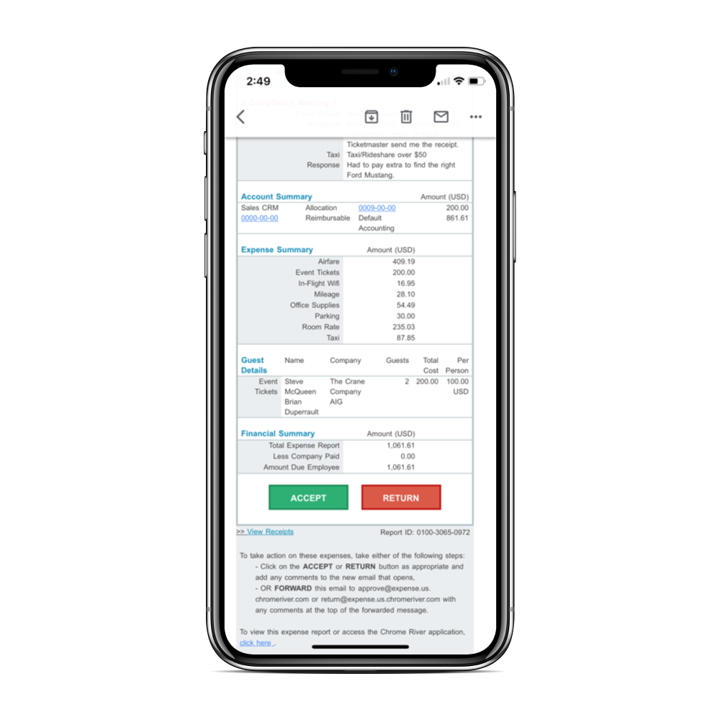 | Emburse Certify Screenshots     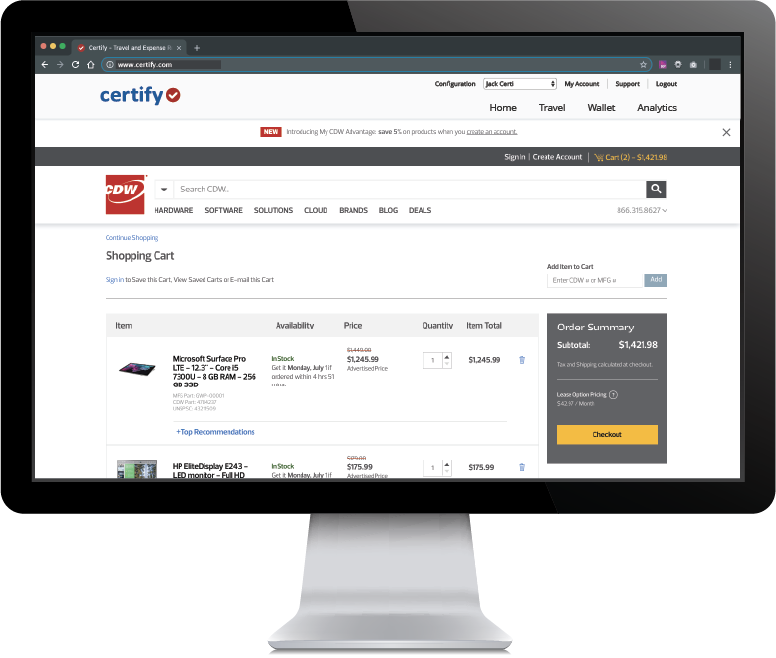 |