
ClicData vs. Mediafly vs. Zoho CRM
ClicData vs. Mediafly vs. Zoho CRM
| Product | Rating | Most Used By | Product Summary | Starting Price |
|---|---|---|---|---|
 ClicData | N/A | ClicData is a cloud-based data management and business intelligence platform for connecting, preparing, storing, visualizing, and distributing organizational data. The platform combines data integration, extract, transform, and load (ETL) processes, data warehousing, dashboard creation, automation, and artificial intelligence features. Key Capabilities Data connectivity: ClicData connects to business applications and databases to support automated data… | $290 per month | |
 Mediafly | N/A | Mediafly Intelligence360, based on InsightSquared's solution acquired by Mediafly in 2021, is a sales analytics and development platform that also supports demand generation analytics and SaaS reporting. It is designed for providing insights into sales processes, closing rates, pipeline and revenue forecasts, calculating KPIs, and market hiring processes. | $65 per month | |
 Zoho CRM | N/A | Zoho CRM is a simple, very low-cost CRM option for the smaller end of the SMB segment. The product has several useful integrations with other products, including QuickBooks, and Google Apps and Google Docs. The product also has an integrated project management module. | $14 per month |
| ClicData | Mediafly | Zoho CRM | ||||||||||||||||||||||
|---|---|---|---|---|---|---|---|---|---|---|---|---|---|---|---|---|---|---|---|---|---|---|---|---|
| Editions & Modules |
| No answers on this topic |
| |||||||||||||||||||||
| Offerings |
| |||||||||||||||||||||||
| Entry-level Setup Fee | No setup fee | No setup fee | $14 /user/month | |||||||||||||||||||||
| Additional Details | Plans start at $290/month and include unlimited dashboards, reports, and data flows, as well as a built-in data warehouse and data lake. User licenses are included in all plans (up to 25, 50, or 200 users depending on the plan), and dashboards can be shared with external users via live links at no extra cost. Plans and pricing vary based on the data connectors needed (Files & Storage, Web Services & Apps, or Databases), the number of table updates per month, and the level of automation required. SSO and White Label options are available on the Enterprise plan. AI-powered features are included in the Team and Enterprise plans. Dedicated Plans are also available for organizations requiring stable and predictable performance, higher data volumes, and faster processing times (Standard, Performance, and Self-Hosted options). Professional Services are available as paid add-ons: Onboarding (one-time fee for personalized training and shadowing sessions), Project (fixed cost with clearly defined deliverables), and Packages (ad-hoc hours of Data Analysts' time). A discount is available for annual billing. | — | — | |||||||||||||||||||||
| More Pricing Information | ||||||||||||||||||||||||
| ClicData | Mediafly | Zoho CRM |
|---|
| ClicData | Mediafly | Zoho CRM | |||||||||||||||||||||||||||||||||||||||
|---|---|---|---|---|---|---|---|---|---|---|---|---|---|---|---|---|---|---|---|---|---|---|---|---|---|---|---|---|---|---|---|---|---|---|---|---|---|---|---|---|---|
| BI Standard Reporting |
| ||||||||||||||||||||||||||||||||||||||||
| Ad-hoc Reporting |
| ||||||||||||||||||||||||||||||||||||||||
| Report Output and Scheduling |
| ||||||||||||||||||||||||||||||||||||||||
| Data Discovery and Visualization |
| ||||||||||||||||||||||||||||||||||||||||
| Access Control and Security |
| ||||||||||||||||||||||||||||||||||||||||
| Mobile Capabilities |
| ||||||||||||||||||||||||||||||||||||||||
| Application Program Interfaces (APIs) / Embedding |
| ||||||||||||||||||||||||||||||||||||||||
| Sales Force Automation |
| ||||||||||||||||||||||||||||||||||||||||
| Customer Service & Support |
| ||||||||||||||||||||||||||||||||||||||||
| Marketing Automation |
| ||||||||||||||||||||||||||||||||||||||||
| CRM Project Management |
| ||||||||||||||||||||||||||||||||||||||||
| CRM Reporting & Analytics |
| ||||||||||||||||||||||||||||||||||||||||
| Customization |
| ||||||||||||||||||||||||||||||||||||||||
| Security |
| ||||||||||||||||||||||||||||||||||||||||
| Social CRM |
| ||||||||||||||||||||||||||||||||||||||||
| Integrations with 3rd-party Software |
| ||||||||||||||||||||||||||||||||||||||||
| Platform |
|
| ClicData | Mediafly | Zoho CRM | |
|---|---|---|---|
| Small Businesses |  Yellowfin Score 8.6 out of 10 |  GTM Studio Powered by ZoomInfo Score 8.1 out of 10 |  Salesflare Score 10.0 out of 10 |
| Medium-sized Companies |  Reveal Score 10.0 out of 10 |  LeanData Score 8.7 out of 10 |  Kintone Score 9.7 out of 10 |
| Enterprises |  Kyvos Semantic Layer Score 9.5 out of 10 |  Clari Score 8.5 out of 10 |  Creatio Score 9.3 out of 10 |
| All Alternatives | View all alternatives | View all alternatives | View all alternatives |
| ClicData | Mediafly | Zoho CRM | |
|---|---|---|---|
| Likelihood to Recommend | 10.0 (3 ratings) | 7.5 (47 ratings) | 9.0 (312 ratings) |
| Likelihood to Renew | - (0 ratings) | 8.5 (25 ratings) | 7.6 (42 ratings) |
| Usability | 10.0 (1 ratings) | 8.0 (6 ratings) | 7.8 (172 ratings) |
| Availability | - (0 ratings) | 8.4 (3 ratings) | 8.8 (7 ratings) |
| Performance | - (0 ratings) | 9.1 (1 ratings) | 8.5 (8 ratings) |
| Support Rating | 10.0 (1 ratings) | 9.5 (4 ratings) | 6.1 (69 ratings) |
| In-Person Training | - (0 ratings) | - (0 ratings) | 8.0 (1 ratings) |
| Online Training | - (0 ratings) | - (0 ratings) | 5.6 (8 ratings) |
| Implementation Rating | - (0 ratings) | 9.1 (1 ratings) | 5.6 (16 ratings) |
| Configurability | - (0 ratings) | - (0 ratings) | 5.1 (114 ratings) |
| Contract Terms and Pricing Model | - (0 ratings) | - (0 ratings) | 9.5 (21 ratings) |
| Ease of integration | - (0 ratings) | - (0 ratings) | 7.2 (5 ratings) |
| Product Scalability | - (0 ratings) | 8.2 (1 ratings) | 5.7 (6 ratings) |
| Professional Services | - (0 ratings) | - (0 ratings) | 8.3 (7 ratings) |
| Vendor post-sale | - (0 ratings) | - (0 ratings) | 7.7 (13 ratings) |
| Vendor pre-sale | - (0 ratings) | - (0 ratings) | 7.8 (13 ratings) |
| ClicData | Mediafly | Zoho CRM | |
|---|---|---|---|
| Likelihood to Recommend | ClicData
 Ben Warren Operations Manager Service USA |  Mediafly, Inc.
|  Zoho
|
| Pros | ClicData
| Mediafly, Inc.
 Mona Trabelsi Account Manager | Zoho
|
| Cons | ClicData
| Mediafly, Inc.
 Amanda Matczynski Senior Operations Specialist | Zoho
|
| Likelihood to Renew | ClicData No answers on this topic | Mediafly, Inc.
 Henry Hayes Support Operations Lead | Zoho
|
| Usability | ClicData
| Mediafly, Inc.
 Lindsey Hunt Sales Enablement | Zoho
|
| Reliability and Availability | ClicData No answers on this topic | Mediafly, Inc.
 Alex Unruh Technical Recruiter | Zoho
|
| Performance | ClicData No answers on this topic | Mediafly, Inc.
 Josh Costello Technical Recruiter | Zoho
|
| Support Rating | ClicData
| Mediafly, Inc.
 Ryan Weber Sr. Marketing Operations Manager | Zoho
|
| In-Person Training | ClicData No answers on this topic | Mediafly, Inc. No answers on this topic | Zoho
|
| Online Training | ClicData No answers on this topic | Mediafly, Inc. No answers on this topic | Zoho
|
| Implementation Rating | ClicData No answers on this topic | Mediafly, Inc. No answers on this topic | Zoho
|
| Alternatives Considered | ClicData
Ben Warren Operations Manager Service USA | Mediafly, Inc.
| Zoho
|
| Contract Terms and Pricing Model | ClicData No answers on this topic | Mediafly, Inc. No answers on this topic | Zoho
|
| Scalability | ClicData No answers on this topic | Mediafly, Inc. No answers on this topic | Zoho
 Ashley Longstaff Program Manager |
| Professional Services | ClicData No answers on this topic | Mediafly, Inc. No answers on this topic | Zoho
|
| Return on Investment | ClicData
| Mediafly, Inc.
| Zoho
 Lisa Parshan Digital Content Manager |
| ScreenShots | ClicData Screenshots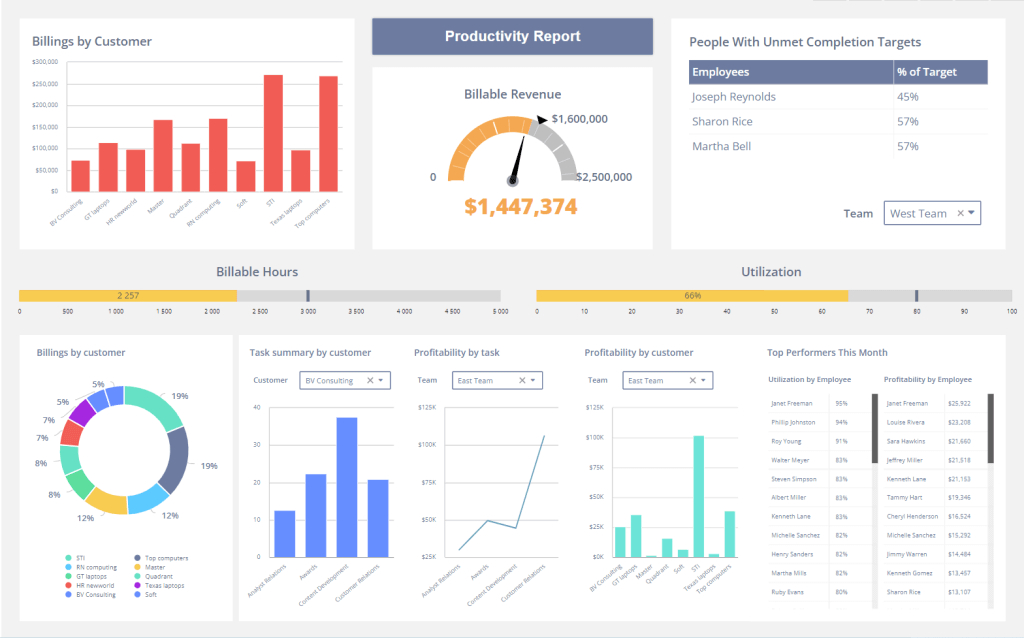 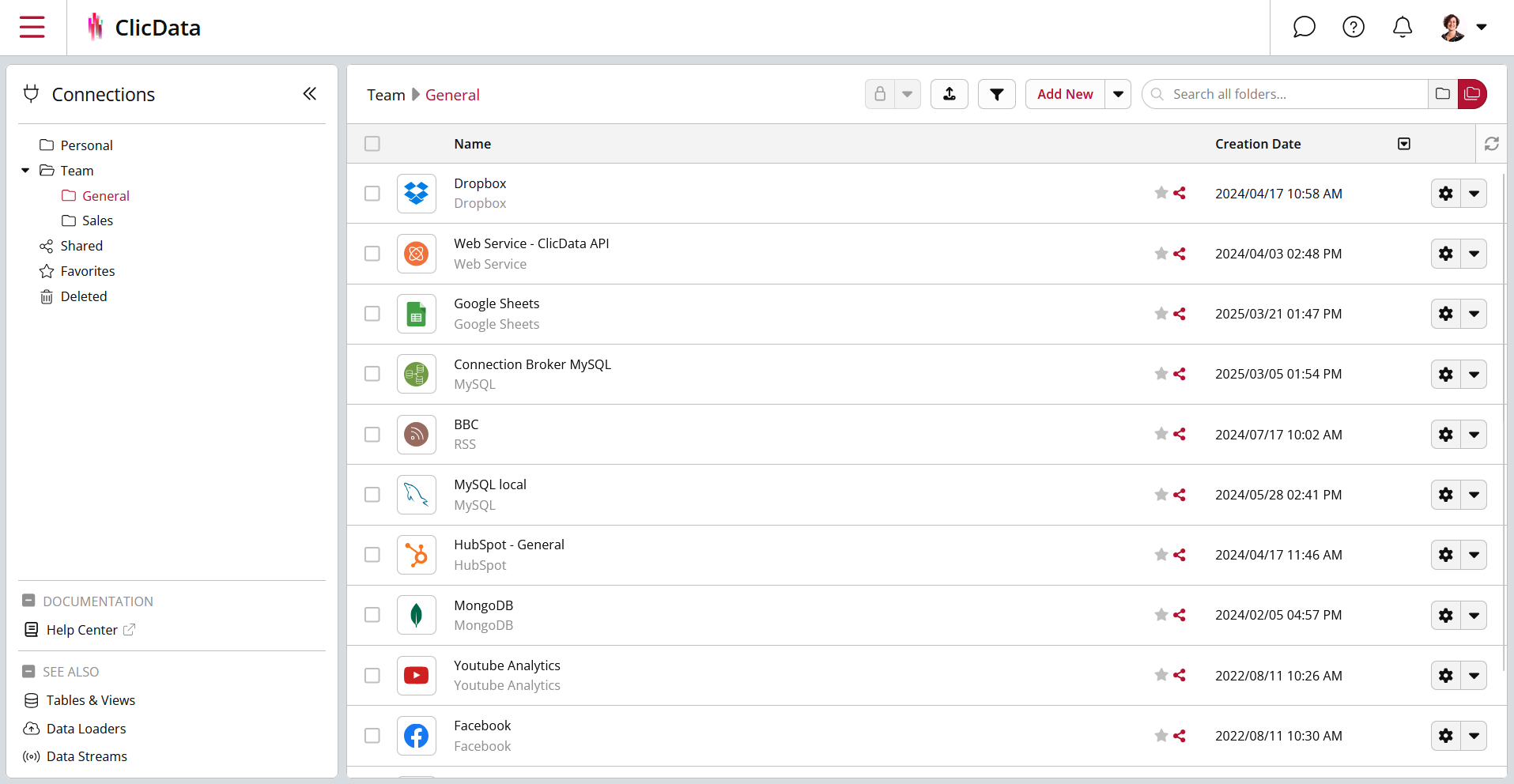 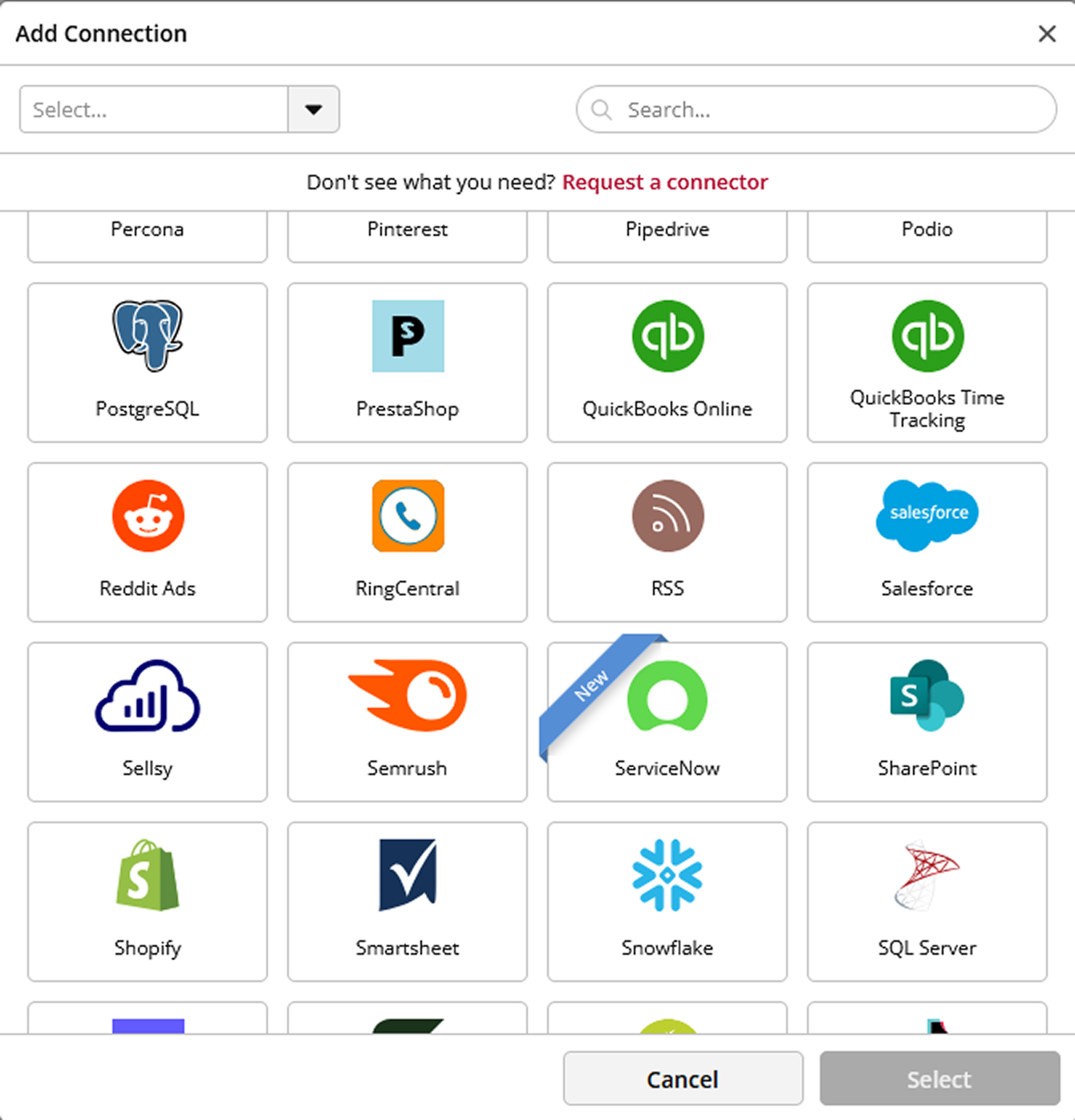 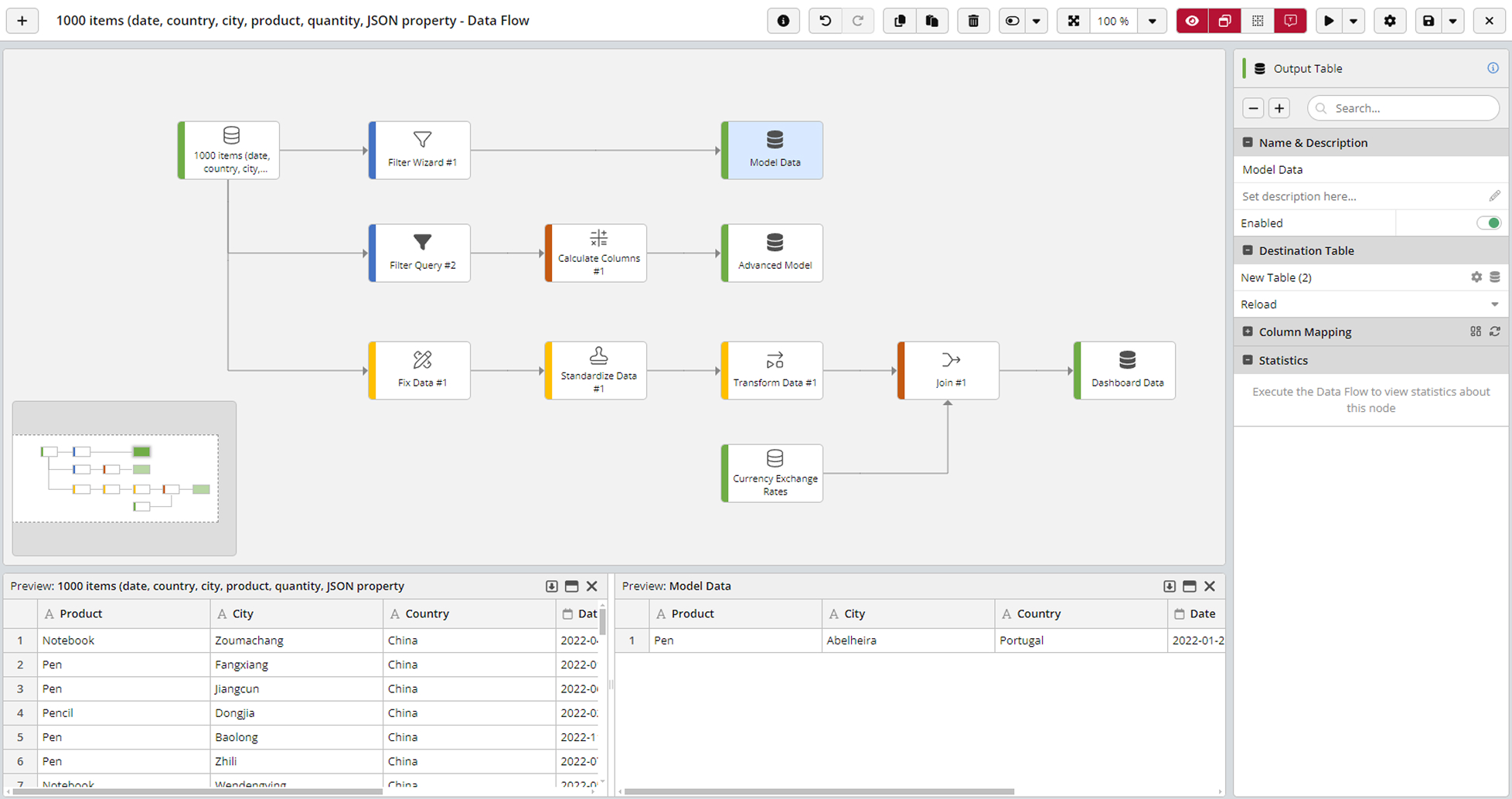 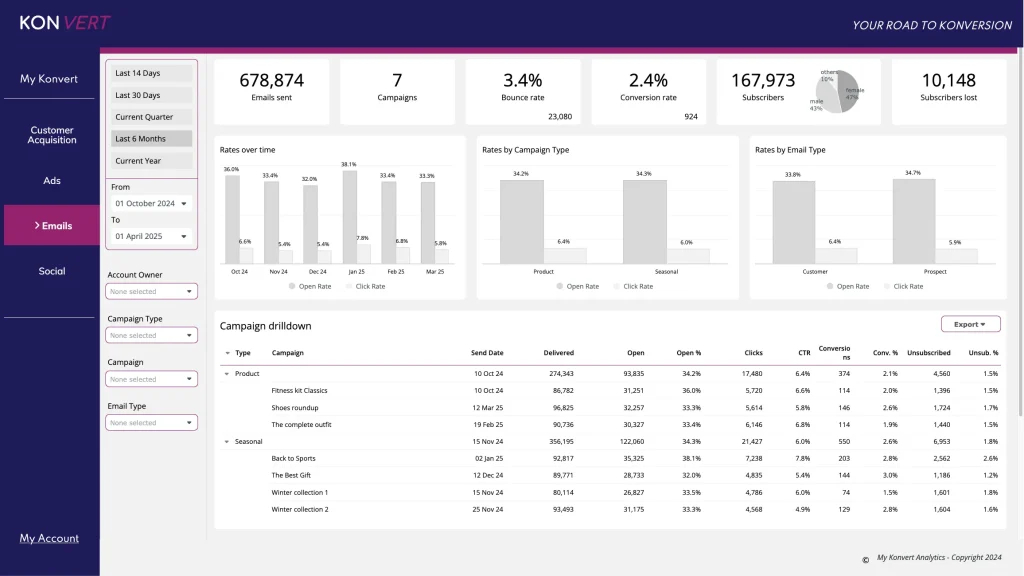 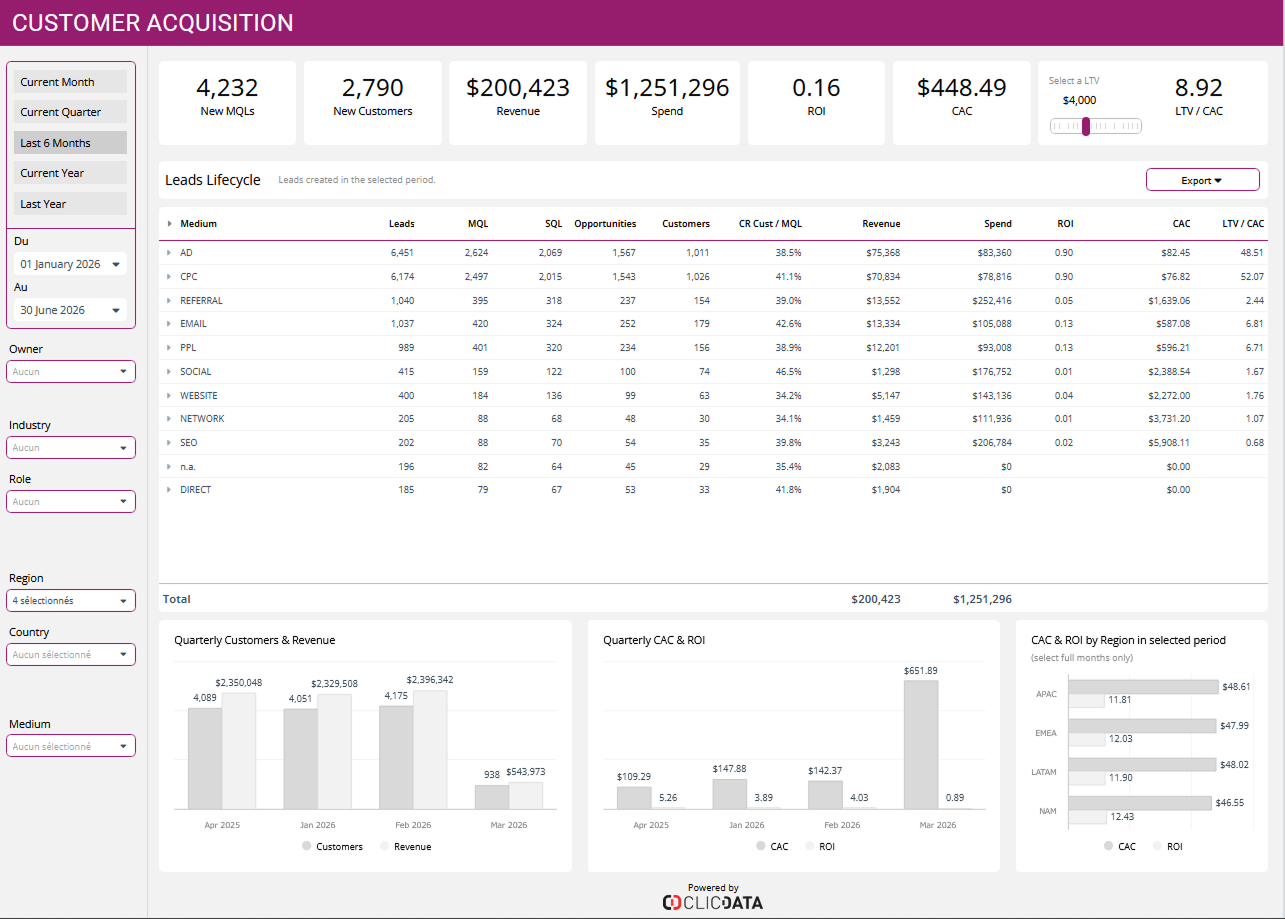 | Mediafly Screenshots     | Zoho CRM Screenshots  |
