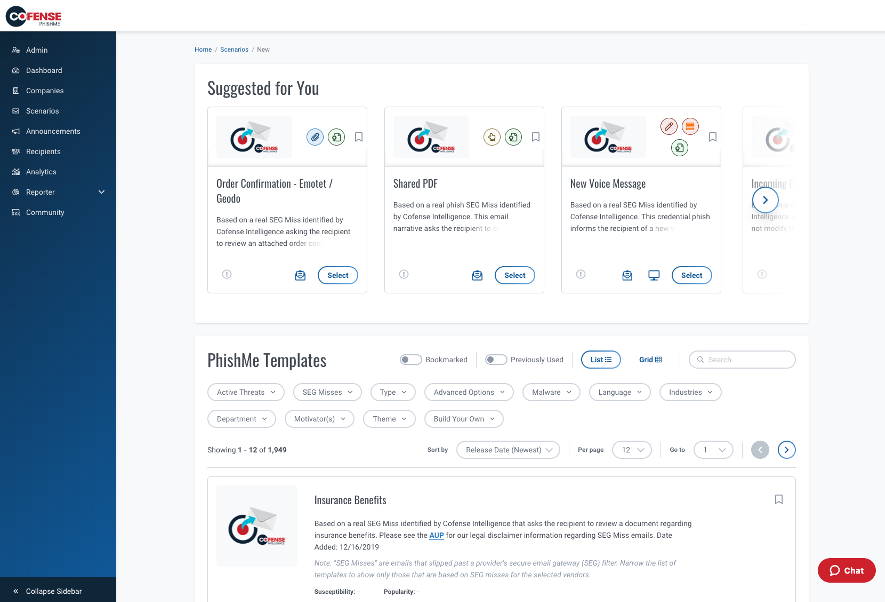
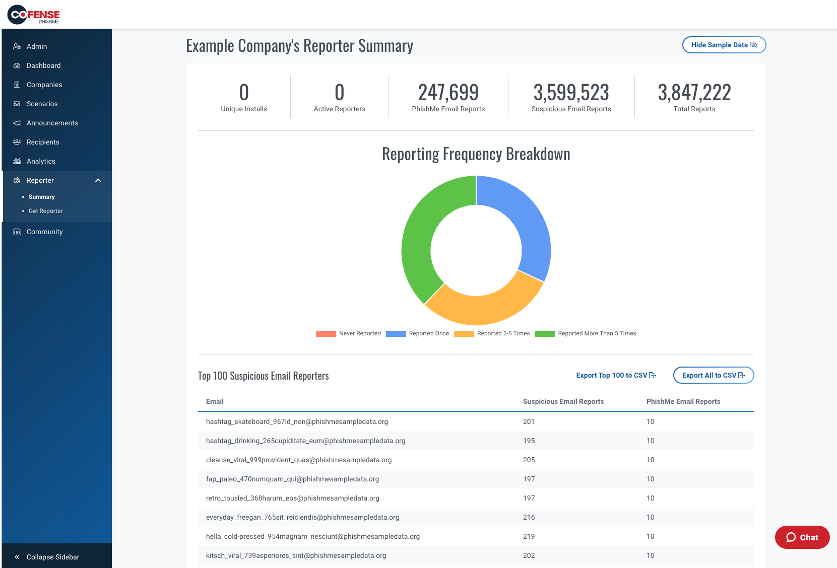
Cofense PhishMe is a cyber threat and phishing simulator meant to be of use in training employees to be wary against threats and also to gain information about general employee threat knowledge and preparedness. A free trial is available for small business.
N/A
Microsoft 365
Score 8.6 out of 10
N/A
Microsoft 365 (formerly Office 365) is a Microsoft Cloud subscription service that includes Microsoft Office products (Word, Excel, PowerPoint, OneNote, Outlook, Publisher, and Access). The software can be installed across multiple devices and ensures that users always have the most up-to-date version of the included Office applications.
$5
Per User Per Month
Pricing
Cofense PhishMe
Microsoft 365
Editions & Modules
No answers on this topic
Business Basic
$5.00
Per User Per Month
Individual
$5.84
*Per Month
Business - Apps
$8.25
Per User Per Month
Enterprise - F3
$10.00
Per User Per Month
Business Standard
$12.50
Per User Per Month
Business Premium
$20.00
Per User Per Month
Enterprise - E3
$32.00
Per User Per Month
Enterprise - E5
$57.00
Per User Per Month
Offerings
Pricing Offerings
Cofense PhishMe
Microsoft 365
Free Trial
Yes
No
Free/Freemium Version
No
No
Premium Consulting/Integration Services
Yes
No
Entry-level Setup Fee
No setup fee
No setup fee
Additional Details
—
*When billed annually.
More Pricing Information
Community Pulse
Cofense PhishMe
Microsoft 365
Features
Cofense PhishMe
Microsoft 365
Security
Comparison of Security features of Product A and Product B
Cofense PhishMe
7.8
4 Ratings
11% below category average
Microsoft 365
-
Ratings
Single sign-on capability
7.44 Ratings
00 Ratings
Role-based user permissions
8.24 Ratings
00 Ratings
Security Awareness Training
Comparison of Security Awareness Training features of Product A and Product B
Cofense PhishMe is an excellent solution for scenarios where it will be sold as a managed service. I believe that PhishMe is too expensive for many clients and instead would benefit from the economies of scale where an MSSP sells it as part of a whole service, which offers the analysts and reporting included. PhishMe is excellent for training and awareness of Phishing, but shouldn't replace mandatory training for new joiners or yearly refreshers, it should only be used as an additional training option.
Microsoft 365 would be well suited for medium to large enterprises. This is where there are several hundreds or thousands of people. Since most everyone has used one of the applications the learning curve would be reduced. Another reason would be the ability to implement security measures to prevent access to sensitive data. This could justify the cost of an Enterprise license.
It gives clear-cut segregation of different parts of an email, header, text and HTML body, URL, attachments, HTML preview and some analytical insight like "similar reports." This distinctive approach actually helps reduce data overload during an analysis.
The URLs captured here pass through an automatic reputation check [in our case VirusTotal] and add a tag of the reputation. If it is a well-known bad URL the tag helps us take the decision fast.
For creating automation rules on the reported emails the "Recipes" section is really helpful. We can create easy recipes [or rules ] to handle a huge flow of reports and also we can create more sophisticated rules depending on the Cyber intelligence feed to catch the really bad currently less known attack attempts by malicious emails.
The "Threat Indicators" section is also useful to use as a threat intelligence source to check the URLs for their maliciousness.
Slack is 1000x better than teams. Why put a 250 limit on a chat? Our company hasn't moved fully to channels and it's making us lose transparency. Plus, the teams channels we do have nobody is going to. 90% loss in visibility and engagement.
Teams for web meetings. I think the UI/UX should match Zoom which is the standard for all our customers. They don't like it when we use Teams.
Chats and Channels need to somehow be on one screen automatically without having to choose that view because majority of our company hasn't opened Teams Channels and only stays in chats.
Its built with UX in mind and is aimed at non-tech people, to ensure that almost everyone can run the campaign. But if we go deeper - sometimes you will need an HTML editor or support in order to figure out some advanced edits you might want to add in your scenarios.
Microsoft 365 is the gold standard for performing project tasks in a professional environment, enabling the quick transfer and exchange of files and ideas for team members who work locally and remotely. Its suite of tools is familiar and has evolved to being cloud based, allowing for files to be updated in real time from near and far.
I have not had to use their support for pretty much anything. The software works well, and is very intuitive. I would imagine their support would be rather basic as there is not too much that can go wrong with a report phishing button, and if it were I would probably consider a different software.
Over the past 8 years of using Microsoft 365, I have noticed that they change vendors often. This always leads to a poor experience in the beginning, then levels out after some time for the company to get things worked out. As a customer, it is really frustrating because I don't have time when something isn't working to have them "look into my issue" and get back with me. They have even closed a ticket I specifically told them to keep open. Your applications are only as good as the support.
Cofense PhishMe was the first choice for us as the user interface as well as their bundle package with Cofense Triage and Vision has helped the organisation to alleviate the overall security awareness posture. The other vendors did not provide a vast range of phishing scenarios as compared to Cofense PhishMe platform.
Its very user-friendly, collaborative and efficient that boosts productivity using cloud tools. their security is strong and it provides data protection. There are regular updates that shields us from attackers too. It offers a wealth of learning resources, including tutorials, help articles and video guide to help users make the most of the application and personally upgrade their skills.
Recipes in the system are capable of handling almost 2x what an analyst does, which cuts down the efforts [of] an analyst and provides more time for accurate strategies.
With roughly 90% false positives coming through, the remaining 10% of true positives need as much attention as they can get for the full investigation and analysis.
1,500 or more phishing messages can come through in a given week and the amount of time/employees required to review this without a tool like Cofense is surely beyond [the] expected/anticipated budget.
We have a lot of nonprofit users, so they have a good ROI.
I like the constant updates without having to purchase the software repeatedly.
I used to purchase each Office (insert year here) often, so the software was up to date and had the newest options and connectors. I think my return on investment would have been much better if Microsoft had updated those versions to keep them current; after all, we did pay for them.
Microsoft 365's offering a monthly fee or a discount for a year helps, and you can look at it as a free backup if you have everything set to back up to One Drive. (Cloud-based document filing you can access anywhere ( with an internet connection)—you Can't beat that!)