Overview
ProductRatingMost Used ByProduct SummaryStarting Price
ConceptDraw PROJECT
Score 9.0 out of 10
N/A
ConceptDraw PROJECT is a project management tool providing a set of options to plan and implement projects successfully, and belongs to the ConceptDraw OFFICE suite. The core features of the tool are task and resource management and reporting, along with change control. The vendor says managing multiple projects is simple due to the Gantt Chart and Multi-Project Views and shared Resource Pool. Tasks that occur on a…N/A
CoSchedule Marketing Suite
Score 10.0 out of 10
N/A
CoSchedule provides a content calendar, content optimization, and contentmarketing products, with users among 50,000 marketers worldwide, helping them organize their work, deliver projects on time, and prove marketing team value.N/A
monday.com
Score 8.3 out of 10
Mid-Size Companies (51-1,000 employees)
monday.com Work OS is an open platform designed so that anyone can create the tools they need to run all aspects of their work. It includes ready-made templates or the ability to customize any work solution ranging from sales pipelines to marketing campaigns, CRMs, and project tracking.
$36
per month (3 seats)
Pricing
ConceptDraw PROJECTCoSchedule Marketing Suitemonday.com
Editions & Modules
No answers on this topic
Basic
$12
per month per user
Standard
$14
per month per user
Pro
$24
per month per user
Enterprise
Contact Sales
Contact us
Offerings
Pricing Offerings
ConceptDraw PROJECTCoSchedule Marketing Suitemonday.com
Free Trial
YesNoYes
Free/Freemium Version
NoYesYes
Premium Consulting/Integration Services
NoNoYes
Entry-level Setup FeeNo setup feeNo setup feeNo setup fee
Additional DetailsPrice varies for Individual, Commercial, Academic, Nonprofit and GovernmentYearly plan: Save 18% Monthly plan also available
More Pricing Information
Community Pulse
ConceptDraw PROJECTCoSchedule Marketing Suitemonday.com
Features
ConceptDraw PROJECTCoSchedule Marketing Suitemonday.com
Project Management
Comparison of Project Management features of Product A and Product B
ConceptDraw PROJECT
9.0
3 Ratings
15% above category average
CoSchedule Marketing Suite
-
Ratings
monday.com
8.3
2258 Ratings
7% above category average
Task Management9.63 Ratings00 Ratings9.22244 Ratings
Resource Management9.63 Ratings00 Ratings8.31917 Ratings
Gantt Charts9.63 Ratings00 Ratings8.21314 Ratings
Scheduling9.53 Ratings00 Ratings8.41872 Ratings
Email integration10.01 Ratings00 Ratings7.71617 Ratings
Timesheet Tracking7.01 Ratings00 Ratings7.81053 Ratings
Budget and Expense Management7.93 Ratings00 Ratings8.01043 Ratings
Workflow Automation00 Ratings00 Ratings8.61950 Ratings
Team Collaboration00 Ratings00 Ratings9.32198 Ratings
Support for Agile Methodology00 Ratings00 Ratings8.21168 Ratings
Support for Waterfall Methodology00 Ratings00 Ratings7.01 Ratings
Document Management00 Ratings00 Ratings7.91815 Ratings
Mobile Access00 Ratings00 Ratings7.91794 Ratings
Change request and Case Management00 Ratings00 Ratings9.01166 Ratings
Professional Services Automation
Comparison of Professional Services Automation features of Product A and Product B
ConceptDraw PROJECT
9.4
3 Ratings
19% above category average
CoSchedule Marketing Suite
-
Ratings
monday.com
8.0
1022 Ratings
3% above category average
Project & financial reporting9.43 Ratings00 Ratings8.1906 Ratings
Quotes/estimates00 Ratings00 Ratings7.9684 Ratings
Integration with accounting software00 Ratings00 Ratings7.8510 Ratings
Content Creation
Comparison of Content Creation features of Product A and Product B
ConceptDraw PROJECT
-
Ratings
CoSchedule Marketing Suite
7.3
1 Ratings
7% below category average
monday.com
-
Ratings
Ideation00 Ratings5.01 Ratings00 Ratings
Content collaboration00 Ratings7.01 Ratings00 Ratings
Content calendar00 Ratings10.01 Ratings00 Ratings
Content Publishing
Comparison of Content Publishing features of Product A and Product B
ConceptDraw PROJECT
-
Ratings
CoSchedule Marketing Suite
10.0
1 Ratings
24% above category average
monday.com
-
Ratings
Content distribution00 Ratings10.01 Ratings00 Ratings
Content promotion00 Ratings10.01 Ratings00 Ratings
Content automation00 Ratings10.01 Ratings00 Ratings
Content Reporting & Analytics
Comparison of Content Reporting & Analytics features of Product A and Product B
ConceptDraw PROJECT
-
Ratings
CoSchedule Marketing Suite
10.0
1 Ratings
29% above category average
monday.com
-
Ratings
Closed-loop tracking and reporting00 Ratings10.01 Ratings00 Ratings
Content performance analytics00 Ratings10.01 Ratings00 Ratings
Best Alternatives
ConceptDraw PROJECTCoSchedule Marketing Suitemonday.com
Small Businesses
Stackby
Stackby
Score 8.9 out of 10
Vyond
Vyond
Score 8.6 out of 10
Stackby
Stackby
Score 8.9 out of 10
Medium-sized Companies
InEight
InEight
Score 8.3 out of 10
Vyond
Vyond
Score 8.6 out of 10
InEight
InEight
Score 8.3 out of 10
Enterprises
InEight
InEight
Score 8.3 out of 10
Vyond
Vyond
Score 8.6 out of 10
InEight
InEight
Score 8.3 out of 10
All AlternativesView all alternativesView all alternativesView all alternatives
User Ratings
ConceptDraw PROJECTCoSchedule Marketing Suitemonday.com
Likelihood to Recommend
9.6
(3 ratings)
10.0
(11 ratings)
8.6
(2256 ratings)
Likelihood to Renew
-
(0 ratings)
-
(0 ratings)
9.1
(32 ratings)
Usability
-
(0 ratings)
10.0
(1 ratings)
8.4
(2185 ratings)
Availability
-
(0 ratings)
-
(0 ratings)
8.2
(8 ratings)
Performance
-
(0 ratings)
-
(0 ratings)
8.6
(8 ratings)
Support Rating
9.4
(3 ratings)
9.0
(2 ratings)
8.1
(1903 ratings)
In-Person Training
-
(0 ratings)
-
(0 ratings)
9.1
(1 ratings)
Online Training
-
(0 ratings)
-
(0 ratings)
9.1
(4 ratings)
Implementation Rating
-
(0 ratings)
-
(0 ratings)
9.1
(7 ratings)
Configurability
-
(0 ratings)
-
(0 ratings)
8.2
(6 ratings)
Ease of integration
-
(0 ratings)
-
(0 ratings)
9.0
(6 ratings)
Product Scalability
-
(0 ratings)
-
(0 ratings)
6.9
(8 ratings)
Vendor post-sale
-
(0 ratings)
-
(0 ratings)
9.0
(6 ratings)
Vendor pre-sale
-
(0 ratings)
-
(0 ratings)
9.0
(6 ratings)
User Testimonials
ConceptDraw PROJECTCoSchedule Marketing Suitemonday.com
Likelihood to Recommend
CS Odessa LLC
Getting started - using the Gantt chart to enter tasks in any order and then using those tasks to initially define a MindMap to further explore alternative dependencies. The alternative works better when initiating a project with significant unknowns.
Read full review
CoSchedule
CoSchedule is great for businesses or agencies who need an overview of all their marketing efforts, and who want to establish collaboration between multiple departments. The calendar view is one of the best we've worked with and makes it easy to see exactly what's happening. There is some slight clunkiness when it comes to admin-related tasks, and a few things aren't easy to find, but there's great support.
Read full review
monday.com
The platform has a good deal of versatility and extensibility, but I do not feel it is well suited for anything too complex. More complexity seems to bog down performance and increase maintenance to keep everything humming. As much as possible, avoid creating too many bespoke workarounds that will end up creating tech debt. The platform seems to work best for more straightforward scenarios and smaller to mid-size companies. Pricing can be reasonable for specific teams, but can feel a little too pricey for company-wide usage. It has served us well for the early stages of our company, but we find ourselves offloading the more complex use cases to other apps specifically developed for those, and reducing to just those teams that are more deeply embedded in the functionality.
Read full review
Pros
CS Odessa LLC
  • Integration with ConceptDraw Mindmap makes work breakdown very easy.
  • We have cross-functional teams where team members often work on different projects in parallel. The multi project management feature has been a blessing over these years.
  • Another import feature is the availability of many different predefined report generation templates that made it very easy to communicate different aspects of the project to different stakeholders.
Read full review
CoSchedule
  • Best time to post is great at updating to when we get the most engagement by platform
  • Requeue tool to slate out additional posts for a given piece of content is a huge time saver
  • Aggregate analytics tool shows us a peek across our posts on a given platform that's actually easier to read than the platform itself
Read full review
monday.com
  • I like summary of subitems, especially with subitasks as subitems and add item tracking for each subtask it can show total tracked in parent item. Similar with other columns, like numbers, status, date.
  • Dashboard features, Many kinds of dashboard view available, we can utilize on the basis of requirements.
  • monday.com workform is very powerful, easily share form link when submitted it will create line item in board with provided data.
  • monday.com automation is very helpful in order to automate steps with specific rules and easy setup.
  • monday.com also provides integrations in order to automate processes if need to integrate multiple app together. or need to transfer data between multiple apps.
Read full review
Cons
CS Odessa LLC
  • Non-intuitive keyboard shortcuts
  • No advanced reporting or estimates
Read full review
CoSchedule
  • The platform seems sluggish as of late, likely as a result of the robust amount of data we are entering and the number of filters we're creating.
  • Social media scheduling exists, but we do run into publishing errors more often then we'd like.
  • Task templates when updated are not retroactive, so when you create projects for an entire year and then change a template, you need to go back and change them manually.
Read full review
monday.com
  • I would like to see our company logo show up larger on the form feature.
  • I prefer the version of the form they have now instead of the new version for 2025. The current form shows the questions in bold font, and the new version does not. This may mean it could take our volunteers longer to get to the pertinent information on the form.
  • It would be nice if monday.com staff had monthly webinars showing how to use some features. such as, using formulas effectively.
Read full review
Likelihood to Renew
CS Odessa LLC
No answers on this topic
CoSchedule
No answers on this topic
monday.com
Teams involved in content creation, such as marketing or editorial teams, could use monday.com to manage the entire content lifecycle. Boards might track content ideas, assignments, drafts, reviews, approvals, and publication schedules, helping teams collaborate and keep content production on track.
Read full review
Usability
CS Odessa LLC
No answers on this topic
CoSchedule
The interface is very intuitive, from setting up social profiles, to posting, to tags, to optimizing for best day/time to post. It's super easy to scan the aggregate analytics. The calendar is very easy to grok at a glance, and the more advanced functionality is intuitive to set up.
Read full review
monday.com
I give monday.com a 10/10 because I almost never encounter any lag or connectivity issues despite all of the many templates, boards, and automations we have. As a matter of fact, I feel like the last issue I encountered was over a year ago... and I'm in monday.com every single work day. Not only is monday trustworthy, it is easy to find what I'm looking for... making the overall usability extremely hard to beat.
Read full review
Reliability and Availability
CS Odessa LLC
No answers on this topic
CoSchedule
No answers on this topic
monday.com
There have only been 2 instances in the past year where monday.com was down.
Read full review
Performance
CS Odessa LLC
No answers on this topic
CoSchedule
No answers on this topic
monday.com
Everything performs fairly well. Every now and then there are user errors where an employee will not click "ok" on a note they've created and simply exit out (I do wish that something was in place to prevent this, such as a pop "are you finished?")
Read full review
Support Rating
CS Odessa LLC
Online tutorials always available + chat, email and phone. Questions answered promptly and completely.
Read full review
CoSchedule
I didn't have to use their official support, but I can say that they put out a lot of content online to help users. Their YouTube page has quite an array of tutorial videos explaining how things work and how to get the most out of their tools. If you're struggling, before picking up a phone or blasting off an email, try searching for your problem on YouTube or their forums.
Read full review
monday.com
monday.com only really care about accounts that have 20 seats or more. While this is great for monday.com, it pushes smaller organisations to evaluate alternatives. We rate monday.com highly in our organisation because key staff have already got good experience with the application and we know we will get to 20+ seats one day. But, till then the billing model and lack of permanent enterprise features is a dread.
Read full review
Online Training
CS Odessa LLC
No answers on this topic
CoSchedule
No answers on this topic
monday.com
To have someone walk you thru the features and capabilities of Monday.com is priceless. Someone also coming along later in the contract to see if you are maximizing the program to suit your company needs is beyond helpful. The staff that have provided this training are fun, creative and very patient.
Read full review
Implementation Rating
CS Odessa LLC
No answers on this topic
CoSchedule
No answers on this topic
monday.com
We signed up for the accounts. Created the accounts. Ran the trial version and tested it live while we were running multiple projects and found that it was fitting our needs perfectly. When the trial ended and we were asked to purchase the full version, we did. We have found other ways to use it and it's a breeze.
Read full review
Alternatives Considered
CS Odessa LLC
ConceptDraw has a much simpler licensing and pricing model. Perpetual license and ability to use in offline mode was an important criteria for us. Perfect bundle for small and medium business.
Read full review
CoSchedule
CoSchedule provides collaborative planning of projects. The calendar view is very well designed. Meetings and tasks can be scheduled and tracked easily. Whatever is being done, no matter how big the task/project is, it gives a bird-eye view of everything. Additionally, it also integrated very well with WordPress. Their customer service team is also very helpful.
Read full review
monday.com
monday.com is cleaner, offers more customization and is easier to design out with a team project focus in mind. With the ability to automate steps as well, it is super easy to move tasks along, have stages auto-update and to go through my personal to-do list of tasks to get things done.
Read full review
Scalability
CS Odessa LLC
No answers on this topic
CoSchedule
No answers on this topic
monday.com
For it to work across multiple departments and sites, I would like to see improvements made with integrations and automation. For this question, I am acknowledging not only the addition of internal triggers/automation, but also an expansion on external ones.
Read full review
Return on Investment
CS Odessa LLC
  • Inexpensive way to present a professional project plan when needed
Read full review
CoSchedule
  • It has saved me about 1 hour per day to keep things organized from Asana to WordPress.
  • By not having a functioning Google Doc import feature, it costs me about 30 minutes for each blog post to copy paste all the content, images, etc.
  • By bundling too many features into their plans, many of which we don't use (e.g. social media scheduling), we lose a little ROI because we are not using the full feature set. We use and prefer Buffer for social media, so when CoSchedule raised their price $40+ per month on features we would not be using, that hurt.
Read full review
monday.com
  • Much easier to review my prior month and report to clients on work completed; easy to extract the information and work done to Excel to add budget tracking etc - I see this is possible in monday.com and I will investigate how/if this is possible on our current plan.
  • Very fast and easy set-up of Boards.
  • Still lots to learn and grasp - many more opportunities to become more efficient using monday.com. I'm only just getting started.
  • The initial automations are quick and easy to set up, and if set up correctly.
  • My month-end client status and progress reports are now more accurate, and I can keep track of all the information in one place (inside monday.com).
Read full review
ScreenShots

ConceptDraw PROJECT Screenshots

Screenshot of Resource AllocationScreenshot of Gantt Chart ViewScreenshot of Multiproject DashboardScreenshot of Split and Recurring TasksScreenshot of Micro ReportsScreenshot of Custom Fields to a Project Schedule

CoSchedule Marketing Suite Screenshots

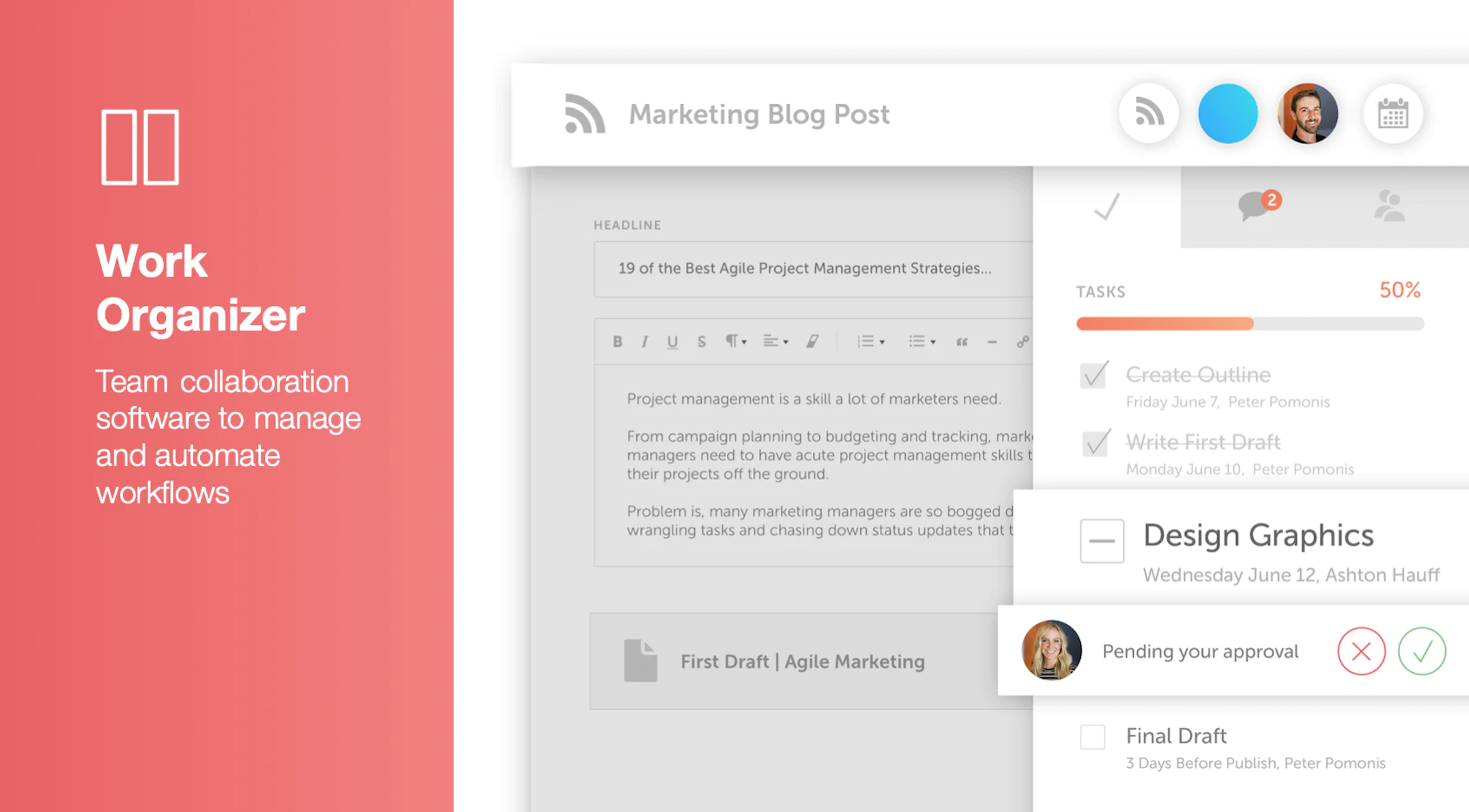
Screenshot of Calendar Organizer: Visualizes everything in real time, and shows every project on a unified calendar of record. Helps to keep stakeholders in the know and pivot quickly when priorities change.Screenshot of Content Organizer: Eliminates content bottlenecks from idea to promotion. Optimizes the editorial process, and centralizes publishing and promotion by connecting marketing tools.Screenshot of Work Organizer: Maximizes resources by implementing consistent, defined workflows to speed up production and identify how urgent changes impact proactively planned work.Screenshot of Asset Organizer: Catalogs and maintains control of brand assets with customized taxonomies to find, update, and share files. Folders and files can be shared with stakeholders to make sure work is up-to-date.Screenshot of Idea Board: Used to write down ideas, take in requests, and prioritize the projects that are up-next, before giving them a publish date and putting them on the calendar organizer.Screenshot of An AI-powered Marketing Intelligence Assistant that can be used to write first-draft copy, complete work faster, and generate new ideas.

monday.com Screenshots

Screenshot of Work OSScreenshot of Ready-Made TemplatesScreenshot of MobileScreenshot of Visual BoardsScreenshot of Real-time NotificationsScreenshot of Automations