Overview
ProductRatingMost Used ByProduct SummaryStarting Price
ConceptDraw PROJECT
Score 9.0 out of 10
N/A
ConceptDraw PROJECT is a project management tool providing a set of options to plan and implement projects successfully, and belongs to the ConceptDraw OFFICE suite. The core features of the tool are task and resource management and reporting, along with change control. The vendor says managing multiple projects is simple due to the Gantt Chart and Multi-Project Views and shared Resource Pool. Tasks that occur on a…N/A
CoSchedule Marketing Suite
Score 10.0 out of 10
N/A
CoSchedule provides a content calendar, content optimization, and contentmarketing products, with users among 50,000 marketers worldwide, helping them organize their work, deliver projects on time, and prove marketing team value.N/A
Trello
Score 8.4 out of 10
N/A
Trello from Atlassian is a project management tool based on a Kanban framework. Trello is ideal for task-management in a to-do list format. It supports sharing boards and cards across users or teams. The product offers a free version, and paid versions add greater automation, collaboration, and administrative control.
$6
per month per user
Pricing
ConceptDraw PROJECTCoSchedule Marketing SuiteTrello
Editions & Modules
No answers on this topic
Standard
$6
per month per user
Premium
$12.50
per month per user
Enterprise
$17.50
per month per user
Free
Forever Free
Offerings
Pricing Offerings
ConceptDraw PROJECTCoSchedule Marketing SuiteTrello
Free Trial
YesNoNo
Free/Freemium Version
NoYesYes
Premium Consulting/Integration Services
NoNoNo
Entry-level Setup FeeNo setup feeNo setup feeNo setup fee
Additional DetailsPrice varies for Individual, Commercial, Academic, Nonprofit and GovernmentA discount is offered for annual billing and for larger numbers of users.
More Pricing Information
Community Pulse
ConceptDraw PROJECTCoSchedule Marketing SuiteTrello
Features
ConceptDraw PROJECTCoSchedule Marketing SuiteTrello
Project Management
Comparison of Project Management features of Product A and Product B
ConceptDraw PROJECT
9.0
3 Ratings
15% above category average
CoSchedule Marketing Suite
-
Ratings
Trello
8.5
222 Ratings
9% above category average
Task Management9.63 Ratings00 Ratings9.5222 Ratings
Resource Management9.63 Ratings00 Ratings9.3185 Ratings
Gantt Charts9.63 Ratings00 Ratings7.173 Ratings
Scheduling9.53 Ratings00 Ratings9.1168 Ratings
Email integration10.01 Ratings00 Ratings7.6146 Ratings
Timesheet Tracking7.01 Ratings00 Ratings9.388 Ratings
Budget and Expense Management7.93 Ratings00 Ratings7.673 Ratings
Workflow Automation00 Ratings00 Ratings8.2142 Ratings
Team Collaboration00 Ratings00 Ratings9.0218 Ratings
Support for Agile Methodology00 Ratings00 Ratings8.9147 Ratings
Support for Waterfall Methodology00 Ratings00 Ratings7.6115 Ratings
Document Management00 Ratings00 Ratings8.2159 Ratings
Mobile Access00 Ratings00 Ratings9.1192 Ratings
Change request and Case Management00 Ratings00 Ratings8.8102 Ratings
Professional Services Automation
Comparison of Professional Services Automation features of Product A and Product B
ConceptDraw PROJECT
9.4
3 Ratings
19% above category average
CoSchedule Marketing Suite
-
Ratings
Trello
6.0
72 Ratings
25% below category average
Project & financial reporting9.43 Ratings00 Ratings6.758 Ratings
Quotes/estimates00 Ratings00 Ratings6.149 Ratings
Invoicing00 Ratings00 Ratings5.042 Ratings
Integration with accounting software00 Ratings00 Ratings6.144 Ratings
Content Creation
Comparison of Content Creation features of Product A and Product B
ConceptDraw PROJECT
-
Ratings
CoSchedule Marketing Suite
7.3
1 Ratings
7% below category average
Trello
-
Ratings
Ideation00 Ratings5.01 Ratings00 Ratings
Content collaboration00 Ratings7.01 Ratings00 Ratings
Content calendar00 Ratings10.01 Ratings00 Ratings
Content Publishing
Comparison of Content Publishing features of Product A and Product B
ConceptDraw PROJECT
-
Ratings
CoSchedule Marketing Suite
10.0
1 Ratings
24% above category average
Trello
-
Ratings
Content distribution00 Ratings10.01 Ratings00 Ratings
Content promotion00 Ratings10.01 Ratings00 Ratings
Content automation00 Ratings10.01 Ratings00 Ratings
Content Reporting & Analytics
Comparison of Content Reporting & Analytics features of Product A and Product B
ConceptDraw PROJECT
-
Ratings
CoSchedule Marketing Suite
10.0
1 Ratings
29% above category average
Trello
-
Ratings
Closed-loop tracking and reporting00 Ratings10.01 Ratings00 Ratings
Content performance analytics00 Ratings10.01 Ratings00 Ratings
Best Alternatives
ConceptDraw PROJECTCoSchedule Marketing SuiteTrello
Small Businesses
Stackby
Stackby
Score 8.9 out of 10
Vyond
Vyond
Score 8.6 out of 10
Stackby
Stackby
Score 8.9 out of 10
Medium-sized Companies
InEight
InEight
Score 8.3 out of 10
Vyond
Vyond
Score 8.6 out of 10
InEight
InEight
Score 8.3 out of 10
Enterprises
InEight
InEight
Score 8.3 out of 10
Vyond
Vyond
Score 8.6 out of 10
InEight
InEight
Score 8.3 out of 10
All AlternativesView all alternativesView all alternativesView all alternatives
User Ratings
ConceptDraw PROJECTCoSchedule Marketing SuiteTrello
Likelihood to Recommend
9.6
(3 ratings)
10.0
(11 ratings)
9.4
(222 ratings)
Likelihood to Renew
-
(0 ratings)
-
(0 ratings)
10.0
(6 ratings)
Usability
-
(0 ratings)
10.0
(1 ratings)
9.4
(60 ratings)
Availability
-
(0 ratings)
-
(0 ratings)
10.0
(1 ratings)
Performance
-
(0 ratings)
-
(0 ratings)
10.0
(1 ratings)
Support Rating
9.4
(3 ratings)
9.0
(2 ratings)
9.9
(81 ratings)
In-Person Training
-
(0 ratings)
-
(0 ratings)
10.0
(1 ratings)
Implementation Rating
-
(0 ratings)
-
(0 ratings)
8.0
(2 ratings)
Configurability
-
(0 ratings)
-
(0 ratings)
5.0
(1 ratings)
Product Scalability
-
(0 ratings)
-
(0 ratings)
10.0
(1 ratings)
Vendor post-sale
-
(0 ratings)
-
(0 ratings)
10.0
(1 ratings)
User Testimonials
ConceptDraw PROJECTCoSchedule Marketing SuiteTrello
Likelihood to Recommend
CS Odessa LLC
Getting started - using the Gantt chart to enter tasks in any order and then using those tasks to initially define a MindMap to further explore alternative dependencies. The alternative works better when initiating a project with significant unknowns.
Read full review
CoSchedule
CoSchedule is great for businesses or agencies who need an overview of all their marketing efforts, and who want to establish collaboration between multiple departments. The calendar view is one of the best we've worked with and makes it easy to see exactly what's happening. There is some slight clunkiness when it comes to admin-related tasks, and a few things aren't easy to find, but there's great support.
Read full review
Atlassian
For teams or individuals with lots of individual tasks/details to track, Trello is perfect! It basically removes the need for a paper checklist. For those that need an overall project management tool that requires less tasks and more overarching goals, collaboration amongst various teams, and gantt charts I would suggest monday.com
Read full review
Pros
CS Odessa LLC
  • Integration with ConceptDraw Mindmap makes work breakdown very easy.
  • We have cross-functional teams where team members often work on different projects in parallel. The multi project management feature has been a blessing over these years.
  • Another import feature is the availability of many different predefined report generation templates that made it very easy to communicate different aspects of the project to different stakeholders.
Read full review
CoSchedule
  • Best time to post is great at updating to when we get the most engagement by platform
  • Requeue tool to slate out additional posts for a given piece of content is a huge time saver
  • Aggregate analytics tool shows us a peek across our posts on a given platform that's actually easier to read than the platform itself
Read full review
Atlassian
  • Helps track employees "to do before hire", "to do after hired," and "to do when employee leaves"
  • Provides important information on each employee like personal information along with data collected during the time of hire and during employment time
  • Allows more than one person to be assigned to a task per employee and will remain open until everyone involved has completed their task
Read full review
Cons
CS Odessa LLC
  • Non-intuitive keyboard shortcuts
  • No advanced reporting or estimates
Read full review
CoSchedule
  • The platform seems sluggish as of late, likely as a result of the robust amount of data we are entering and the number of filters we're creating.
  • Social media scheduling exists, but we do run into publishing errors more often then we'd like.
  • Task templates when updated are not retroactive, so when you create projects for an entire year and then change a template, you need to go back and change them manually.
Read full review
Atlassian
  • I use colour coding a lot so I would like a wider range of colour options.
  • Also as a visual thinker I would like to be able to easily add images to cards.
  • I would like to be able to attach a wider range of file formats to cards.
Read full review
Likelihood to Renew
CS Odessa LLC
No answers on this topic
CoSchedule
No answers on this topic
Atlassian
I am very likely to renew Trello, because it doesn't cost anything to do so. I am also very likely to use Trello's upgraded features in the future because a lot of my team's data is stored on there and they have already gotten used to the platform. Trello is very easy for new team members to pick up, making the onboarding and usability very streamlined.
Read full review
Usability
CS Odessa LLC
No answers on this topic
CoSchedule
The interface is very intuitive, from setting up social profiles, to posting, to tags, to optimizing for best day/time to post. It's super easy to scan the aggregate analytics. The calendar is very easy to grok at a glance, and the more advanced functionality is intuitive to set up.
Read full review
Atlassian
Trello is incredibly intuitive, both on desktop and mobile right away. It is also full of helpful features that make it even easier to use, and is flexible enough to suit almost any organizational need. Onboarding for the software is thorough, but concise, and the service is frequently updated with even more QOL improvements.
Read full review
Reliability and Availability
CS Odessa LLC
No answers on this topic
CoSchedule
No answers on this topic
Atlassian
yes always support available when I need it!
Read full review
Performance
CS Odessa LLC
No answers on this topic
CoSchedule
No answers on this topic
Atlassian
Never experienced issues with the above!
Read full review
Support Rating
CS Odessa LLC
Online tutorials always available + chat, email and phone. Questions answered promptly and completely.
Read full review
CoSchedule
I didn't have to use their official support, but I can say that they put out a lot of content online to help users. Their YouTube page has quite an array of tutorial videos explaining how things work and how to get the most out of their tools. If you're struggling, before picking up a phone or blasting off an email, try searching for your problem on YouTube or their forums.
Read full review
Atlassian
I haven't reached out to their support very often and their support is very limited anyway for the free users. They do have tons of great articles and videos in their Help Center and constantly send emails with updates and add-ons to the product. The fact that I've barely ever had to contact their support team means that they've developed a great product.
Read full review
In-Person Training
CS Odessa LLC
No answers on this topic
CoSchedule
No answers on this topic
Atlassian
It was helpful and informative! It was back before the pandemic in 2019 so I'm not sure if they still do it but I really enjoyed the experience
Read full review
Implementation Rating
CS Odessa LLC
No answers on this topic
CoSchedule
No answers on this topic
Atlassian
For our small business, getting a few of us started well on Trello was the key, I think. As long as a couple of us were really comfortable with the interface, we could lead others and help them with any questions. From now on, anyone who works with us just naturally uses Trello for information sharing - it's just part of what we do.
Read full review
Alternatives Considered
CS Odessa LLC
ConceptDraw has a much simpler licensing and pricing model. Perpetual license and ability to use in offline mode was an important criteria for us. Perfect bundle for small and medium business.
Read full review
CoSchedule
CoSchedule provides collaborative planning of projects. The calendar view is very well designed. Meetings and tasks can be scheduled and tracked easily. Whatever is being done, no matter how big the task/project is, it gives a bird-eye view of everything. Additionally, it also integrated very well with WordPress. Their customer service team is also very helpful.
Read full review
Atlassian
Trello is more simple and not as "robust" as the other tools, but it's easier to use and manage and understand and ACTUALLY get stuff done with. It's simplicity is part of the beauty of using it. You don't need a million options that nobody uses, you just need to get stuff done.
Read full review
Scalability
CS Odessa LLC
No answers on this topic
CoSchedule
No answers on this topic
Atlassian
Feels like anyone across the org (no matter their location) can use the tool easily!
Read full review
Professional Services
CS Odessa LLC
No answers on this topic
CoSchedule
No answers on this topic
Atlassian
Not sure if we use those
Read full review
Return on Investment
CS Odessa LLC
  • Inexpensive way to present a professional project plan when needed
Read full review
CoSchedule
  • It has saved me about 1 hour per day to keep things organized from Asana to WordPress.
  • By not having a functioning Google Doc import feature, it costs me about 30 minutes for each blog post to copy paste all the content, images, etc.
  • By bundling too many features into their plans, many of which we don't use (e.g. social media scheduling), we lose a little ROI because we are not using the full feature set. We use and prefer Buffer for social media, so when CoSchedule raised their price $40+ per month on features we would not be using, that hurt.
Read full review
Atlassian
  • Trello keeps me organized, focused, and on track. I could filter the Trello board to only see my issues and understand what I needed to work on and when.
  • Trello helped our team implement an agile structure. It's a very simple kanban method of viewing all of your team's tasks and statuses. You can completely customize the columns to your team's specific workflow and create tags relevant to your work.
  • Trello helps reduce unnecessary communications between teams. When I want to request translations, I simply create a card on the localization Trello board -- no need to directly message anyone on the team, and I can watch the status of the card change from "in progress" to "in review" to "translated," all without having to directly ask for updates.
Read full review
ScreenShots

ConceptDraw PROJECT Screenshots

Screenshot of Resource AllocationScreenshot of Gantt Chart ViewScreenshot of Multiproject DashboardScreenshot of Split and Recurring TasksScreenshot of Micro ReportsScreenshot of Custom Fields to a Project Schedule

CoSchedule Marketing Suite Screenshots

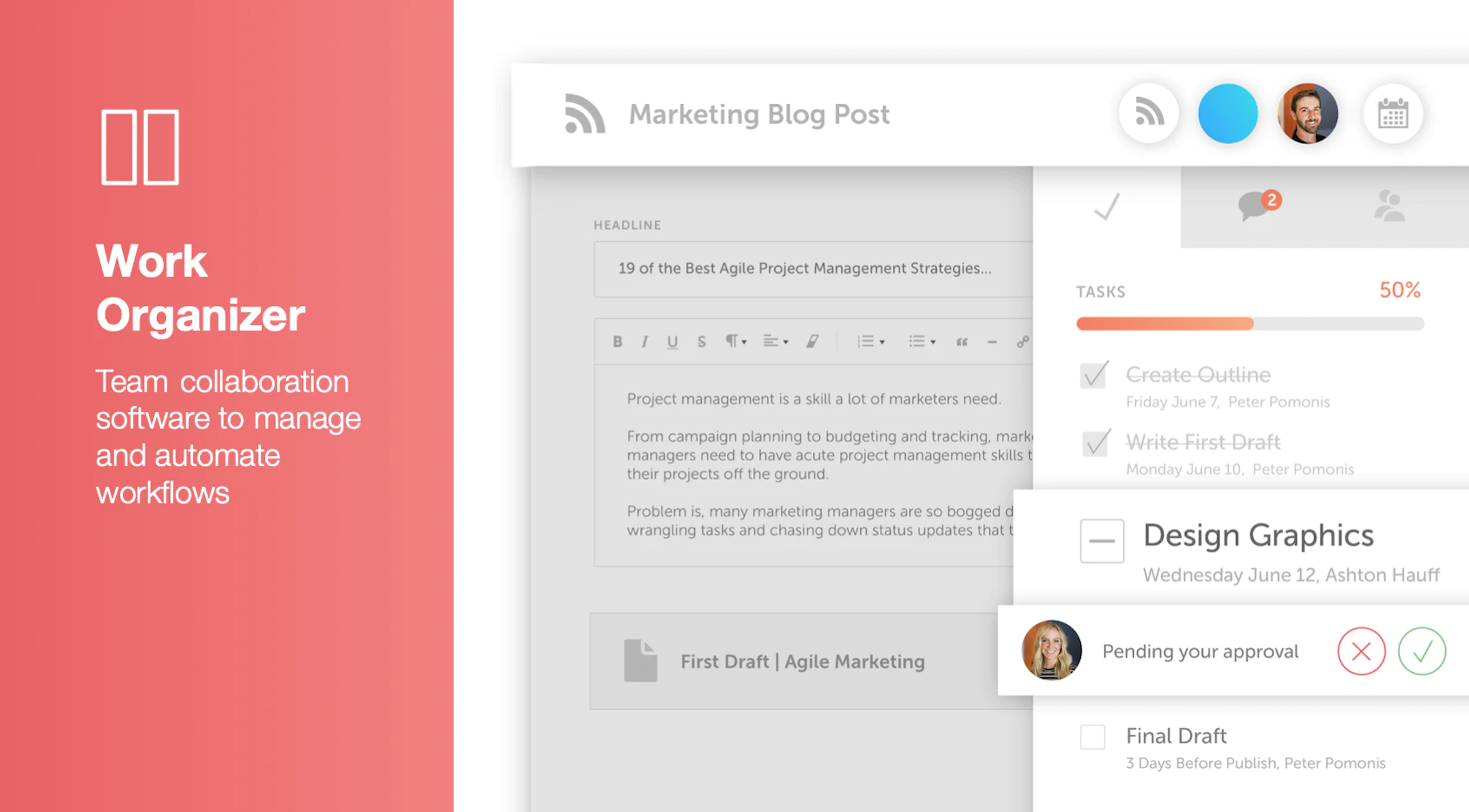
Screenshot of Calendar Organizer: Visualizes everything in real time, and shows every project on a unified calendar of record. Helps to keep stakeholders in the know and pivot quickly when priorities change.Screenshot of Content Organizer: Eliminates content bottlenecks from idea to promotion. Optimizes the editorial process, and centralizes publishing and promotion by connecting marketing tools.Screenshot of Work Organizer: Maximizes resources by implementing consistent, defined workflows to speed up production and identify how urgent changes impact proactively planned work.Screenshot of Asset Organizer: Catalogs and maintains control of brand assets with customized taxonomies to find, update, and share files. Folders and files can be shared with stakeholders to make sure work is up-to-date.Screenshot of Idea Board: Used to write down ideas, take in requests, and prioritize the projects that are up-next, before giving them a publish date and putting them on the calendar organizer.Screenshot of An AI-powered Marketing Intelligence Assistant that can be used to write first-draft copy, complete work faster, and generate new ideas.