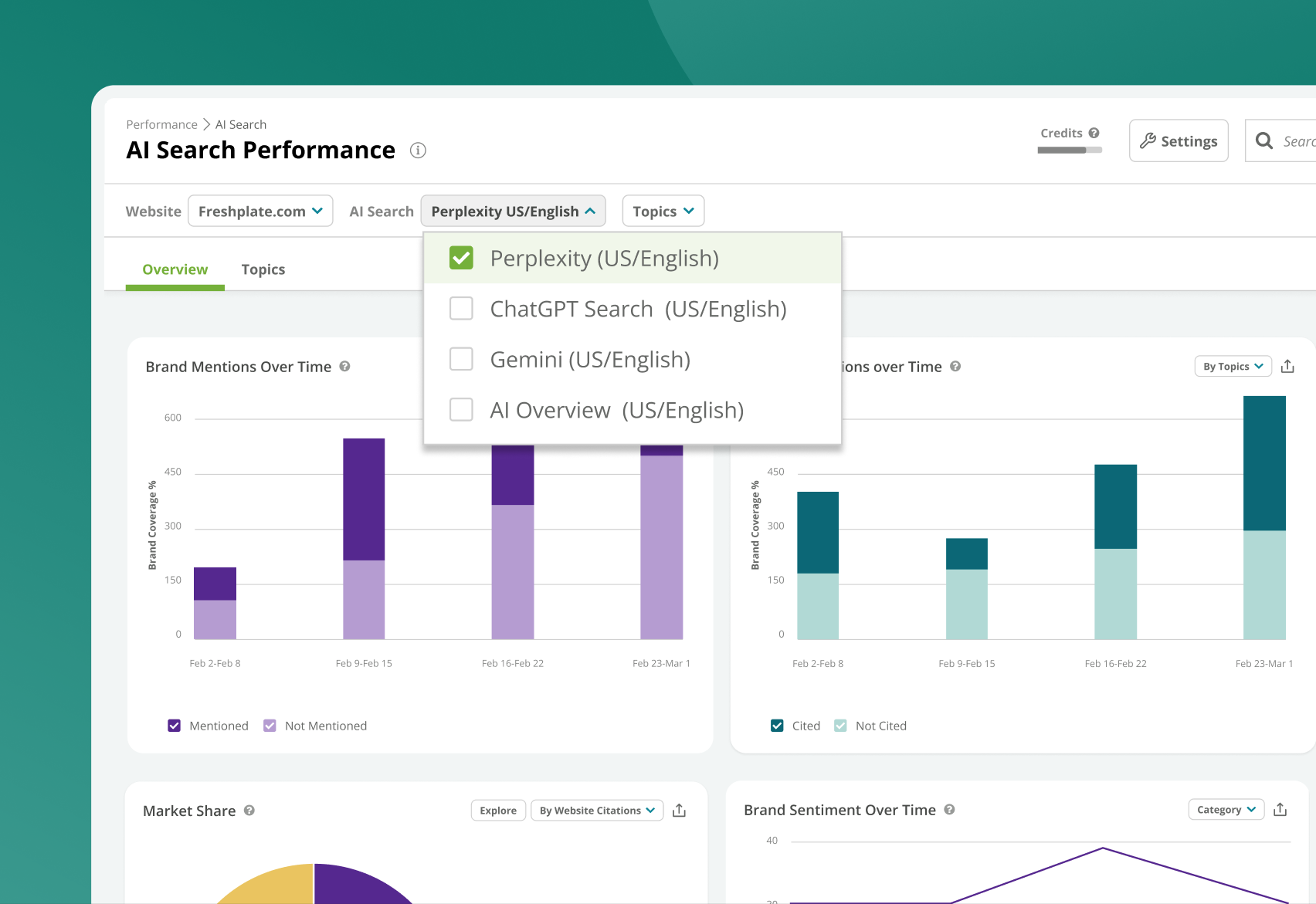
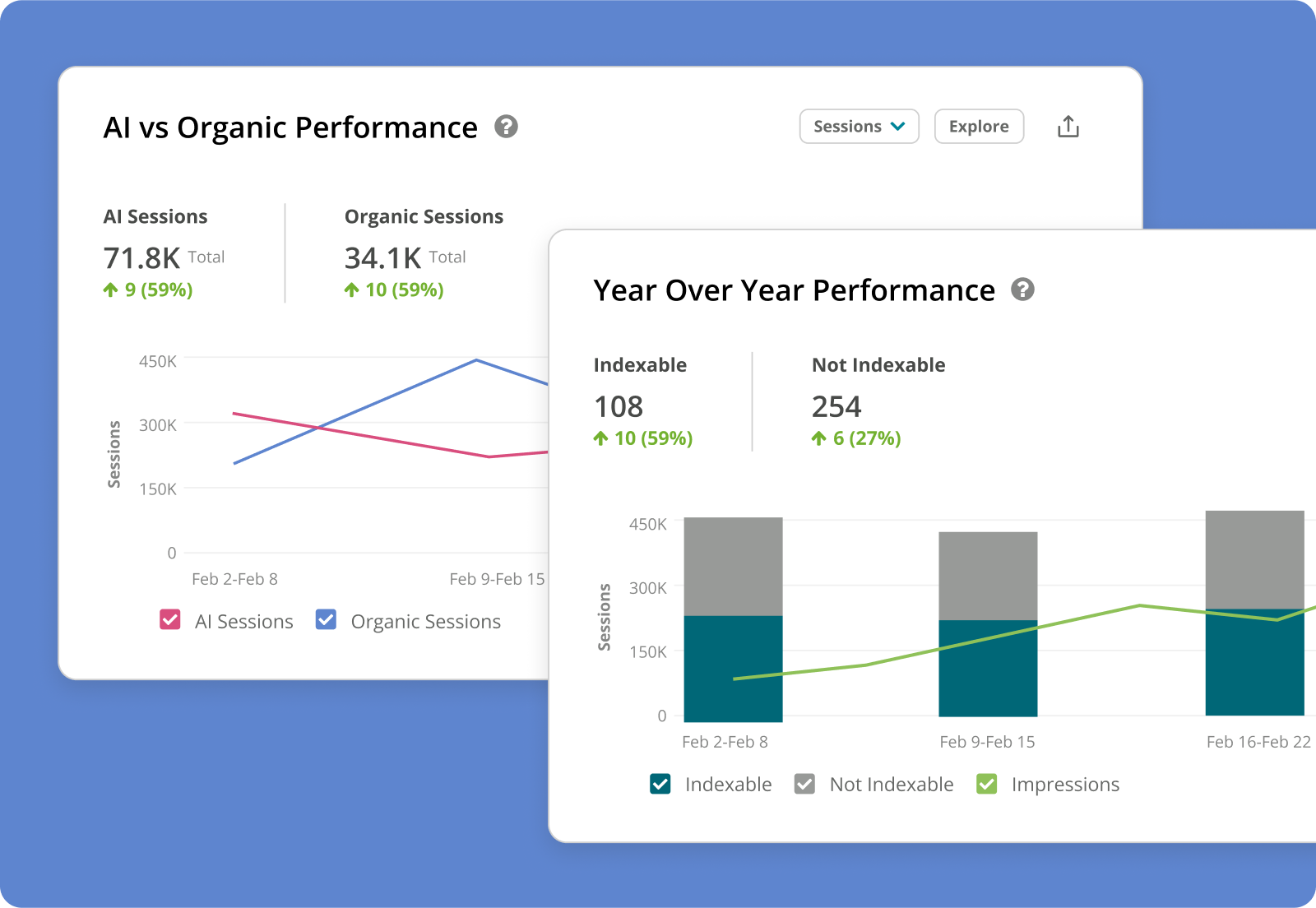
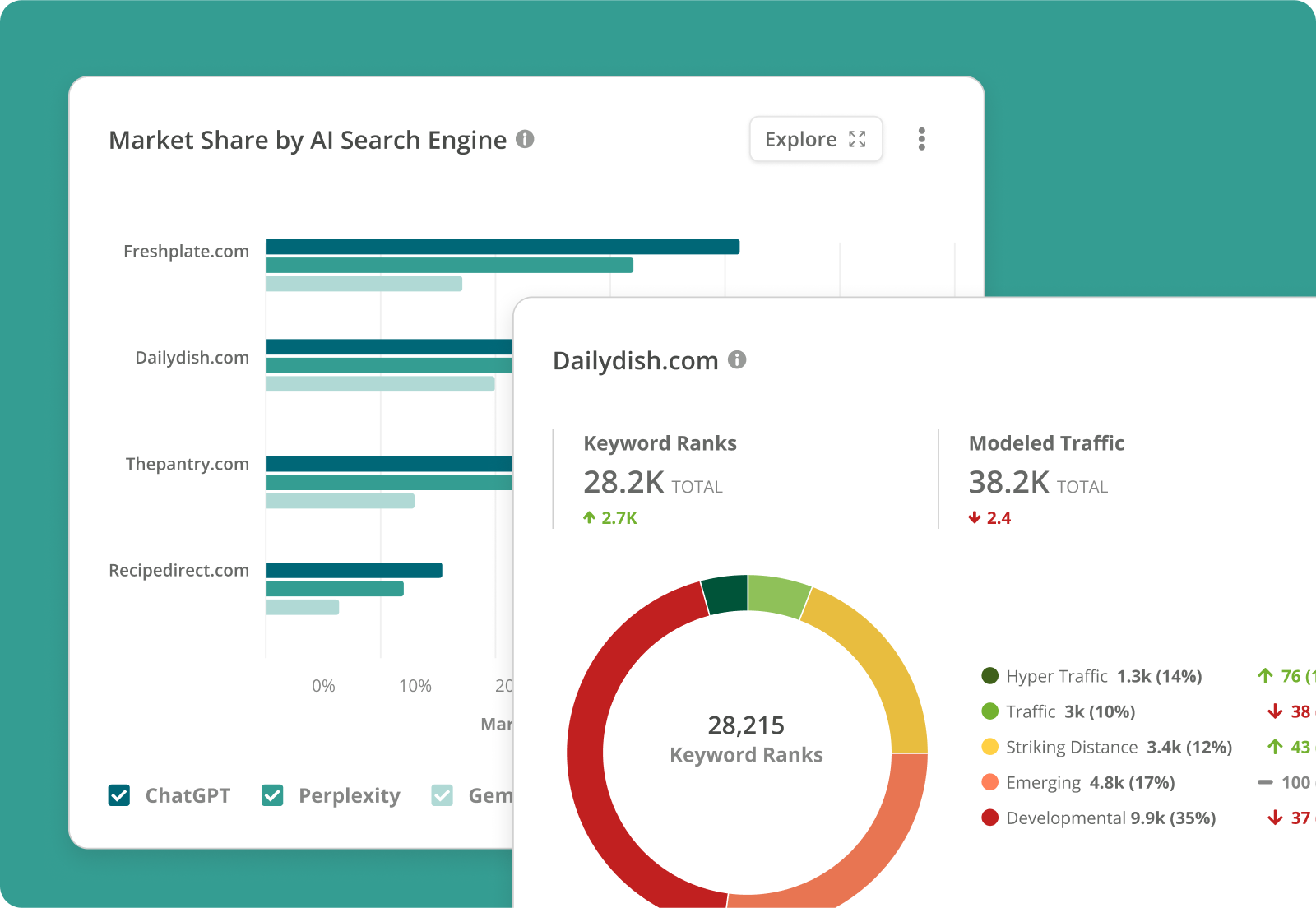
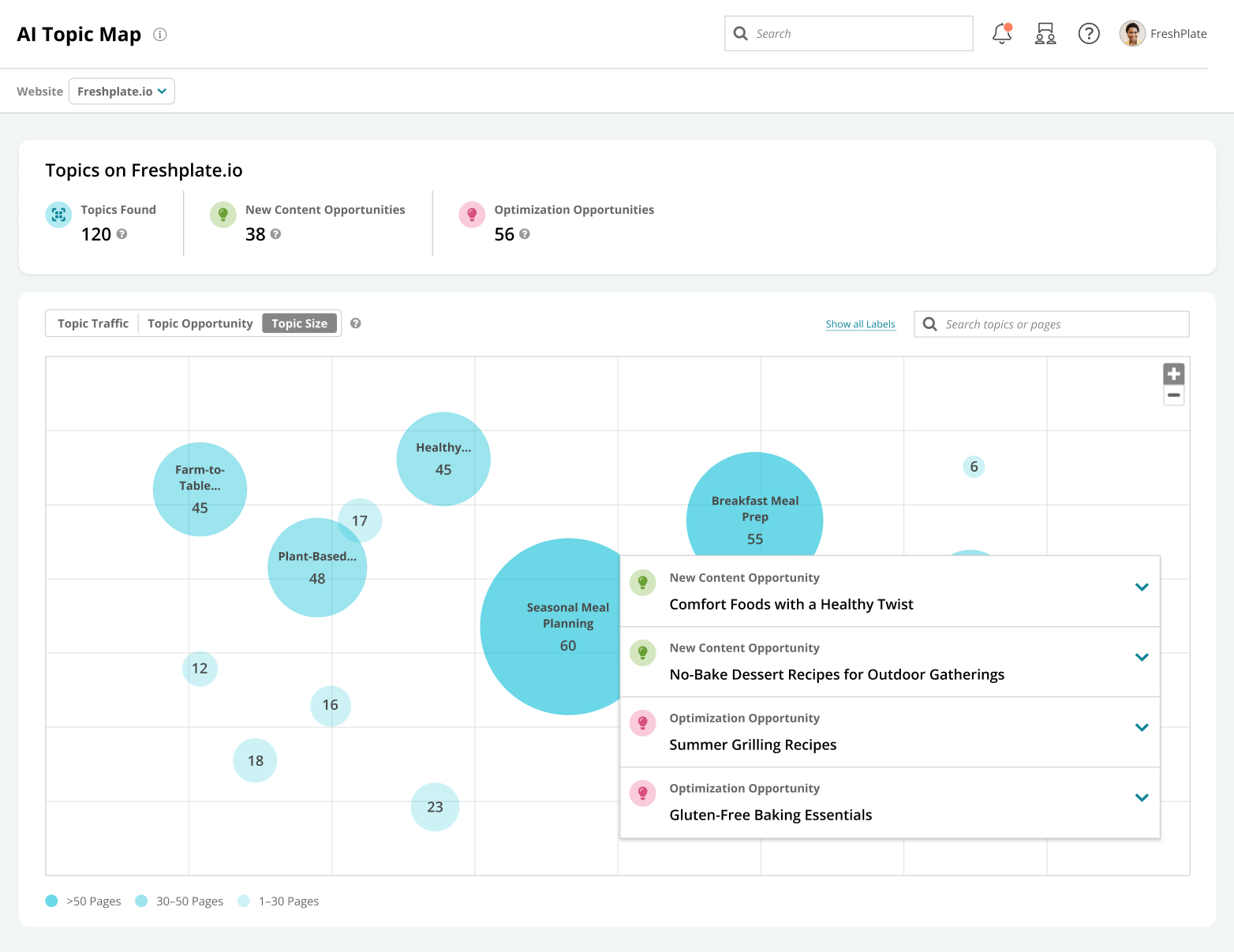
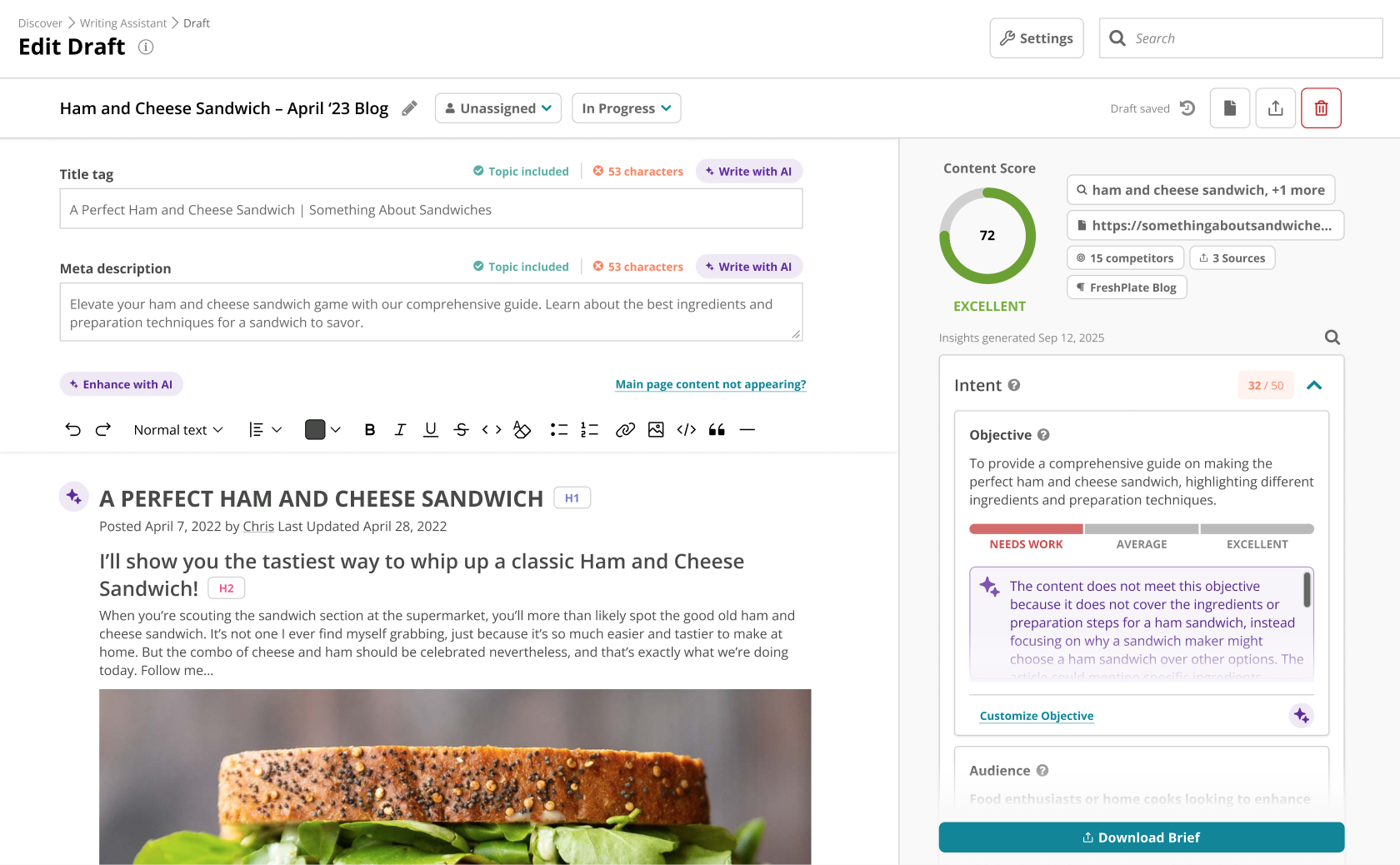
Conductor is an enterprise AEO platform that provides unified AEO & SEO intelligence, scaled AI content generation, and real-time website monitoring. From tracking visibility in LLMs to technical health and content optimization, Conductor’s platform empowers teams to increase authority and visibility in AI and traditional search and accelerate digital growth. Conductor states its current customers include global brands such as SAP, e.l.f Cosmetics, FedEx, and Mastercard.
N/A
Google Tag Manager
Score9.4 out of 10
N/A
From Google, the Google Tag Manager is a tag management application that facilitates creating, embedding, and updating tags across websites and mobile apps. It is a free option, vs. the company's enterprise-tier Google Tag Manager 360.
Senior Director Social SEO Display Advertising & Agency Marketing for Colleges & Universities in Marketing at Education Dynamics (Marketing and Advertising, 201-500 employees)
Chose Conductor
I will be brutally honest. BrightEdge has a great sales staff and a so/so at best customer service group. And a clunky user interface. I used BrightEdge and Conductor at the same time for 10 months. Conductor was easier to use. Much more intuitive. Better value for the money at …
A de minimis incentive was given to thank the reviewer for their time. The incentive was not used to bias or drive a particular response, nor was the incentive contingent on a positive endorsement. TR verified that a representative sample of customers was invited. More Info
Conductor is a great tool to use when we're planning and optimizing content around specific trends. It also helps us track our on-going performance as well, which is great to help us improve. Conductor is less ideal for content that has a quick turnaround time or pieces where SEO isn't a priority, also if you're looking to manage content publishing directly. It's more useful when it comes to strategy and optimization for in-depth pieces.
A de minimis incentive was given to thank the reviewer for their time. The incentive was not used to bias or drive a particular response, nor was the incentive contingent on a positive endorsement. More Info
I have found Google Tag Manager as the go to solution for managing all of your event and conversion tags for your website. Not only does it make it easy to manage all of your tags in the one place, it is fairly intuitive to use and there is plenty of videos and help documentation online to help set up what ever you need. No scenarios come to mind at the moment on where it is less appropriate to use.
A de minimis incentive was given to thank the reviewer for their time. The incentive was not used to bias or drive a particular response, nor was the incentive contingent on a positive endorsement. More Info
When I need to quickly determine what Google features our keywords are ranking for: Featured Snippets, Carousels, Rich Snippets, Sitelinks, PAA boxes, etc.
The ability to create highly customizable dashboards that provide a one-page view of insights for the specific web properties you are tracking.
A content guidance tool that is unmatched by any other product available in the market.
A de minimis incentive was given to thank the reviewer for their time. The incentive was not used to bias or drive a particular response, nor was the incentive contingent on a positive endorsement. More Info
Selecting elements on a site [object, class, cookie, etc] (to later fire an event, send some data, etc) is very easy with triggers. Want to add an event when someone clicks on a button? Super easy. It was many many DOM selectors and you can even add custom functions if you need to do something more specific
In general, firing events in different circumstances is very easy mixing triggers and tags. You can track almost any element of the DOM and do whatever you want with it.
Testing is a great functionality. Only you can see what's on the site and you can debug it easily by seeing which events or tags were triggered and all the DOM elements involved (and why they matched the trigger).
Working in environments (staging, production) and versioning is easy to do, deploying changes in 2 clicks.
A de minimis incentive was given to thank the reviewer for their time. The incentive was not used to bias or drive a particular response, nor was the incentive contingent on a positive endorsement. More Info
Backlink tracking/reporting (would like to see backlinks more easily and maybe backlink opportunities if possible)
Custom content briefs (right now I move the brief from the platform version into our own in-house Word doc template because it is more detailed. Would love to be able to customize the brief that is set up within Conductor so that we can do it all in one place.)
A de minimis incentive was given to thank the reviewer for their time. The incentive was not used to bias or drive a particular response, nor was the incentive contingent on a positive endorsement. More Info
There are several good integrations, but there can always be more. Native tracking for call tracking solutions, analytics providers, non-Google advertisers would be top of my list.
Documentation is just dreadful. Luckily there are some awesome folks out there doing crowdsourced tutorials (shout out to Simo Ahava) but by and large the Google Tag Manager instructions are worth what you pay for them.
A de minimis incentive was given to thank the reviewer for their time. The incentive was not used to bias or drive a particular response, nor was the incentive contingent on a positive endorsement. More Info
Conductor enables high-value SEO activity. There are a lot of moving parts in SEO and I'm always open to products that fit our requirements, but Conductor has built a stronger argument for its value after we subscribed than it had when we subscribed -- that's rare.
I haven't found another option for us to use especially one that is free. Down the road we may go a different route but for now GTM is a good option and does what we need it to do. It'd be nice to get more support or more integrations but with the free version there's only so much one can expect to get I suppose.
A de minimis incentive was given to thank the reviewer for their time. The incentive was not used to bias or drive a particular response, nor was the incentive contingent on a positive endorsement. More Info
I check features like the InsightStream every Monday to monitor any major losses or gains in performance. These are easily digested and save me tons of time searching for these insights manually. If there's anything "worth calling home about" I can easily add insights into a workspace and create a report to communicate these results. It's super easy to use Conductor with a team and across departments.
No difficult obstacle to overcome but Google Tag Manager can still be difficult for many users to deploy. Sure the basic HTML script can be deployed quite easily, but when you start to require triggers, variables, etc, it can be a little daunting.
A de minimis incentive was given to thank the reviewer for their time. The incentive was not used to bias or drive a particular response, nor was the incentive contingent on a positive endorsement. More Info
A de minimis incentive was given to thank the reviewer for their time. The incentive was not used to bias or drive a particular response, nor was the incentive contingent on a positive endorsement. More Info
A de minimis incentive was given to thank the reviewer for their time. The incentive was not used to bias or drive a particular response, nor was the incentive contingent on a positive endorsement. More Info
The Conductor support team is excellent, especially our Customer Success manager. Our monthly calls to review our wins, losses, and key takeaways for the next steps are incredibly helpful, and Conductor's platform provides not only an organic search tool for our company but also a learning resource via our Customer Success calls.
A de minimis incentive was given to thank the reviewer for their time. The incentive was not used to bias or drive a particular response, nor was the incentive contingent on a positive endorsement. More Info
GTM does not provide support. This is one of GTM's biggest issues but it's due to the level of customization for each website. If your team thinks they would heavily rely on the need for a support staff it is probably better to invest in a paid service with a team that can support your needs.
A de minimis incentive was given to thank the reviewer for their time. The incentive was not used to bias or drive a particular response, nor was the incentive contingent on a positive endorsement. More Info
Our in house SEO manager trained everyone. It was easy to learn and he was well versed with the product. Any questions we had he was able to answer or reach out to support to find the answer
A de minimis incentive was given to thank the reviewer for their time. The incentive was not used to bias or drive a particular response, nor was the incentive contingent on a positive endorsement. More Info
I definitely recommend their professional services for getting started. It got our account 90% of the way to where we needed to be in order to gain value from it. In fact, I'd suggest that with few exceptions (such as, you have a staff that is already familiar with the platform and doesn't need any help), the quick start services over the first 30-90 days should be a standard part of onboarding with any new client. It definitely got us to the point of gaining ROI from the solution and, in turn, will make it easier to justify renewal and continued investment in it.
A de minimis incentive was given to thank the reviewer for their time. The incentive was not used to bias or drive a particular response, nor was the incentive contingent on a positive endorsement. TR verified that a representative sample of customers was invited. More Info
Planning and communication will help greatly with an in-house implementation. If there are large teams, try to limit the number of people involved to 1-2 developers (back-end dev may be necessary depending on your platform), one analytics marketer and one project manager.
A de minimis incentive was given to thank the reviewer for their time. The incentive was not used to bias or drive a particular response, nor was the incentive contingent on a positive endorsement. More Info
We didn't use another product previously, we used an agency that did everything for us, so bringing Organic SEO in-house was why we went with Conductor. I have used other products in other roles and at other companies and each has its strengths. Conductor is good for large enterprises
A de minimis incentive was given to thank the reviewer for their time. The incentive was not used to bias or drive a particular response, nor was the incentive contingent on a positive endorsement. TR verified that a representative sample of customers was invited. More Info
We moved to GTM from a standard Google Analytics implementation. GTM is much more flexible and easier to make changes, especially as the changes relate to multiple sites and environments. While there is a learning curve when figuring out how to use GTM, I believe the change has been worth it because it helps us understand at a more fundamental level how our tracking works and gives us a lot more control over what we track and how.
A de minimis incentive was given to thank the reviewer for their time. The incentive was not used to bias or drive a particular response, nor was the incentive contingent on a positive endorsement. More Info
A de minimis incentive was given to thank the reviewer for their time. The incentive was not used to bias or drive a particular response, nor was the incentive contingent on a positive endorsement. More Info
Conductor helped us aim at low hanging fruits for quick wins, which increased our traffic
With Conductor's tool, it was easy to look at general keywords where we were already ranking, but not good enough, and then focus around what we could do to increase our positioning
All this extra traffic, gave us more leads, therefore more sales!
GTM is very useful to determine if a particular element on the site is useful (i.e. is it being watched, is it being clicked, does it help customers navigate through more pages). As an SEO person, I can use this information to decide what to optimize for but also to track progress and see improvements in engagement.
With the use of Google Tag Manager, I was able to easily inject an A/B testing tool which lead to several improvements in lead generation.
A de minimis incentive was given to thank the reviewer for their time. The incentive was not used to bias or drive a particular response, nor was the incentive contingent on a positive endorsement. More Info