Chose ScreenConnect
Very inexpensive for agent licences annual, no costs per device and no on-site hardware to maintain.

| Product | Rating | Most Used By | Product Summary | Starting Price |
|---|---|---|---|---|
 ScreenConnect | N/A | ConnectWise ScreenConnect is a remote support, access, and meeting solution. With it, users can utilize remote support and access to repair computers, provide updates, and manage machines. Users can also conduct online seminars and presentations using remote meetings. | $39 per month | |
 SupRemo | N/A | Supremo Remote Desktop by Nanosystems S.r.l., is presented as a lightweight, multi-platform remote desktop software for Windows, macOS, and mobile on Android and iOS. | $11 per month (billed quarterly) 1 active connection |
| ScreenConnect | SupRemo | |||||||||||||||
|---|---|---|---|---|---|---|---|---|---|---|---|---|---|---|---|---|
| Editions & Modules |
|
| ||||||||||||||
| Offerings |
| |||||||||||||||
| Entry-level Setup Fee | No setup fee | No setup fee | ||||||||||||||
| Additional Details | — | Prices are provided in Euros. Discounts are offered for annual, biennial and triennial subscription plans. Extra connections can be bought for 39 euros per year. | ||||||||||||||
| More Pricing Information | ||||||||||||||||
| ScreenConnect | SupRemo | |
|---|---|---|
| Considered Both Products |  ScreenConnect  Rick Castellini Owner Chose ScreenConnect For cost and management capabilities, I found ScreenConnect to be the best option. Some of the other services offered easier connection opportunities for my clients, but overall, I liked the tools and price point of ScreenConnect.  Jonathan Armstrong Senior Systems Officer Chose ScreenConnect I prefer ScreenConnect's ability to self-host.  Michael Nelson Owner Chose ScreenConnect ConnectWise Control is far superior just on price alone. Logmein Rescue's pricing is ridiculous in comparison. The ease of use from the end user is similar with both products. However, the technician side of the software is significantly better on the ConnectWise Control …  Cameron Rainey Director Of Business Development Chose ScreenConnect ConnectWise Control does a better job with on demand access with our clients PCs, than BeyondTrust. However they have better access when it comes to PCs we dont have anything installed on and need them to go to our website to access their PCs.  Ian Hansen Client Success Manager Chose ScreenConnect We like the functionality of ConnectWise and the ability to create custom groups and packages that help with deployment of the agent on our client workstations. Overall it's a more robust and flexible solution that suits our needs.  Adam Friedli Level 2 Support Analyst Chose ScreenConnect RDP is fine for what it is, but there's a lot you can't usually do like connect from outside the network without opening up the firewall. As for Kaseya, I can't recall what their remote options were, but they left a lot to be desired. One method was similar to an RDP session and …  Evan Kent Legal RSC Level 2 Engineer Chose ScreenConnect ConnectWise works very well. As well as any other remote connection software I have used. It's biggest draw back is lack of support for Chrome/Mobile OS's. This is something that a competitor I have used does very well and it be great if they added this in the future. I am … | SupRemo |
| ScreenConnect | SupRemo | |||||||||||||||||||||||||||||||||||||||||||||
|---|---|---|---|---|---|---|---|---|---|---|---|---|---|---|---|---|---|---|---|---|---|---|---|---|---|---|---|---|---|---|---|---|---|---|---|---|---|---|---|---|---|---|---|---|---|---|
| Remote Administration |
|
| ScreenConnect | SupRemo | |
|---|---|---|
| Small Businesses |  Getscreen.me Score 9.7 out of 10 | Getscreen.me Score 9.7 out of 10 |
| Medium-sized Companies |  Remote Desktop Manager Score 9.6 out of 10 | Remote Desktop Manager Score 9.6 out of 10 |
| Enterprises | Remote Desktop Manager Score 9.6 out of 10 | Remote Desktop Manager Score 9.6 out of 10 |
| All Alternatives | View all alternatives | View all alternatives |
| ScreenConnect | SupRemo | |
|---|---|---|
| Likelihood to Recommend | 8.8 (0 ratings) | 8.0 (0 ratings) |
| Likelihood to Renew | 10.0 (0 ratings) | - (0 ratings) |
| Usability | 8.9 (0 ratings) | - (0 ratings) |
| Availability | 10.0 (0 ratings) | - (0 ratings) |
| Performance | 10.0 (0 ratings) | - (0 ratings) |
| Support Rating | 8.2 (0 ratings) | - (0 ratings) |
| Online Training | 7.5 (0 ratings) | - (0 ratings) |
| Implementation Rating | 10.0 (0 ratings) | - (0 ratings) |
| Configurability | 10.0 (0 ratings) | - (0 ratings) |
| Product Scalability | 10.0 (0 ratings) | - (0 ratings) |
| Vendor post-sale | 10.0 (0 ratings) | - (0 ratings) |
| Vendor pre-sale | 5.0 (0 ratings) | - (0 ratings) |
| ScreenConnect | SupRemo | |
|---|---|---|
| Likelihood to Recommend |
Adam Friedli Level 2 Support Analyst |
|
| Pros |
|
|
| Cons |
 Mike Vaughan AWS Infrastructure Architect - Contractor |
|
| Likelihood to Renew |
| No answers on this topic |
| Usability |
| No answers on this topic |
| Reliability and Availability |
| No answers on this topic |
| Performance |
 Tresha Ivey Project Manager | No answers on this topic |
| Support Rating |
 Bradley Jones Co-Owner | No answers on this topic |
| Online Training |
 Betsy Sauther IT Support Coordinator | No answers on this topic |
| Implementation Rating |
| No answers on this topic |
| Alternatives Considered |
|
|
| Scalability |
 Michael Dodd Support Resource and Community Manager | No answers on this topic |
| Return on Investment |
|
|
| ScreenShots | ScreenConnect Screenshots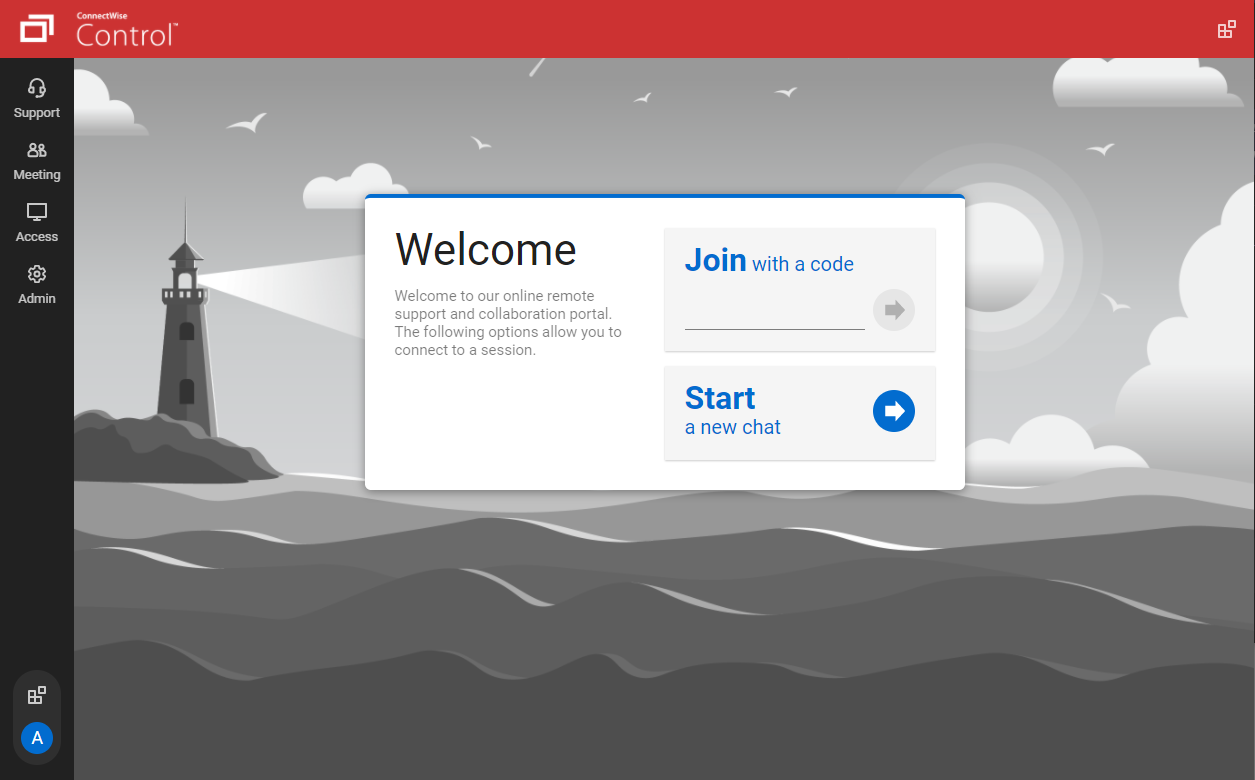   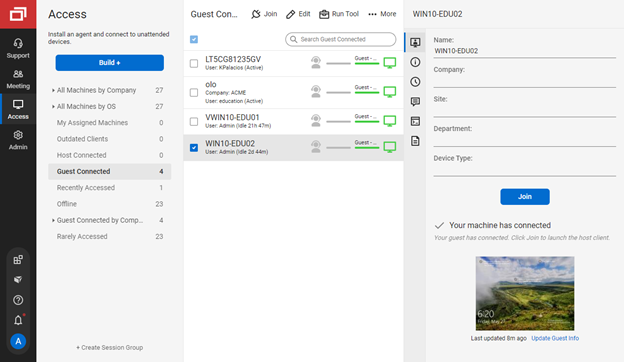   |