DemandTools for AppExchange is a data quality toolset for Salesforce.com CRM centric customers.
The product comprises 11 individual modules to control, standardize, verify, deduplicate, import and manipulate Salesforce and/or Force.com data.
N/A
Devart Excel Add-ins
Score9.4 out of 10
N/A
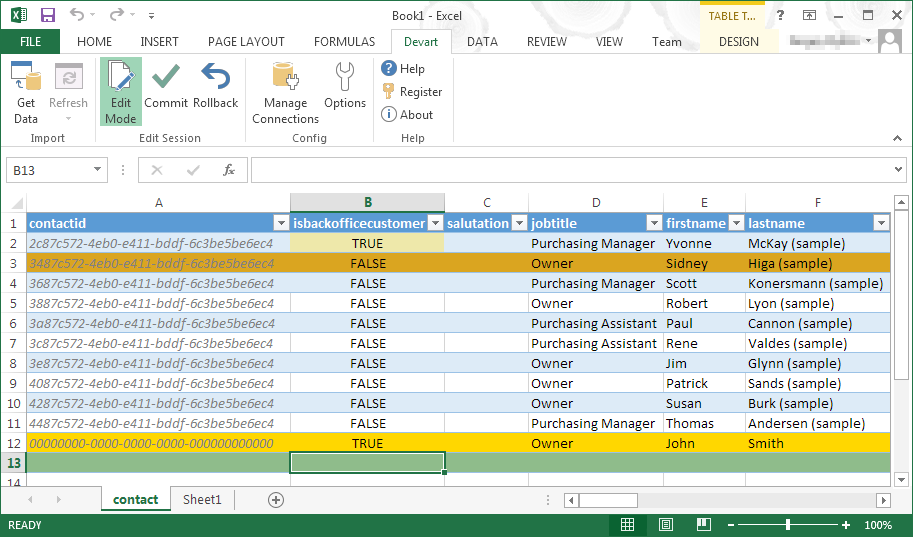
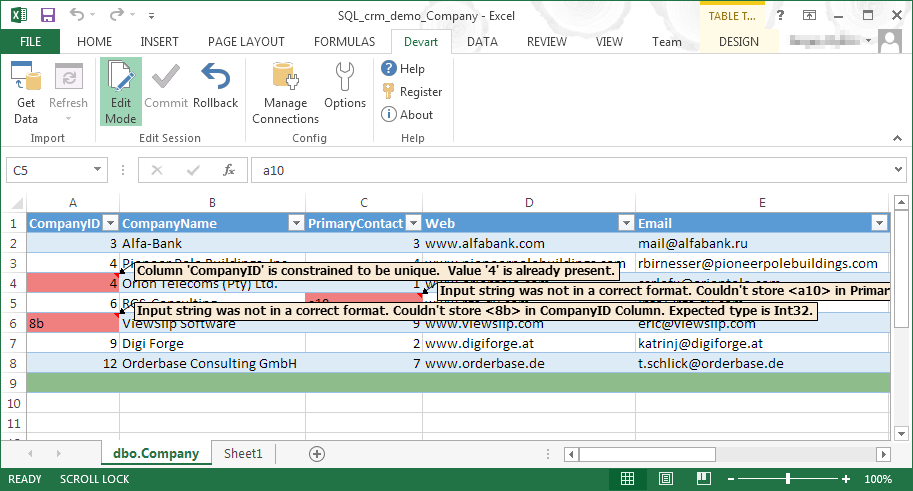
Devart Excel Add-ins allow you to use Excel capabilities to import, process, and analyze data from cloud applications and relational databases. The Excel Add-ins also allow users to make data changes and then save those changes back to the data source they were originally imported from.
$399.95
one-time fee
Pricing
DemandTools
Devart Excel Add-ins
Editions & Modules
No answers on this topic
Excel Add-in Database Pack
$399.95
one-time fee
Excel Add-in Cloud Pack
$499.95
one-time fee
Excel Add-in Universal Pack
$599.95
one-time fee
Offerings
Pricing Offerings
DemandTools
Devart Excel Add-ins
Free Trial
No
Yes
Free/Freemium Version
No
No
Premium Consulting/Integration Services
No
No
Entry-level Setup Fee
No setup fee
No setup fee
Additional Details
—
Purchases include a perpetual license and 1 year of subscription which includes the product updates and premium support.
DemandTools is good for almost everything related to mass data manipulation. The only scenario I haven't tried using DemandTools and was recommended to use Data Loader for was inserting records while keeping the original created date. The issue was that we had a disconnection with an external messaging partner, and when the records were retrieved, a few days had passed since the original day of the incoming messages. To insert the messages while keeping the original created date, DataLoader was helpful. I am not sure how to do that in DemandTools. But again, for everything else, DemandTools is a lifesaver.
A de minimis incentive was given to thank the reviewer for their time. The incentive was not used to bias or drive a particular response, nor was the incentive contingent on a positive endorsement. More Info
A de minimis incentive was given to thank the reviewer for their time. The incentive was not used to bias or drive a particular response, nor was the incentive contingent on a positive endorsement. More Info
A de minimis incentive was given to thank the reviewer for their time. The incentive was not used to bias or drive a particular response, nor was the incentive contingent on a positive endorsement. TR verified that a representative sample of customers was invited. More Info
A de minimis incentive was given to thank the reviewer for their time. The incentive was not used to bias or drive a particular response, nor was the incentive contingent on a positive endorsement. More Info
I wish I could make changes to my existing scenarios using save rather than having to create a whole new scenario. Maybe you can, I just haven't been able to.
Some features aren't user intuitive and it takes a while to learn.
A de minimis incentive was given to thank the reviewer for their time. The incentive was not used to bias or drive a particular response, nor was the incentive contingent on a positive endorsement. More Info
It has room for improvement in terms of security and making it possible for large organizations like us to use it in a more secure way with integrating with our in-house security systems.
Pricing could be reduced further for it to be adopted world-wide.
it isn't foolproof. Excel has no means of checking for human error during data entry, which means that the wrong information can skew all the results - sometimes severe.
Users unfamiliar with Excel syntax may also find entering calculations and calling up other functions a bit frustrating until they get a solid understanding.
A de minimis incentive was given to thank the reviewer for their time. The incentive was not used to bias or drive a particular response, nor was the incentive contingent on a positive endorsement. More Info
It's a great product. The only thing that holds us back is it was frustrating working with their sales team. We also don't like that when Validity purchased DemandTools they immediately started charging us quite a bit while it had been free for non-profit users when CRMFusion owned it. They also don't let you buy it for just 1 or 2 seats, you have to pay, I believe, in batches of 100 seats.
A de minimis incentive was given to thank the reviewer for their time. The incentive was not used to bias or drive a particular response, nor was the incentive contingent on a positive endorsement. TR verified that a representative sample of customers was invited. More Info
It automated the whole reporting and excel. Our team can generate pivot, dashboards and multiple other reports in various formats and update them with one click. My Sales team need to update more then 1500 leads status on daily basis. By using this tool now they can do this in few minutes.
A de minimis incentive was given to thank the reviewer for their time. The incentive was not used to bias or drive a particular response, nor was the incentive contingent on a positive endorsement. More Info
A de minimis incentive was given to thank the reviewer for their time. The incentive was not used to bias or drive a particular response, nor was the incentive contingent on a positive endorsement. TR verified that a representative sample of customers was invited. More Info
A de minimis incentive was given to thank the reviewer for their time. The incentive was not used to bias or drive a particular response, nor was the incentive contingent on a positive endorsement. TR verified that a representative sample of customers was invited. More Info
Support can be slow so do not expect quick turn for urgent issues. Help for specific queries not not there. Product tech support is offered. It would be great if query support, even if paid, was offered The training webinars help with the basics but not much if you need advanced functionality.
The trainings are free live webinars that give you a solid base for getting started with the program. The only weakness is they don't have any advanced classes.
I had just started using Salesforce about 3 months before I did the implementation myself, and it was easy to do just following their step-by-step instructions.
Though RingLead has much more to offer in terms of automation (and it is in Salesforce rather than a separate program), DemandTools still has our heart. DemandTools is very cost-friendly and we were able to increase the value of DemandTools by programming in additional saved scenarios. I decreased admin time in the DemandTools suite by approximately 25% after implementing saved scenarios for every reoccurring update or list upload.
A de minimis incentive was given to thank the reviewer for their time. The incentive was not used to bias or drive a particular response, nor was the incentive contingent on a positive endorsement. More Info
Microsoft Excel is the most used tool in the software universe. As such, asking Microsoft Excel to be the tool used post data acquisition makes a ton of sense. Almost everyone we hire has some idea on how to use this tool, which decreases the time spend training new employees.
A de minimis incentive was given to thank the reviewer for their time. The incentive was not used to bias or drive a particular response, nor was the incentive contingent on a positive endorsement. More Info
A de minimis incentive was given to thank the reviewer for their time. The incentive was not used to bias or drive a particular response, nor was the incentive contingent on a positive endorsement. TR verified that a representative sample of customers was invited. More Info
A de minimis incentive was given to thank the reviewer for their time. The incentive was not used to bias or drive a particular response, nor was the incentive contingent on a positive endorsement. More Info
A de minimis incentive was given to thank the reviewer for their time. The incentive was not used to bias or drive a particular response, nor was the incentive contingent on a positive endorsement. More Info