Descript is a collaborative audio/video editor, from the company of the same name in San Francisco, that works like a doc. It includes transcription, a screen recorder, publishing, full multitrack editing, and AI tools.
$12
per month
Keap
Score 6.5 out of 10
N/A
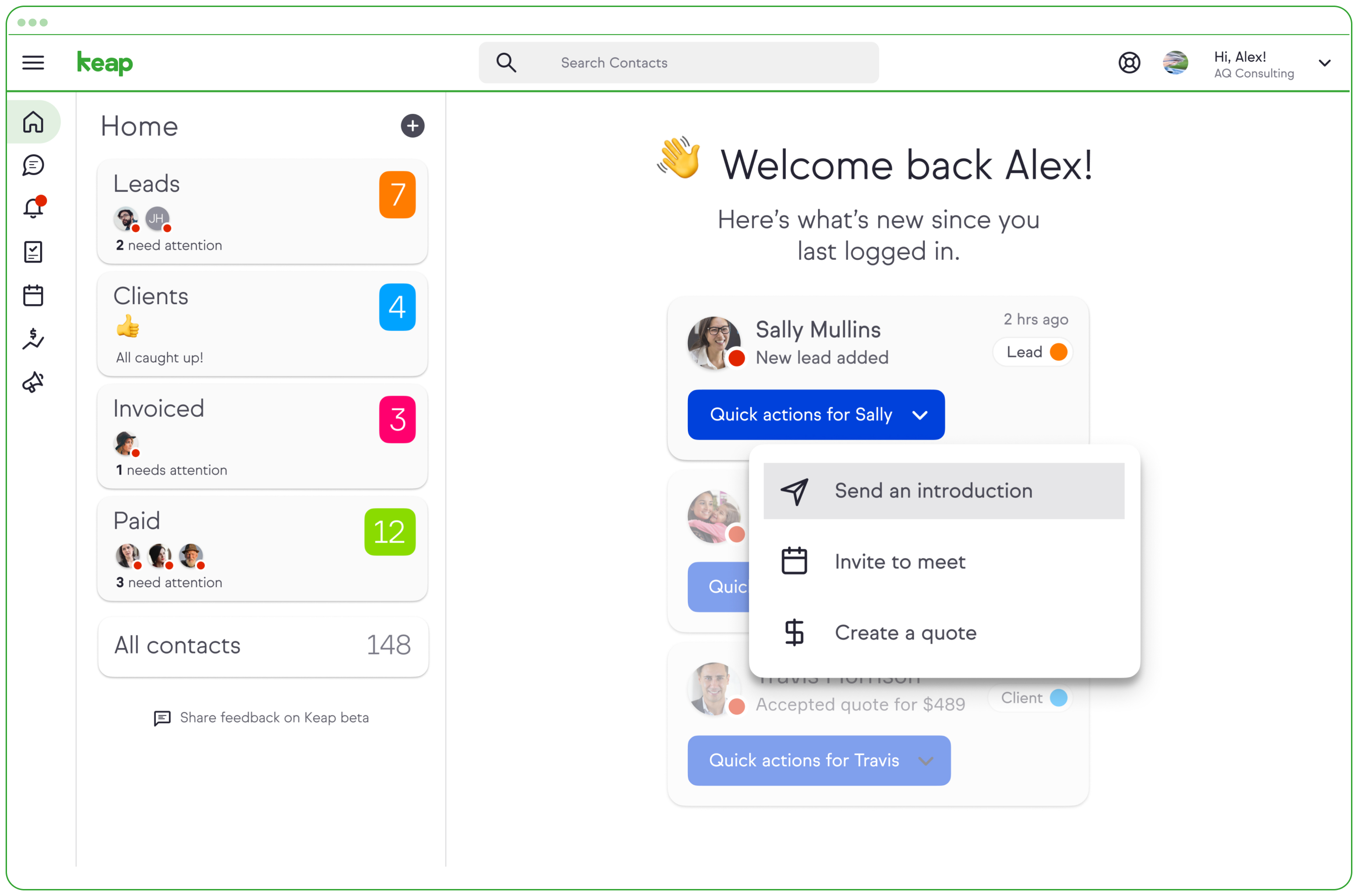
Keap is a small business-focused, comprehensive sales and marketing platform which combines basic contact management, CRM, marketing automation, and e-commerce capabilities into a single, subscription-based SaaS product.
$199
per month
Pricing
Descript
Keap
Editions & Modules
Free
$0
Annual billing - Hobbyist
$12
per month per user
Monthly Billing - Hobbyist
$19
per month per user
Annual billing - Creator
$24
per month per user
Monthly Billing - Creator
$35
per month per user
Annual billing - Business
$40
per month per user
Monthly Billing - Business
$50
per month per user
Enterprise
Custom
Pro
$199.00
per month
Max
$289.00
per month
Max Classic
Contact Us
per year
Offerings
Pricing Offerings
Descript
Keap
Free Trial
No
Yes
Free/Freemium Version
No
No
Premium Consulting/Integration Services
No
Yes
Entry-level Setup Fee
No setup fee
Optional
Additional Details
—
All plans with 1 user and 500 contacts. The price is $30.00 for each additional user.
I've used Rev and liked them, but I find Descript to be more flexible and, overall, more useful. We're also experimenting with Searchie.io, but it's early days yet, so I can't comment.
Well, to be fair, when I started with Keap in 2009, they were the only game in town. In the intervening years, I have looked at many of Keap's competitors, and I've never found a system as robust.
But the real reason I stay with Keap is the PEOPLE. They have demonstrated over …
Features
Descript
Keap
CRM Project Management
Comparison of CRM Project Management features of Product A and Product B
Descript
-
Ratings
Keap
7.7
29 Ratings
7% below category average
Task management
00 Ratings
8.820 Ratings
Billing and invoicing management
00 Ratings
7.416 Ratings
Reporting
00 Ratings
7.127 Ratings
Automated CRM activity logging
00 Ratings
6.41 Ratings
Sales pipeline management
00 Ratings
9.11 Ratings
Email & Online Marketing
Comparison of Email & Online Marketing features of Product A and Product B
Descript
-
Ratings
Keap
5.9
152 Ratings
27% below category average
WYSIWYG email editor
00 Ratings
9.050 Ratings
Dynamic content
00 Ratings
8.947 Ratings
Landing pages
00 Ratings
4.0136 Ratings
A/B testing
00 Ratings
6.410 Ratings
Mobile optimization
00 Ratings
4.5126 Ratings
Email deliverability reporting
00 Ratings
4.5151 Ratings
List management
00 Ratings
4.5149 Ratings
Triggered drip sequences
00 Ratings
9.049 Ratings
Lead Management
Comparison of Lead Management features of Product A and Product B
Descript
-
Ratings
Keap
5.5
153 Ratings
34% below category average
Lead nurturing automation
00 Ratings
5.0148 Ratings
Lead scoring and grading
00 Ratings
4.0130 Ratings
Data quality management
00 Ratings
4.5131 Ratings
Automated sales alerts and tasks
00 Ratings
5.0140 Ratings
Automated follow-ups
00 Ratings
9.11 Ratings
Campaign Management
Comparison of Campaign Management features of Product A and Product B
Descript
-
Ratings
Keap
8.0
90 Ratings
8% above category average
Calendaring
00 Ratings
9.089 Ratings
Reporting & Analytics
Comparison of Reporting & Analytics features of Product A and Product B
Descript
-
Ratings
Keap
6.4
150 Ratings
6% below category average
Dashboards
00 Ratings
7.255 Ratings
Standard reports
00 Ratings
4.0146 Ratings
Custom reports
00 Ratings
7.9137 Ratings
Platform & Infrastructure
Comparison of Platform & Infrastructure features of Product A and Product B
Descript is well-suited for fast editing of training videos, tutorials, podcasts, and screen recordings, where transcript-based editing and quick cleanup save time. It works best when you need a simple workflow to record, transcribe, remove filler words, tighten sections, and apply basic enhancement tools like noise cleanup. It is less appropriate for high-stakes projects where losing edits would be very costly, or when you need strong guarantees around long-term project history, backups, and recovery. Based on our experience, if you are doing many hours of edits and expect to revisit projects months later, you may want an additional export/archive process outside the platform.
Keap is very good at contact management and automation creation but weaker at email campaign creation. I was particularly interested in a function where when manually entering a new contact, you are then able to email that contact using a premade HTML template. It will currently not do this. There is a workaround, but it is unnecessarily ponderous.
UX Performance. Because it's synced to the cloud, there can be some delay or lag in the UX when editing.
Editing Transcriptions. Machine-based transcriptions always need some post-editing. While Descript makes it pretty easy, I still think there is some room for improvement. For instance, I would like to be able to automatically update for all occurrences of a word after fixing it in the transcript.
Automatic importing of YouTube and hosted video files. I often have to download a video from YouTube to be able to import it into Descript. Would be nice to be able to just paste in the URL to the video and have Descript automatically import it.
More articles and videos on how to use the various functions of Keap
Having representatives designated to certain regions or companies for a point of contact when help is needed
More options when building the emails. While the click and drop options can be a plus, they can also be negative because you are limited to image and text sizing and positions
We have invested a lot into Infusionsoft and are using it to automate our processes and marketing. Changing CRMs would have a HUGE cost for us and based on our evaluations, the grass isn't greener elsewhere. Infusiosoft fits most of our needs and is slowly getting better each year. Their support is great and we will continue to use them until something much better comes around or our company outgrows a small business CRM.
It's pretty user friendly, has a easy-moderate learning curve. However during updates they do change the features in different panes / sections that make them harder to find. The text editor is near perfect, some of the other tools such as colour, templates, audio etc. are arranged in a slighlty less intuitive manner
You do need to spend some time on-boarding and implementing the software in order to have full functionality. We were lucky - we had colleagues at the university with experience with Keap and then hired an intern familiar with the software to get us set up and ready to use it. We've had some functionality issues with it along the way and that has frustrated myself and the other uses in our department.
OMG, it's all in one and that compromises everything, fundamentally. If you want a race car, invest in a race car. If you want a dune buggy, get that. If you want a boat that floats, go for it.
We had a very frustrating experience with Descript and their support.
We used Descript to record and edit several videos. The edits were done around May, mainly using the web app. When we opened those same projects in December, many of them looked like raw recordings again. Cuts were missing and effects were missing.
Support and engineering told us they checked their logs and only saw “creation → recording → transcription,” and they said they could not find proof the edits were ever made. That explanation does not match what we saw in the app. The affected videos show two project backup files. In Descript, backups only appear after you start editing (the app even says so). But when we checked other projects that we know are raw, those do not show any backup files. We asked a simple question: if backups appear only after editing, why do the “raw” affected videos have two backups while truly raw videos have none? They did not answer this clearly.
One rep also said they noticed a spike in network errors in May. That is exactly when the edits were done, which makes it very likely the edits did not save or sync correctly. Instead of admitting this could be the cause, support kept pointing to “no logs of edits” and that it was our fault.
They refunded one month, but called it a “courtesy.” That was disappointing. We also stopped using Descript while they were investigating because we did not feel it was safe to keep working in the platform. If that one-month refund was meant to cover the time we could not use the service during the investigation, that still does not address the real damage. We lost many hours of work, we paid our editor hourly, and we paid for the subscription for convenience and reliability. For the amount of inconvenience and loss we experienced, one month is clearly not enough.
Generally, very responsive support for even our more complicated issues. We do have some open issues that we need resolutions on and that I understand are complicated and will take longer to resolve but the open issues are significantly impacting to our business.
I have been to a number of in-person training sessions over the years with Keap and all of them have been FANTASTIC. They really put a lot of time and effort into these sessions. Staff and facilitators go out of their way to ensure that participants are getting what they need.
The results of training online are often based on how people learn. The training was great but with feature updates, you just have to get in there sometimes and do it! The training definitely lays a firm enough foundation for you to be successful even if its can't be updated with every feature update.
Don't let the fear of implementing a new software solution keep you from unleashing the power of automation that Infusionsoft provides. With the right implementation partner, the process can not only be smooth and painless, it can actually help you get a better understanding for how your current communication process can be improved upon.
Descript is by far superior to the other editing software you can get on Apple computers. It's able to do a lot more and really save us tons of time. Other Adobe apps are great, but take a while to learn. Descript is very user-friendly, making it easy to start from day one with very little training.
Keap is fast. The learning curve is shorter and they have an academy for learning with videos quite extensive that explain a lot of different scenarios, specially when you need to customize scenarios of automations and segments. Is cheaper if you consider that this services CRM + Mailing don´t come often in one package and the realiability to send mails is quite good.
You get a lot of features included, but you don't need to use them all at once to start seeing an effect. When you are ready to use them, they are there. It also scales without costing too much money.
I can get video completed much more quickly and cheaply
We can produce more video content because of the speed with which we can have a finished product
We can have shorter timelines for example I record on Monday and we publish on Tuesday which wouldn't be otherwise possible with other methods I've used
Automation has allowed us to be more engaged and invested in our customers by reminding us about birthdays and other important events in their lives so that we can celebrate with them.
We lacked the manpower to sell and distribute orders online before setting up the payments and automation features. We now collect $5k+ a week in lost sales through online ordering.
List cleaning functionality and engagment settings have allowed us to run a 40-50% email open rate that allows us to create an engaged community around local events and opportunities as well as sales and special offerings.