DocuWare’s document management software delivers digital workflow and document control to boost productivity without the need for IT resources. Its cloud and on-premises products are presented as a best-fit solution for companies seeking to digitize, automate and transform key processes. DocuWare is headquartered in New Windsor, NY, and their solution is presented as a DCM, or lightweight ECM.
$300
per month
Zapier
Score 8.8 out of 10
N/A
The Zapier Automation Platform designed to integrate data between web apps. It is scaled for small to mid-sized businesses, with a functional but limited free version of the program.
$29.99
per month 750 tasks per month
Zoho Flow
Score 9.7 out of 10
N/A
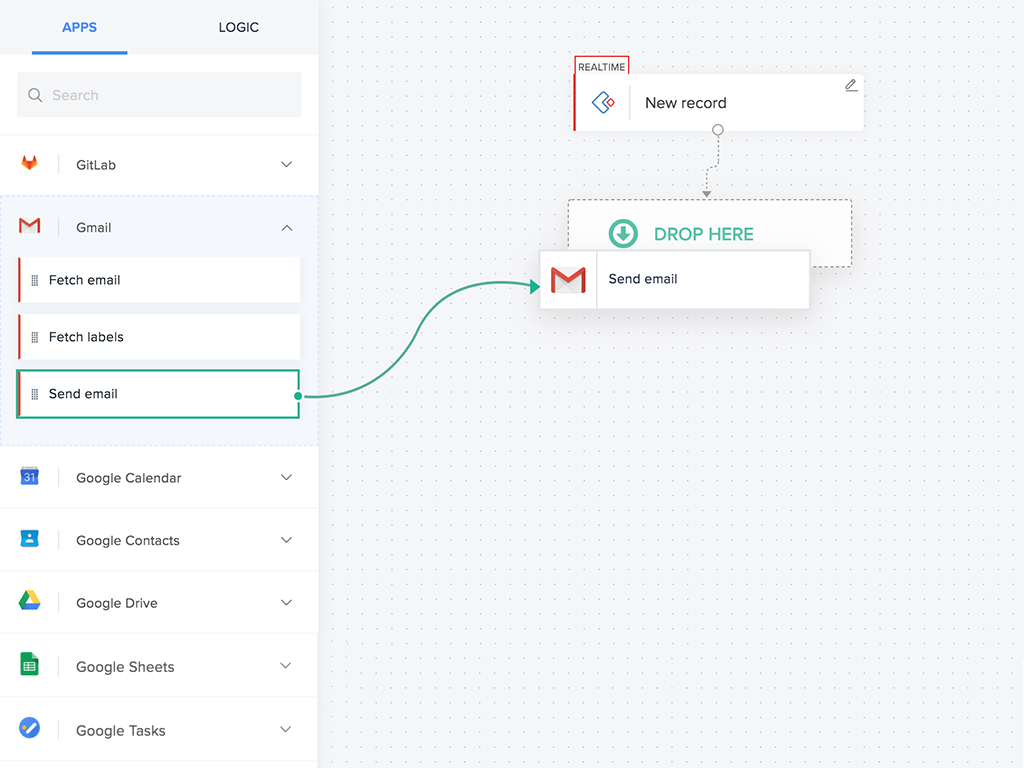
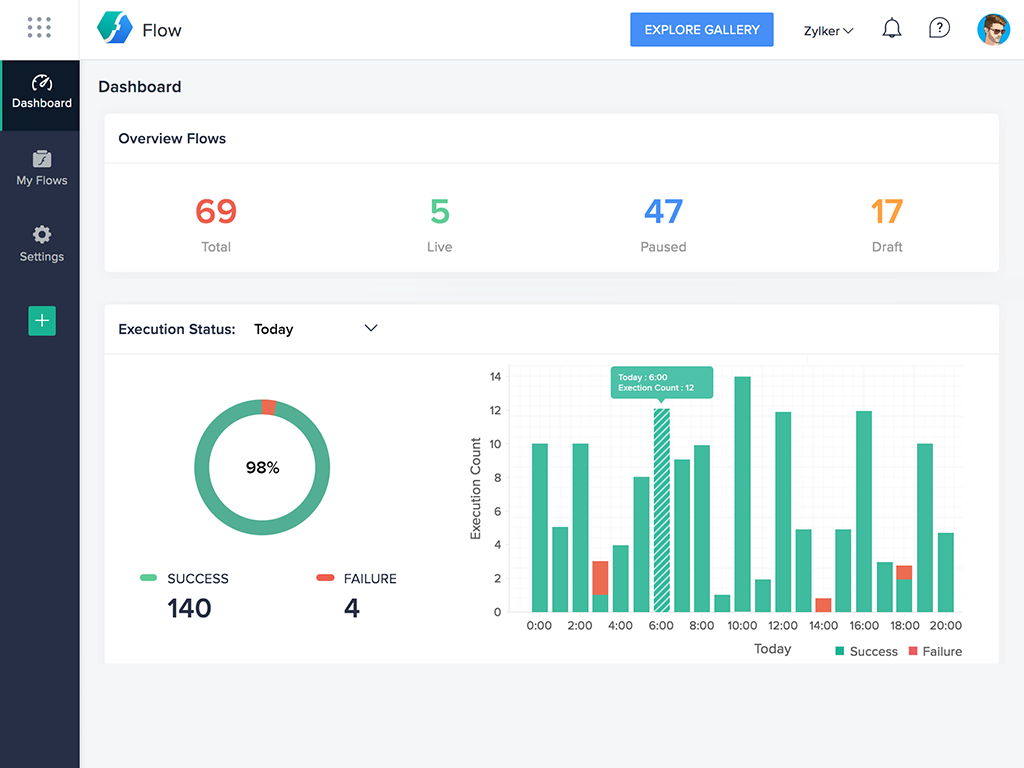
Zoho Flow allows the user to integrate business apps to automate a workflow.
$29
per month (for 5k tasks per month)
Pricing
DocuWare
Zapier
Zoho Flow
Editions & Modules
Base
$300
per month
Enterprise
1,500
per month
Pro
Contact sales team
Large Enterpriser
Contact sales team
Starter
$29.99
per month 750 tasks per month
Professional
$73.50
per month 2k tasks per month
Team
$103.50
per month 2k tasks per month
Company
Contact Sales
Standard
starting at $29
per month starting with 5k tasks per month
Professional
starting at $49
per month starting with 10k tasks per month
Offerings
Pricing Offerings
DocuWare
Zapier
Zoho Flow
Free Trial
Yes
No
Yes
Free/Freemium Version
No
Yes
Yes
Premium Consulting/Integration Services
No
No
Yes
Entry-level Setup Fee
No setup fee
No setup fee
Optional
Additional Details
—
33% discount for annual pricing.
Discount available for annual pricing. Higher monthly task volume available.
I've used Zapier and both programs are similar. Zapier has deeper integrations or more apps to integrate with but considering Flow's association with other Zoho apps this does it for us!
It's as simple as it gets, but it's more powerful, and you can add custom functions if you need them and are ready. If you're already using Zoho products or Zoho One, then this is a no-brainer for enhancing your existing usability and functionality.
We currently have a scenario where we print 1,000 documents per month, one for each resident. Because of DocuWare's ability to process barcodes, we dump that pdf to DocuWare and it files it into each resident's account. We then run scripting to add each of those documents to our cloud-based property management software. Saves having to process one document at a time per resident.
If you have processes that are now managed and controlled using a spreadsheet, Zapier will give you a lot more control over what is happening and will help you increase productivity by eliminating simple steps such as sending emails and sharing information with your colleagues. It frees time for very transactional activities.
For small—to medium-sized connections between different applications, Zoho Flow is quick and easy to set up and test. However, as a Flow becomes more complicated with multiple connections and decisions, it becomes more difficult to track errors and faults and manage changes. Some of this is due to the history not being detailed enough, and some is just the UI, where you can't zoom in and out and clearly see connecting lines for flows.
Ease of use - multiple people in the organization can set up and run Zaps per their specific use cases without much training.
Connectivity - Zapier is able to connect to multiple applications we use on a regular basis.
Functionality - Zapier provides embedded functionality within the app itself (email, data conversion), but also appropriate triggers and actions for apps it connects to.
Versatile - Zapier can execute complicated and simple tasks and thus has many use cases.
The interface is very user-friendly, and there are also many tools to help a brand-new user get started. For example, you can put your Zap idea into the AI bot, and it will basically build a shell of your Zap to get started on. The format for each step within a Zap is also very helpful (set up the connection/app, set up the fields/details, then test).
Flow can accomplish almost anything you want to do. It's imperfect, but it could be with just a few more features and better error management/visibility. For someone who's not a developer, this is a no-brainer. Having used other products in the past, like Zapier, this is as easy to use, if not even easier.
We use a third-party company to assist in the support process, and they have been great to work with. Quick turn around on issues and almost immediate communication concerning support tickets. They are more than willing to consult with our IT partners as well, which is a must for our business.
Before we purchased Zapier, I contacted support and asked them if Zapier could support my intended workflow (this is actually a selection on their support form - awesome). Within 2 hours, I was contacted by a support team member who seemed sure it would work, but granted me premium access for 2 weeks to try it out for myself. Sure enough, it did! Ever since then, support has replied rapidly to any problems I have experienced and answered my questions within a few sentences.
I've reached out to the support team several times with assistance requests in Zoho Flow. Each time the team has answered my questions promptly and accurately. And because we are mainly integrating other Zoho apps their teams are perfectly positioned to solve our problems.
We actually utilize both Integromat and Zapier at our company, for all the reasons detailed in this review. Though Zapier is excellent for simple client integrations, we often run into internal use cases that require complexity that Zapier cannot provide. Specifically working with API calls (not just webhooks), complex multi-step integrations with Routing/parsing/etc, and large volume integrations. Integromat is perfect for these use cases, but doesn’t provide the simplicity and account scalability that Zapier offers.
I've used Zapier and both programs are similar. Zapier has deeper integrations or more apps to integrate with but considering Flow's association with other Zoho apps this does it for us!