
Amy Westby
High School Counselor
Chose Edmodo (discontinued)
Edmodo helps us to use our SIS system and Google Suite to interact with student engagement and making appointments.

| Product | Rating | Most Used By | Product Summary | Starting Price |
|---|---|---|---|---|
 Edmodo (discontinued) | N/A | Edmodo was a blended learning and distance learning platform for schools and districts, educators, and learners, providing tools for classroom instruction, professional collaboration, communication, and community building. The platform has been discontinued since 2022. | $2,500 per month | |
 Infinite Campus | N/A | Infinite Campus headquartered in Blaine offers their student information system (SIS) to educational institutions, boasting onboarding support, parent and student portal, grade book and academic planner, and access to the platform's inbuilt LMS Campus Learning. | N/A | |
 PowerSchool SIS | Mid-Size Companies (51-1,000 employees) | The PowerSchool Student Information System covers administrative needs, such as scheduling, attendance, reporting, data management, faculty management, emergency/medical and health management, registration, and more for K-12 schools and districts. It is easy to use and boasts an industry-leading gradebook, PowerTeacher Pro. Users enjoy a fully web-based SIS that is flexible, configurable, and scalable with real-time updates on any operating system, browser or device. | N/A |
| Edmodo (discontinued) | Infinite Campus | PowerSchool Student Information System | ||||||||||||||||||||||
|---|---|---|---|---|---|---|---|---|---|---|---|---|---|---|---|---|---|---|---|---|---|---|---|---|
| Editions & Modules |
| No answers on this topic | No answers on this topic | |||||||||||||||||||||
| Offerings |
| |||||||||||||||||||||||
| Entry-level Setup Fee | No setup fee | No setup fee | No setup fee | |||||||||||||||||||||
| Additional Details | — | — | — | |||||||||||||||||||||
| More Pricing Information | ||||||||||||||||||||||||
| Edmodo (discontinued) | Infinite Campus | PowerSchool Student Information System | |
|---|---|---|---|
| Considered Multiple Products |  Edmodo (discontinued) Amy Westby High School Counselor Chose Edmodo (discontinued) Edmodo helps us to use our SIS system and Google Suite to interact with student engagement and making appointments.  Alejandro Matheu, MD, MBA, MSc in Digital Marketing Digital Marketing Manager Chose Edmodo (discontinued)
|  Infinite Campus  Craig Barnum Executive Director of Digital Literacy Chose Infinite Campus While PowerSchool has a rich feature set, we found the cobbled-together nature of the tool can make support problematic. The Infinite Campus toolset is much more internally tightly integrated -- many fewer user touches than PowerSchool. | PowerSchool SIS  Joanne Riker Teacher Chose PowerSchool Student Information System I used Infinite Campus previously while working at a different school. My position was the same at both schools. PowerSchool is more user-friendly than Infinite Campus for those staff members who are not strong with utilizing technology. Infinite Campus allows users to print …  Spencer Cook Director Of Technology Chose PowerSchool Student Information System I have heard good things for Infinite Campus and Skyward. I would [evaluate] each of them and see what fits your needs. Each has their strengths and weaknesses and so picking the right one for your needs is important. PowerSchool [Student Information System] does have some …  Sachi Subaran Administrative Support Manager Chose PowerSchool Student Information System Each software I used in my career had special features which were specifically unique for them. PowerSchool Student Information System was an impressive software that offered the ability to ease student registrations and admissions online using web forms where students and … |
| Edmodo (discontinued) | Infinite Campus | PowerSchool Student Information System | |||||||||||||||||||||||||||||||||||||||||||||||||||
|---|---|---|---|---|---|---|---|---|---|---|---|---|---|---|---|---|---|---|---|---|---|---|---|---|---|---|---|---|---|---|---|---|---|---|---|---|---|---|---|---|---|---|---|---|---|---|---|---|---|---|---|---|---|
| Student and Faculty Administration |
|
| Edmodo (discontinued) | Infinite Campus | PowerSchool Student Information System | |
|---|---|---|---|
| Small Businesses |  Freckle by Renaissance Score 9.5 out of 10 | No answers on this topic | No answers on this topic |
| Medium-sized Companies |  Schoology Learning Score 8.0 out of 10 |  Schoolmint Hero Score 9.7 out of 10 | Schoolmint Hero Score 9.7 out of 10 |
| Enterprises | Schoology Learning Score 8.0 out of 10 | Schoolmint Hero Score 9.7 out of 10 | Schoolmint Hero Score 9.7 out of 10 |
| All Alternatives | View all alternatives | View all alternatives | View all alternatives |
| Edmodo (discontinued) | Infinite Campus | PowerSchool Student Information System | |
|---|---|---|---|
| Likelihood to Recommend | 8.1 (48 ratings) | 8.4 (18 ratings) | 9.0 (32 ratings) |
| Likelihood to Renew | 1.7 (20 ratings) | - (0 ratings) | 10.0 (2 ratings) |
| Usability | 9.2 (5 ratings) | - (0 ratings) | 8.0 (1 ratings) |
| Availability | 10.0 (1 ratings) | - (0 ratings) | - (0 ratings) |
| Support Rating | 7.4 (8 ratings) | 9.3 (6 ratings) | 8.5 (12 ratings) |
| Online Training | 7.0 (3 ratings) | - (0 ratings) | - (0 ratings) |
| Implementation Rating | 9.1 (5 ratings) | - (0 ratings) | 8.0 (1 ratings) |
| Configurability | 9.1 (1 ratings) | - (0 ratings) | - (0 ratings) |
| Product Scalability | 1.0 (1 ratings) | - (0 ratings) | - (0 ratings) |
| Vendor post-sale | - (0 ratings) | - (0 ratings) | 10.0 (1 ratings) |
| Vendor pre-sale | - (0 ratings) | - (0 ratings) | 10.0 (1 ratings) |
| Edmodo (discontinued) | Infinite Campus | PowerSchool Student Information System | |
|---|---|---|---|
| Likelihood to Recommend | Discontinued Products
| Infinite Campus
| PowerSchool Group LLC
Sachi Subaran Administrative Support Manager |
| Pros | Discontinued Products
 Sudi Stodola Professional Learning Coordinator | Infinite Campus
| PowerSchool Group LLC
|
| Cons | Discontinued Products
 Brandon Rainbeau AP / Honors Biology and Oceanography Teacher | Infinite Campus
 Michele Roy Special Education Teacher and Current Interim Site Director | PowerSchool Group LLC
|
| Likelihood to Renew | Discontinued Products
| Infinite Campus No answers on this topic | PowerSchool Group LLC
|
| Usability | Discontinued Products
 Darcy Calvillo Lead Instructor | Infinite Campus No answers on this topic | PowerSchool Group LLC
|
| Support Rating | Discontinued Products
 Amanda Youngblood English Language Arts Instructor | Infinite Campus
| PowerSchool Group LLC
 Whitney Garnai, M. Ed. Special Educator |
| Implementation Rating | Discontinued Products
 Sarah McGuire Instructional Coach grades 6-8: Social Studies Department | Infinite Campus No answers on this topic | PowerSchool Group LLC No answers on this topic |
| Alternatives Considered | Discontinued Products
 Hershey Groff History Teacher | Infinite Campus
| PowerSchool Group LLC
Spencer Cook Director Of Technology |
| Return on Investment | Discontinued Products
 Hillary Marshall Library Media Specialist | Infinite Campus
| PowerSchool Group LLC
|
| ScreenShots | PowerSchool SIS Screenshots  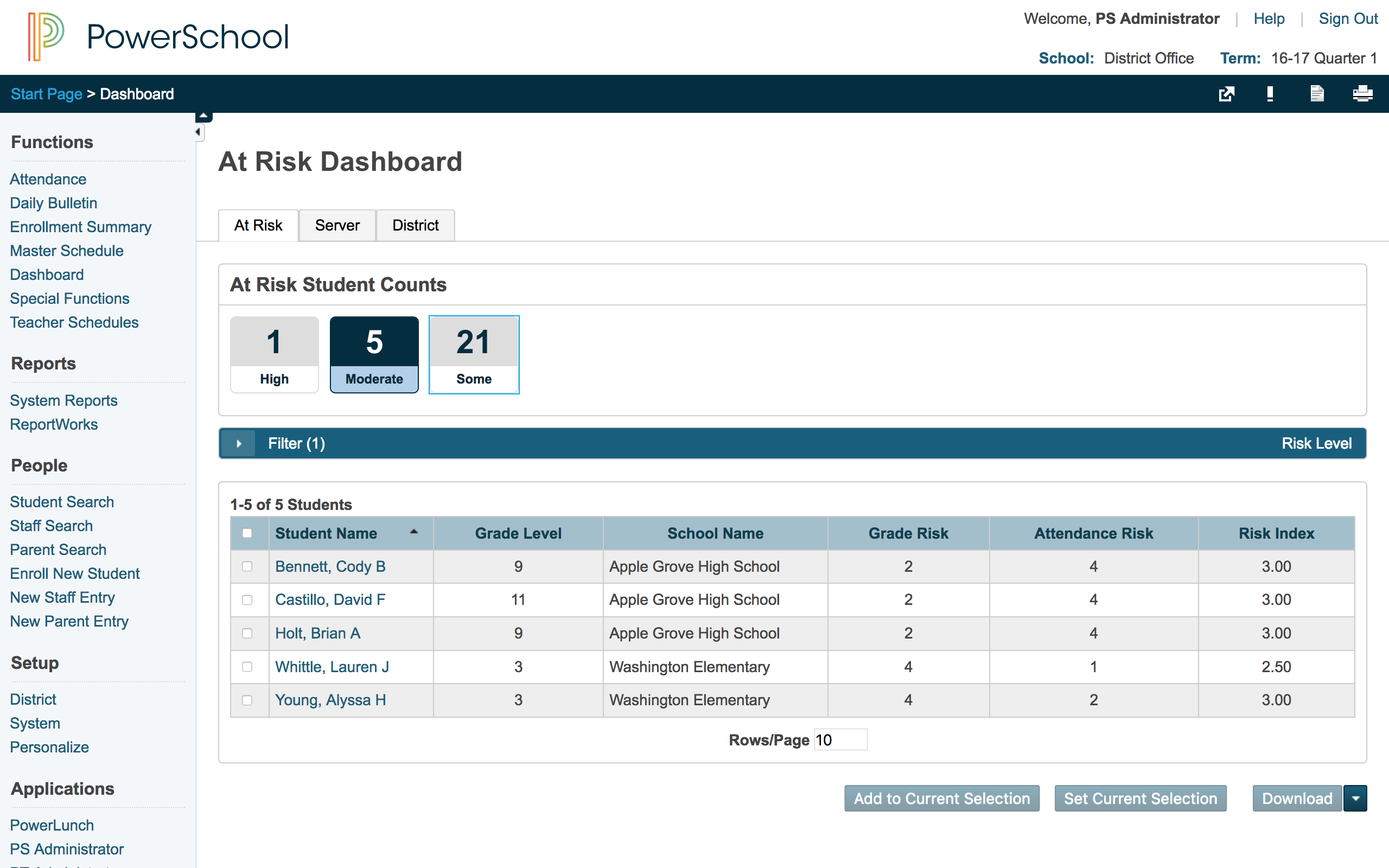 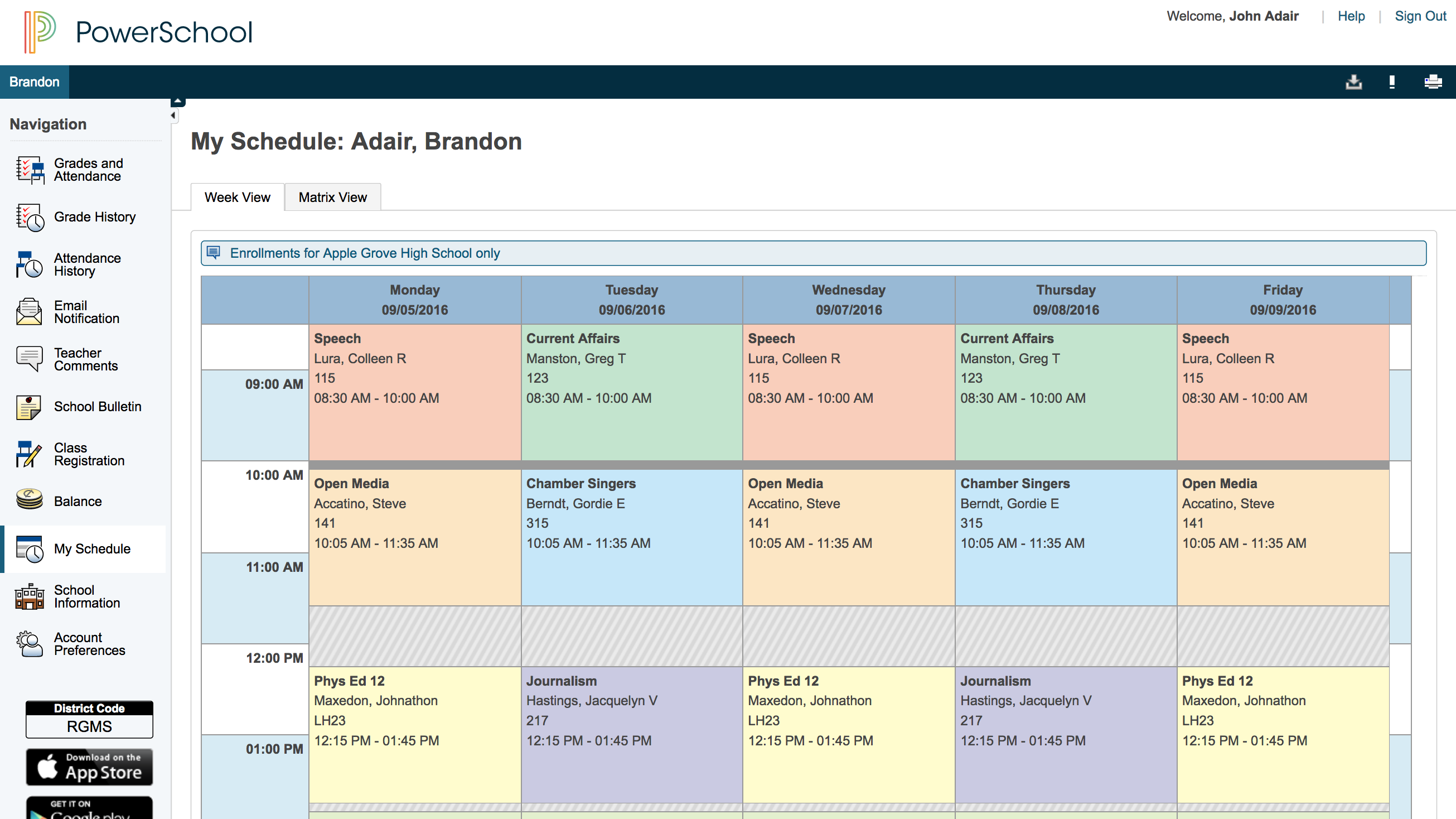 |