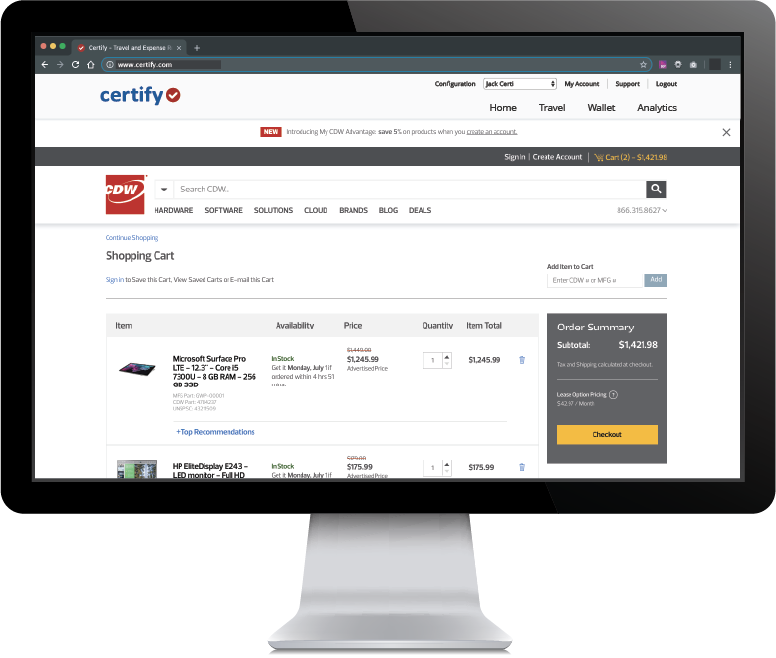
Certify is travel and expense management software developed by the company of the same name in Maine, which merged with Chrome River in 2019 to form Emburse.
N/A
QuickBooks Desktop for Mac
Score 7.9 out of 10
N/A
Quickbooks Desktop for Mac is an accounting software designed for Mac users. It is designed to integrate with Apple iCloud. It provides core accounting features in line with the rest of the Quickbooks Desktop product line.
N/A
Pricing
Emburse Certify
QuickBooks Desktop for Mac
Editions & Modules
No answers on this topic
No answers on this topic
Offerings
Pricing Offerings
Emburse Certify
QuickBooks Desktop for Mac
Free Trial
Yes
No
Free/Freemium Version
No
No
Premium Consulting/Integration Services
No
No
Entry-level Setup Fee
$8 Expense report
No setup fee
Additional Details
Certify AP has volume based pricing based on processed invoices
—
More Pricing Information
Community Pulse
Emburse Certify
QuickBooks Desktop for Mac
Features
Emburse Certify
QuickBooks Desktop for Mac
Expense Management
Comparison of Expense Management features of Product A and Product B
Emburse Certify
7.6
2 Ratings
8% below category average
QuickBooks Desktop for Mac
-
Ratings
Employee Expense Reporting
8.22 Ratings
00 Ratings
Corporate Card Reconciliation
7.01 Ratings
00 Ratings
Payment Management
Comparison of Payment Management features of Product A and Product B
Emburse Certify
7.7
2 Ratings
4% below category average
QuickBooks Desktop for Mac
-
Ratings
Customizable Approval Policies
9.02 Ratings
00 Ratings
Financial Document Management
9.02 Ratings
00 Ratings
Payment Status Tracking
9.22 Ratings
00 Ratings
Payment Audit Trail
5.82 Ratings
00 Ratings
Duplicate Bill Detection
7.42 Ratings
00 Ratings
Advanced OCR
6.01 Ratings
00 Ratings
Payroll Management
Comparison of Payroll Management features of Product A and Product B
Emburse Certify
-
Ratings
QuickBooks Desktop for Mac
9.0
13 Ratings
17% above category average
Pay calculation
00 Ratings
8.511 Ratings
Benefit plan administration
00 Ratings
7.98 Ratings
Direct deposit files
00 Ratings
10.010 Ratings
Salary revision and increment management
00 Ratings
8.57 Ratings
Reimbursement management
00 Ratings
10.09 Ratings
Customization
Comparison of Customization features of Product A and Product B
Emburse Certify
-
Ratings
QuickBooks Desktop for Mac
7.5
12 Ratings
1% below category average
API for custom integration
00 Ratings
7.08 Ratings
Plug-ins
00 Ratings
8.011 Ratings
Security
Comparison of Security features of Product A and Product B
Emburse Certify
-
Ratings
QuickBooks Desktop for Mac
10.0
22 Ratings
20% above category average
Single sign-on capability
00 Ratings
10.022 Ratings
Role-based user permissions
00 Ratings
10.019 Ratings
Reporting & Analytics
Comparison of Reporting & Analytics features of Product A and Product B
Emburse Certify
-
Ratings
QuickBooks Desktop for Mac
6.7
24 Ratings
15% below category average
Dashboards
00 Ratings
5.021 Ratings
Standard reports
00 Ratings
8.024 Ratings
Custom reports
00 Ratings
7.024 Ratings
General Ledger and Configurable Accounting
Comparison of General Ledger and Configurable Accounting features of Product A and Product B
Emburse Certify
-
Ratings
QuickBooks Desktop for Mac
7.6
26 Ratings
0% below category average
Accounts payable
00 Ratings
8.126 Ratings
Accounts receivable
00 Ratings
7.625 Ratings
Cash management
00 Ratings
5.520 Ratings
Bank reconciliation
00 Ratings
9.526 Ratings
Expense management
00 Ratings
8.522 Ratings
Time tracking
00 Ratings
7.514 Ratings
Fixed asset management
00 Ratings
7.016 Ratings
Multi-currency support
00 Ratings
5.011 Ratings
Multi-division support
00 Ratings
6.012 Ratings
Regulations compliance
00 Ratings
10.011 Ratings
Electronic tax filing
00 Ratings
10.017 Ratings
Self-service portal
00 Ratings
7.615 Ratings
Global Financial Support
00 Ratings
5.08 Ratings
Primary and Secondary Ledgers
00 Ratings
8.515 Ratings
Intercompany Accounting
00 Ratings
8.116 Ratings
Localizations
00 Ratings
8.07 Ratings
Journals and Reconciliations
00 Ratings
9.519 Ratings
Enterprise Accounting
00 Ratings
8.57 Ratings
Configurable Accounting
00 Ratings
6.511 Ratings
Centralized Rules Framework
00 Ratings
6.511 Ratings
Standardized Processes
00 Ratings
7.015 Ratings
Inventory Management
Comparison of Inventory Management features of Product A and Product B
Emburse Certify
-
Ratings
QuickBooks Desktop for Mac
7.4
17 Ratings
1% above category average
Inventory tracking
00 Ratings
9.516 Ratings
Automatic reordering
00 Ratings
6.512 Ratings
Location management
00 Ratings
7.011 Ratings
Manufacturing module
00 Ratings
6.510 Ratings
Order Management
Comparison of Order Management features of Product A and Product B
Certify is not well suited for multi-dimensional ERPs. Although Certify 'offers' general ledger dimensions GLD, the use of them is extremely limited. Filtering on any GLD can only be done once. There is not the possibility for creating hierarchies with the dimensions. The only method of exporting is via a flat file or the open API, which I understand is quite limited. This software is for a smaller scaled business that is not trying to track across dimensions or create hierarchies. Data flow is one directional. I cannot emphasize enough the shortcomings of the reporting. The parameters are mostly based on expense dates rather than expense reports. There are entirely too many of them, and some of them perform the function!
If you're a freelancer or running a very small business where you do your own bookkeeping I think this is a great option, especially if you're familiar with accounting and bookkeeping in general. If you're not so familiar with bookkeeping, I would say that the learning curve is too steep and you might want to look elsewhere for a more intuitive solution
Integration with Amtrav or other travel booking systems. Certify has a tight integration with travel systems that makes it feel nearly like one cohesive tool.
Easy expense options. Use OCR on receipts, import from credit cards and merge items, approve and inquire about expenses. Track your submissions.
Easy UI. Friendly and easy to navigate without getting lost.
Reporting: I would like to see more chart availability from the program. We include various data points from Certify in our monthly financial statement package. Currently, we export data from the program and create our own pivot tables to create charts.
Dashboard feature: It would be nice to be able to use the data for a specific date and then be able to print that information.
Can't think of another one. As stated before, they listen to their customers so prior issues have been addressed and implemented.
The #1 complaint is that setting it up right is a challenge. People waste time trying to figure it out only to realize that they don't know accounting so of course they don't know how an accounting program should be set up. Like any time you are in over your head, reach out to your network and find someone who can log onto your computer and walk you through it.
If you need to track the cost of wages to jobs you can't do it with the online payroll, but check for yourself because it's a function that landscaping companies and construction businesses usually need, so maybe they have added it by now. That would really help!
It's premise-based software and that means you take on the role of hardware admin, and it's a lot of work for what is increasingly becoming a smaller gap in the functionality between QuickBooks for Mac and QuickBooks Online.
QuickBooks for Mac 2015 has been updated consistently over the last 3 years and continues to provide for the bookkeeping needs of small companies using Macs in their offices. However, it has limited job costing functionality. It is similar in functionality to the 2010 version of QuickBooksPro which runs on Windows.
Intuit Accounting Professionals Trainer/Writer specializing in QuickBooks for Mac, Meetup Groups Organizer/Founder, Adjunct Instructor at Bellevue College
I haven't spent that much time with the newer versions of QuickBooks for Mac, but I think I'm seeing it make the much-needed improvements. For example, something as simple as undoing the previous reconciliation was a terrible chore, and I'm glad that feature has been included in the newer versions of QuickBooks for Mac
If the integrations with our card programs had succeeded, I expect [Emburse] Certify would have worked well for expense submitters and approvers. During the short time that the American Express Business integration was active, transactions flowed smoothly, and the expense reporting and receipt matching functions were quite good. The [Emburse] Certify mobile app was particularly powerful and easy to use.
The Mac version is OK overall. I find the Windows versions to be much more robust but Mac is quite good for Mac users. Though I think die hard Mac users should consider QuickBooks Online instead as there is a new QB for Mac app that makes using QBO much better!
I've been using the QuickBooks online version for a little over 6 months now (upgraded from Mac desktop) and I haven't had any access issues. There have been times when it was down for service/upgrade however there is always plenty of notification time given by the Quick Books Online Support team. These upgrade maintenance time frames are always over night hours and on the weekends so everything can be worked around very easily.
The measure of support is how well they respond when you really need them, like when the system is not performing correctly. We have been on the platform less than a year, and there have been at least 2 instances, where the platform was down. The 2nd time was the day before out fiscal year end. And they need a development website. When they are making changes to your LIVE instance, and things go wrong, the client is the first to know about it! I've come to understand that Certify has tiers of support. Those in tier 1, barely know more about the software than the users. I sent a request for a report that shows expense reports currently pending approval and after 5 days of back and forth I was told to build it myself.
Before Certify, there was only manual expense reports entered for our company. This took too much time for employees too finish and caused a delay of efficiency. With Certify, it is easier to access and finish each report with the right amount of effectiveness and efficiency it needs. Certify is really helpful in saving a lot of time for employees that do not have time.
I love using Quickbooks compared to other software we've tried. QuickBooks Online and TSheets interface. Customer service and problem resolution are generally excellent, with well-trained and proficient agents taking calls or on chat. Ease of use and accessibility via the mobile app. Great courses were available to help with learning the basics and some advanced accounting background. I love learning! Online accessibility - it can work anywhere with an internet connection. Linking to bank and credit card accounts is handy.
The organization and automatic flow of the expense report to approvers and then AP saves time for all. The user has agreed that it is easier and quicker to prepare the expense report and the managers and AP department finds the automated process to be quicker and more efficient. Time saved is money saved.
Certify can recognize if a duplicate expense is submitted or if an expense is submitted too late to be reimbursed according to our policies. This prevents us from reimbursing an expense in error.
We use a customized report to track a specific type of expense that gets submitted by our sales team. There is a limit on what can be spent on specific expenses that fall into an entertainment category and the report helps us to stay within the limits. Previously, without this tool, we had spent so much more time manually tracking these expenses and had gone over the limits, creating a deficiency in our processes.