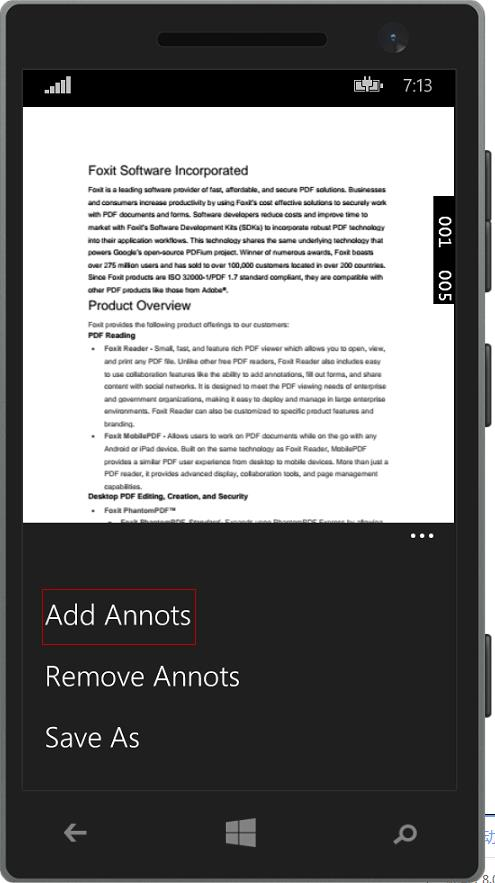
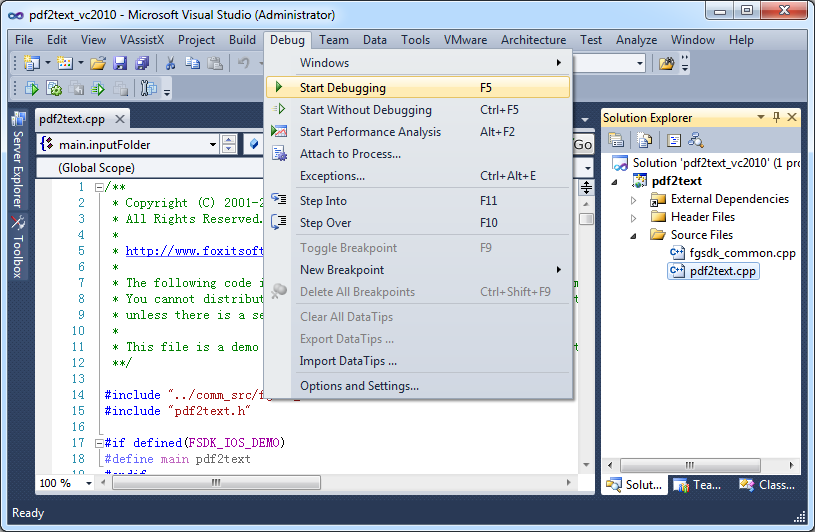
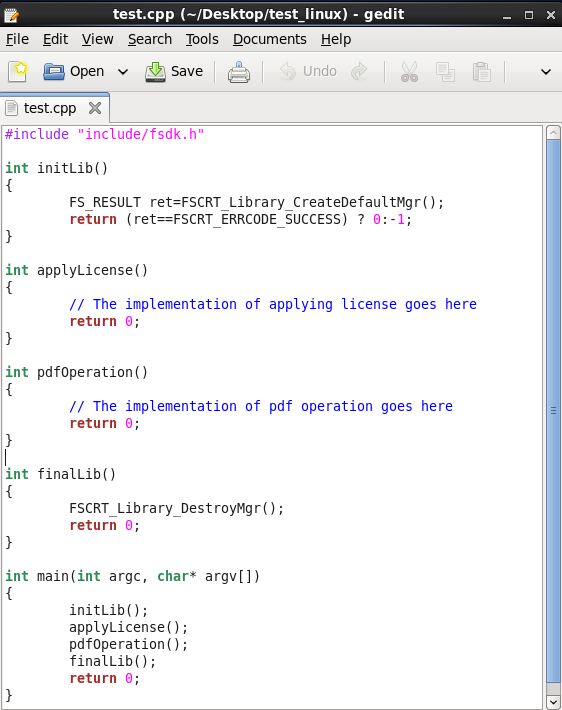
Foxit PDF SDK offers high performance pdf libraries to help developers build pdf technology. According to the vendor, key features include: Render PDFs: High performance PDF libraries to render PDF pages, page objects, annotations, and forms the way they were intended to be viewed: sharp, clear, accurate, and easy to read. Allows applications to view, zoom in, zoom out, and print PDF documents and forms. Reflow: PDF is a fixed-layout flat document format, it cannot…
$3,000
per platform/per year
iManage Work
Score 9.7 out of 10
N/A
iManage Work is a document management solution formerly known as HP Worksite. iManage was divested from Hewlett-Packard in 2015 and is now an independent company, headquartered in Chicago.
N/A
Zoho Desk
Score 8.3 out of 10
N/A
Zoho Support is a Saas help desk / ticketing system aimed at SMBs. I competes most often with Zendesk, and Desk.com.
$9
per month per user
Pricing
Foxit PDF SDK
iManage Work
Zoho Desk
Editions & Modules
Licensing PDF SDK
$3,000.00
per platform/per year
Foxit.NET PDF SDK
Contact sales team
No answers on this topic
Free
$0
Express
$9
per month per user
Standard
$20
per month per user
Professional
$35
per month per user
Enterprise
$50
per month per user
Offerings
Pricing Offerings
Foxit PDF SDK
iManage Work
Zoho Desk
Free Trial
Yes
No
Yes
Free/Freemium Version
No
No
Yes
Premium Consulting/Integration Services
Yes
No
Yes
Entry-level Setup Fee
Required
No setup fee
Required
Additional Details
—
—
A discount is offered for yearly billing.
More Pricing Information
Community Pulse
Foxit PDF SDK
iManage Work
Zoho Desk
Features
Foxit PDF SDK
iManage Work
Zoho Desk
Incident and problem management
Comparison of Incident and problem management features of Product A and Product B
Foxit PDF SDK
-
Ratings
iManage Work
-
Ratings
Zoho Desk
8.5
5 Ratings
4% above category average
Organize and prioritize service tickets
00 Ratings
00 Ratings
9.05 Ratings
Expert directory
00 Ratings
00 Ratings
7.24 Ratings
Subscription-based notifications
00 Ratings
00 Ratings
7.24 Ratings
ITSM collaboration and documentation
00 Ratings
00 Ratings
10.01 Ratings
Ticket creation and submission
00 Ratings
00 Ratings
8.85 Ratings
Ticket response
00 Ratings
00 Ratings
8.85 Ratings
Self Help Community
Comparison of Self Help Community features of Product A and Product B
Foxit PDF SDK
-
Ratings
iManage Work
-
Ratings
Zoho Desk
9.6
5 Ratings
18% above category average
External knowledge base
00 Ratings
00 Ratings
9.65 Ratings
Internal knowledge base
00 Ratings
00 Ratings
9.65 Ratings
Multi-Channel Help
Comparison of Multi-Channel Help features of Product A and Product B
Where FoxIt suites best is if you need an alternative to the big-name PDF editors. It's pretty easy to use and it's comparable to Adobe or any other document editor. It is best used when mocking up proposals for work, creating employee handbooks, putting together offer letters, and essentially any other important document. This is not suitable for creating brochures or pamphlets.
Legal team using this product helps the team to better access documents securely within their email app (Outlook) and the user experience to control the document is excellent and being able to make it private and isolate confidential documents during a court session is very important and iManage has met our requirements. Also, being able to access instantly from users' workstation/laptop devices is very important and iManage plugin for outlook has satisfied our Business requirements.
Zoho Desk is a great customer service tool. It is very easy to track the ability to receive tickets and send responses in Zoho Desk. There are lots of options for customization. The knowledge base feature is very extensive and powerful. It makes creating internal and external FAQs easy.
It is a very cool development kit to integration different PDF functions.
It is user-friendly and convenient to work with.
It has great functionality for text. For example: adding quick markup, highlighting the text, underlining, and doing strikethrough, and adding signatures is pretty easy.
It offers to do encryption and add passwords for security.
Great search capability that helps finding the text without hassle.
In the C# SDK, which is a wrapper of native C++ code. We need to be extra careful in coding and protecting the calls, because it can be very easy to crash the application in case of errors.
Proper implementation of the software is important. We have a client who also has iManage for their large in-house legal department but the implementation seems to have not been as thorough so their experience with the software has not been as positive.
Again, proper implementation is key to how powerful the software can be. For a long while our organization did not have the full-text searching implemented, and it was a game changer when we finally did it.
I understand that our implementation of iManage does not allow for multiple template matters based on different situations. So we have five default folders, but it would be nice to have a couple of templates, with different numbers and names of the subfolders depending on the situation.
The biggest drawback that I am facing while using the platform is that their ticketing system is not that great [in my opinion]. It does not give us the option to add sales tax and other charges in the invoices which leads to a big problem for us.
It has been what our firm has always used, and overall everyone seems to be pleased with it. It is user friendly and intuitive and it doesn't appear we have any intention of changing what we use for our purposes.
Our whole takeoff department uses the Foxit PDF SDK. To read plan files, produce pdf files, and take notes, we utilize it in conjunction with other tools. We may utilize the Foxit PDF SDK to read, edit, markup, print, and produce PDF files for internal use or to distribute to clients. Some of our users adore the software, but others choose to use alternative programs because they believe Foxit PDF SDK is too restrictive.
To me iManage is very intuitive and user friendly. The switch from the application vs the Outlook extension was an adjustment, but it was one I made pretty easily once it happened.
I give [Zoho Desk] [an] overall usability score of 9. This is partly due to the search functionality needs improvement. There are several times where I am left unable to find a ticket and have to generate a new one. I am hoping in the future that they will make some changes!
I rated this software very high on performance because it is really very quick on my Windows system. It can create any type of PDF files in seconds. It also gives good upload speed when I try to modify my documents for inserting digital signature space. It also gives very good encryption speed to secure my documents.
I would give it this rating because I personally have never had to contact support regarding Foxit PDF SDK or anything I am trying to do within the program. As I mentioned before, it is very user-friendly and easy to navigate. I think the program in itself lends support to the user because it is so user-friendly and has an easy to use interface.
We had an issue a few years ago where a plug-in of some sort which allowed the viewing of PDFs got updated and then whenever some people previewed PDFs in iManage then Outlook would crash. My outlook crashed over 20 times in a single day once. It was a pretty bad time. I know one of our information technology professionals in another office worked non-stop with iManage to get it resolved, and it seemed like they did take the issue pretty seriously.
As Zoho Support is based in a different timezone to ours it can be an issue that we cannot get an immediate response to an issue. But I will say that once their Support is in the office they are fairly good to respond. they have resolved almost all issues I have told them about, but Zoho have also made system changes and not communicated these beforehand which means we are faced with something new and cannot get support on this until their support team is in the office
Adobe Sign can be really frustrating and difficult to log into, renew subscription, and other background functions. Tech support is between useless and non-existent. On the other hand, there is better control over when recipients have been contacted. Overall, Foxit PDF SDK is a much better product, especially for smaller businesses or ones which don't use it consistently every day, year-round (if that's you, you will get used to Adobe, and it will be less annoying.)
I have viewed several other document management system software, but iManage was already installed at my company before I started working here. For us, I think this is the right solution. Companies with a smaller number of employees or smaller document collections could find some other options that might suite their needs and budget better. We definitely want an on premises solution that provides all the security, tracking, searching, and integration issues iManage offers. Many of the other solutions have adopted cloud technologies only at this point and we are not ready to consider cloud storage due for our sensitive documents at this point.
We selected Zoho Desk as we needed a platform that was going to allow the business to grow through both usage and staffing numbers. We wanted something cost-effective but still offered standard features in an effective cloud-delivered solution but would still allow customization by our internal dev team, to derive better value from the service where it natively didn't do what we needed it to. FreeAgent was okay for a while, but Zoho Desk has allowed a vast improvement in our service offering to end customers.
The amount of time needed in searching is reduced to few seconds and organizing the documents by case numbers has been the best ROI for our Legal team.
The Automation for index searching and AI of relating to the case numbers increases the productivity for the users within our legal team where error is minimum.
Less efforts are required to manage Permissions and granting permissions. Applying APIs for granting permissions has been automated.
Zoho Desk has created an organised sytem of support which alows me to help my customers more efficiently.
By saving resolutions as articles, Zoho Desk has provided a training resource for current customers and support staff as part of solving problems.
All new customers become part of a database of customers who continue to receive support and education from forums created by the articles and customer questions.