Getscreen.me vs. Mikogo

Overview
ProductRatingMost Used ByProduct SummaryStarting Price
Getscreen.me
Score 9.6 out of 10
N/A
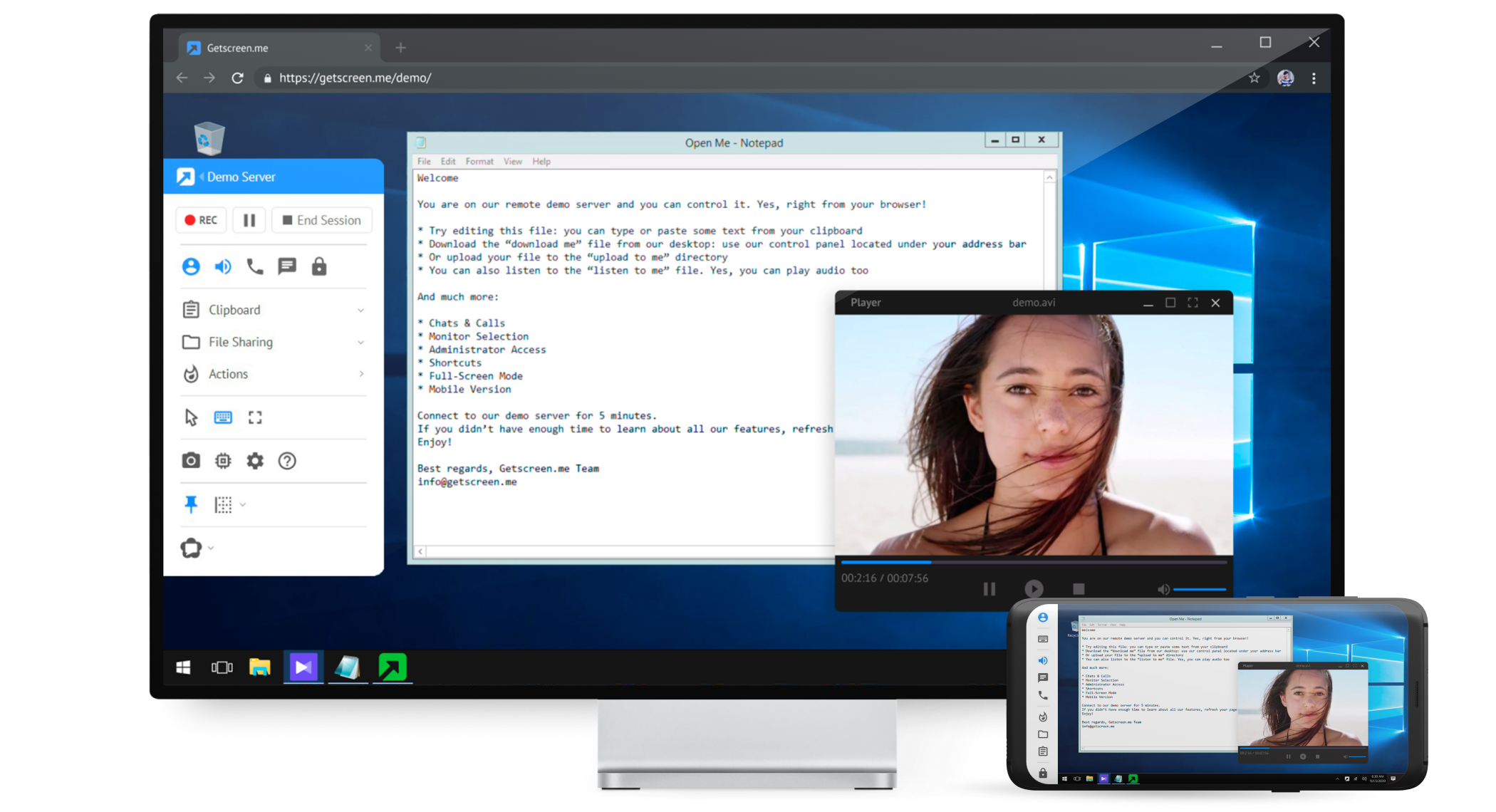
Getscreen.me is a cloud-based software for administration, technical support and remote work. Service provides remote desktop access from a browser, without any installation. It has permanent access and boasts quick support and instantaneous connection, with computers in the user's personal cabinet. The service works over the HTTPS protocol, which includes AES encryption.
$0
per user
Mikogo
Score 1.2 out of 10
N/A
Mikogo is a free screen sharing solution with built-in VoIP for online meetings, web presentations, web conferencing and sales demos.
$156
Annually
Pricing
Getscreen.meMikogo
Editions & Modules
Free
$0
Standard
$5
per month per user, per device
Advanced
$8
per month per user, per device
Enterprise
$10
per month per user, per device
Basic Annual
$156
Annually
Professional Annual
$228
Annually
Professional Lifetime
$456
Lifetime License per User
Team Annual
$468
Annually
Team Lifetime
$936
Lifetime License [Unlimited Users]
Offerings
Pricing Offerings
Getscreen.meMikogo
Free Trial
YesYes
Free/Freemium Version
YesYes
Premium Consulting/Integration Services
YesNo
Entry-level Setup FeeNo setup feeNo setup fee
Additional Details16% discount with an annual subscriptionEnterprise plans are also available for larger organizations, with a custom number of users, meeting participants, and channels. Master Administration and Web API integrations are also available. Contact Mikogo for further information.
More Pricing Information
Community Pulse
Getscreen.meMikogo
Features
Getscreen.meMikogo
Remote Administration
Comparison of Remote Administration features of Product A and Product B
Getscreen.me
9.3
21 Ratings
16% above category average
Mikogo
-
Ratings
Screen sharing9.821 Ratings00 Ratings
File transfer9.919 Ratings00 Ratings
Instant message10.016 Ratings00 Ratings
Access to sleeping/powered-off computers7.916 Ratings00 Ratings
Over-the-Internet remote session9.720 Ratings00 Ratings
Initiate remote control from mobile6.915 Ratings00 Ratings
Centralized management dashboard10.018 Ratings00 Ratings
Session record10.016 Ratings00 Ratings
Multi-platform remote control9.316 Ratings00 Ratings
Performance & Compatibility of Online Events Software
Comparison of Performance & Compatibility of Online Events Software features of Product A and Product B
Getscreen.me
-
Ratings
Mikogo
3.1
4 Ratings
87% below category average
High quality audio00 Ratings4.14 Ratings
High quality video00 Ratings4.14 Ratings
Low bandwidth requirements00 Ratings1.14 Ratings
Mobile support00 Ratings3.22 Ratings
Screen Sharing
Comparison of Screen Sharing features of Product A and Product B
Getscreen.me
-
Ratings
Mikogo
6.0
4 Ratings
27% below category average
Desktop sharing00 Ratings2.24 Ratings
Whiteboards00 Ratings9.82 Ratings
Online Meetings / Events
Comparison of Online Meetings / Events features of Product A and Product B
Getscreen.me
-
Ratings
Mikogo
3.0
4 Ratings
92% below category average
Calendar integration00 Ratings1.12 Ratings
Meeting initiation00 Ratings1.24 Ratings
Record meetings / events00 Ratings2.14 Ratings
Slideshows00 Ratings7.63 Ratings
Online Events Collaboration
Comparison of Online Events Collaboration features of Product A and Product B
Getscreen.me
-
Ratings
Mikogo
2.1
4 Ratings
117% below category average
Live chat00 Ratings1.24 Ratings
Audience polling00 Ratings3.13 Ratings
Q&A00 Ratings2.13 Ratings
Online Events Security
Comparison of Online Events Security features of Product A and Product B
Getscreen.me
-
Ratings
Mikogo
1.5
4 Ratings
137% below category average
User authentication00 Ratings1.23 Ratings
Participant roles & permissions00 Ratings1.13 Ratings
Confidential attendee list00 Ratings2.13 Ratings
Best Alternatives
Getscreen.meMikogo
Small Businesses
Remote Desktop Manager
Score 9.5 out of 10
Intermedia AnyMeeting Pro
Score 7.3 out of 10
Medium-sized Companies
Remote Desktop Manager
Score 9.5 out of 10
JioMeet
JioMeet
Score 9.7 out of 10
Enterprises
Remote Desktop Manager
Score 9.5 out of 10
Webex Meetings
Webex Meetings
Score 8.5 out of 10
All AlternativesView all alternativesView all alternatives
User Ratings
Getscreen.meMikogo
Likelihood to Recommend
9.3
(21 ratings)
1.2
(4 ratings)
Likelihood to Renew
9.9
(2 ratings)
-
(0 ratings)
Usability
10.0
(3 ratings)
-
(0 ratings)
Support Rating
10.0
(1 ratings)
8.0
(2 ratings)
Implementation Rating
10.0
(1 ratings)
-
(0 ratings)
User Testimonials
Getscreen.meMikogo
Likelihood to Recommend
Getscreen.me
As long as there is internet connectivity, Getscreen.me is useful for connecting to your desktop or a server in order to work remotely. An example would be a dedicated machine for rendering video. We use Getscreen.me to log in and start the render. Connecting to a client desktop to provide on system support. There is the ability to log and record activity when the application is used, this would be helpful for monitoring activity of a remote desktop tech support team. Reporting is basic but provides enough information to track interactions.
Read full review
BeamYourScreen
Pros Mikogo is well-suited and cost-effective for the small business Simple & well-designed; easy to figure out. Works best for one-on-one client support. Cons No live customer support Free version has limited features (e.g. no invite meeting allowed) Trial version only 14 days
Read full review
Pros
Getscreen.me
  • easy connection to new clients - both one time use and permanent
  • keep computers organized
  • support remote users from any device - even a cell phone with ease
  • multiple users with different subsets of computers
  • file sharing
  • block remote keyboard and mouse / monitor if needed
  • connection log
  • custom branding and personalized quick connection link
Read full review
BeamYourScreen
  • Inexpensive
  • Simple interface
  • Menus and prompts were clear
Read full review
Cons
Getscreen.me
  • Speed - the Getscreen.me solution is an all round winner - however I find that there is a slight lag when controlling a remote PC mouse - compared to the competitors products. If this can be improved on - the GETSCREEN.ME get a 10 out of 10 from us!
Read full review
BeamYourScreen
  • I'd like to be able to record a session easier.
Read full review
Likelihood to Renew
Getscreen.me
Value for money - Getscreen.me stands above the rest!
Read full review
BeamYourScreen
No answers on this topic
Usability
Getscreen.me
For what we need it to do, it just works. And I'm sure that we're not even using it to the full extent of what it's capable and designed to do. If we had the need, Getscreen.me has many more features that we could implement. If the need arises in the future, it's great knowing that we already have a tool to utilize.
Read full review
BeamYourScreen
No answers on this topic
Support Rating
Getscreen.me
When I did reach out at the early days of using Getscreen.me I got a pretty prompt response, and all of my questions were answered. Since then, I have never needed to contact support. This is a GOOD thing!
Read full review
BeamYourScreen
I do not have any experience with Mikogo's support as I have never experienced any problem with it.
Read full review
Implementation Rating
Getscreen.me
Easy, fast and worked every time to date!
Read full review
BeamYourScreen
No answers on this topic
Alternatives Considered
Getscreen.me
In my experience, Getscreen.me stacks up very well against other remote desktop software like TeamViewer and AnyDesk. One of the things I appreciate most about Getscreen.me is its competitive pricing. Compared to other remote control services like TeamViewer or AnyDesk, I find that Getscreen.me offers fantastic value for money.In terms of functionality, Getscreen.me has all the features I need, including cross-platform access, file transfer, and remote control. I also find the quick access function to be incredibly useful, as it allows me to connect to a remote computer in just two clicks.
Read full review
BeamYourScreen
Mikogo has simple features and is easy to use. If you don't need lots of bells and whistles and just want to screen share or video conference on a small scale Mikogo works best. Join.me & TeamViewer are a bit confusing for the novice small business person. My experience with LogMeIn has been that it's sluggish. GoToMeeting works great but is pricey for the small firm that mainly does one-to-one support/training. I couldn't get Zoom to work right.
Read full review
Return on Investment
Getscreen.me
  • Cheap cost - I got it on Appsumo with no monthly fee.
  • The freedom to solve issues for transport companies given the high amount of data and control.
  • It works 100% of the time. There's never been any downtime from experience.
Read full review
BeamYourScreen
  • Zero positive impact
  • Spend just a little more with products like AnyDesk and get some real ROI
  • Short term, the product can be used on a trial basis (or at least it was available as a trial)
Read full review
ScreenShots

Getscreen.me Screenshots

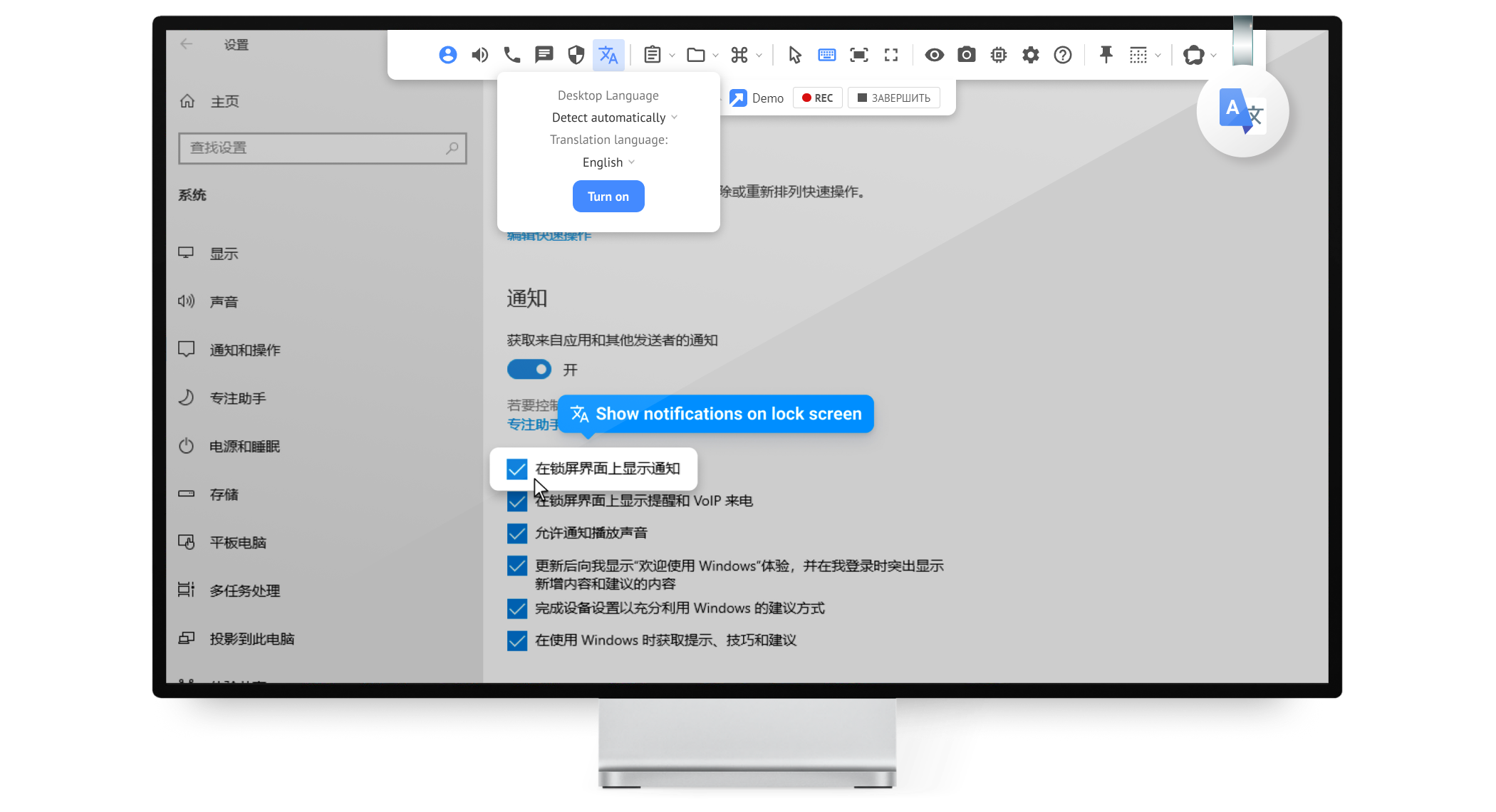
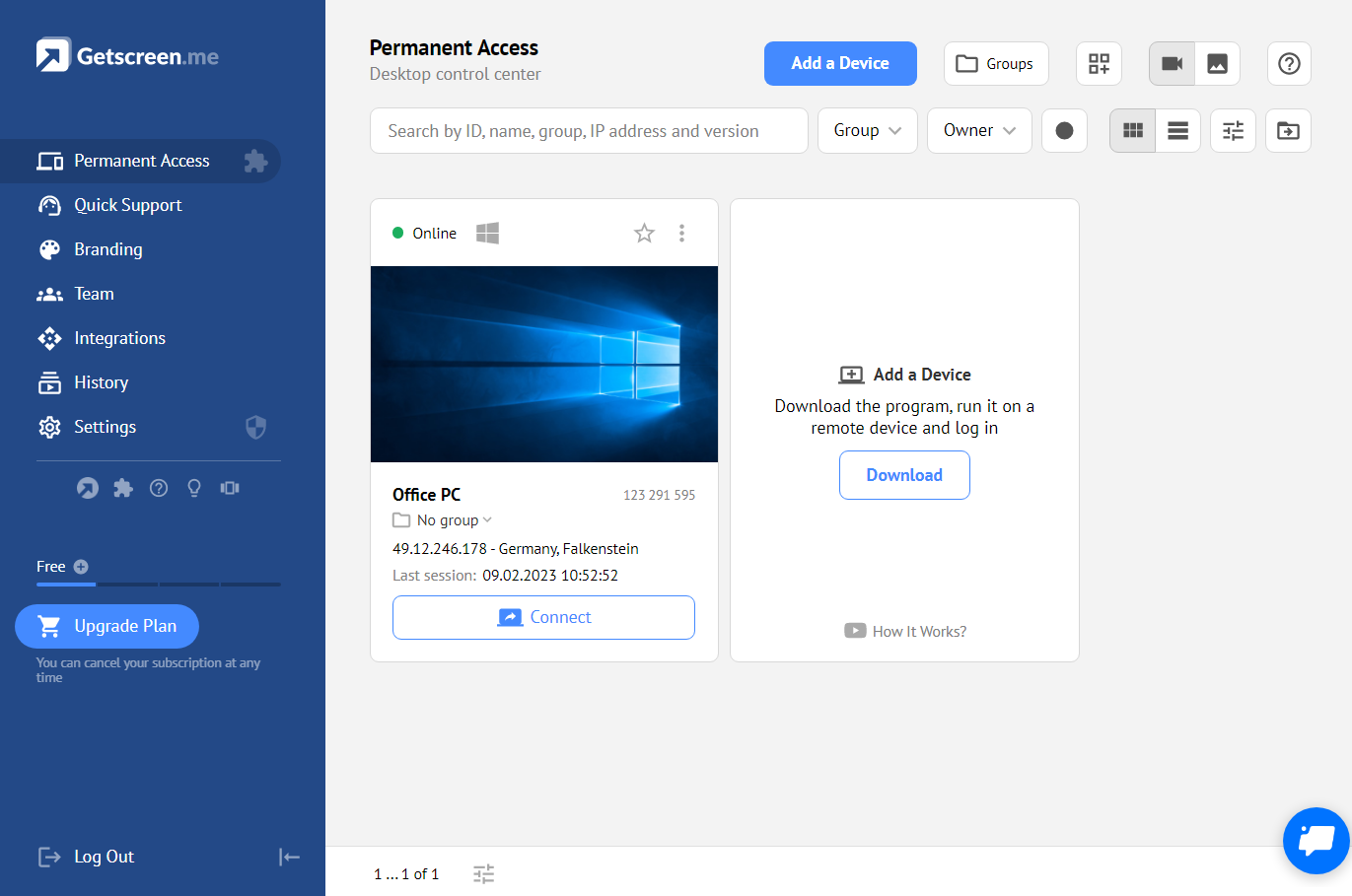
Screenshot of Screenshot of Screenshot of Screenshot of Screenshot of Screenshot of

Mikogo Screenshots

Screenshot of Screen sharing between two windows desktop computersScreenshot of Phone conference and participant list options