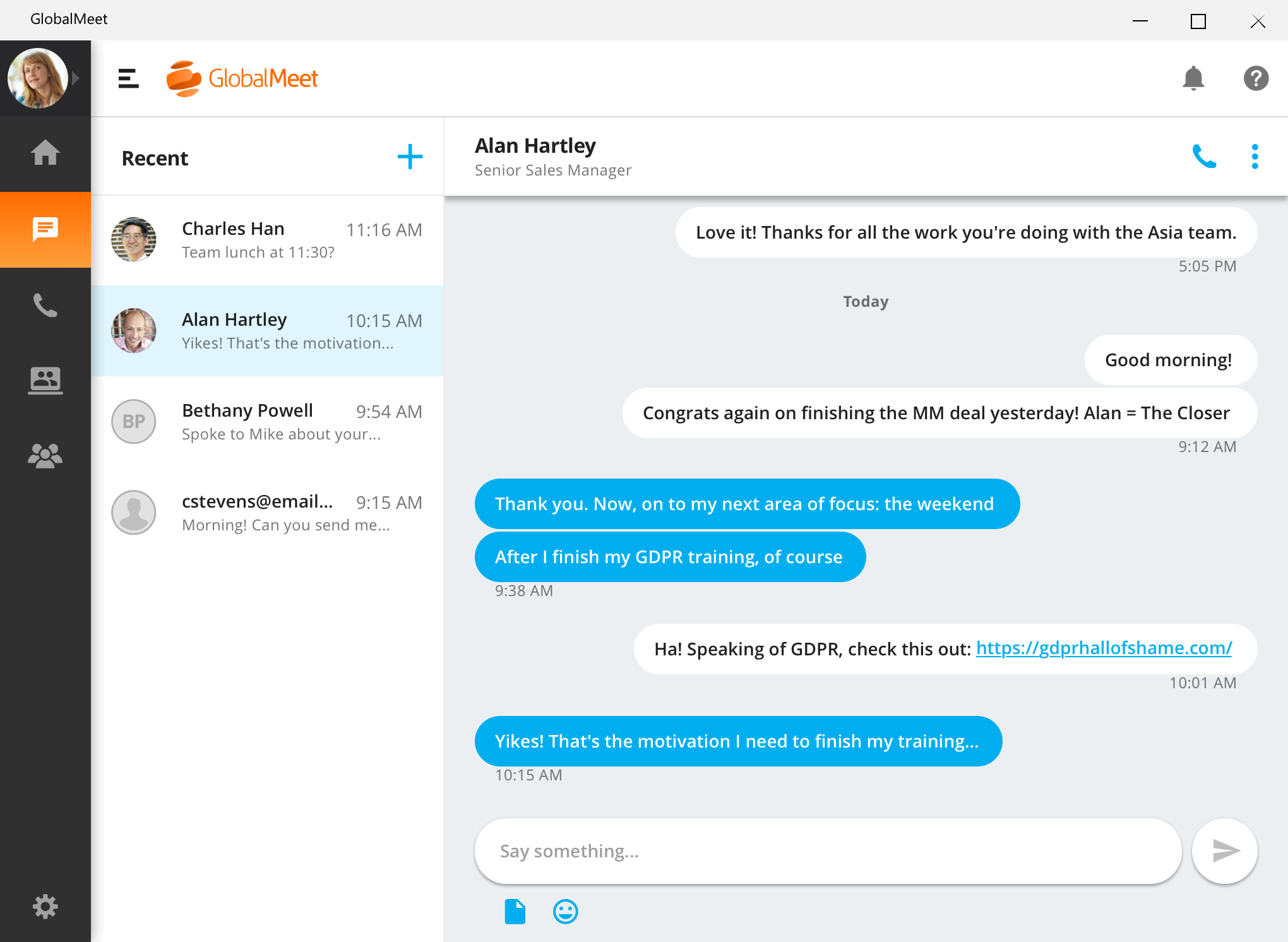
GlobalMeet Collaborationiwas an audio, web and video conferencing solution that is designed to make global communication easy from anywhere using any device. As of 2023 the product has reached EOL and will no longer be sold.
N/A
Trello
Score8.2 out of 10
N/A
Trello from Atlassian is a project management tool based on a Kanban framework. Trello is ideal for task-management in a to-do list format. It supports sharing boards and cards across users or teams. The product offers a free version, and paid versions add greater automation, collaboration, and administrative control.
$6
per month per user
Pricing
GlobalMeet Collaboration (discontinued)
Trello
Editions & Modules
No answers on this topic
Standard
$6
per month per user
Premium
$12.50
per month per user
Enterprise
$17.50
per month per user
Free
Forever Free
Offerings
Pricing Offerings
GlobalMeet Collaboration (discontinued)
Trello
Free Trial
No
No
Free/Freemium Version
Yes
Yes
Premium Consulting/Integration Services
No
No
Entry-level Setup Fee
Optional
No setup fee
Additional Details
—
A discount is offered for annual billing and for larger numbers of users.
More Pricing Information
Community Pulse
GlobalMeet Collaboration (discontinued)
Trello
Considered Both Products
Discontinued Products
Verified User
Chose GlobalMeet Collaboration (discontinued)
GlobalMeet has better audio conferencing services than FreeConferenceCall.com in my opinion. We've often had trouble dialing-in with those conferences and we find the "This conference provided by FreeConferenceCall.com" announcement a bit embarrassing and unprofessional at the …
A de minimis incentive was given to thank the reviewer for their time. The incentive was not used to bias or drive a particular response, nor was the incentive contingent on a positive endorsement. More Info
GlobalMeet Collaboration is great for giving product trainings, presentations and webinars over the phone to a wide number of users remotely. It is well suited for meetings where screens and documents need to be shared live during a conference call for easy collaboration
A de minimis incentive was given to thank the reviewer for their time. The incentive was not used to bias or drive a particular response, nor was the incentive contingent on a positive endorsement. More Info
For teams or individuals with lots of individual tasks/details to track, Trello is perfect! It basically removes the need for a paper checklist. For those that need an overall project management tool that requires less tasks and more overarching goals, collaboration amongst various teams, and gantt charts I would suggest monday.com
A de minimis incentive was given to thank the reviewer for their time. The incentive was not used to bias or drive a particular response, nor was the incentive contingent on a positive endorsement. More Info
Something that GlobalMeet does well is distributing a meeting to users. The system integrates well with our Outlook system and allows easy meeting distributions.
GlobalMeet is good at providing an easy way to record web meetings. The feature works well and is easy to download after.
A de minimis incentive was given to thank the reviewer for their time. The incentive was not used to bias or drive a particular response, nor was the incentive contingent on a positive endorsement. More Info
There is a cost for the conferencing services unlike competitors like FreeConferenceCall.com or Skype which have free options. However, you pay for what you get and the audio/connection quality can and has been an issue for us with other vendors.
There are a lot of shortcuts that can be used on the line to mute/unmute lines, record the audio, request operator assistance, etc. However, these are difficult to memorize so we end up forgetting or relying on a print-out of the shortcuts that we keep near our desks. I wish there was an easier way to use these such as voice commands.
In the post-conference email recaps you get the phone numbers of those who dialed in. However, it can be difficult to know who these numbers belong to unless you remember the direct #s for the participants. I wish there was a way to save contact info for certain phone numbers within the system and let GlobalMeet add the names to the numbers for all future post-conference emails.
A de minimis incentive was given to thank the reviewer for their time. The incentive was not used to bias or drive a particular response, nor was the incentive contingent on a positive endorsement. More Info
GlobalMeet is not a very good tool. There are better web meeting platforms available in the marketplace. The system is clunky, not intuitive, and experiences often technical issues. They have made updates recently but it is too little too late. It may be a good platform for smaller organizations with tighter budgets.
A de minimis incentive was given to thank the reviewer for their time. The incentive was not used to bias or drive a particular response, nor was the incentive contingent on a positive endorsement. More Info
I am very likely to renew Trello, because it doesn't cost anything to do so. I am also very likely to use Trello's upgraded features in the future because a lot of my team's data is stored on there and they have already gotten used to the platform. Trello is very easy for new team members to pick up, making the onboarding and usability very streamlined.
A de minimis incentive was given to thank the reviewer for their time. The incentive was not used to bias or drive a particular response, nor was the incentive contingent on a positive endorsement. More Info
I have provided such a high rating because setting up the meeting only requires a few clicks. Within a couple minutes of telling my team that I will set up a meeting and send an invite, that invitation is already sitting in their inbox. I move at a fast pace and GlobalMeet is keeping up
A de minimis incentive was given to thank the reviewer for their time. The incentive was not used to bias or drive a particular response, nor was the incentive contingent on a positive endorsement. More Info
Trello is incredibly intuitive, both on desktop and mobile right away. It is also full of helpful features that make it even easier to use, and is flexible enough to suit almost any organizational need. Onboarding for the software is thorough, but concise, and the service is frequently updated with even more QOL improvements.
A de minimis incentive was given to thank the reviewer for their time. The incentive was not used to bias or drive a particular response, nor was the incentive contingent on a positive endorsement. More Info
A de minimis incentive was given to thank the reviewer for their time. The incentive was not used to bias or drive a particular response, nor was the incentive contingent on a positive endorsement. More Info
For the most part GlobalMeet loaded everything quickly. The only problem that we had was when the whole company was on a training at one time, we had a hard time with screen sharing and the pages loading in a timely manner. Everything seemed to slow down when lots of people were on the system at once
A de minimis incentive was given to thank the reviewer for their time. The incentive was not used to bias or drive a particular response, nor was the incentive contingent on a positive endorsement. More Info
As previously mentioned, I was in charge of facilitating a weekly meeting with 60 attendees. I had major issues with the screenshare crashing repeatedly during the meeting. I got in contact with a GlobalMeet Technician immediately. He was extremely responsive and worked with my technician to resolve all of the issues quickly. After his intervention, I never had the same issue again.
A de minimis incentive was given to thank the reviewer for their time. The incentive was not used to bias or drive a particular response, nor was the incentive contingent on a positive endorsement. TR verified that a representative sample of customers was invited. More Info
I haven't reached out to their support very often and their support is very limited anyway for the free users. They do have tons of great articles and videos in their Help Center and constantly send emails with updates and add-ons to the product. The fact that I've barely ever had to contact their support team means that they've developed a great product.
A de minimis incentive was given to thank the reviewer for their time. The incentive was not used to bias or drive a particular response, nor was the incentive contingent on a positive endorsement. More Info
A de minimis incentive was given to thank the reviewer for their time. The incentive was not used to bias or drive a particular response, nor was the incentive contingent on a positive endorsement. More Info
For our small business, getting a few of us started well on Trello was the key, I think. As long as a couple of us were really comfortable with the interface, we could lead others and help them with any questions. From now on, anyone who works with us just naturally uses Trello for information sharing - it's just part of what we do.
A de minimis incentive was given to thank the reviewer for their time. The incentive was not used to bias or drive a particular response, nor was the incentive contingent on a positive endorsement. More Info
Our small non-profit organization appreciates the ease of use of the platform for conference call needs. Other platforms can be much more complicated for users unfamiliar with conference call technology. We use it several times a month for committee meetings, regional rep check ins, and meetings with our board of directors.
A de minimis incentive was given to thank the reviewer for their time. The incentive was not used to bias or drive a particular response, nor was the incentive contingent on a positive endorsement. More Info
Trello is more simple and not as "robust" as the other tools, but it's easier to use and manage and understand and ACTUALLY get stuff done with. It's simplicity is part of the beauty of using it. You don't need a million options that nobody uses, you just need to get stuff done.
A de minimis incentive was given to thank the reviewer for their time. The incentive was not used to bias or drive a particular response, nor was the incentive contingent on a positive endorsement. More Info
A de minimis incentive was given to thank the reviewer for their time. The incentive was not used to bias or drive a particular response, nor was the incentive contingent on a positive endorsement. More Info
The price for webinar for GlobalMeet is quite pricey compared to other similar vendors.
GlobalMeet can be used for unlimited free calls and video conferencing, hence in our company with extensive global calls this platform is very cost-effective.
Unlike most conferencing software. Other users don't have to download GlobalMeet App and therefore it is easy to send meeting invite to clients.
Attentively support system that responds fast to queries and this saves time for us.
A de minimis incentive was given to thank the reviewer for their time. The incentive was not used to bias or drive a particular response, nor was the incentive contingent on a positive endorsement. More Info
Trello keeps me organized, focused, and on track. I could filter the Trello board to only see my issues and understand what I needed to work on and when.
Trello helped our team implement an agile structure. It's a very simple kanban method of viewing all of your team's tasks and statuses. You can completely customize the columns to your team's specific workflow and create tags relevant to your work.
Trello helps reduce unnecessary communications between teams. When I want to request translations, I simply create a card on the localization Trello board -- no need to directly message anyone on the team, and I can watch the status of the card change from "in progress" to "in review" to "translated," all without having to directly ask for updates.
A de minimis incentive was given to thank the reviewer for their time. The incentive was not used to bias or drive a particular response, nor was the incentive contingent on a positive endorsement. More Info