Google Forms is an app for creating forms and surveys, and is part of Google Apps for Work. The product focuses on ease of use; the interface is similar to a document editor, with drop down lists of options and drag and drop question re-ordering. Users can embed images and video into surveys. Users can also program the question flow with custom logic. Google sends users basic summaries of the survey results automatically, or users can export the raw survey results data and analyze it via…
N/A
OnBase
Score9.5 out of 10
N/A
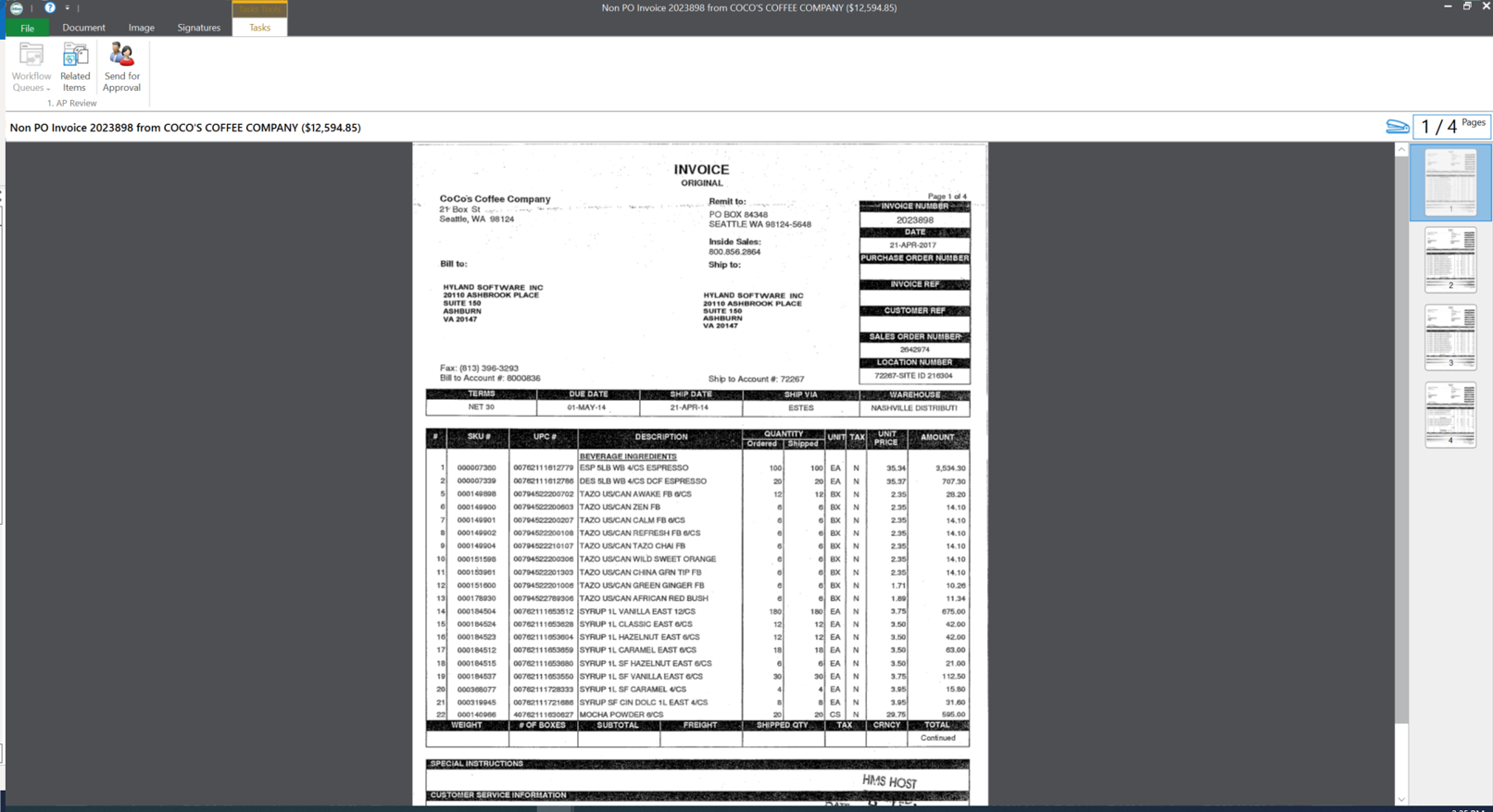
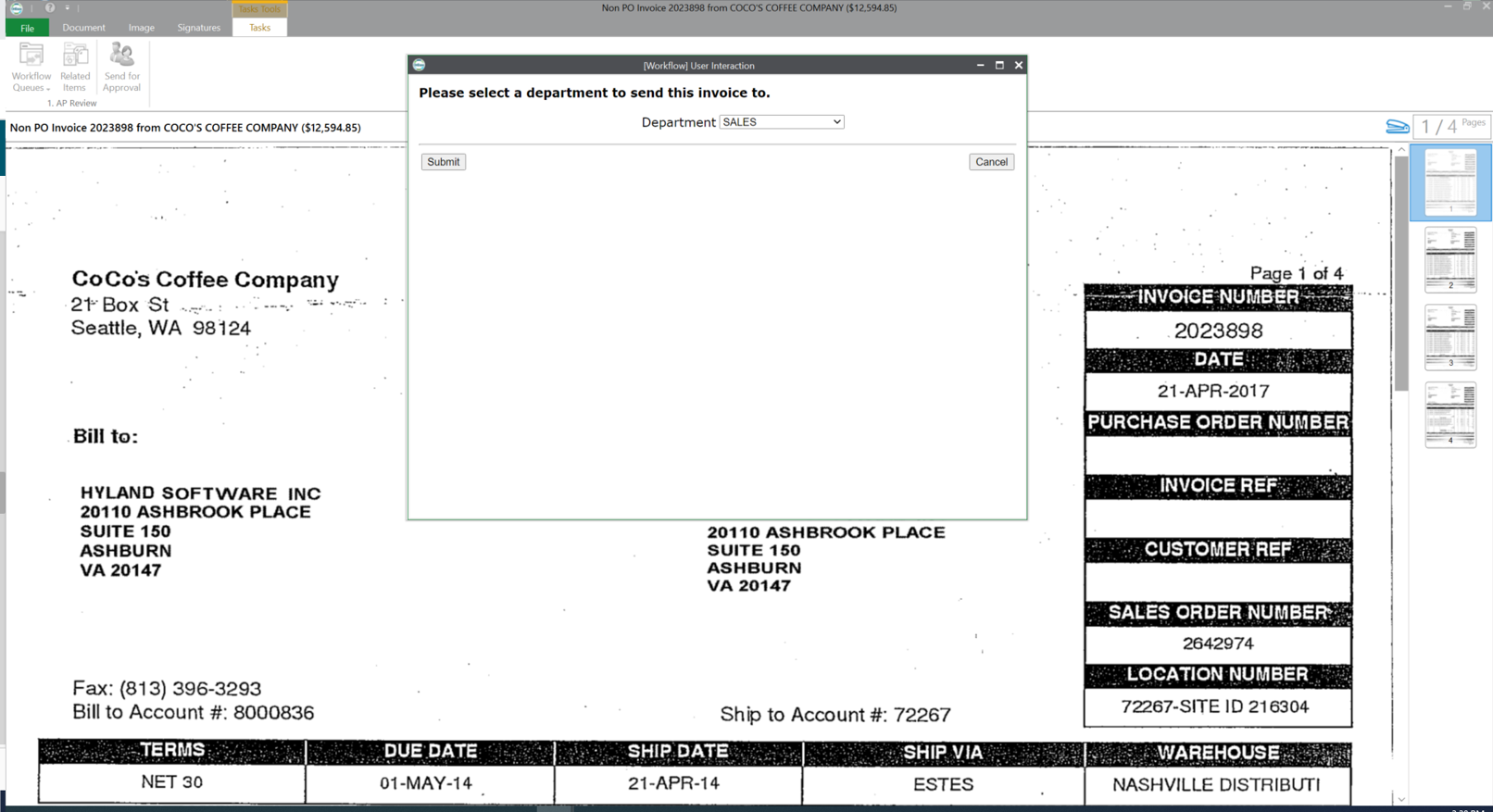
OnBase by Hyland is an enterprise content management platform with business process and case management capabilities. It is modular by design and allows users to tailor the solution to their specific requirements.
Google Forms is great for simple surveys, such as quick polls, but any logic beyond conditional pages is not supported. Google Forms is best used when the survey participants have and are permitted to use a Google Account to fill out the form; we ran into issues with hospital IT departments. I don't believe there's a better free tool out there than Google Forms, though.
A de minimis incentive was given to thank the reviewer for their time. The incentive was not used to bias or drive a particular response, nor was the incentive contingent on a positive endorsement. More Info
OnBase is a content services solution for organizations that need high visibility to documents or information across multiple teams or departments. It supports users' access control, workflow functionality with transaction history, electronic document retention, and destruction documentation. Hyland can support the organization for implementations or solutions, or the organization can utilize the education services and build out the solution themselves.
A de minimis incentive was given to thank the reviewer for their time. The incentive was not used to bias or drive a particular response, nor was the incentive contingent on a positive endorsement. More Info
Live results: When a user completes the form the results are added instantly.
Easy to create: Google Forms has a simple interface that allows for a wide range of question types. Google will even try to guess the question type based on the question (but this can be overridden).
Answers export to Google Sheets: It is easy to have each response to your form add a row to a Google Sheet, allowing for further analysis or processing.
Ability to automatically collect email addresses within a domain: If you have a form that has been shared with users in your domain, you can set it to automatically collect the users' email addresses without them needing to type it in. Makes checking whether all students have completed the form easy.
A de minimis incentive was given to thank the reviewer for their time. The incentive was not used to bias or drive a particular response, nor was the incentive contingent on a positive endorsement. More Info
Sometimes finding the output -- a Google Sheet with all responses-- is a little difficult. It's also sometimes confusing to figure out how to get back into the Google Form Survey itself.
As always, sharing among an institutional Google account and your personal Google account can be frustrating. You have to make a copy and can't share across the two different accounts very easily.
A de minimis incentive was given to thank the reviewer for their time. The incentive was not used to bias or drive a particular response, nor was the incentive contingent on a positive endorsement. More Info
I personally find the user inferface to be obnoxious and obtuse.
When we have issues it is often hard to resolve the problem as there are many variables such as file types, DPI, and scanner setting that combine to make it hard to pinpoint trouble spots.
The upgrade process has always been a nightmare for our team. We are not on the latest version now due to this issue.
A de minimis incentive was given to thank the reviewer for their time. The incentive was not used to bias or drive a particular response, nor was the incentive contingent on a positive endorsement. More Info
I will definitely renew my use of Google Forms because I really like the ease of use and the number of tools that Google forms provide. I also love that I can administer a test in real-time and get results in a timely manner
A de minimis incentive was given to thank the reviewer for their time. The incentive was not used to bias or drive a particular response, nor was the incentive contingent on a positive endorsement. More Info
OnBase has become a core part of our enterprise solutions toolkit due to its ever-growing integration capabilities. Any business process that produces or tracks documents or object entities can be modeled and managed within OnBase and used to supplement almost any line-of-business system that we use.
A de minimis incentive was given to thank the reviewer for their time. The incentive was not used to bias or drive a particular response, nor was the incentive contingent on a positive endorsement. More Info
Overall ease of use for staff, volunteers, and adult learners, and easy to get reports and to share reports via Sheets. As a free tool, it does more than expected. Easy to change the look and brand it to your organization, or just make it more fun, depending on what you want to use it for.
A de minimis incentive was given to thank the reviewer for their time. The incentive was not used to bias or drive a particular response, nor was the incentive contingent on a positive endorsement. More Info
You get out of something what you put into it. You reap what you sow! If an organization will spend time setting the solution up, dedicating staff to its development and ongoing support, and always keep the end-user in mind during development, you will have one of the most well-received solutions in your organization. So many organizations that I speak with stand up a solution but don't commit someone to its upkeep and development. It is vital that you have the staff to work within the solution on a daily basis.
A de minimis incentive was given to thank the reviewer for their time. The incentive was not used to bias or drive a particular response, nor was the incentive contingent on a positive endorsement. More Info
In the years I've used GoogleForms I've never ran into any issues with the reliability or availability. Google is a gigantic company with essentially limitless resources which makes it very easy to trust that I will continue to be able to enjoy the same reliability I've come to know and expect from GoogleForms
A de minimis incentive was given to thank the reviewer for their time. The incentive was not used to bias or drive a particular response, nor was the incentive contingent on a positive endorsement. More Info
One of the things that comes as a benefit of the lack to create complex logic branching and truly custom design is that there isn't lot of room to bog down the software. GoogleForms has always loaded just as fast as my internet service and device would allow it. I'm not sure about front end integrations or integrations into the form itself, as I've never explored it, but on the backend, I've never had any issues with integrations channeling from GoogleForms from the GoogleForms's end of things.
A de minimis incentive was given to thank the reviewer for their time. The incentive was not used to bias or drive a particular response, nor was the incentive contingent on a positive endorsement. More Info
We haven't used much official support for Google Forms. However, because it is so widely used, there are a ton of articles and guides available online to help administrators of varying technical abilities to work through problems that arise. Additionally, Google provides an official support forum where there are discussions with other users as well as Google developers that can help address issues if needed.
A de minimis incentive was given to thank the reviewer for their time. The incentive was not used to bias or drive a particular response, nor was the incentive contingent on a positive endorsement. More Info
This rating is a compromise because I technically have 2 tiers of support. I go through a re-seller that I give a (10). I send an email and receive acknowledgment within minutes. For the few times we need to contact Hyland for assistance, it sometimes takes a couple of days to receive a response - and then the first tier might go back and forth a dozen times through email instead of initiating a phone call. And for an advanced issue, they take too long before they forward to an evangelist or someone more knowledgeable that is able to assist. I give that process an (8).
A de minimis incentive was given to thank the reviewer for their time. The incentive was not used to bias or drive a particular response, nor was the incentive contingent on a positive endorsement. More Info
The trainer was very knowledgeable and was a Hyland employee. The training was at their corporate headquarters, so it allowed our team to become familiar with organization and culture.
A de minimis incentive was given to thank the reviewer for their time. The incentive was not used to bias or drive a particular response, nor was the incentive contingent on a positive endorsement. More Info
A de minimis incentive was given to thank the reviewer for their time. The incentive was not used to bias or drive a particular response, nor was the incentive contingent on a positive endorsement. More Info
Google Forms doesn't really require "implementation": simply log into GDrive and create a survey! You can configure settings per survey to, for example, automatically write responses to a GSheet.
A de minimis incentive was given to thank the reviewer for their time. The incentive was not used to bias or drive a particular response, nor was the incentive contingent on a positive endorsement. More Info
Using Hyland professional services to assist with the implementation made things much easier. They have the knowledge and experience to get the system live as users are expecting
A de minimis incentive was given to thank the reviewer for their time. The incentive was not used to bias or drive a particular response, nor was the incentive contingent on a positive endorsement. More Info
Although both platforms offer similar functionalities, Google Form has a personal advantage and it is the impeccable integration with the different applications of the Google suite, this allows to make use of all of them in a transparent way, which in the work environment allows to perform work efficiently and without affecting the quality of it.
A de minimis incentive was given to thank the reviewer for their time. The incentive was not used to bias or drive a particular response, nor was the incentive contingent on a positive endorsement. More Info
The version of SharePoint we were utilizing was not very practical. We oftentimes had issues with archived documents, where they could be found or opening them all together. It seemed the older the document the harder it was to access when logged into SharePoint. This is critical in our business as we need to behave full access to documentation sent and received for an owner's account.
GoogleForms lacks the ability for complex logic branching and the ability to truly design it in a custom manner. It's pretty obvious when you land on a GoogleForm that it is in fact a GoogleForm. This rating solely reflects the lack of flexibility which in turn makes it something that wouldn't usually be scaled. That being said, if needing to scale a simple solution, GoogleForms would be up for the job.
A de minimis incentive was given to thank the reviewer for their time. The incentive was not used to bias or drive a particular response, nor was the incentive contingent on a positive endorsement. More Info
A de minimis incentive was given to thank the reviewer for their time. The incentive was not used to bias or drive a particular response, nor was the incentive contingent on a positive endorsement. More Info
OnBase provides a very reliable ECM platform for the company.
OnBase helped to remove the dependency on paper files and file folders. This saved real estate cost as well as facilitated the ability to work from anywhere.
OnBase made same day processing of all incoming and outgoing documents a reality.
A de minimis incentive was given to thank the reviewer for their time. The incentive was not used to bias or drive a particular response, nor was the incentive contingent on a positive endorsement. More Info