Google Tasks, also available via a mobile app, aims to allow users to manage, capture, and edit tasks from anywhere, at anytime, with to-dos that sync across all devices. Integrates with Gmail and Google Calendar.
N/A
MeisterTask
Score 9.0 out of 10
Small Businesses (1-50 employees)
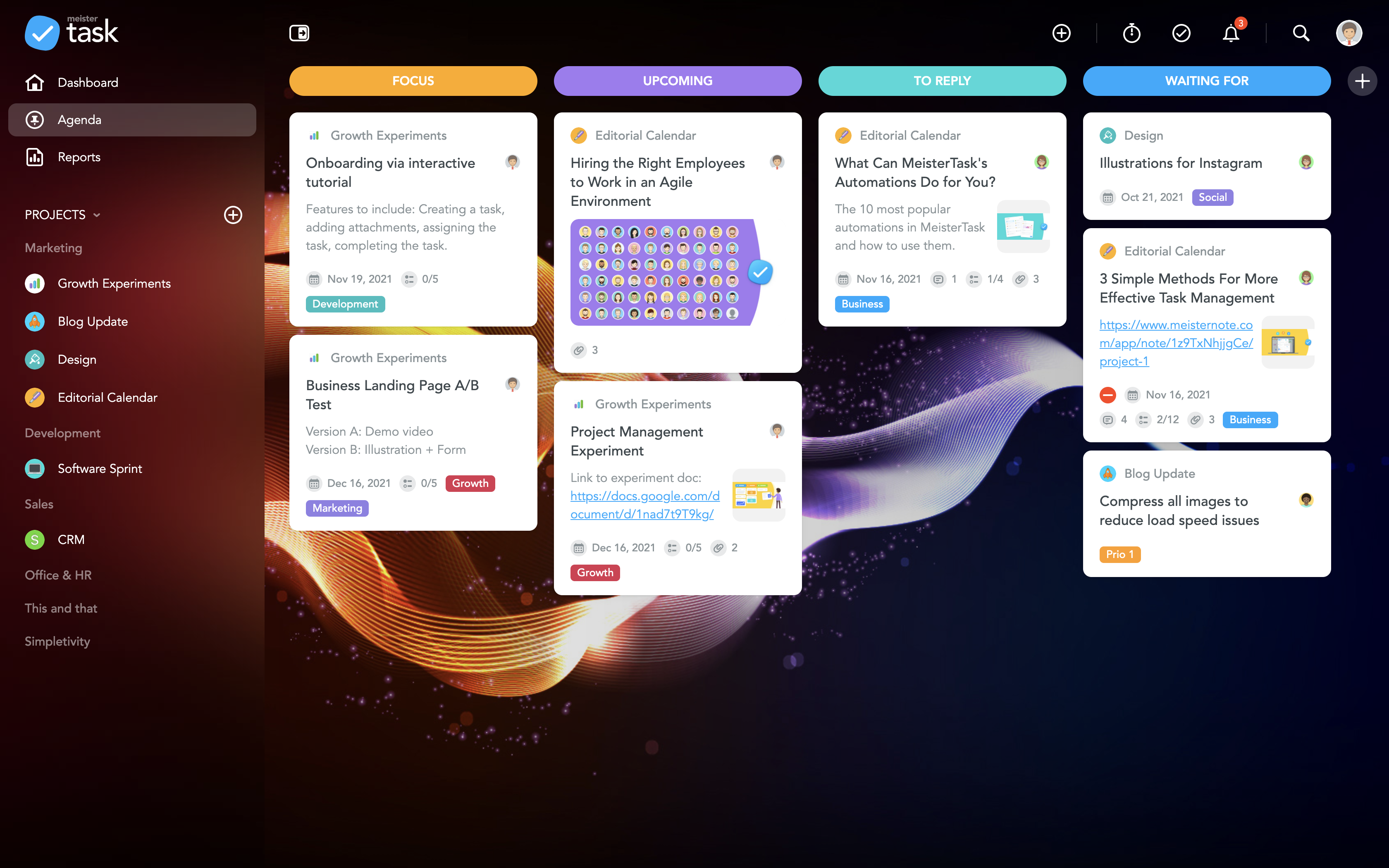
MeisterTask is a task management and collaboration tool that let teams manage tasks in a customizable environment. MeisterTask's project boards adapt to a team’s workflow, and is suitable for managing a variety of tasks from software sprints to editorial calendars. As opposed to only providing a tool that visualizes the work, MeisterTask automates recurring steps in users' workflows to help them work more efficiently and consistently.
MeisterTask is developed by…
$16
per month per user
Trello
Score 8.4 out of 10
N/A
Trello from Atlassian is a project management tool based on a Kanban framework. Trello is ideal for task-management in a to-do list format. It supports sharing boards and cards across users or teams. The product offers a free version, and paid versions add greater automation, collaboration, and administrative control.
$6
per month per user
Pricing
Google Tasks
MeisterTask
Trello
Editions & Modules
No answers on this topic
Pro
$16
per month per user
Business
$32
per month per user
Enterprise
Custom
Standard
$6
per month per user
Premium
$12.50
per month per user
Enterprise
$17.50
per month per user
Free
Forever Free
Offerings
Pricing Offerings
Google Tasks
MeisterTask
Trello
Free Trial
No
No
No
Free/Freemium Version
No
Yes
Yes
Premium Consulting/Integration Services
No
No
No
Entry-level Setup Fee
No setup fee
No setup fee
No setup fee
Additional Details
—
Discounts are available for education and non-profit organisations. 28% discount for annual pricing.
A discount is offered for annual billing and for larger numbers of users.
We switched from Google Tasks to Todoist as we like the layout and the functions more, even though we still use all the other Google programs. Nothing particularly bad but we enjoy Todoist more for our purposes. Google Tasks is even more simple to use than Todoist and has …
Initially I used Google Tasks because it was included in my Google Workspace subscription, and I thought it would be convenient to have a first-party solution that is tightly integrated with both Gmail and Google Calendar. However, I quickly wanted more robust features with …
Simple with a great UI, are the simplest words I think we can use to describe MeisterTask. I have used Trello, FreedCamp, and FreshBooks but, the time tracking is the great feature that I am getting used to with this and it's Trello like UI. So, many of users are fine with this …
Asana: while MeisterTask is card-based, this one is list-based. This one is entirely matter of preference. I prefer cards.
Trello: I used Trello for a long time and liked it. And though it lacked certain features, there were plenty of developers trying to create add-ons to …
From my perspective, MeisterTask's unique value comes from its deep connection with MindMeister (mind mapping tool) starting with this and then being able instantly to sync the map into a Kanban/scrum type board.
I am a very heavy Trello user and most of my work is held in Trell…
The difference between Trello and MeisterTask is that the Trello learning curve was very high compared to the other software mentioned above, in addition not many features met the requirements based on the needs that adapt to any company so in these cases we decide on this …
Easy to use for every user, because of its simple interface. Less cost and setup time relating to Trello. MeisterTask can help you to keep an eye on all of the diefferent task in your project.
Meistertask seems like it was made for work, and it doesn’t hide its features amid complicated menus. The Mobile experience is one of the best I have used in task management. It integrates with other tools more widely via Zapier and various built-in ecosystem connections within …
Meistertask is more visual and has a strong integration with mindmeister to create mindmaps first and from that to create tasks for your team. The reporting part is insightful to help monitor your team and see who needs additional help.
We have tried a lot of tools and we still use quite a lot, but only MeisterTask is the one we could not replace with any others. We use some other software for our personal planning, but when it comes to professional project management and collaboration, we simply choose …
More user-friendly - the design and user experience is really something outstanding and you love it from the first moment. Easier learning curve - in few minutes you are ready to deploy a full project within MeisterTask. Better apps - both the web app and the mobile apps are …
MeisterTask is a great app for tracking your to-dos and manage your team. You can track the time you spent on each task and it's a nice design. Good mobile app too, that helps keep everyone informed about the event and the task that need to be done and who is taking care of …
More customization, easier learning curve, gorgeous interface, more user-friendly, just the right amount of features without offering so many that you practically have to set up the entire app yourself before you can use it, the most integrations with other services, lets you …
Head of application management public transportation
Chose MeisterTask
Some other competitors have too many features and are heavy and slow.
Meistertask is very reactive and does what you need in some words or clicks.
Easy to use, only the necessary features.
Trello
Verified User
Engineer
Chose Trello
There are endless alternatives to Trello, but if you're looking for a Kanban style board for project management, there aren't really better alternatives. When it comes to customization, ease of use, and out of the box features, Trello is the best project management tool for …
If other google products are already in use, it is very easy to get into Google Tasks as well and everybody probably has a google account, hence, does not need another account as well. It is helpful for simple to do lists, we would not recommend for larger project planning.
The best part about Meistertask is how dead simple it is, while still absolutely nailing what it needs to really get right. Meistertask makes task management dead simple for me and keeps the detail out of the way unless I specifically need it.
For teams or individuals with lots of individual tasks/details to track, Trello is perfect! It basically removes the need for a paper checklist. For those that need an overall project management tool that requires less tasks and more overarching goals, collaboration amongst various teams, and gantt charts I would suggest monday.com
The best part, Google Tasks is FREE. No paywall, no ads. Just pure productivity. I was looking for some task-management app which is free, since it was difficult to get a paid one. I found that this was the perfect solution for me.
It's deeply integrated with other Google services like Gmail and Calendar. It can pick tasks with Gmail from emails, in the form of suggestions. It's up to you, completely. The tasks will appear in your calendar automatically, if it's time or date specific.
It's simple and hassle free to insert tasks and complete them. The app loads fast and hardly faces any crash. I encountered no such crashes.
It is present in multiple platforms. I would create a task in my phone, and would check it off on my laptop.
It's hassle free to add and check off tasks. It was very helpful for me in college.
The learning curve is really short compared to other software that is related to this.
It is very easy to manage several projects at the same time, thus saving time in the work process.
Managing the elements of the list is very comfortable since its interface allows everything to work in an orderly manner based on what I want to put as important for me.
It has versions that are adapted to any type of company or if you want to give a personal use because it also has an option based on what you want to do with MeisterTask.
I am very likely to renew Trello, because it doesn't cost anything to do so. I am also very likely to use Trello's upgraded features in the future because a lot of my team's data is stored on there and they have already gotten used to the platform. Trello is very easy for new team members to pick up, making the onboarding and usability very streamlined.
Google is simple to use and easy to understand. Having a one-click to add tasks via Google Calendar is a must for any busy business that manages multiple accounts and/or projects. Compliance and business standards are at the forefront, with notification reminders so you don't forget any of those annual certifications, for example.
Trello is incredibly intuitive, both on desktop and mobile right away. It is also full of helpful features that make it even easier to use, and is flexible enough to suit almost any organizational need. Onboarding for the software is thorough, but concise, and the service is frequently updated with even more QOL improvements.
Since the app is free, we can't expect to get a great support. 1. The app does not even have a dedicated forum where other members can help each other. 2. The app only has a feedback option, which I rarely think visits the team. 3. Even after sending many feedbacks, you can't expect a reply. 4. In a nutshell, if you face any problem, you can just wait. Nothing more than that.
I haven't reached out to their support very often and their support is very limited anyway for the free users. They do have tons of great articles and videos in their Help Center and constantly send emails with updates and add-ons to the product. The fact that I've barely ever had to contact their support team means that they've developed a great product.
For our small business, getting a few of us started well on Trello was the key, I think. As long as a couple of us were really comfortable with the interface, we could lead others and help them with any questions. From now on, anyone who works with us just naturally uses Trello for information sharing - it's just part of what we do.
Google Tasks is not necessarily better than its competitors and certainly not as robust or complex as most to-do applications and platforms available in the market, but because it is automatically integrated into G Suite services--our primary technology interface--this free option has precluded us from needing to explore other tools that are often "better" but not as intuitive when so much time and focus is already spent within the Google ecosystem.
Meistertask seems like it was made for work, and it doesn’t hide its features amid complicated menus. The Mobile experience is one of the best I have used in task management. It integrates with other tools more widely via Zapier and various built-in ecosystem connections within the Meisterlabs space. If you need to get started simplifying your digital life, this can help.
Trello is more simple and not as "robust" as the other tools, but it's easier to use and manage and understand and ACTUALLY get stuff done with. It's simplicity is part of the beauty of using it. You don't need a million options that nobody uses, you just need to get stuff done.
Personally, has managed over 1280 tasks for me in the past couple of years that I have been able to check off thanks to the app
Has accurately allowed me personally to schedule out tasks into the future that I want to get done but don't have the mental space currently to be trying to remember or do
MeisterTask saves me a lot of time in communicating about various tasks of a project. The activity chat feature lets me communicate with other members of my team without having to be in the same location as them, and increasing our productivity.
It has caused me to use some additional time though, and create a Gantt chart myself instead of being able to use a built-in feature.
MeisterTask is great for letting us organize and keep track of all aspects of a project and make sure each one gets done by its respective due date.
Trello keeps me organized, focused, and on track. I could filter the Trello board to only see my issues and understand what I needed to work on and when.
Trello helped our team implement an agile structure. It's a very simple kanban method of viewing all of your team's tasks and statuses. You can completely customize the columns to your team's specific workflow and create tags relevant to your work.
Trello helps reduce unnecessary communications between teams. When I want to request translations, I simply create a card on the localization Trello board -- no need to directly message anyone on the team, and I can watch the status of the card change from "in progress" to "in review" to "translated," all without having to directly ask for updates.